
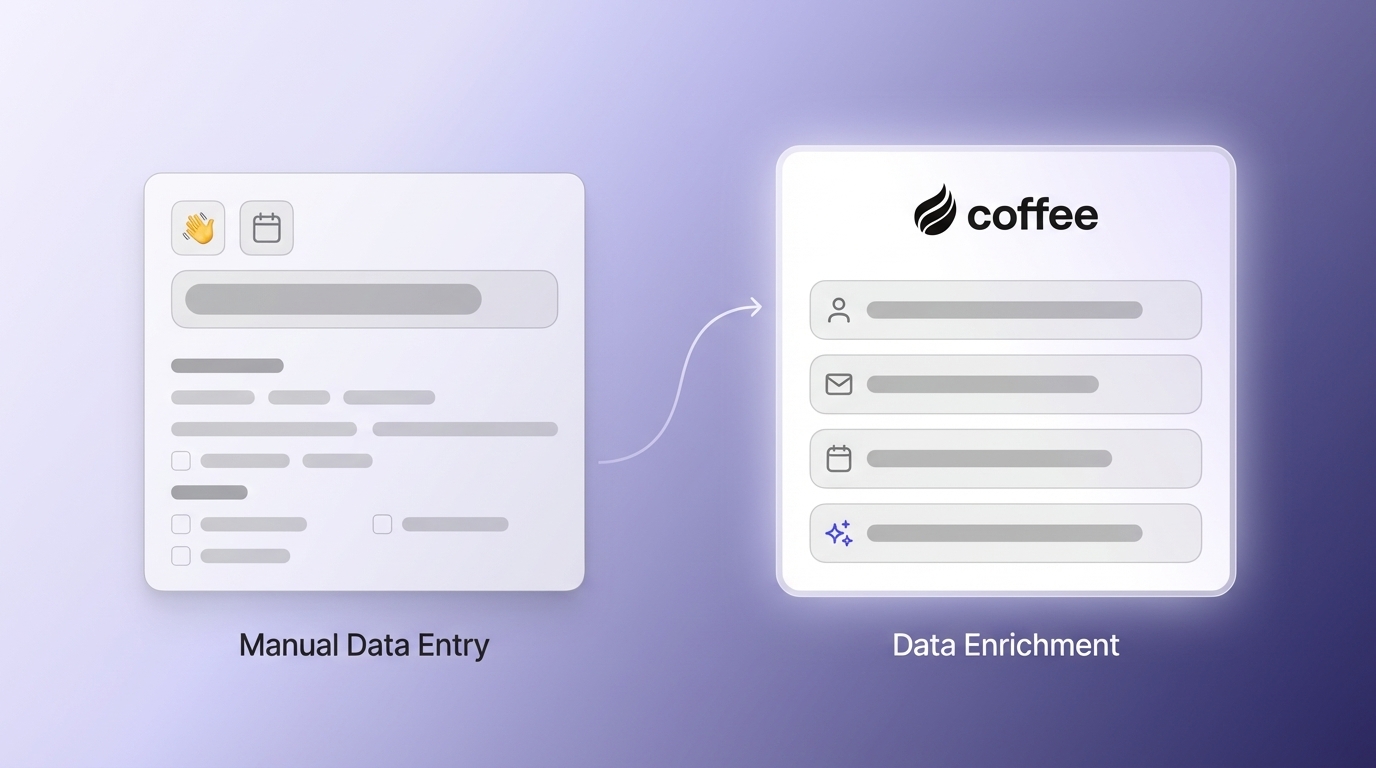
This article compares manual CRM data entry with automated, AI-driven CRM platforms so sales leaders can choose the model that best supports their teams.
- Manual data entry consumes selling time, creates errors, and weakens reporting, with 32% of sales representatives spending over an hour a day on admin work.
- Automated CRM captures data from email, calendars, and meetings in the background, giving reps more time for prospecting and closing deals.
- Cleaner, more complete data improves pipeline forecasting, performance analytics, and executive decision-making.
- Coffee delivers an AI-first CRM that works as a standalone system or as a companion to platforms like Salesforce and HubSpot.
- Automated CRM often delivers a stronger total value of ownership through lower operating costs, shorter sales cycles, and fewer point tools.
The True Cost of Manual CRM Data Entry
Manual CRM data entry reduces sales capacity and introduces risk into everyday operations. The impact shows up in lost selling time, incomplete data, low CRM adoption, and slow reporting.
Time Drain on Sales Professionals
Manual data entry takes a large share of each seller’s day. 32% of sales representatives spend over an hour daily on manual data entry, which directly replaces time they could spend talking with customers or progressing deals.
The administrative work usually includes:
- Adding and updating contacts
- Tracking opportunity stages
- Logging calls, emails, and meetings
- Scheduling and documenting follow-ups
- Entering the same information into multiple tools
For growing teams, this time loss scales quickly. A team of five reps that each spend one hour a day on data entry loses 25 hours of selling time per week, equivalent to removing one full-time seller from the field. That reduction limits revenue growth and makes it harder to reach targets with existing headcount.
Data Inaccuracy and Incompleteness
Manual entry also makes CRM data less reliable. Manual processes frequently lead to omissions or incomplete fields, which weakens reporting and makes it difficult to trust dashboards.
Eight percent of businesses report invalid or incorrect data as a significant issue, showing how often manual handling degrades data quality. Over time, these gaps and errors create inaccurate customer profiles, misleading pipeline forecasts, and unreliable performance metrics.
Human judgment also introduces inconsistency. Different reps may log similar meetings under different activity types or move opportunities through stages at different thresholds. Without standardized, automated capture, leaders lose the consistent data they need for dependable analytics and forecasting.
Low CRM Adoption and Its Consequences
Heavy manual data entry often lowers CRM adoption. When reps see the CRM as extra work instead of a sales tool, they look for faster options and create “shadow CRMs” using spreadsheets, notes apps, or personal task tools.
Lost sales opportunities are a common result of low CRM adoption combined with high manual workload because key customer details end up scattered across informal systems. Sales leaders lose visibility into pipeline health, deal activity, and overall team performance.
This dynamic creates a feedback loop. As less data is entered into the CRM, reports become less accurate and less useful. Reps then feel even less motivated to maintain records, and the system shifts from a sales enablement platform to a reporting requirement that slows work instead of supporting it.
Teams that want to cut this administrative burden can move to automated CRM. Request access to see how Coffee automates data capture and supports daily sales work.
Delayed Reporting and Analytics
Manual data entry also delays reporting and analytics. When reps fall behind on logging activities, pipeline and forecast reports lag behind real conditions and can misrepresent current risk.
Operations teams then spend extra time on data cleanup. They reconcile records, chase missing updates, and correct inconsistencies before they can run reliable reports. This reactive cycle means insights arrive late and have less impact on active deals or in-quarter adjustments.
The Power of Automated CRM: Reclaiming Time and Boosting Accuracy
Automated CRM platforms shift teams from reactive data maintenance to proactive sales intelligence. By capturing information automatically and enriching it with AI, these systems remove bottlenecks, raise data quality, and support better decisions.
Enhanced Efficiency and Time Savings
Automated CRM removes most manual data entry. The system logs activities, updates records, and syncs information across tools so reps spend less time on admin and more time selling.
With fewer clicks and forms to complete, sales professionals can focus on tasks that move revenue, such as prospect research, outreach, discovery calls, and negotiations. Teams can manage more accounts and opportunities without burning out on data management.
Automation can also handle routine workflows, including activity logging, meeting preparation, follow-up reminders, and pipeline updates. Reps keep accurate records and consistent processes without dedicating extra time or attention to them.
Superior Data Quality and Reliability
Automated capture improves data quality by following consistent rules every time. The system applies standard formats, required fields, and enrichment logic, which removes much of the human error common in manual entry.
Modern automated CRMs connect directly to email, calendar, and communication tools. They record messages, meetings, and other touchpoints automatically, giving teams a complete, searchable history of customer interactions without any extra steps for the rep.
When the data set is complete and consistently structured, analytics become more powerful. Leaders can run advanced forecasts, segment performance by many dimensions, and build data-driven sales strategies that depend on accurate information.
Increased Sales Productivity and Focus
Automated CRM reduces the cognitive load on sellers. They no longer need to remember to update every field, log each call, or sync data across systems. That mental energy can shift to listening to customers, planning next steps, and building stronger relationships.
Automation also surfaces helpful insights. Instead of searching through notes and past emails, reps can review brief smart summaries before meetings and use guided next steps to prioritize follow-ups.
Because core workflows are standardized, new hires ramp faster. They can start using the CRM effectively without learning complex data entry routines, which shortens the time to full productivity.
Data-Driven Decisions
When CRM data is captured automatically and kept current, leaders can rely on analytics for decision-making. Dashboards reflect real-time pipeline status, customer engagement, and team activity patterns.
With this information, sales leaders can spot bottlenecks, identify high-performing motions, and allocate resources where they will have the most impact. Automated CRM provides the foundation for continuous optimization instead of occasional, manual reviews.
Key Criteria for Evaluating CRM Solutions
Choosing between manual and automated approaches requires a structured framework. Sales leaders can evaluate options based on efficiency, data quality, scalability, user adoption, and total value.
Efficiency and Time Savings
Automated CRM should clearly reduce administrative work. Evaluate platforms based on how much time they remove from tasks like data entry, meeting preparation, and follow-up coordination, while still maintaining or improving data quality.
Look for concrete outcomes such as fewer hours spent on data management per week, shorter prep time before calls, and simpler workflows that limit context switching between tools.
Data Accuracy and Completeness
Data quality is central to CRM value. Automated solutions should provide accurate, complete records through consistent capture, enrichment, and validation processes.
Review how each platform handles:
- Deduplication and contact merging
- Automatic updates to contact and company details
- Integration with email, calendar, calling, and meeting tools
- Coverage of all customer touchpoints
Scalability and Adaptability
CRM systems need to grow with your organization. Automated platforms should support higher data volumes, more users, and expanded workflows without adding manual work.
Assess how well each option adapts to new processes, integrations, and sales methodologies. Flexible APIs, configurable automation rules, and robust integration options help support future changes.
Salesperson Productivity and Adoption
A CRM only delivers value when people use it. Automated systems should fit naturally into a rep’s day and remove steps instead of adding them.
When comparing platforms, consider interface clarity, ease of onboarding, and the specific ways the tool helps reps prepare for meetings, understand accounts, and plan follow-ups. Tools that feel like a co-pilot, not a reporting system, tend to reach higher adoption.
Total Value of Ownership (TVO)
Total value of ownership includes both direct costs and the value delivered over time. Automated CRM can reduce spending on manual data entry, separate enrichment tools, call recording software, and custom reporting projects.
Include the opportunity cost of rep time spent on admin work and the revenue risk created by bad or incomplete data. Platforms that deliver reliable data and higher productivity often produce outsized long term value, even if subscription costs are higher.
Automated CRM (with Coffee AI) vs. Manual Data Entry: A Detailed Comparison
The table below highlights how manual CRM data entry compares with an automated, AI-first platform like Coffee across key metrics that affect sales performance.
|
Feature/Metric |
Manual Data Entry (Traditional CRM) |
Automated CRM with Coffee (AI-First) |
|
Data Entry |
Manual input by reps, prone to errors and omissions |
Automatic creation and enrichment from communications such as email and calendar, plus AI-generated meeting notes |
|
Data Accuracy |
Often invalid or incomplete, which leads to weak insights |
Higher accuracy through automated capture, real-time updates, and AI-driven enrichment |
|
Sales Rep Time |
Significant time spent on data entry and admin, leaving less time for selling |
Substantial time savings per rep by automating data entry, allowing more focus on selling activities |
|
CRM Adoption |
Often low because the system feels like a burden, which encourages the use of “shadow CRMs” |
Typically higher thanks to user-centric design that automates tedious work and surfaces useful insights |
Coffee’s AI-First Advantage
Coffee applies AI and automation to deliver practical sales intelligence and smoother workflows. Its architecture is built to reduce manual work, keep data accurate, and help teams understand their pipeline in detail.
Automatic Data Entry and Enrichment
Coffee automatically builds and maintains customer profiles by connecting to Google Workspace or Microsoft 365. Once connected, it scans emails and calendar events to create contacts and companies, enriches them with job titles and firmographic details from licensed data partners, and logs activities without manual input from reps. Customer records stay current and complete in the background.
AI-Powered Meeting Management
Coffee’s AI meeting assistant can join sales calls on Google Meet, Microsoft Teams, and Zoom to record and transcribe conversations. After each meeting, the system generates concise summaries, highlights action items, and drafts follow-up emails that reps can review and send from Gmail.
A “Today” page provides pre-meeting briefings, including participant roles, company information, and summaries of prior interactions. Reps arrive better prepared without assembling this context themselves.
True Pipeline Intelligence
Coffee includes a built-in data warehouse that stores historical snapshots of pipeline data. Using the one-click Compare feature, managers can see how the pipeline has changed week over week, including which deals progressed, stalled, or were newly added, without exporting data to spreadsheets.
Tech Stack Consolidation
Coffee combines capabilities that often require several separate tools. Data enrichment, call recording and transcription, pipeline analytics, and meeting intelligence live in one platform, which reduces complexity, lowers overall tool spend, and keeps data consistent across use cases.
User Experience
Coffee is designed to act as a co-pilot for sales representatives. It automates tasks like data entry and note-taking while delivering insights that directly support pipeline management and deal execution. This focus on day-to-day usefulness helps drive higher adoption and more reliable CRM usage.
To see automated CRM in practice, request access to Coffee and review how AI-first automation can reduce manual work for your team.
Choosing the Right CRM: Scenarios for Success
Different organizations need different levels of automation and integration. Matching your CRM model to your current scale and tech stack helps improve results and adoption.
For Small Businesses Outgrowing Manual Systems
Small businesses that rely on spreadsheets or basic tracking tools often reach a point where informal systems cannot keep up with lead and deal volume. These teams, typically with 1 to 20 employees, benefit from moving to an automated standalone CRM.
Coffee’s Standalone CRM starts delivering value quickly. After connecting Google Workspace or Microsoft 365, the system begins capturing customer data automatically, creating profiles and building a live pipeline. This fast time to value is important for smaller teams that need results without long implementations.
A simple seat-based pricing model also helps small businesses budget accurately as their sales activity grows, without navigating complex usage-based pricing structures.
For Mid-Market Organizations with Existing CRMs
Companies already invested in Salesforce or HubSpot can use Coffee as a Companion App rather than replacing their core CRM. In this model, Coffee adds an automation and intelligence layer on top of the existing system.
Data syncs between Coffee and the primary CRM so teams keep their current reporting and processes while gaining AI-powered capture and a more intuitive rep experience. This setup is especially useful for mid-market organizations facing low adoption because sales teams find traditional systems slow or cumbersome.
The Total Value of Ownership (TVO) of Automated CRM
Evaluating CRM options only on license cost often understates their impact. Automated CRM influences operational expenses, sales performance, and tool consolidation, which together shape the total value of ownership.
Reduced Operational Costs
Automated CRM reduces spending tied to manual work. Fewer hours go into data cleanup, admin tasks, and training new hires on complex processes. Many organizations can also retire point tools for enrichment, calling, recording, and reporting when these capabilities are built into the CRM.
Accelerated Sales Cycles and Revenue Growth
With clean, accessible information and consistent follow-up workflows, sales cycles often move faster. Reps can answer questions quickly, tailor conversations using complete histories, and avoid delays caused by missing context or forgotten tasks.
Minimized Errors and Improved Data Integrity
Automated capture reduces common mistakes such as missing fields, mis-typed details, and inconsistent activity logging. More accurate data leads directly to better reporting and indirectly to better customer experiences because reps show up prepared with reliable information.
Rapid Return on Investment (ROI)
Many of the benefits of automated CRM appear shortly after rollout. Time savings, better opportunity management, and fewer overlapping tools can combine to offset the cost of the platform within a short period. ROI calculations should consider both measurable gains and qualitative improvements like stronger customer relationships and clearer visibility for managers.
Streamlined Tech Stack
Platforms like Coffee consolidate enrichment, meeting intelligence, and analytics into one environment. A leaner stack is easier to manage, reduces integration work, and lowers the risk of data mismatches across systems.
Frequently Asked Questions
How automated CRMs improve data accuracy compared with manual entry
Automated CRMs such as Coffee capture data directly from email, calendars, and meetings, then enrich it with licensed third-party data. This process standardizes how information is recorded, reduces manual keying errors, and keeps fields complete and consistent across records.
Sales team adoption of automated CRM after legacy systems
Coffee is designed to feel like a co-pilot for sellers, not a reporting tool. By automating tasks such as data entry and meeting notes, and by providing practical features like pre-meeting briefings, the platform gives reps clear daily value. That usefulness tends to increase adoption, even among teams that have had negative experiences with legacy CRMs.
Expected time savings when switching from manual data entry to automated CRM
Organizations that adopt automated CRM typically reclaim a significant number of hours per rep each week. By removing manual data entry and reducing duplicate work across tools, teams can redirect more of the workday to prospecting, meetings, and deal management. These gains usually appear quickly because reps do not need extensive training to benefit from automation.
How automated CRM AI features improve sales performance beyond data entry
AI in platforms like Coffee supports sales performance by generating pre-meeting briefings, summarizing calls with key points and action items, drafting follow-up emails, and tracking changes in pipeline health. These capabilities move the CRM from being a system of record to a system that actively guides sellers toward the next best actions.
Automated CRM integration with existing business tools and workflows
Modern automated CRMs are built to integrate with common business systems. Coffee connects with Google Workspace, Microsoft 365, Slack, and leading communication platforms. For teams using Salesforce or HubSpot, Coffee can operate as a Companion App that syncs data with the primary CRM. The platform also offers API access and integrations through tools like Zapier for custom workflows.
Conclusion: Choosing Automated CRM for Future-Focused Sales Teams
The comparison between manual CRM data entry and automated CRM shows clear tradeoffs. Manual processes increase administrative workload, reduce selling time, and make it harder to maintain accurate, trusted data. Automated platforms like Coffee reduce that burden through AI-powered capture and guided workflows.
The choice of CRM model shapes how effectively your sales organization can operate. An AI-first platform such as Coffee supports higher productivity, more reliable insights, and smoother scaling as the team grows.
To evaluate whether automated CRM is a fit for your organization, review Coffee in action. Request access to see how automated data capture and sales intelligence can support your team.