
Key takeaways:
- Manual CRM work can absorb most of a sales rep’s day, leaving limited time for actual selling and reducing revenue potential.
- AI-powered CRM automation reduces data entry, unifies information, and supports more consistent follow-up, which improves both efficiency and data quality.
- Coffee provides an AI-first CRM and companion solution that automates contact creation, meeting workflows, and pipeline insights to save an estimated 8-12 hours per rep each week.
- Clear ROI measurement comes from tracking time savings, data quality improvements, sales performance metrics, and tech stack consolidation.
- A structured implementation plan helps organizations adopt automation quickly while protecting existing CRM investments and preparing for future growth.
AI-powered CRM automation replaces manual processes, reduces administrative work, and provides actionable insights that support more effective sales activity. By automating repetitive tasks and improving data quality, modern CRM automation helps sales teams shift from reactive record keeping to proactive revenue work.
The Hidden Costs of Manual CRMs: Why Your Sales Team Isn’t as Efficient as it Could Be
Many legacy CRM systems were built to serve as a central source of customer data and interactions. In practice, they often keep sales professionals in ongoing administrative cycles that limit selling time. This inefficiency affects individual productivity, revenue generation, customer relationships, and the ability to compete effectively.
The Crushing Burden of Manual Data Entry
Manual updates to contact records, activity logs, and cross-system data transfers take time away from selling. 71% of sales reps report that they spend too much time on data entry, and only around 35% of their work hours go to active selling. This imbalance has a direct cost.
This manual approach also weakens data quality. Incomplete or rushed entries lead to missed follow-ups, duplicate outreach, and overlooked opportunities. When CRM data becomes unreliable, forecasting and strategic planning suffer. Teams then spend even more time correcting records instead of building pipeline.
The cost compounds across the organization. When each rep spends a significant portion of the week on non-selling work that could be automated, payroll dollars shift from revenue-producing activity to administration. Multiplied across the team, this creates a large, often hidden, expense.
Fragmented Data & Disconnected Workflows
Many sales teams rely on several tools to manage what should be connected workflows. A typical stack might use HubSpot for CRM, ZoomInfo for prospecting, SalesLoft for outreach, and separate tools for scheduling and calls. Each system generates useful customer data, but often in isolation.
This fragmentation slows work and creates gaps. Reps spend time switching between tools, copying data, and trying to rebuild a complete customer picture from scattered information. Important context can be lost, which leads to inconsistent messaging, missed handoffs, and less relevant outreach.
Licensing and maintenance costs also rise when multiple tools overlap in capability. Data silos limit reporting and analysis, making it harder to understand pipeline health, customer behavior, and the impact of sales activities.
Outdated Architecture & Poor User Adoption
Some older CRM platforms still reflect constraints from their original architecture. Complex interfaces, rigid data models, or unintuitive workflows can make daily use harder than necessary. When systems feel difficult to use, adoption often suffers.
When sales professionals view their CRM as a hurdle rather than a help, they turn to spreadsheets, personal notes, or separate tools that feel faster. These unofficial systems fragment information and reduce visibility.
Low adoption creates a reinforcing cycle. Incomplete data makes the CRM less valuable for everyone, which further reduces usage. Leadership loses a clear view of pipeline and activity, forecasts become less reliable, and planning relies more on anecdote than data. The CRM becomes a cost of doing business instead of a source of insight.
Ready to reduce CRM admin work and improve sales efficiency? Request access to Coffee’s AI-powered solutionThe Solution: How AI-Powered CRM Automation Delivers Measurable ROI and Efficiency Gains
Recent AI capabilities make it possible to rethink how CRMs operate. Rather than adding small improvements to manual workflows, AI-powered automation targets the core causes of CRM inefficiency by reducing data entry, connecting systems, and generating insights that guide next steps.
Reclaiming Sales Team Time with Intelligent Automation
Intelligent automation shifts repetitive tasks into the background. AI can capture contact information from emails and calendar invites, enrich records with business data, and log activities automatically. This approach saves time and improves consistency by reducing manual steps and human error.
These time savings appear quickly and are measurable. When AI manages routine data entry, contact creation, and activity logging, reps can spend more hours each week on prospecting, discovery calls, and deal progression. The role of the sales professional moves away from administrative coordination and toward higher value work with customers.
More advanced automation supports complex workflows. AI can prepare meeting briefings, suggest follow-up emails, and list action items after conversations. These capabilities extend time savings and support more thorough and timely engagement with prospects and customers.
Achieving a Unified & Enriched Customer View
AI-powered systems can bring information together from multiple tools into a single, usable view. Email history, meeting notes, CRM records, and external business data can be combined automatically, so reps do not have to assemble context by hand.
Data enrichment and maintenance can also run continuously. AI can update contact and company records with current information and flag relevant business events that may affect deals or outreach strategy. Instead of reacting to gaps or outdated records, teams gain a more reliable, current view of their customers and prospects.
Empowering Proactive Sales Engagement & Pipeline Management
Traditional CRMs often focus on past activity and static reports. AI-powered automation supports forward-looking decisions. By reviewing engagement patterns and deal movement, AI can highlight at-risk opportunities, suggest next actions, and surface accounts that may be ready for outreach.
Pipeline management becomes a more frequent and informed process rather than a manual, weekly exercise. AI can monitor deal changes, flag slippage or inactivity, and present pipeline shifts clearly. Managers can then coach in real time, address risks earlier, and support reps with more targeted guidance.
Coffee: Your Catalyst for CRM Automation ROI and Efficiency
Coffee is an AI-first CRM platform designed to reduce manual work and improve data quality. It focuses on automation that supports sales teams while fitting into existing workflows.
Coffee starts delivering value quickly with automatic data capture and enrichment. It connects with tools like Google Workspace and Microsoft 365 and converts email and calendar activity into structured CRM records with minimal disruption to current habits.
Eliminate Manual Data Entry, Maximize Selling Time
Coffee’s automatic contact and company creation changes how customer data enters your CRM. By scanning emails and calendar invites, Coffee identifies the people and organizations your team interacts with and adds them as structured records. Emails, meetings, and notes are linked to the right contacts and accounts without extra steps from the rep.
The platform enriches these records with job titles, company details, funding information, LinkedIn profiles, and location data from licensed partners. This enrichment gives teams a fuller picture of each contact and account.
Activity tracking runs in the background. Coffee updates last activity, next activity, and deal details based on real email and calendar data. Reps can spend less time updating fields and more time speaking with customers and prospects. This level of automation is estimated to save 8-12 hours per rep per week, which can be redirected to selling and relationship building.
Streamline Workflows & Consolidate Your Tech Stack
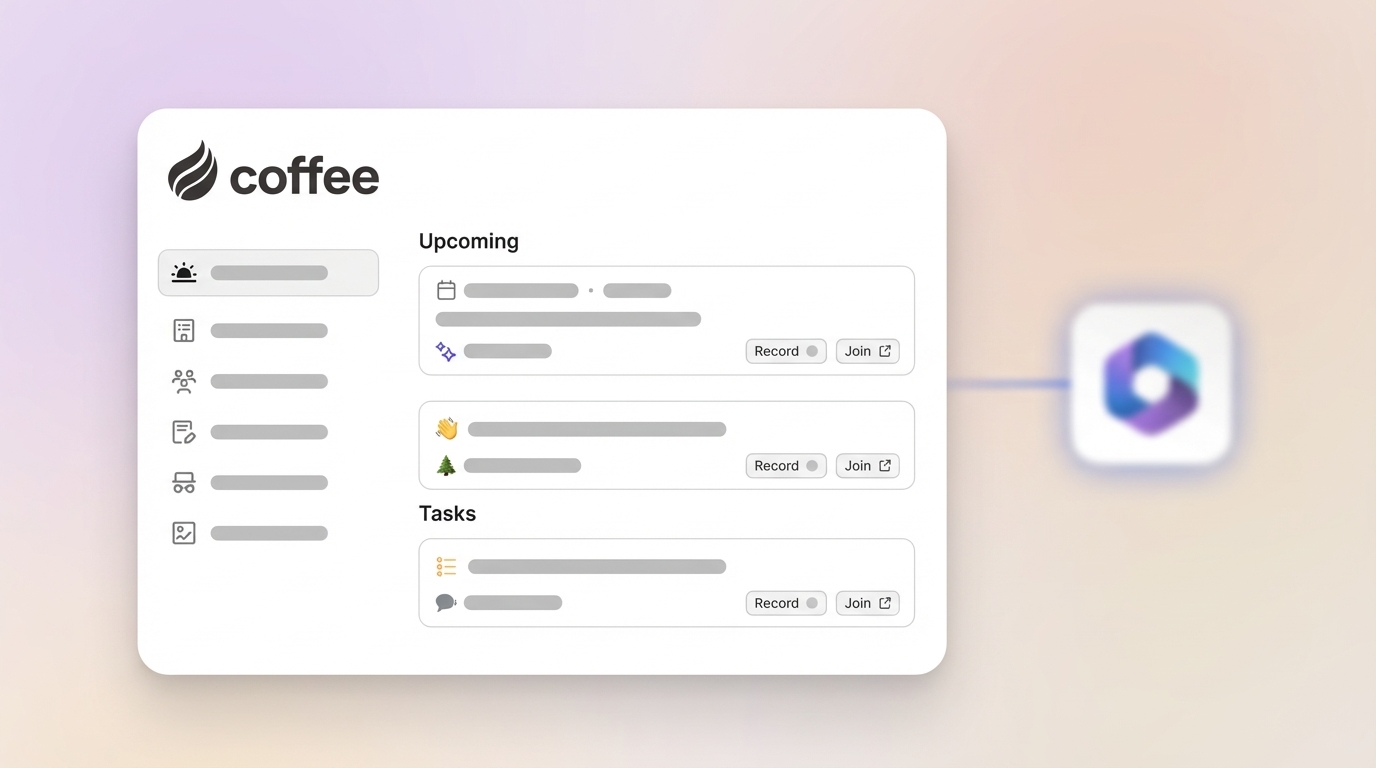
Coffee acts as an assistant for sales meetings, from preparation through follow-up. Before each meeting, the Today page assembles attendee details, company context, and interaction history in one place so reps can prepare quickly.
During meetings, Coffee’s AI bot can join Google Meet, Microsoft Teams, and Zoom calls to record and transcribe the conversation. Afterward, the system generates summaries, action items, and draft follow-up emails that can be reviewed and sent from Gmail with minor edits.
By bringing CRM, data enrichment, call recording, and pipeline support into a single platform, Coffee can reduce the number of separate tools teams maintain. This consolidation lowers software costs, limits context switching for reps, and simplifies data synchronization.
Gain True Pipeline Intelligence for Strategic Sales Decisions
Coffee includes a built-in data warehouse that stores historical pipeline snapshots. This structure allows analysis that is difficult to achieve with some older CRM architectures. The Pipeline Compare feature presents week-over-week pipeline changes with one click, showing new opportunities, movement, closed revenue, and stalled deals.
This level of visibility helps turn pipeline reviews into planning sessions. Managers can spot trends, address gaps, and align resources based on actual changes in the pipeline rather than on static reports.
List Builder extends this capability into prospecting. Sales teams can describe target criteria in natural language and receive enriched prospect lists that are ready for outreach, which reduces manual list building time.
See how Coffee’s AI automation can support your sales team. Request access todayQuantifying Your Returns: How to Measure CRM Automation ROI
Measuring CRM automation ROI works best with a structured framework. Effective programs track time savings, productivity gains, data quality improvements, sales performance changes, and tech stack cost reductions.
Calculate Time Savings & Productivity Gains
Time savings are often the first visible benefit. Start by tracking how long reps spend each week on data entry, contact research, meeting preparation, and follow-up tasks. After automation goes live, measure the decrease in time spent on these activities and convert that reduction into cost savings.
Productivity should also be measured in activity output. Monitor changes in calls made, emails sent, meetings scheduled, and opportunities advanced per rep per day. Higher activity levels, supported by better data and automation, can contribute to improved revenue results.
Track Improvements in Data Accuracy & Completeness
Better data improves every part of the sales process. Track the percentage of contact records with complete fields, the accuracy of company information, and the consistency of opportunity data.
Forecast and lead scoring accuracy reflect the quality of that data. Compare forecast performance before and after automation to understand how improved data collection affects planning and prioritization.
Monitor Sales Performance Metrics
Changes in revenue and deal metrics show how automation affects outcomes. Review trends in average deal size, sales cycle length, win rates, and pipeline coverage at the rep level.
At the team level, watch total revenue per rep and overall revenue growth. When automation reduces manual work and improves engagement quality, these metrics often show gradual and sustained improvement.
Evaluate Tech Stack Consolidation Savings
Automation may allow you to replace multiple tools with a more integrated platform. Calculate the reduction in software subscription fees and maintenance costs from retired systems and overlapping products.
Include IT and operations time in this analysis. Fewer integrations and systems to support can reduce ongoing work for data synchronization, troubleshooting, and user training.
Modern AI-First CRM Automation vs. Legacy CRMs: A Performance Showdown
|
Feature Area |
Legacy CRM |
Coffee AI-First CRM |
ROI Impact |
|
Data Entry |
Manual, time-consuming, error-prone |
Automated, AI-driven, high accuracy |
Estimated 8-12 hours saved per rep weekly |
|
Data Quality |
Inconsistent, requires manual updates |
Real-time enrichment, unified source |
Improved data for forecasting and decisions |
|
Workflow Automation |
Limited, often requires add-ons |
Extensive meeting and follow-up automation |
Enhanced consistency in follow-ups |
|
Pipeline Insights |
Basic reporting, manual exports |
Historical snapshots, one-click comparison |
Faster identification of pipeline changes |
Performance differences between AI-first platforms and older systems grow over time. Legacy tools often need more manual upkeep and custom work, while AI-powered platforms focus on improving automation and data quality.
User adoption typically mirrors this difference. Systems that are easier to use and that remove manual work tend to see stronger adoption, which further improves data quality and visibility.
Explore how Coffee compares to legacy CRMs. Request access to see the differenceImplementation Strategy: Maximizing Your CRM Automation Investment
Successful CRM automation requires planning across technology, process, and change management. Strong implementations deliver quick wins while building a foundation for ongoing optimization.
Choose the Right Deployment Model
Organizations often decide between replacing their CRM and adding automation to existing systems. Coffee supports both paths so teams can match deployment to their requirements and timelines.
For smaller companies using spreadsheets or basic tools, Coffee’s Standalone CRM offers a modern, automated alternative. It replaces manual tracking with structured, automated workflows.
Companies with Salesforce or HubSpot can use Coffee’s Companion App to add AI automation while keeping their current CRM. This approach maintains data continuity and familiar processes while layering on automation and insights.
Prioritize High-Impact Automation Opportunities
Early phases of implementation should focus on areas that produce fast and visible value. Automated contact creation and data enrichment are strong starting points because they immediately reduce manual data entry.
Meeting automation is another high-impact area. Automated briefings, note capture, and follow-up drafting shorten preparation and wrap-up time while improving the consistency of customer engagement.
Establish Success Metrics and Monitoring
Clear success metrics help align stakeholders and guide optimization. Define targets for time saved, data quality, activity levels, and revenue outcomes before rollout.
Review results regularly. Monthly performance reviews that include adoption, productivity metrics, and user feedback can highlight where workflows are working well and where adjustments will deliver more value.
Future-Proofing Your Sales Operations with AI-Powered Automation
The sales technology environment is changing quickly. Teams that invest in modern automation platforms now are better positioned to adapt to new tools and data sources.
Scalability and Growth Support
AI-first platforms are designed to scale with increasing data and user counts without extensive reconfiguration. This reduces the need for large customization projects as the organization grows.
Continuous Improvement Through Machine Learning
AI systems can improve over time through machine learning. As they process more interactions and outcomes, models learn which patterns lead to success and adjust suggestions and automations accordingly.
Integration with Emerging Technologies
Modern automation platforms emphasize integration. API-first architectures, such as the one used by Coffee, allow teams to connect new tools, internal systems, and custom applications to extend capabilities and maintain a connected data environment.
Frequently Asked Questions
What is CRM automation ROI and why is it important?
CRM automation ROI is the measurable efficiency and performance gain from automating CRM processes relative to the investment required. It includes cost savings from reduced manual work, higher activity levels, better forecasting, and improved conversion rates. With Coffee’s AI-first approach, organizations can see benefits such as estimated time savings of 8-12 hours per rep weekly and more predictable sales performance.
How quickly can I expect to see significant efficiency gains from CRM automation?
Efficiency gains from automated data entry and contact creation often appear within the first few weeks, as manual tasks decrease. Larger productivity improvements typically emerge within 3-6 months, once data quality improves and teams fully adopt new workflows. Coffee’s integration with tools like Google Workspace helps accelerate this timeline, as contact creation and meeting management can be automated with limited process change.
Will AI-powered CRM automation make my sales team obsolete?
AI-powered CRM automation is designed to support sales teams, not replace them. Automation removes repetitive administrative tasks so sales professionals can focus on discovery, relationship building, negotiation, and strategic planning. Coffee operates as a co-pilot that handles routine work and surfaces insights, enabling reps to spend more time with customers.
How does Coffee ensure data quality for better automation and ROI?
Coffee is built around the idea that effective AI depends on reliable data. Instead of relying on manual entry, Coffee ingests data from emails, calendars, and call transcripts and structures it automatically. The platform then enriches contact and company records using licensed data partners, which helps maintain complete and current customer profiles that support accurate automation and reporting.
Is Coffee suitable for a company already using Salesforce or HubSpot?
Coffee offers a Companion App for organizations that already use Salesforce or HubSpot. This option lets teams add Coffee’s AI automation and enrichment on top of their existing CRM. After a straightforward authentication process, Coffee syncs data, enhances it with automation and insights, and lets users choose which information to write back into Salesforce or HubSpot.
Conclusion: Unlock Your Full Sales Potential with Coffee’s AI-First CRM Automation
Many CRM setups still create substantial administrative work and limit selling time. Manual data entry, fragmented tools, and dated workflows increase operating costs and reduce visibility into pipeline health.
AI-powered CRM automation addresses these issues by reducing manual tasks and centralizing customer data. Platforms like Coffee help sales teams redirect time toward higher value activities and maintain more consistent engagement with prospects and customers.
The benefits include estimated time savings of 8-12 hours per rep weekly, higher quality data, and workflows that support more predictable customer experiences. Organizations that move toward AI-first CRM automation can improve both efficiency and execution.
Coffee focuses on these challenges while giving teams flexibility in how they adopt automation. Growing companies can use the Standalone CRM, and established Salesforce or HubSpot users can add the Companion App to enhance current systems.
Modernizing CRM operations is increasingly a timing decision. Each week spent on manual, inefficient processes represents time and opportunity that could be reallocated to revenue-generating work.