
Executive summary
- Real-time CRM data sync reduces manual data entry and improves forecast accuracy for sales and RevOps teams.
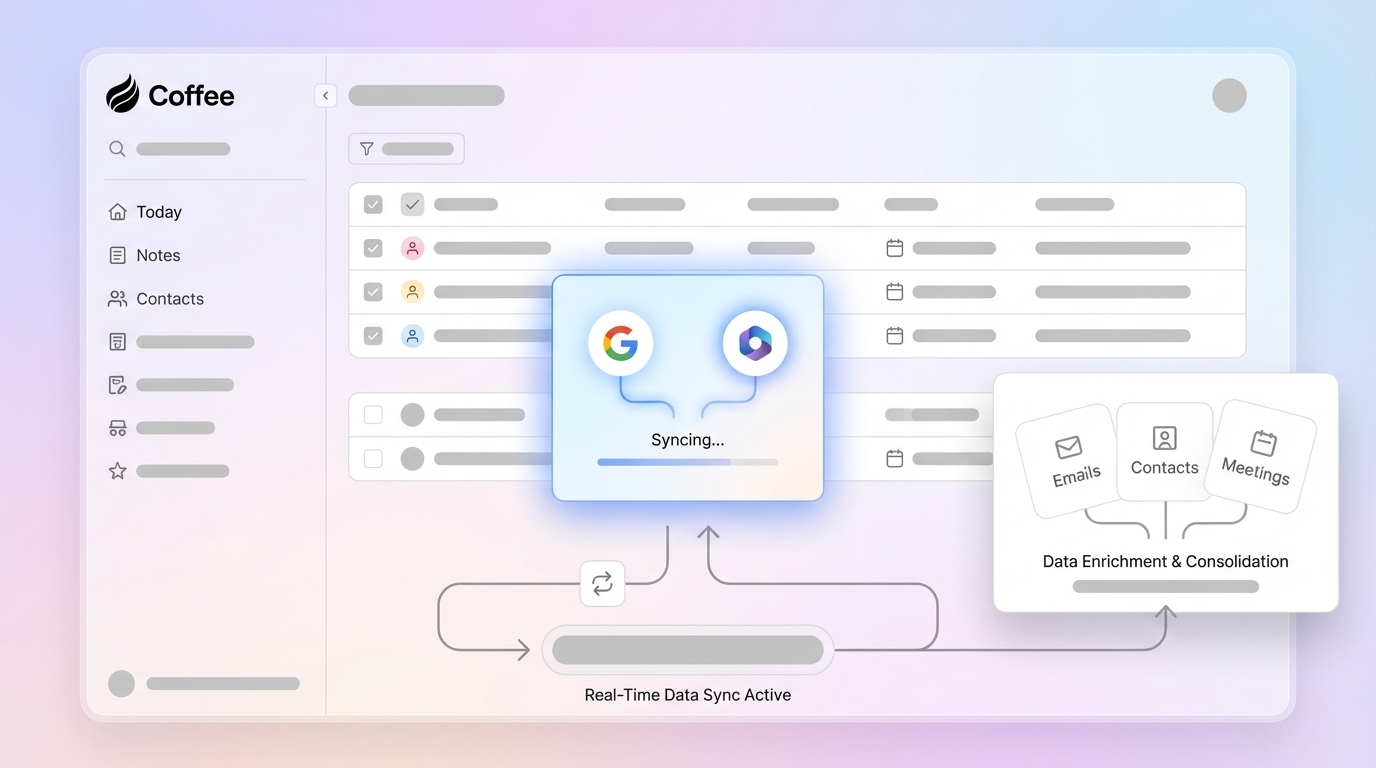
- AI CRM agents like Coffee capture and enrich customer data directly from email, calendar, and meetings, improving data completeness.
- A clear data sync strategy and basic technical foundations prepare your systems for agent-led automation.
- A step-by-step Coffee workflow shows how to connect tools, automate records, log activities, and manage meetings with AI.
- Governance, monitoring, and conflict resolution help maintain long-term data quality as usage and data volume grow.
- Key metrics and advanced features guide how to measure impact and expand your AI CRM agent implementation over time.
Why Real-Time CRM Data Sync Matters For Revenue Teams
Why Manual Data Entry Fails Revenue Teams
Sales professionals today handle many administrative tasks that software could automate. Manual data entry wastes sales time, leads to outreach errors, and undermines forecast reliability. Coffee market data shows that 71% of sales reps say they spend too much time on data entry, leaving only 35% of their time for selling. Instead of focusing on building relationships and closing deals, reps often serve as data entry clerks for systems that should support their work.
Fragmented data and manual entry create duplicate records, inaccuracies, and incomplete information, which lower sales productivity. This fragmentation often appears when sales teams rely on multiple platforms for related tasks, making a unified workflow difficult.
The consequences are significant. Inaccurate or incomplete data leads to misguided decisions and missed opportunities. Teams also work with incomplete customer views because data is scattered across systems, which slows decisions and erodes trust in the CRM.
The Agent-Led Solution: Good Data In, Good Data Out
A shift from passive software to active agents offers a practical solution. An AI-powered CRM agent such as Coffee represents a change from traditional database-driven systems to intelligent, autonomous tools that manage data quality in real time. This agent-led approach brings high-quality, ground-truth data into your system from sources such as emails, calendars, and call transcripts, which reduces the human error that affects legacy CRMs.
The principle of “good data in, good data out” becomes realistic when an intelligent agent handles data capture, enrichment, and synchronization. Instead of relying on busy people to maintain data quality, Coffee’s AI CRM agent runs continuously to ensure that every customer interaction is captured, structured, and ready to use.
Teams that want a more reliable data management approach can see this in action. Request access to see how Coffee’s AI agent can improve your CRM data sync process.
Prerequisites For Launching AI-Powered CRM Data Sync
Understanding Your Current Data Environment
Strong results with an AI CRM agent start with a clear picture of your current data. Many organizations face low CRM adoption, inconsistent data quality, and integration gaps. These issues create an unreliable foundation that affects every downstream decision.
Begin with a simple CRM data quality audit. Look for:
- Duplicate records
- Incomplete contact details and missing fields
- Missing activity logs for key accounts and opportunities
- Outdated company information
Identify how many tools your team uses to capture and manage customer data. Inconsistent formats and scattered data sources are common causes of inefficiency and data silos.
Compare intended CRM usage with what actually happens. If sales reps rely on spreadsheets, notes, or point tools because the official system does not meet their needs, that gap marks an opportunity for improvement with an AI agent like Coffee.
Technical Foundations for AI Integration
Successful AI CRM agent implementation depends on a few technical basics. Your organization needs reliable access to core business systems, including:
- Email platforms such as Google Workspace or Microsoft 365
- Calendar applications linked to those email platforms
- Communication tools such as Zoom, Teams, or Google Meet
- Your existing CRM, if you plan to keep it as the primary system of record
The Coffee Agent must authenticate and integrate with these systems in a consistent and secure way.
Plan a phased rollout so you can validate data accuracy and system performance at each stage. This approach helps you catch discrepancies early and maintain accurate synchronization as adoption grows.
Defining Your Data Sync Strategy
A clear data sync strategy sets expectations for what the agent does and how results are measured. Core data to include often covers:
- Email correspondence
- Call records and meeting interactions
- Contact and company details
- Deal stages and key pipeline fields
Prioritize customer-facing interactions and revenue-critical activities that directly affect your sales process.
Set data governance policies before implementation. Define what qualifies as a lead, when deal stages should update, and which activities require automatic logging. These decisions protect data integrity during rollout and everyday operations.
How to Implement Real-Time Data Sync with an AI CRM Agent: A Coffee-Powered Workflow
Step 1: Connecting Your Data Ecosystem to Coffee
Start by creating secure connections between Coffee and your current business tools. The Coffee Agent needs authentication with your Google Workspace or Microsoft 365 environment to access email and calendar data. This initial connection sets the base for all later data synchronization.
For organizations using CRMs such as Salesforce or HubSpot, Coffee extends your existing system with additional data management capabilities. For companies that want a different setup, Coffee’s standalone CRM offers an alternative with AI-powered features.
After connection, the Coffee Agent scans your recent email and calendar history to identify customer touchpoints, meeting records, and communication patterns. This discovery phase builds a baseline view of your customer relationships and interaction history.
Step 2: Automating Contact and Company Creation and Enrichment
Once your systems connect, the Coffee Agent automatically identifies and creates contact and company records from email communications and calendar events. This automation links every customer interaction to the correct record and applies consistent rules, which is difficult to achieve with manual entry.
The agent enriches records with job titles, company funding information, and LinkedIn profiles through licensed data partners. The goal is to keep your CRM populated with current and complete customer information with minimal manual work.
Key activities during this step include:
- Automatic contact creation from email signatures and calendar attendees
- Company record generation from email domains and meeting participants
- Professional data enrichment such as roles, company size, and industry
- Duplicate detection and merge recommendations to keep data clean

Step 3: Ensuring Activity Logging and Deal State Updates
The Coffee Agent monitors your connected communication channels and logs activities automatically. As emails are sent, meetings are scheduled, or calls take place, the agent updates the related records so your CRM reflects the current state of every customer relationship.
Coffee provides synchronization that keeps data consistent and reduces silos across tools. The agent logs “last activity” and “next activity” information on deals and accounts, which helps keep the pipeline view current without extra manual updates from the team.
Step 4: Using AI for Meeting Management and Automated Summaries
The Coffee Agent also supports day-to-day meeting workflows. Before meetings, the agent prepares briefings on attendees, their roles, company background, and previous interaction history on a “Today” page. This preparation helps reps enter each conversation with context and clear next steps.

The Coffee Agent can join Zoom, Teams, or Google Meet calls to record and transcribe conversations once permissions are in place.

After each meeting, the agent generates summaries, identifies action items, and drafts follow-up emails in Gmail or Outlook for review and sending. This end-to-end meeting support reduces time spent on note-taking and manual follow-ups.

The agent can structure its notes using sales methodologies such as BANT, MEDDIC, or SPICED. This structure creates a consistent view of qualification details and improves forecast accuracy and pipeline analysis across the sales team.
Step 5: Consolidating Your Tech Stack for Efficiency
An AI CRM agent like Coffee can centralize several workflows within one platform. Coffee aims to support CRM, enrichment, recording, forecasting, and pipeline management in a single system, depending on how you deploy it.
The agent combines structured data such as contacts, deals, and stages with unstructured data such as email content, call transcripts, and meeting notes in one searchable database. This unified view reduces the time spent toggling between tools and makes it easier to locate the information needed for each account.
By consolidating parts of your tech stack, you may reduce licensing costs, simplify integrations, and improve user adoption. Sales reps gain a more focused workspace, which allows them to spend more time on customer conversations and deal progress.
Teams that want to see AI-powered CRM data sync in practice can test it with their own workflows. Request access to Coffee and explore how it can support your revenue operations.
Troubleshooting Tips To Keep Real-Time Sync Reliable
Data Governance and Field Mapping
Clear governance remains important even when an AI agent manages data entry. Establish definitions for lead qualification, deal stage progression, and activity categories. The agent can then apply these rules consistently across records.
Set up custom field mapping that matches your processes and reporting needs. The Coffee Agent can map standard CRM fields automatically, while custom or industry-specific fields may require configuration to sync correctly.
Schedule regular data quality checks to find and fix issues that appear over time. AI agents significantly improve data quality, but ongoing monitoring ensures that sync processes continue to produce accurate, useful information.
Performance Monitoring and Optimization
Track system performance during busy periods and adjust sync settings if needed. Establish baselines for sync speed, data accuracy rates, and system response times. These baselines make it easier to spot issues as volumes grow.
Align your data sync schedule with business needs. Critical customer interactions typically benefit from immediate sync, while less time-sensitive updates such as firmographic changes can follow a scheduled cadence that balances freshness and performance.
Conflict Resolution and Error Handling
The Coffee Agent includes conflict resolution logic that favors the most recent and reliable data when discrepancies appear. Define notification rules for sync errors and assign owners to review and resolve them quickly.
Plan fallback procedures for API rate limits, network interruptions, or maintenance windows. The agent should queue sync operations during outages and continue once connections restore, without losing changes.
Measuring Success With Your CRM Agent Implementation
Key Metrics for Success
Effective CRM agent implementation for data sync should result in clear, measurable improvements. Track the reduction in manual data entry time. Coffee customers typically save 8 to 12 hours per week per sales rep by automating data input tasks.
Monitor data completeness metrics such as contact information accuracy, activity logging coverage, and deal stage freshness. Your CRM should show more complete records and quicker logging of new interactions.
Measure forecast accuracy by comparing predicted versus actual close rates before and after implementation. Better data quality and more current updates generally support more reliable and actionable forecasts.
Track CRM adoption rates across your sales team. When the system reduces manual work and returns useful insights, adoption often improves. Look for increases in daily active users and more consistent data in required fields.
Using Pipeline Intelligence To Improve Reviews
Coffee’s Pipeline Compare feature illustrates the impact of “good data in” on “good data out.” This feature visualizes week-over-week pipeline changes and highlights progressed deals, stalled opportunities, and new additions without extra CSV exports or complex reporting steps.
Pipeline review meetings can then shift from data cleanup to strategy. Sales managers can focus on deal advancement, coaching, and resource allocation instead of questioning data accuracy or searching for missing information.
Advanced Tips and Next Steps: Scaling Your CRM Agent Implementation
Once your basic data sync is stable, you can explore advanced features to gain more value from your AI agent. Coffee supports natural language list building so you can create targeted prospect lists with simple commands such as “Find me VPs of Sales in North America at companies with $10M+ funding using Salesforce.” This feature extends Coffee from a data management tool into a proactive prospecting assistant.

You can also use API access to integrate Coffee with industry-specific tools or internal systems. Coffee’s architecture supports custom workflows and integrations so teams can adapt the agent to match their unique processes and tech stack.
Organizations that want to expand their use of intelligent automation can start with a focused pilot. Request access to Coffee to explore additional use cases and integrations for your team.
Frequently Asked Questions
How does an AI CRM Agent ensure data quality?
An AI CRM agent improves data quality by automating data input instead of relying on manual entry. Coffee continuously ingests and structures ground-truth data from emails, calendars, and call transcripts so that every interaction is logged and enriched in a consistent way. This proactive process reduces the “garbage in, garbage out” issues that affect legacy CRMs.
Can an AI CRM Agent integrate with my existing Salesforce or HubSpot instance?
Yes. Coffee supports flexible deployment that fits with existing technology investments. It can operate as a standalone CRM for companies that want a modern alternative, or as a companion app that enhances an existing Salesforce or HubSpot instance. In companion mode, Coffee serves as an intelligent layer for data capture, enrichment, and synchronization while your current CRM remains the primary record.
What types of data can an AI CRM Agent synchronize?
An AI CRM agent can synchronize a wide range of customer data. Typical examples include automatic contact and company creation, activity logging from emails and meetings, deal stage updates, and enrichment data such as job titles and company information. Coffee captures email correspondence, calendar events, call records, and meeting transcripts and links them to the appropriate customer records, turning unstructured content into structured CRM entries.
What challenges does an AI CRM Agent solve in data synchronization?
An AI CRM agent addresses several recurring data sync challenges. These include fragmented data across multiple platforms, heavy manual data entry requirements, and difficulty handling unstructured data. Coffee unifies information from various sources, automates data capture, and processes both structured and unstructured data so that customer records stay current with less manual effort.
How quickly can I expect to see results from implementing a CRM agent for data sync?
Many organizations see noticeable improvements in data quality and completeness within the first week of implementation. As the Coffee Agent begins to capture and enrich customer data from existing communication channels, sales teams experience time savings and can reduce manual data entry.
Next Steps: Automate CRM Data Sync With Coffee
Manual CRM data entry and fragmented customer information place a real cost on revenue teams. AI-powered agents such as Coffee provide a practical way to improve data quality, increase productivity, and support more accurate forecasting.
By applying the steps in this guide, your team can reduce administrative work and position your CRM as a reliable system that supports growth. Moving from manual processes to agent-led automation helps sales professionals spend more time on customer conversations and deal progress.
Revenue teams that modernize their data sync workflows can better support planning, coaching, and execution. Taking a structured, agent-led approach is a direct way to move in that direction.
Request access to Coffee to explore how an AI CRM agent can improve your data sync capabilities while giving your team more time for revenue-generating work.