
Key Takeaways
- Stronger HubSpot integrations keep data accurate, reduce manual work, and give sales teams more time to sell.
- Clear field mapping, consistent data governance, and proactive deduplication prevent reporting issues and broken workflows.
- Automated enrichment, activity logging, and meeting workflows turn unstructured customer interactions into reliable CRM data.
- Consolidated tools and smart agents reduce integration points, which lowers failure risk and maintenance overhead.
- Coffee’s AI CRM agent helps teams automate HubSpot data quality, meeting workflows, and sales operations. Get started with Coffee that fits your sales stack.
The Hidden Costs of Poor HubSpot Integration Capabilities
Weak HubSpot integrations erode sales productivity and data trust over time. Sync errors, timeouts, and misconfigured settings create a steady stream of minor issues that add up to real revenue loss.
Data fragmentation forces sales teams to piece together information from HubSpot, enrichment tools, and communication platforms. This manual process takes time and introduces human error at every step. When HubSpot integration capabilities fall short, customer data becomes scattered, outdated, and unreliable.
The impact extends to leadership and planning. Duplicate records damage syncing reliability, break automations, and skew reporting. Sales leaders struggle to rely on core metrics, which makes it harder to plan pipeline, headcount, and territory strategy with confidence.
7 Essential Strategies to Master Your HubSpot Integration Capabilities
1. Prioritize Bi-Directional Data Synchronization with Clear Error Handling
Bi-directional data flow creates a single, accurate view of each customer. Sync delays can create conflicts if systems do not handle them correctly, so clear rules for data ownership and updates are essential.
Set up dedicated integration processes that respect user permissions and define which system is the source of truth for each object and field. Review integration logs on a regular cadence, and configure alerts for failures or unusual spikes in activity so issues surface before they affect the pipeline and reporting.
Coffee supports this approach as a Companion App for HubSpot. Coffee’s AI CRM agent automatically syncs and enriches data back into HubSpot, which reduces manual effort and helps keep the CRM accurate.
2. Implement Meticulous Field Mapping and Ongoing Data Governance
Accurate field mapping keeps marketing, sales, and customer success aligned. Misaligned fields create confusion, break workflows, and prevent consistent reporting across teams.
Create a simple data dictionary that documents how each field in HubSpot maps to fields in other systems. Include data type, allowed values, update rules, and the system of record. Assign an owner for each field so responsibility is clear.
Schedule quarterly field mapping audits rather than waiting for issues to surface. Test key fields with sample records to confirm that transformations work as expected and that values remain consistent across tools.
3. Combat Duplicate Data with Proactive Deduplication Rules
Duplicate records damage every part of your HubSpot environment. They cause fragmented timelines, inaccurate forecasts, and duplicate outreach that frustrates buyers.
Define merge rules before new data enters your system. Use unique identifiers like email address, company domain, and phone number to flag likely duplicates. Build workflows that create tasks or route records for review when potential duplicates appear.
Coffee’s agent helps at the point of entry. The agent creates and enriches contacts and companies in a unified way, which reduces duplicate records before they spread across HubSpot and connected tools.
4. Optimize Data Enrichment and Activity Logging for Sales Productivity
Automated enrichment and logging protect selling time. Sales reps add more value by talking to customers than by typing notes or updating fields.
Connect HubSpot to tools that enrich contact and company records with firmographic, technographic, and role data, such as job titles and funding information. Set clear rules so enrichment updates do not overwrite high-confidence data from reps or core systems.
Coffee’s AI CRM agent scans email and calendar activity to update HubSpot automatically. The agent augments records through licensed data partners, logs calls and meetings, and updates deal stages so the pipeline reflects reality without extra tools or manual data entry.

5. Streamline Meeting Management and Post-Call Workflows
Meeting preparation and follow-up often consume more time than the meeting itself. Manual research, note-taking, and follow-up emails slow down the sales cycle and create inconsistent data in HubSpot.
Coffee’s agent works like a pre- and post-meeting assistant. A focused Today page gives reps briefing notes on attendees, open deals, and relevant history. The agent joins calls to record and transcribe, then produces concise summaries with clear next steps and drafts follow-up emails in Gmail for rep review.
The agent can structure notes using frameworks such as BANT, MEDDIC, or SPICED, which leads to standardized qualification data in HubSpot and better forecasting.

6. Use Intelligent Agents to Work Around Native Integration Limits
Native HubSpot integrations handle structured fields well but often struggle with unstructured data such as emails, notes, and call transcripts. These details carry important context that rarely fits cleanly into default fields.
Coffee’s AI CRM agent operates above the integration layer to unify structured and unstructured data. Simple authentication connects the agent to HubSpot, where it analyzes text from meetings and emails and turns it into structured updates on contacts, companies, and deals.
This approach keeps HubSpot as the system of record while extending what the integration can handle. Sales teams gain better context without manual review of long transcripts or email threads.

7. Consolidate Your Sales Tech Stack to Reduce Integration Risk
Fewer tools often mean stronger HubSpot integration capabilities. Each extra integration adds new points of failure, more complex authentication, and additional configuration to maintain.
Review your sales tech stack and identify where multiple tools overlap in enrichment, meeting recording, task automation, and reporting. Consolidate into platforms that cover more of these functions through a single, stable connection to HubSpot.
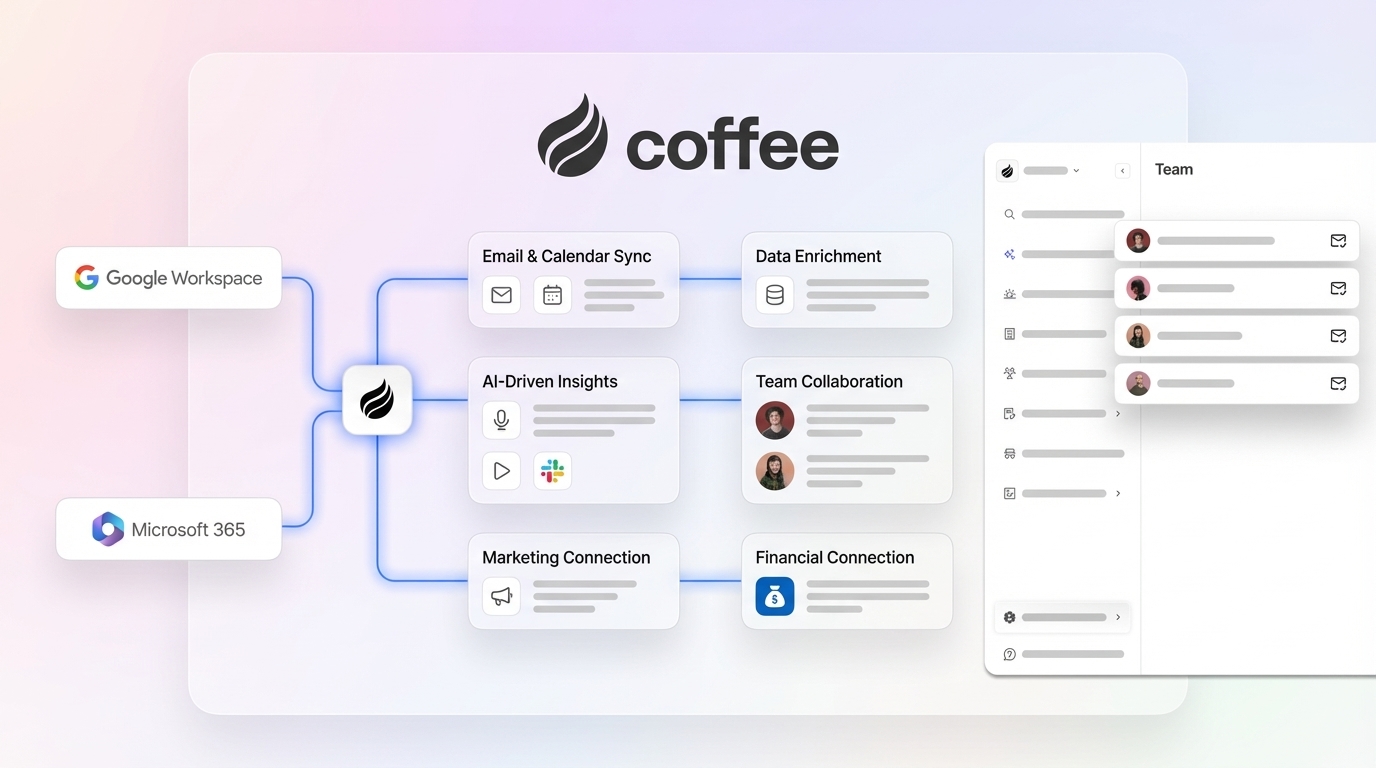
Coffee’s agent supports consolidation by handling data entry, enrichment, meeting management, and pipeline insights through one connection to HubSpot. This consolidation reduces integration overhead while maintaining strong data quality.
Conclusion: Strengthen Your HubSpot Integration Capabilities with Coffee
Mastering HubSpot integration capabilities in 2026 means moving beyond basic field syncs to agent-driven automation. Coffee’s AI CRM agent helps your HubSpot instance operate as an active revenue engine by enriching data, preventing duplicates, capturing meeting insight, and updating deals through one connection.
Your sales team can then focus on conversations, not data administration. Get started with Coffee and give your team a streamlined, more accurate HubSpot environment with less integration effort.
Frequently Asked Questions
What are the common HubSpot integration problems that impact sales productivity?
The most damaging integration problems include sync errors that create inconsistent records, field mapping gaps that block data from flowing between systems, and duplicate records that break automations and distort reports. These issues push sales reps to spend time fixing data instead of managing opportunities.
What are the ways to prevent duplicate records from compromising HubSpot data?
Duplicate prevention works best when designed into your process. Clear merge rules, validation on key identifiers, and automated workflows that flag potential duplicates keep the database clean. Coffee’s agent strengthens this approach by managing contact and company creation in a unified way, so duplicates are less likely to enter HubSpot in the first place.
What are the reasons HubSpot integrations break, and how to improve reliability?
Integrations often fail because of API changes, expired tokens, unmanaged field changes, and complex chains of connected tools. Reliability improves when teams monitor integrations actively, set up error alerts, document field dependencies, and reduce unnecessary connections. A single agent-based solution like Coffee concentrates more functionality into one integration, which lowers the number of potential failure points.
What are the best practices for handling field mapping between HubSpot and other systems?
Effective field mapping starts with a clear inventory of fields, owners, and update rules. A shared data dictionary, regular audits, and sandbox testing help prevent breaking changes. Coffee’s agent adds another layer of protection by improving the quality of data that reaches HubSpot, so mapped fields receive consistent, structured values.
What are ways to optimize HubSpot integration capabilities without extra complexity?
Optimization does not require more tools. The most effective approach focuses on automation, consolidation, and clear governance. Coffee centralizes enrichment, activity logging, meeting workflows, and pipeline intelligence through a single HubSpot connection, which simplifies the stack while improving the accuracy and timeliness of CRM data.