
Last updated: January 26, 2026
Key Takeaways
- Sales reps lose 70% of time to admin tasks, and automated enrichment from emails and calendars gives that time back to selling.
- Traditional tools like HubSpot Breeze, Apollo, and Clay need 2 to 10 hours of setup plus ongoing maintenance and credit management.
- Coffee’s autonomous agent delivers zero-setup enrichment, parsing unstructured email data with licensed sources to build complete CRM records.
- Teams save 8 to 12 hours each week with Coffee’s continuous background processing, compared to 2 to 4 hours from passive tools.
- Teams ready for instant productivity gains can get started with Coffee and automate contact enrichment today.
The Problem: Manual Data Entry Is Killing Sales Efficiency
Manual CRM data entry drains selling time and blocks accurate reporting. Sales representatives spend only 30% of their time actively selling, while admin work consumes the rest. Fragmented tech stacks force constant switching between email, CRM, and enrichment tools, which slows teams and creates friction.
Email signatures and conversation threads contain rich firmographic data, including names, job titles, company details, and direct contact information. Traditional CRMs rarely capture this information automatically from unstructured content. Reps fall back to manual entry, which introduces errors, leaves fields blank, and reduces enthusiasm for using the CRM at all.
Poor data quality hurts more than individual productivity. Incomplete or outdated records skew pipeline forecasts, hide follow-up opportunities, and reduce visibility into customer interactions. Companies pay for premium CRM licenses, yet they see weak returns when the underlying data stays fragmented and unreliable.
How Native CRM and Third-Party Tools Handle Enrichment Today
Native CRM enrichment tools keep everything in one platform but introduce tradeoffs. HubSpot Breeze Intelligence fills missing contact details using domain names and tracks website visitors for buying intent. Admins must navigate to Settings, then Data Management, then Data Enrichment to configure rules. Breeze runs on credits, which creates unpredictable costs and keeps enrichment locked inside HubSpot.
Salesforce handles enrichment through Einstein Activity Capture. It scans synced email and calendar activity to pull details like phone numbers and job titles from signatures. Admins configure Record-Triggered Flows with conditions for lead creation and blank fields, then add HTTP callouts to enrichment APIs. This setup demands technical skills and ongoing monitoring.
Third-party tools expand data coverage but add complexity. Clay uses waterfall enrichment from more than 100 providers with fallback logic to improve completeness. Apollo relies on its proprietary database, enhanced by external sources, for a simpler starting point. Clay’s multi-source approach earns higher G2 accuracy scores, with Contact Data at 8.8 and Company Data at 9.0, and supports no-code or low-code workflows for teams with some technical comfort.
|
Tool |
Setup Hours |
Ongoing Maintenance |
Primary Limitations |
|
HubSpot Breeze |
2-4 |
Credit management, field mapping |
Signature-only, HubSpot lock-in |
|
Apollo |
4-6 |
Custom logic maintenance |
Credit-based pricing |
|
Clay |
6-10 |
Workflow tuning and optimization |
High accuracy, better for complex workflows with experts |
|
Zapier/Databar |
5-8 |
API monitoring and updates |
Multiple integrations required |
These approaches often see low adoption because setup feels heavy and maintenance never ends. Reddit users in r/CRM describe frustration with manual Salesforce entry and ask for true no-code options. Each extra tool adds context loss and demands human oversight to keep data clean.
Teams that want to skip this complexity can get started with Coffee and use autonomous email enrichment without configuration overhead.
Why Autonomous Agents Like Coffee Remove Setup Work
Autonomous agents change CRM data management from passive storage to active assistance. Traditional CRMs rely on relational databases where updates overwrite past values and hide historical context. Modern agent-based systems use data warehouses that preserve full interaction histories while handling both structured and unstructured information.
Coffee follows this newer model and scans connected email and calendar systems automatically. It creates and enriches contact records without human actions. The agent reads unstructured data from signatures, conversation threads, and meeting transcripts. It then converts that information into structured CRM records with complete firmographic details.

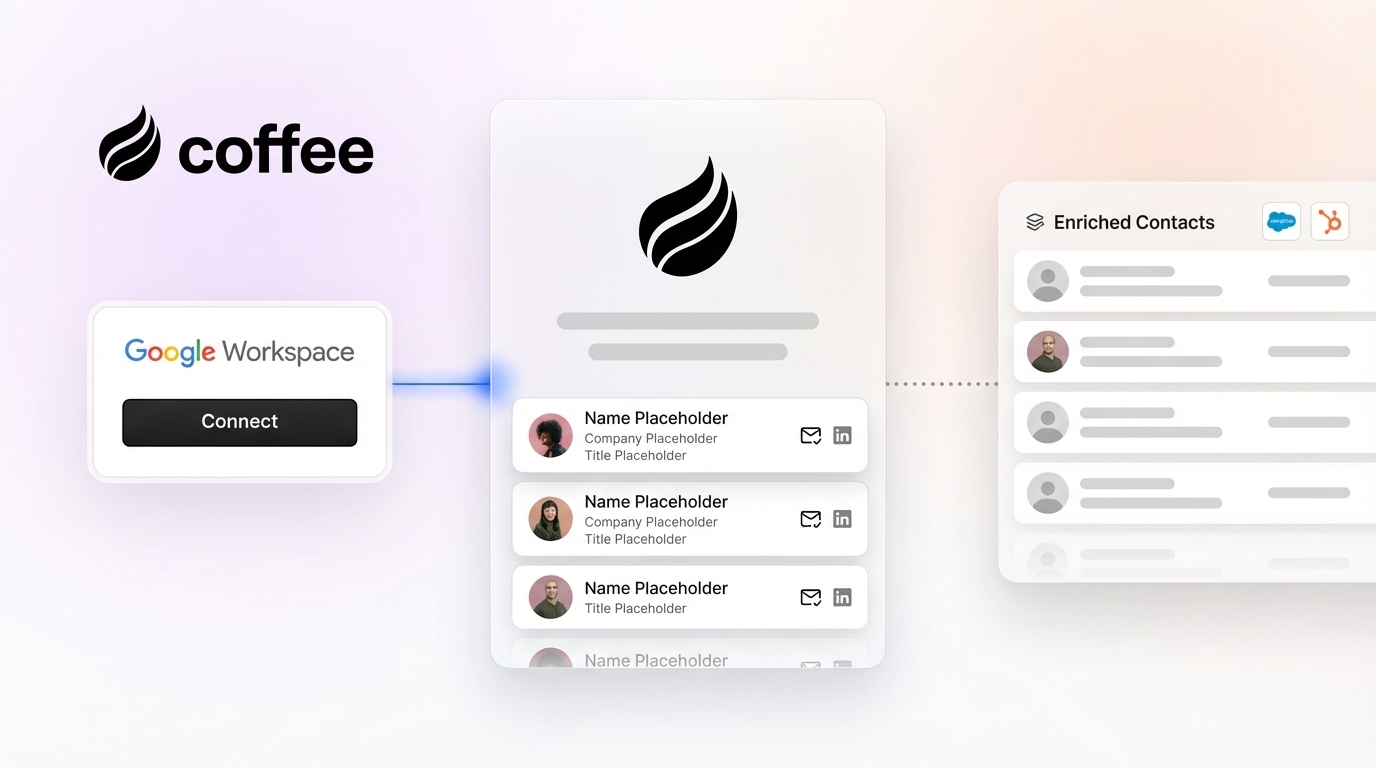
Setup stays simple and secure. Teams provide authentication for Google Workspace or Microsoft 365. After connection, the Coffee agent starts parsing historical and new communications to identify contacts, companies, and activities. Enrichment uses licensed data partners to add job titles, funding data, and LinkedIn profiles, without separate ZoomInfo contracts or custom API work.

Coffee supports two deployment paths. It can run as a standalone CRM for small and mid-sized businesses that currently manage contacts in spreadsheets. It can also act as a companion app that enriches existing Salesforce or HubSpot instances. Users report 90% time savings compared to Make.com workflows, along with higher data quality from autonomous parsing and deduplication.
Coffee vs Traditional Tools: Passive Software vs Active Agent
Coffee differs from traditional tools at the architecture level. Legacy enrichment tools depend on humans to configure rules, maintain logic, and trigger workflows. Autonomous agents run continuously and make decisions about data processing and enrichment without constant human input.
|
Capability |
Traditional Tools |
Coffee Agent |
|
Initial Setup |
2 to 10 hours plus configuration |
Simple authentication only |
|
Data Processing |
Structured data and signatures |
Unstructured content plus licensed enrichment |
|
Maintenance Requirements |
High, with credits and logic updates |
None, due to autonomous operation |
|
Weekly Time Savings |
2 to 4 hours |
8 to 12 hours |
Coffee’s active model goes beyond simple data capture. The agent interprets email context, prepares meetings, and drafts follow-ups. Its data warehouse keeps full historical context, which supports deeper analysis of relationship health and deal momentum than passive tools can provide.


Real-time enrichment keeps contact records current without extra effort from reps. Coffee uses transparent seat-based pricing that includes unlimited agent processing, so teams do not manage credits or usage tiers.
How to Choose an Auto-Enrichment Approach That Fits Your Team
The right enrichment path depends on your priorities, technical skills, and existing stack. Teams with low CRM adoption caused by manual entry usually gain the most from autonomous agents like Coffee. Companies already deeply invested in a single CRM ecosystem may accept native tools like HubSpot Breeze for basic enrichment.
Coffee setup follows three clear steps. First, connect Google Workspace or Microsoft 365 accounts. Second, let the agent authenticate with Salesforce, HubSpot, or Coffee’s own CRM. Third, watch enriched data start flowing automatically. No workflow builders, API dashboards, or field mapping projects enter the picture.
High-volume prospecting teams may choose Apollo for its large database and outbound focus. Organizations that demand maximum data accuracy across complex workflows may select Clay and its multi-source waterfall method. Both options usually require dedicated technical owners to design and maintain workflows.
The core decision is where you want to spend time. Some teams prefer to configure tools and manage logic. Others prefer to hand data management to an autonomous agent. Coffee removes the usual tradeoff between setup effort and data quality by combining comprehensive enrichment with zero-configuration deployment.
Frequently Asked Questions
How does HubSpot Breeze compare to Coffee for email enrichment?
HubSpot Breeze Intelligence focuses on parsing email signatures and tracking website visitors inside HubSpot. It uses a credit-based model, adds extra costs, and needs manual setup in Settings under Data Management. Coffee delivers autonomous enrichment across any supported CRM without credits, complex setup, or ecosystem lock-in. The Coffee agent processes structured and unstructured data from emails, calendars, and meetings to build complete contact profiles automatically.
Does Coffee provide data accuracy comparable to Apollo or Clay?
Clay reaches strong G2 ratings through its network of more than 100 providers and its no-code or low-code workflows. Coffee achieves comparable multi-source accuracy through licensed data partnerships while avoiding complex waterfall logic. The agent selects and applies enrichment sources automatically, which maintains data quality that fits most business use cases without manual provider management.
What is the actual setup time required for Coffee?
Coffee setup usually finishes within minutes. Teams supply authentication credentials for Google Workspace or Microsoft 365, then confirm access. No one needs to configure workflows, set up APIs, or map fields. The agent immediately starts processing historical conversations and continues enriching new contacts in the background. Traditional tools often require 2 to 10 hours of initial work plus recurring maintenance.
How does Coffee handle CRM integration with customer emails?
Coffee automatically parses inbound and outbound emails to detect new contacts and extract firmographic data. The agent reads signatures, conversation context, and meeting participants to assemble complete profiles. Integration uses secure API connections with Salesforce, HubSpot, or Coffee’s standalone CRM. All enriched data syncs back automatically, so reps never copy and paste details.
What makes Coffee different from traditional enrichment workflows?
Traditional enrichment depends on manual triggers, workflow builders, and recurring maintenance to process structured data from a few sources. Coffee runs as an autonomous agent that monitors connected communication systems, processes both structured and unstructured content, and stores full history in a data warehouse. This approach prevents fragmentation and context loss that often appear in relational databases and delivers complete enrichment without human oversight.
Conclusion: Shift From Manual Entry to Autonomous Enrichment
Sales teams that move from passive CRM databases to autonomous agents see major gains in productivity and data quality. Traditional enrichment tools demand heavy setup, constant maintenance, and technical expertise, yet still miss context from real conversations.
Coffee’s autonomous agent removes those barriers by delivering complete email enrichment without configuration projects, credit limits, or platform lock-in. Its ability to process unstructured content while preserving history supports accurate forecasting and better strategic decisions.
Organizations that keep relying on manual entry give up as much as 70% of their sales capacity to admin work. The choice between setup-heavy tools and autonomous agents decides whether reps spend their days configuring systems or closing revenue.
Teams ready to end manual entry can unlock selling time and cleaner data. Get started with Coffee today and turn scattered communications into actionable CRM intelligence.