
Key Takeaways
- Sales reps waste 71% of time on data entry, and automated CRMs fix this by auto-creating contacts from emails and calendars.
- Coffee ranks #1 with full agent-based automation, saving 8-12 hours weekly compared with partial automation in HubSpot, Pipedrive, and others.
- Key features include AI data enrichment, unstructured data logging from meetings, and pipeline intelligence without manual input.
- Small businesses with 1-20 employees gain 32% productivity boosts and SOC 2 security with true zero-entry solutions.
- Experience Coffee’s autonomous agent for complete CRM automation by getting started with Coffee today.
Automation Features That Actually Cut CRM Data Entry
Small businesses that adopt CRM automation see 32% productivity gains and save 6.4 hours per week on average. The most effective automated CRMs share specific capabilities that move them beyond simple databases.
Essential automation features for small businesses include automatic data entry and enrichment, meeting orchestration, pipeline intelligence, unstructured data unification, and integrations with Google Workspace or Microsoft 365. These features create a system where accurate data flows in automatically and supports reliable insights and forecasts.
|
Feature |
Why It Reduces Data Entry |
Coffee Example |
|
Auto-entry |
Zero manual logging required |
Scans emails and calendars automatically |
|
Data Enrichment |
Fills profiles automatically |
Job titles and LinkedIn data |
|
Unstructured Handling |
Emails and transcripts unified |
Agent structures all data types |
Small businesses can automate CRM data entry in three steps. First, connect workspace tools. Second, deploy an intelligent agent to scan and log interactions. Third, remove manual input from daily workflows.
Top 7 Automated CRMs for Small Businesses
1. Coffee – Best Overall for Zero Data Entry
Coffee works as an autonomous CRM agent rather than a passive database, so it suits small businesses that want complete data entry elimination. The platform offers two models, a Standalone CRM for companies with 1-20 employees and a Companion App that enhances existing Salesforce or HubSpot setups.

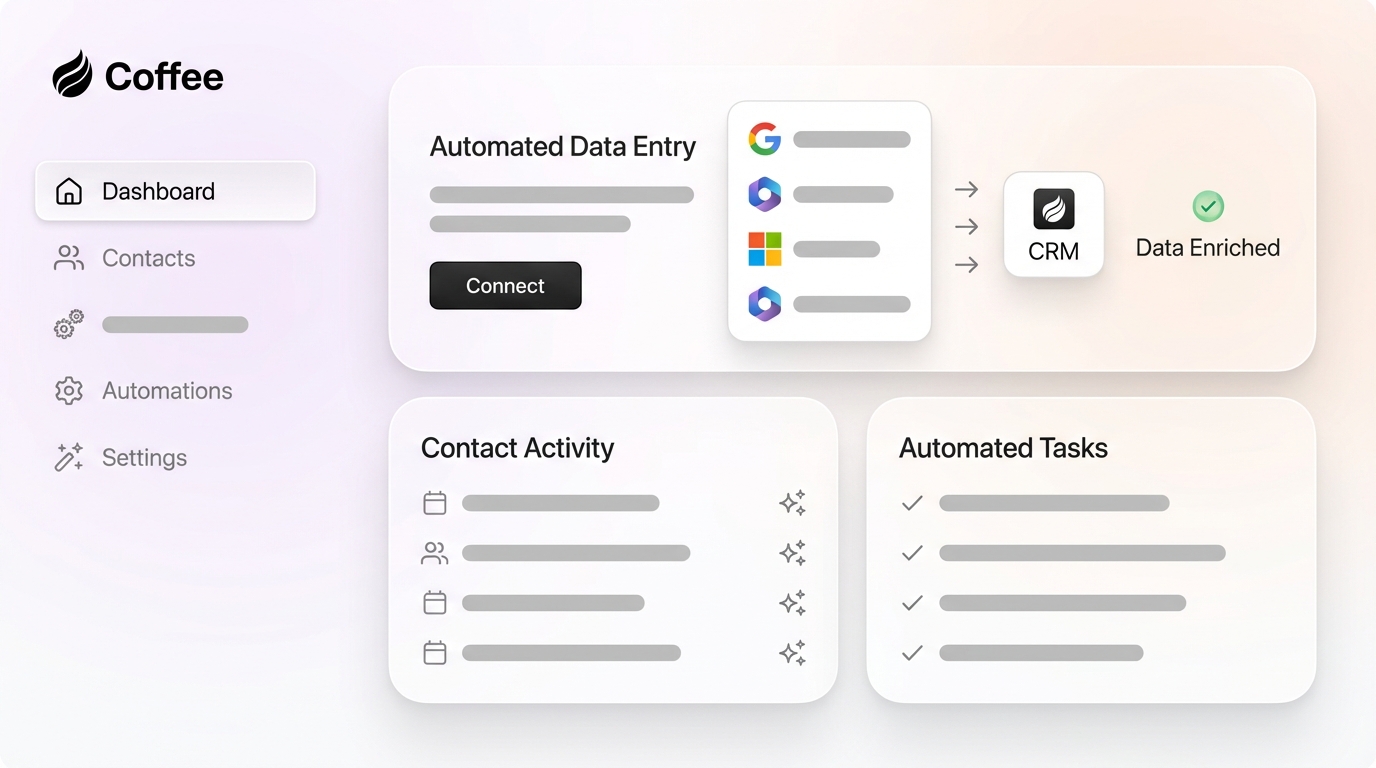
Coffee’s agent automatically creates contacts and companies by scanning Google Workspace or Microsoft 365, enriches records with job titles and LinkedIn profiles, and logs all activities without human effort. The system saves teams 8-12 hours per week by handling meeting briefings, generating summaries, and structuring unstructured data from emails and transcripts.

Key automation features include Pipeline Compare for visualizing week-over-week changes, List Builder for natural language prospect searches, and SOC 2 compliance for enterprise-grade security. Coffee’s agent approach keeps good data flowing in automatically and supports accurate insights and forecasts for strategic decisions.

2. HubSpot – Strong Fit for Marketing-Heavy Teams
HubSpot offers partial automation through email sync and basic workflow triggers, yet it still needs frequent manual field updates. The free plan supports unlimited users but does not include advanced automation features. Automation features sit in Professional plans that start around $500 per month.
HubSpot works best for small businesses that prioritize marketing automation alongside basic CRM functionality. Setup usually takes 2-4 weeks for full implementation.
3. Pipedrive – Visual Pipeline Management Focus
Pipedrive supports automation for follow-ups and basic forecasting with a visual pipeline interface. The platform reduces some data entry through email integration and activity tracking. Pricing starts at $14 per month per user.
Pipedrive fits small sales teams that care most about pipeline visualization and deal progression tracking. Implementation typically takes 1-2 weeks.
4. Zoho CRM – Budget-Friendly Automation Option
Zoho CRM delivers solid automation and reporting capabilities at pricing under $20 per user each month. The platform connects to more than 40 applications and offers flexible customization options for growing teams.
Zoho CRM suits small businesses that need broad features without enterprise-level costs. Setup time ranges from 1-3 weeks, depending on customization depth.
5. Freshsales – AI-Powered Lead Scoring Strength
Freshsales provides AI-driven lead scoring and partial automation for contact management. The platform includes a free tier for up to three users, with paid plans starting at $9 per month per user.
Freshsales works best for teams that focus on intelligent lead qualification and basic automation. Implementation usually requires 1-2 weeks for full deployment.
6. Close – Built for Call-Focused Sales Teams
Close specializes in call automation and communication tracking with built-in phone capabilities. The platform reduces some data entry through call logging and email integration. Pricing starts at $49 per month per user.
Close fits sales teams that run high-volume phone outreach and need integrated calling features.
7. Nutshell – Simple Automation for Small Teams
Nutshell offers straightforward automation features and a user-friendly interface. The platform reduces basic data entry through email sync and activity tracking. Pricing begins at $13 per month per user.
Nutshell suits small teams that want simple automation without complex feature sets or heavy customization.
Side-by-Side CRM Automation Comparison
This comparison shows the automation depth and time savings potential across the top seven CRMs for small businesses. Coffee leads in full automation, while legacy systems provide only partial support.
|
CRM |
Data Entry Automation |
Time Saved/Week |
Pricing (SMB) |
|
Coffee |
Full (Agent) |
8-12 hours |
Simple seat-based |
|
HubSpot |
Partial |
2-4 hours |
Free-$20/month |
|
Pipedrive |
Partial |
3-5 hours |
$14/month |
|
Zoho |
Partial |
4 hours |
$14/month |
Coffee’s agent-based approach delivers stronger time savings than traditional CRM benchmarks that still depend on manual data entry.
Why Coffee Stands Out for Small Business Automation
Coffee ranks first because its agent philosophy actively manages data instead of simply storing it. Traditional CRMs rely on humans as data entry clerks, while Coffee’s autonomous agent handles that busywork automatically. The platform maintains SOC 2 compliance and offers simple seat-based pricing without complex metering.
The rise of AI agents marks a major shift in CRM architecture. 40% of enterprise applications will feature autonomous agents by end of 2026, up from less than 5% in 2025. Coffee leads this shift by deploying agents that detect customer signals, reason about next steps, and execute workflows on their own.
Coffee’s automation process follows three clear steps. First, authenticate Google Workspace or Microsoft 365. Second, allow the agent to unify and enrich data automatically. Third, receive actionable insights without manual input. Get started with Coffee to remove data entry from your CRM.

FAQ
How to automate CRM data entry
Teams automate CRM data entry in three steps. They connect email and calendar systems to an intelligent CRM agent, configure the agent to scan and structure customer interactions automatically, and then retire manual input processes. Coffee’s agent manages this by connecting to Google Workspace or Microsoft 365, scanning emails and meetings for contact information, and populating CRM records without human intervention.
What is the best free CRM for small business?
HubSpot offers the most comprehensive free CRM with unlimited users, yet it still requires significant manual data entry. Free options usually lack the automation that saves serious time. Coffee provides simple seat-based pricing with a free trial that shows true zero-entry automation, which often delivers more value than permanently free but manual tools.
Will AI replace CRMs in 2026?
AI agents will enhance CRMs instead of replacing them by turning them from passive databases into active workforce members. The move toward agent-based systems represents an evolution where software performs work rather than only storing data. Coffee illustrates this shift by operating as an autonomous agent that handles CRM maintenance tasks.
How does Coffee compare to HubSpot for small businesses?
Coffee functions as an active agent that automates data entry, while HubSpot behaves as a passive database that still needs manual input. Coffee saves 8-12 hours per week through complete automation, while HubSpot’s partial automation saves only 2-4 hours weekly. Coffee’s agent philosophy removes the manual maintenance that turns traditional CRMs into productivity drains.
How long does Coffee setup take?
Coffee setup requires simple authentication for basic implementation. The agent connects to Google Workspace or Microsoft 365, immediately starts scanning for contact information, and begins populating CRM records automatically. This experience contrasts with traditional CRMs that often need weeks of manual configuration and data migration.
Conclusion: Turn Your CRM into an Automated Teammate
Coffee leads automated CRMs for small businesses that want to remove data entry completely. Its agent-based approach saves 8-12 hours per week and keeps accurate data flowing into clear, actionable insights. Traditional CRMs still depend on manual maintenance that often turns productivity tools into extra work.
Small businesses ready to eliminate data entry can tap into Coffee’s autonomous agent capabilities. Get started with Coffee today and shift your CRM from a demanding database into a tireless digital teammate.