
Key Takeaways
- Coffee ranks as the leading AI agent-led standalone CRM, automating data entry, contact creation, and activity logging to save 8-12 hours weekly per rep.
- Top alternatives like HubSpot, Pipedrive, and Zoho offer free tiers or pricing under $50 per user each month but still rely on manual data entry, unlike Coffee’s full automation.
- Key criteria for small businesses include automation, setup in under one hour, clear pricing, and integrations with Google Workspace and Zapier.
- Traditional CRMs create manual work and complexity, while AI solutions like Coffee deliver stronger ROI with intelligent insights and clear pipeline views.
- Teams ready to eliminate CRM drudgery can get started with Coffee for agent-powered sales automation.
What Small Businesses Need From a Standalone CRM
Effective standalone CRMs for small businesses must perform well across five critical areas. Automation determines whether sales teams spend time on data entry or on revenue-generating work. Pricing clarity matters, with seat-based models under $50 per month and no surprise usage fees. Fast implementation separates strong platforms from weak ones, and successful tools set up in under one hour without IT help. Deep integrations with Google Workspace, Zoom, and Zapier keep existing workflows intact. A true standalone design also avoids the feature bloat and suite complexity that slow down larger platforms.
The stakes are high because standalone CRMs focus on core sales functions like lead management and opportunity tracking. These tools avoid the operational complexity of full-suite platforms while still offering flexible integrations.
Top 10 Apptivo Alternatives Ranked for 2026
#1 Coffee: AI Agent That Eliminates Manual CRM Work
Coffee transforms CRM with autonomous AI agents that remove the busywork common in traditional platforms. Coffee’s agent automatically creates contacts from email signatures, enriches company data, logs activities, and generates meeting summaries. This automation saves 8-12 hours each week for every rep.

Strengths:
- Zero manual data entry through intelligent automation
- AI meeting bot joins calls, transcribes conversations, and drafts follow-ups
- Pipeline Compare feature automatically visualizes week-over-week changes
- SOC 2 Type 2 and GDPR compliance with enterprise-grade security
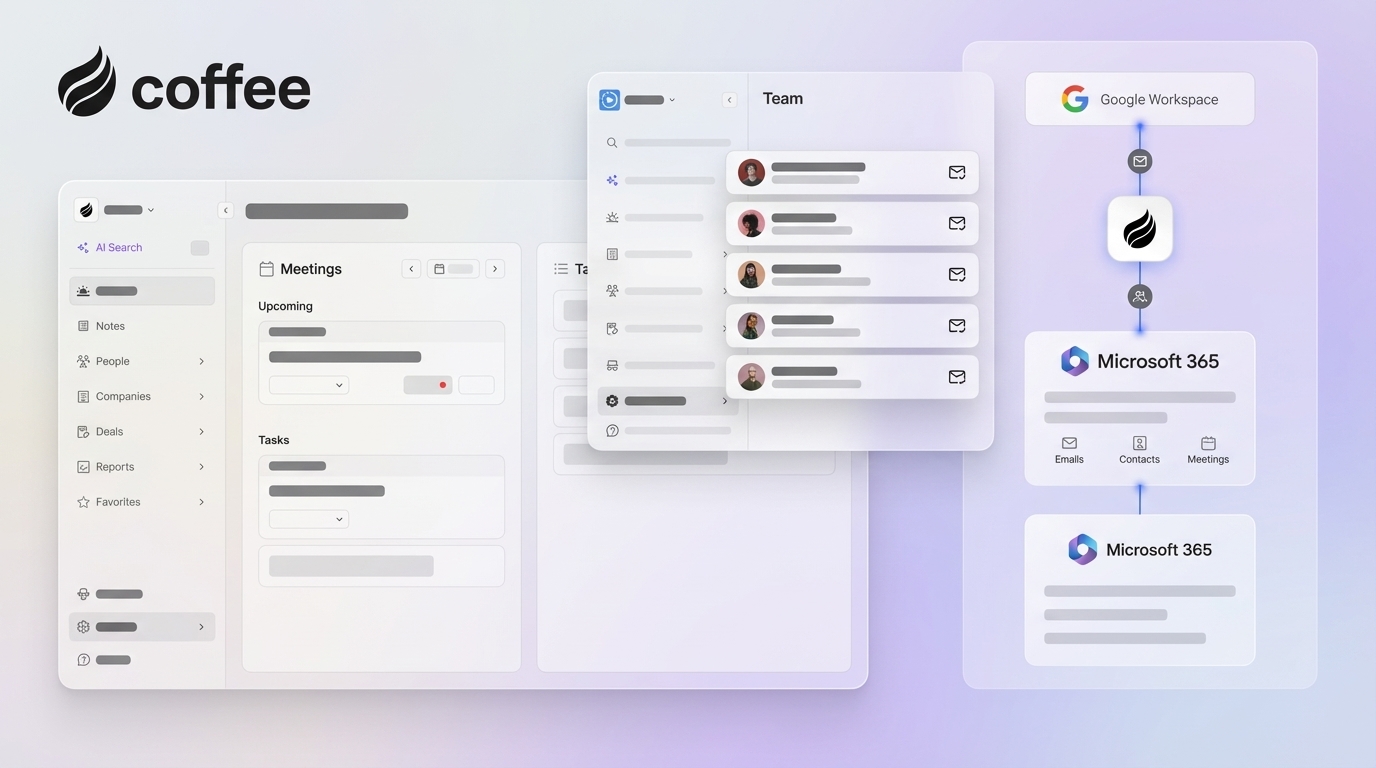
- Zapier integration plus native Google Workspace and Microsoft 365 sync

Limitations: Newer platform with an integration ecosystem that continues to expand.
Ideal for: SMBs moving off spreadsheets or teams frustrated with constant manual CRM upkeep.
2026 Pricing: Simple seat-based model with unlimited agent labor included.
Case Study: A company with tens of millions in revenue replaced spreadsheets and declined Salesforce and HubSpot in favor of Coffee’s automated approach. The team now runs weekly pipeline reviews without manual CSV exports.
Get started with Coffee to see agent-powered automation in action.

#2 HubSpot: Free Tier With Room to Grow
HubSpot’s free tier supports up to 1 million contacts and connects tightly with its marketing tools and app marketplace. The platform works well as a unified customer database and scales naturally as businesses expand.
Strengths: Forever-free core CRM, thousands of integrations, and mature documentation.
Limitations: Costs rise quickly with add-ons, and complexity often overwhelms smaller teams.
Ideal for: Solopreneurs planning for growth who want to avoid future data migration.
2026 Pricing: Free for basic features, with paid plans starting at $45 per month.
#3 Pipedrive: CRM With a Visual Pipeline Focus
Pipedrive centers on a visual pipeline interface that shortens the learning curve and supports strong mobile use. The platform emphasizes sales process visualization instead of broad feature depth.
Strengths: Simple setup, clear visual pipelines, and an excellent mobile app.
Limitations: Requires ongoing manual data entry.
Ideal for: Teams that want straightforward pipeline management and can live without deep automation.
2026 Pricing: Plans start at $14.90 per user each month.
#4 Zoho CRM: Budget-Friendly With Broad Features
Zoho CRM offers strong value with AI-powered forecasting through Zia analytics. The platform includes a free plan for up to three users and paid plans from $14 per user each month, which makes it roughly 50-70% cheaper than Salesforce for basic needs.
Strengths: Affordable pricing, AI forecasting, and more than 55 app integrations.
Limitations: Storage limits on the free plan and slower support responses.
Ideal for: Budget-conscious teams that still need more than basic CRM features.
2026 Pricing: Free for three users, with the Standard plan at $14 per user each month.
#5 Freshsales: Simple CRM With Helpful AI
Freshsales blends a user-friendly interface with AI-powered lead scoring and sales analytics. The platform strikes a balance between simplicity and intelligent automation.
Strengths: Intuitive design, AI lead scoring, and reasonable pricing.
Limitations: Limited advanced customization and fewer integrations than some rivals.
Ideal for: Small teams that want AI features without a steep learning curve.
2026 Pricing: Plans start at $9 per user each month.
#6 Close: CRM With Built-In Calling and Sequences
Close includes native calling, email sequences, and sales-focused automation in one platform. Pricing starts at $29 per user each month.
#7 Capsule: Lightweight Contact Management
Capsule focuses on simple contact management with task tracking and basic sales tools. It is free for up to two users, with paid plans from $18 per user each month.
#8 Less Annoying CRM: Straightforward and Predictable
Less Annoying CRM lives up to its name with clean, straightforward functionality and minimal setup. Pricing uses a flat $15 per user each month.
#9 Insightly: CRM With Project Management
Insightly combines CRM features with project management capabilities in a single system. Plans start at $29 per user each month.
#10 Bigin by Zoho: Pipeline CRM for Micro-Businesses
Bigin offers a simplified version of Zoho CRM tailored to micro-businesses and very small teams. Pricing starts at $7 per user each month.
Verdict: Teams can skip platforms that demand heavy manual entry. Get started with Coffee to gain automated intelligence instead.
Side-by-Side CRM Comparison and Trade-offs
|
Feature |
Coffee |
HubSpot |
Pipedrive |
Zoho CRM |
|
Automation Level |
Full AI Agent |
Workflows |
Basic |
Zia AI |
|
Data Entry |
Automated |
Manual |
Manual |
Manual |
|
Setup Time |
Less than 1 hour |
Requires onboarding |
1-2 hours |
2-3 hours |
|
Starting Price |
Seat-based |
Free/Paid |
$14.90 |
Free/$14 |
Coffee stands out by eliminating manual data entry through AI automation, while legacy platforms still struggle with unstructured data. 2026 pricing trends show rising premiums for AI capabilities, which makes Coffee’s inclusive agent model especially valuable.

Quick Wins for SMBs and Final Recommendation
Best Free CRM for Small Businesses
HubSpot leads free options with generous contact limits and basic marketing tools, while Coffee delivers stronger value for paid automation.
Best Overall CRM System for Small Teams
Coffee’s AI agent automation removes the manual work that slows traditional CRMs, which makes it a strong fit for efficiency-focused teams.
Pipedrive vs Apptivo vs Coffee
Pipedrive offers simpler pipeline visualization than Apptivo but still depends on manual data entry. Coffee automates the entire process instead.
Verdict: Teams with one to five users can start with free options, and growing businesses gain scale by adopting Coffee’s automation.
Why Coffee Leads in 2026 and How to Get Started
Coffee represents the next stage of CRM, with an autonomous agent that works for your team instead of demanding constant updates. A case study with a multi-million dollar company shows how Coffee replaced manual spreadsheet management with intelligent automation. Concerns about security and pricing are addressed through SOC 2 compliance and transparent seat-based pricing without usage metering.
Get started with Coffee to see how an AI agent can reshape your sales process.
Frequently Asked Questions
How AI CRMs Compare to Apptivo for Small Businesses
AI-powered CRMs like Coffee remove the manual data entry that consumes a large share of sales reps’ time in traditional platforms. Instead of turning humans into data entry clerks, AI agents automatically capture contacts, log activities, and surface insights. This shift from passive databases to active agents marks the biggest advance in CRM technology since cloud computing.
Best Free Standalone CRM Options for Small Businesses
HubSpot offers the most generous free tier, with support for up to 1 million contacts and basic marketing tools. Zoho CRM provides free access for up to three users with core CRM features. These free plans usually require manual data entry and lack advanced automation. Growing businesses often see better ROI from an AI-powered solution like Coffee, thanks to time savings and improved data quality.
Migrating From Apptivo to a New CRM
Migration complexity depends on your current data quality and the platform you choose. Most modern CRMs include import tools for contacts and deals, while custom fields and workflows still need manual recreation. AI-powered platforms like Coffee help by enriching imported data automatically and removing the need to rebuild complex manual processes. The priority should be choosing a platform that reduces ongoing maintenance.
Typical Setup Time for Coffee vs Traditional CRMs
Coffee’s AI agent model enables quick setup through automated Google Workspace or Microsoft 365 integration. The agent immediately starts capturing contacts from email signatures and calendar entries, which removes the weeks of manual configuration common with traditional CRMs. This speed advantage comes from Coffee’s agent-first architecture rather than human-dependent setup.

CRM With the Least Manual Data Entry
Coffee stands out by eliminating manual data entry through its AI agent architecture. Platforms like HubSpot and Zoho provide some automation through workflows and AI features, yet they still rely on humans to input contacts, log activities, and update deal stages. Coffee’s agent handles these tasks on its own and turns the CRM from a data entry burden into an intelligent assistant that works in the background.