
Key points for sales, RevOps, and operations leaders evaluating AI-driven CRM automation:
- Proactive CRM workflow automation shifts CRM from a passive database to an active system that anticipates tasks, updates data automatically, and surfaces timely insights.
- Legacy CRMs create visible and hidden costs, including manual data entry, low adoption, inconsistent data quality, and tech stack sprawl across point solutions.
- AI-first platforms like Coffee automate activity capture and meeting workflows, improving sales productivity, data accuracy, collaboration, and pipeline visibility.
- A structured implementation framework helps teams assess current workflows, prioritize automation opportunities, and manage change effectively.
- Clear KPIs, strong integration practices, and realistic assessments of organizational readiness reduce risk and make it easier to measure the impact of CRM automation.
Why Proactive CRM Workflow Automation is Your Next Strategic Imperative
The Evolution from Reactive to Proactive CRM
The shift from reactive to proactive CRM marks a significant change in sales technology. Traditional CRMs often act as passive repositories that need manual updates to stay current. Proactive CRM workflow automation, as used in platforms like Coffee, anticipates needs, automates actions, and provides insights before users request them.
Coffee, an AI-first CRM, automates routine tasks such as data entry and activity logging while unifying data to provide a comprehensive view of customer interactions. This evolution turns CRM from an administrative task into a strategic sales tool that supports sales reps with actionable intelligence.
The distinction lies in automation and anticipation. Reactive systems depend on user input. Proactive tools like Coffee continuously monitor sales activities, automatically enrich data, and identify key opportunities or risks in real time, which reduces the administrative burden on sales teams.
The High Cost of Sticking with Legacy Systems
The costs of maintaining legacy CRM systems go beyond licensing fees. Sales reps spend significant time on non-selling activities such as manual data entry, which affects revenue generation and morale.
Legacy CRMs such as Salesforce and HubSpot often face architectural limitations as businesses grow. These systems can present challenges in tracking pipeline changes because of configuration complexity and integration constraints, which can make historical data analysis less straightforward for many users.
Data quality in legacy systems often suffers because of reliance on manual input. Low adoption rates among sales reps lead to incomplete or outdated data, creating a cycle where the CRM becomes less useful, further reducing engagement and worsening data issues.
Hidden costs include missed follow-ups, inconsistent customer experiences because of poor data, and additional staff or consulting expenses for data management and customization. Customizations can break with system updates and often require ongoing maintenance.
Tangible Benefits: Productivity, Accuracy, and Revenue Growth
Implementing proactive CRM workflow automation, as offered by Coffee, delivers measurable improvements in key areas. Coffee saves sales reps an estimated 8-12 hours per week by automating data entry and enriching contacts and activities, allowing more focus on selling.
Coffee users see practical benefits such as automated pre- and post-meeting workflows. The platform prepares reps for calls with briefings and then drafts summaries and follow-ups afterward. This reduces administrative work and improves efficiency. Coffee pipeline intelligence also simplifies review meetings with a single-click comparison of pipeline changes, which removes the need for manual exports or costly add-ons.
Data accuracy improves with Coffee handling both structured and unstructured data, such as emails and call transcripts, in one platform. This leads to better forecasting and pipeline visibility for more informed decision-making.
Teams using Coffee report improved collaboration through automated data capture and shared visibility. This shared context helps accelerate deal progression and reduces miscommunication or duplicated efforts.
Sales leaders who want to see these productivity gains in practice can request access to explore how Coffee proactive CRM workflow automation can improve sales operations.
Key Concepts and the Framework for Proactive CRM Workflow Automation
Defining Proactive CRM and AI-First Distinction
Proactive CRM workflow automation represents a shift from traditional systems. Instead of acting as passive repositories that require manual updates, proactive CRMs like Coffee anticipate user needs, automatically capture and enrich data, and initiate actions based on intelligent analysis.
The AI-first distinction is important. Many traditional CRMs add AI modules later. Coffee is built from the ground up with AI at its core, integrating machine learning and natural language processing across the platform to automate workflows and provide insights natively.
Coffee AI agents work continuously. They monitor email, calendar, and user activities to update records, schedule follow-ups, and deliver insights without user prompts, making the CRM a practical co-pilot for sales teams.
The difference between reactive and proactive CRM also affects user experience. Reactive systems require manual updates and task creation. Coffee anticipates these needs, pre-populates data, and offers contextual recommendations based on real-time analysis.
Core Principles of AI-Driven Workflow Automation
AI-driven workflow automation, as seen in Coffee, operates on principles that set it apart from rule-based systems. Contextual intelligence allows Coffee to interpret data in the context of specific sales processes and customer relationships.
Real-time processing supports immediate responses to events, such as updating records or notifying team members when a deal progresses. Coffee integration-first approach connects with email, calendar, and communication tools to provide a unified view of customer interactions.
Coffee also offers pipeline intelligence that tracks historical changes and highlights deal progression or risks. This enables predictive insights based on data patterns that guide sales reps on likely next steps.
A Strategic Framework for Implementation
Implementing proactive CRM workflow automation benefits from a structured approach that balances technology with organizational readiness.
- Start with a workflow assessment to identify pain points, inefficiencies, and automation opportunities.
- Map sales processes, document data flows, and pinpoint repetitive tasks that consume time or create errors.
- Quantify the current state, including time spent on data entry, frequency of outdated information, and follow-up delays, to establish benchmarks.
- Prioritize automation opportunities based on impact and complexity, focusing first on high-value, quick wins while planning phased rollout for more complex workflows.
- Select technology, such as Coffee, that integrates with existing systems and offers scalability for future needs.
- Plan change management and training to support adoption. Set success metrics, create feedback loops to refine automation, and monitor performance to adapt to evolving business needs.
Navigating the Modern CRM Landscape: Beyond Legacy Limitations
The Shortcomings of Traditional CRMs in the AI Era
Traditional CRMs face architectural and philosophical challenges in the AI era. Systems such as Salesforce, built more than two decades ago, can struggle to integrate modern AI or handle unstructured data effectively because of configuration complexity and limits in analytical depth within legacy architectures.
HubSpot, originally a marketing tool, added CRM features later. This history can create limitations when handling complex sales processes within a unified system. Data fragmentation is a frequent issue, with customer information scattered across platforms and sales reps needing to piece together insights manually.
Manual data entry in legacy CRMs creates a productivity drain, as reps spend excessive time updating records instead of engaging clients. This contributes to low adoption and poor data quality, which reduces overall system value.
Legacy CRMs often face challenges in deeply analyzing unstructured data such as emails or call transcripts. These limits affect the reliability and depth of actionable insights and automatic field updates, compared with AI-first solutions like Coffee.
The Rise of AI-First CRM Solutions
AI-first CRM solutions like Coffee address legacy limitations with ground-up design and native AI integration. Coffee uses a data warehouse architecture that retains historical data for advanced analytics and pipeline intelligence.
Coffee excels at processing unstructured data, extracting insights from emails and transcripts to update CRM fields. This approach reduces manual entry and improves accuracy. Its integrated design provides data enrichment, communication intelligence, and analytics within a unified platform, in contrast with the complex customizations often required in traditional CRMs.
The Problem with Tech Stack Sprawl
Tech stack sprawl is a growing challenge for sales teams that depend on multiple point solutions to address legacy CRM gaps. A typical stack might include separate tools for CRM, data enrichment, call recording, and forecasting, which creates integration complexity and data inconsistencies.
Costs accumulate beyond licensing, including integration work, training time, and productivity losses. Data quality often suffers when updates in one tool do not reliably sync to others, which undermines confidence in data accuracy.
User adoption usually drops with each added tool, as reps work across several interfaces and logins. Coffee counters this by consolidating functionality such as CRM, enrichment, recording, and intelligence into one platform, which reduces complexity and cost while simplifying adoption.
Coffee: The AI-First Solution for Proactive Sales Productivity
Redefining CRM with AI-Native Automation
Coffee updates CRM for the AI era with an AI-native platform that integrates artificial intelligence across core sales processes. Its data warehouse foundation retains historical data for pipeline intelligence, in contrast with many legacy relational databases.
Coffee AI automation continuously monitors emails, calendars, and activities to update records, enrich data, and trigger workflows. This saves reps an estimated 8-12 hours per week on manual tasks.
Coffee unifies structured and unstructured data, processing emails and transcripts to update fields and surface insights automatically. This makes it a proactive tool that acts as an intelligent co-pilot for sales reps.
Core Value Propositions of Coffee
Coffee addresses key pain points of legacy CRMs. It reduces manual data entry by auto-creating and enriching contacts and activities from email and calendar data, saving reps 8-12 hours weekly.
Coffee automates pre- and post-meeting workflows, providing briefings with attendee information and interaction history before meetings, and post-meeting summaries, action items, and email drafts afterward. This reduces administrative overhead.
Its Compare feature offers in-depth pipeline intelligence, showing week-over-week changes with one click so review meetings become more efficient without manual exports or add-ons.
Coffee consolidates tech stacks by integrating CRM, data enrichment, call recording, and forecasting into one platform. This consolidation cuts costs and complexity. The product focuses on features that help sales execution directly, not only management reporting.
Key Features Driving Proactive Sales
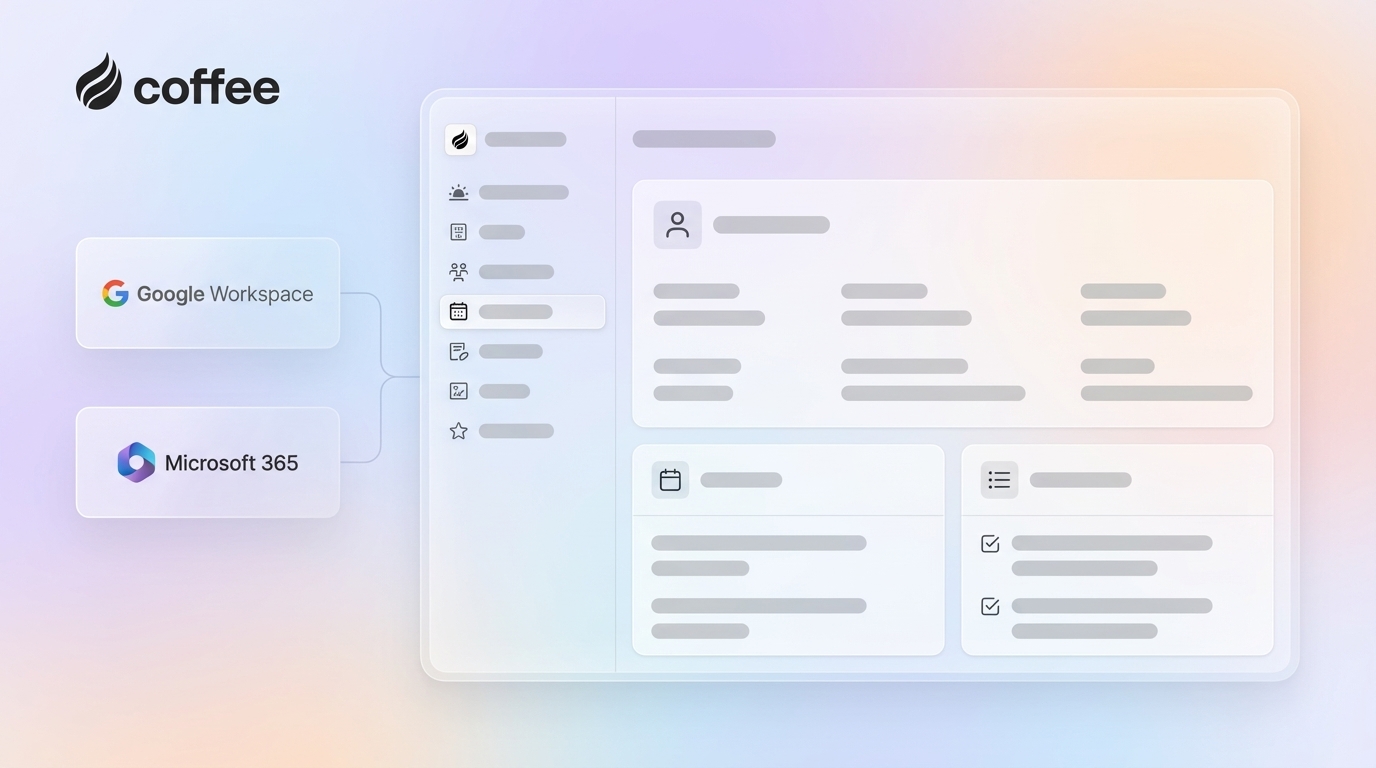
Coffee automatic data entry and enrichment scan emails and calendars after connecting Google Workspace or Microsoft 365, and then populate the CRM with contacts and companies, eliminating most manual effort.
Data enrichment adds job titles, company details, funding information, and LinkedIn profiles from licensed partners, which can reduce reliance on separate enrichment tools and provide more context for interactions.
AI-powered meeting management offers a Today page with briefings on attendees and past interactions. An AI bot joins Google Meet, Microsoft Teams, and Zoom calls for recording and transcription, then generates summaries, action items, and email drafts in Gmail, supporting sales methodologies such as BANT or MEDDIC.
The Compare feature in pipeline intelligence shows changes over any interval, highlighting progressed, stalled, or new deals and turning pipeline reviews into data-driven discussions.
Coffee List Builder allows natural language queries for targeted prospect lists, such as “Find VPs of sales in North American companies with 50-500 employees, over $10M funding, using Salesforce,” leveraging integrated data for outbound prospecting.
Flexible Deployment: Standalone CRM vs. Companion App
Coffee offers two deployment models to meet different needs. The Standalone CRM is a complete platform for small companies (1-20 employees) that are outgrowing spreadsheets or finding platforms such as HubSpot too costly for their requirements. It provides modern automation with minimal setup.
The Companion App enhances existing Salesforce or HubSpot setups for small to mid-market companies that are struggling with adoption or data quality. It integrates through simple authentication, syncing data into Coffee for AI processing, with options to write enriched data back to the primary CRM.
Both models deliver core AI features, including data entry automation, meeting management, and pipeline intelligence. The choice depends on existing tech investments and integration needs, rather than feature access.
Organizations can request access to see how Coffee standalone CRM and companion app options align with their sales productivity goals.
Strategic Considerations for Implementing AI-Driven CRM Automation
Build vs. Buy: The Case for Rapid ROI with Coffee
Deciding between building custom CRM automation or buying a platform like Coffee has a direct impact on timeline and cost. Building requires significant investment in AI expertise and infrastructure and can take 12-24 months to reach basic functionality, followed by ongoing maintenance costs.
Coffee offers a buy option with immediate value through proven AI and integrations. It delivers automation and intelligence in weeks rather than years, allowing organizations to realize ROI more quickly while benefiting from vendor-backed innovation without internal development overhead.
Measuring Success: KPIs for Proactive Workflow Automation
Measuring proactive CRM automation performance requires KPIs that capture both efficiency and revenue impact. Coffee users report saving 8-12 hours weekly per rep on manual tasks, which increases capacity for selling.
Data quality metrics can include reduced duplicates, more complete profiles, and higher field fill rates. Sales velocity metrics track shorter deal cycles and faster follow-ups. Pipeline intelligence metrics assess forecast accuracy and the rate at which deal risks are identified and addressed. User adoption and revenue indicators, such as quota attainment, connect automation to business outcomes.
Ensuring Seamless Integration and Data Quality
Successful CRM automation depends on integration strength and data quality. Process mapping should define workflows and data sources before automation begins. Data governance should set quality standards and validation rules.
Coffee simplifies technical integration with pre-built connections and adheres to SOC 2 Type 2 and GDPR standards. User training supports adoption by showing how automation enhances, rather than replaces, human skills. Continuous monitoring helps optimize performance as needs evolve.
Comparison of Proactive CRM Features
|
Feature |
Legacy CRM |
Coffee AI-First CRM |
|
Data Entry |
Manual, error-prone |
Automated, AI-driven |
|
Data Quality |
Fragmented, often outdated |
Unified, continuously enriched |
|
Pipeline Intelligence |
Static, manual exports |
Dynamic Compare feature with historical snapshots |
|
Tech Stack |
Multiple point solutions |
Consolidated, integrated platform |
|
Feature |
Legacy CRM |
Coffee AI-First CRM |
|
User Experience |
Perceived as administrative chore |
Designed as intelligent sales co-pilot |
|
AI Capabilities |
Limited, add-on features |
Native, agentic AI throughout |
|
Meeting Management |
Manual note-taking and follow-up |
Automated briefings, transcription, and follow-up |
|
Integration Approach |
Complex customization required |
Native integrations with automated data flow |
Assessing Organizational Readiness and Mitigating Pitfalls
Evaluating Your Organization’s AI Maturity
Organizational readiness for AI CRM automation depends on digital adoption, process standardization, data quality, change management, and technical infrastructure.
- Digital adoption: High comfort with cloud tools and collaboration platforms makes it easier to adopt an AI-first CRM like Coffee.
- Process standardization: Clear, documented sales processes make automation design and rollout more predictable.
- Current data quality: Existing gaps can be reduced with Coffee enrichment features, but an initial cleanup still adds value.
- Change management: Managers and leaders who actively support change make adoption more sustainable.
- Technical infrastructure: Modern identity, security, and integration practices reduce friction when deploying new tools.
Common Pitfalls to Avoid in CRM Automation
CRM automation initiatives can face challenges such as weak change management, lack of strategic alignment, integration complexity, and limited focus on data quality.
- Without user training and clear communication, adoption often remains low.
- If automation is not tied to measurable business goals, it can become a disconnected IT project.
- Underestimating integration work can delay projects and affect data consistency.
- Skipping data cleanup at the start makes it harder for AI to deliver accurate insights, even with Coffee automation strengths.
Strategies for Successful Adoption and Change Management
Successful adoption depends on comprehensive change management.
- Executive sponsorship provides direction and reinforces the importance of the initiative.
- Iterative deployment, starting with focused use cases, creates early wins and reduces risk.
- Transparent communication addresses concerns and sets clear expectations for how work will change.
- Training focused on daily workflows shows practical benefits for reps and managers.
- Feedback loops and continuous improvement refine processes over time.
- Recognizing and sharing success stories reinforces positive behavior and engagement.
Teams that want to put these CRM automation strategies into practice can request access to Coffee and see how AI-first workflow automation can streamline sales operations.
Frequently Asked Questions (FAQ)
How much productivity can proactive CRM workflow automation truly deliver?
Coffee delivers significant productivity gains, saving reps 8-12 hours weekly on data entry, meeting preparation, and follow-ups. Beyond time savings, it improves sales quality with more complete data, pipeline insights, and predictive recommendations, which supports better collaboration and forecasting.
What distinguishes an “AI-first” CRM from a traditional CRM with AI features bolted on?
AI-first CRMs like Coffee are built with AI at their core, using data warehouse architecture for structured and unstructured data analysis. Traditional CRMs with added AI modules often treat intelligence as a separate layer. Coffee integrates intelligence across workflows, offering automation and contextual insights directly within user processes.
How important is data quality for effective AI CRM automation, and how does Coffee ensure it?
Data quality is critical for AI CRM automation, because poor data limits insight quality. Coffee supports data quality through automatic capture from emails and calendars, enrichment from licensed partners, real-time validation, historical data retention, and continuous learning that helps refine accuracy over time.
What are the key differences between Coffee’s Standalone CRM and its Companion App?
Coffee Standalone CRM is a full platform for small companies (1-20 employees) that want to replace spreadsheets or basic tools. It offers the complete feature set with minimal setup. The Companion App enhances Salesforce or HubSpot for mid-market firms, syncing data for AI processing with selective write-back so teams can maintain existing workflows while improving automation.
Embrace the Future: Transform Your Sales with Proactive CRM Workflow Automation
The shift to proactive CRM is a fundamental change in sales operations. Coffee AI-first approach addresses legacy challenges, saves reps 8-12 hours weekly, consolidates tech stacks, and provides real-time insights that support better decisions.
This strategic move positions organizations for continuous improvement as AI capabilities advance. Coffee helps create durable advantages in data quality and process automation that compound over time.
Manual tasks and fragmented tools can limit sales performance. Teams interested in AI-driven proactive CRM workflow automation with Coffee can request access to a personalized demo and see how AI-first automation can improve sales operations and increase productivity.

