
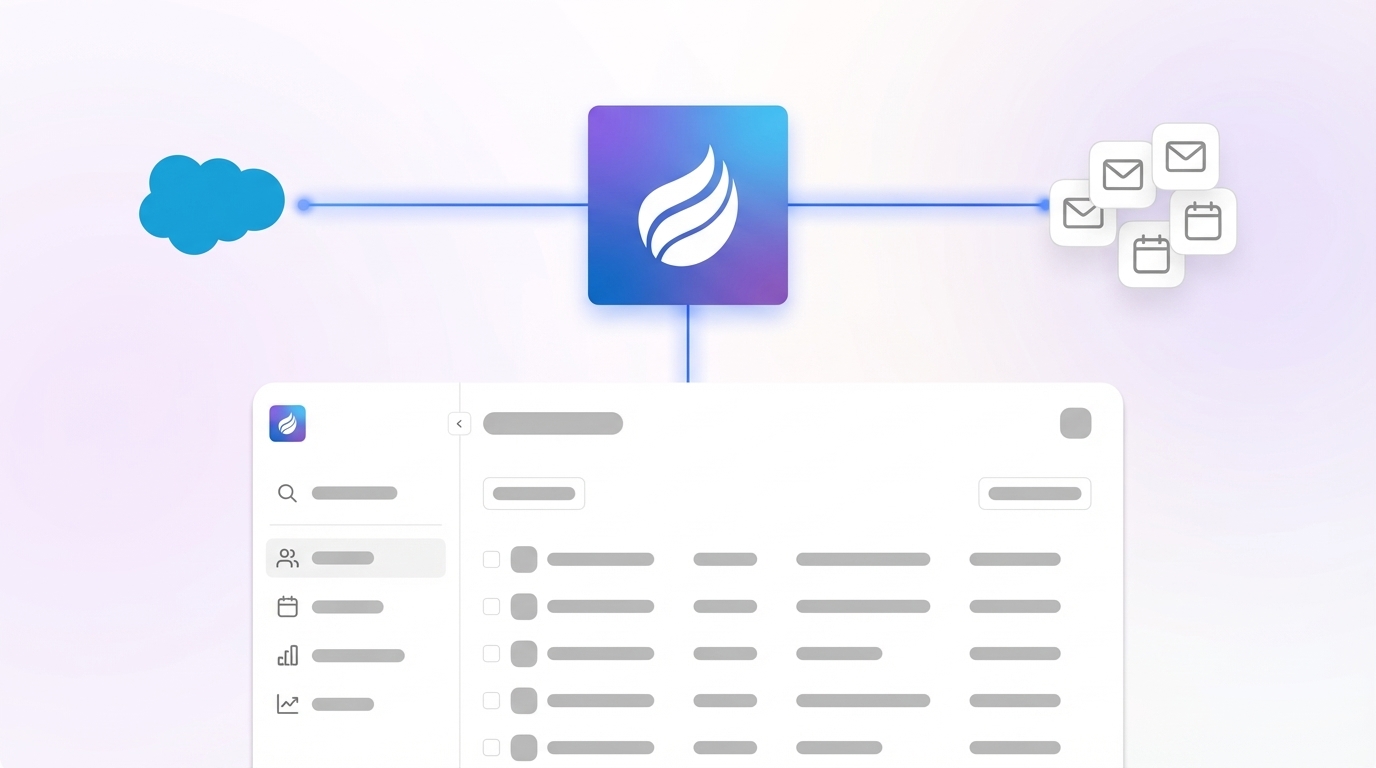
Sales reps often spend more time navigating Salesforce than focusing on closing deals. If this sounds familiar, you’re part of a widespread challenge in the CRM landscape: low user adoption. Many companies pour significant resources into CRM systems, yet struggle to get their teams to use them effectively. This gap between investment and usage can erode sales performance and diminish returns. In this guide, we’ll explore practical steps to turn your Salesforce platform into a tool your team values, using Coffee’s Companion App as a key solution within the broader trend of AI-driven CRM enhancements.
The CRM market has evolved rapidly, with organizations increasingly seeking ways to simplify workflows and improve data accuracy. Research shows that adoption rates remain a hurdle, with many sales teams viewing traditional CRM systems as administrative burdens rather than strategic assets. AI tools are emerging as a bridge, automating tedious tasks and providing actionable insights. Coffee stands out in this space by integrating with Salesforce to reduce friction and enhance user engagement, reflecting a larger shift toward intuitive, automated sales technology. Let’s dive into how you can address adoption challenges and maximize your CRM’s potential.
Why Low User Adoption Hurts Your Salesforce AI CRM
Low adoption of your CRM system directly impacts revenue by limiting visibility into your sales pipeline. When reps skip data entry or avoid using Salesforce, forecasts become unreliable, and opportunities slip through the cracks.
Key reasons for resistance include outdated systems, messy data, complex interfaces, and a lack of clear value for sales reps. Many see CRM tasks as extra work rather than a boost to their productivity.
Deeper issues often involve reluctance to change, past failures with CRM rollouts, and fear of workflow disruptions. This creates a cycle: incomplete data lowers the system’s usefulness, which discourages further engagement.
Think about the hidden costs. If reps are bogged down by manual updates instead of selling, you’re losing valuable time. Add to that the missed deals from poor follow-ups or unclear pipeline status, and the impact grows. Shifting to an AI-supported system like Coffee can address these pain points by automating data tasks and showing reps immediate benefits, aligning with the industry push toward user-friendly solutions.
Setting Up for Success with Coffee and Salesforce Integration
What You Need Before Integration
A solid foundation ensures a smooth integration of Coffee with Salesforce. Start with an active Salesforce Sales Cloud account and confirm API access, which is available in most professional plans. Your data structure, including contacts and opportunities, will stay intact while being enhanced.
Admin access is necessary for setup, including permissions to install apps from AppExchange and link APIs. You’ll also need access to Google Workspace or Microsoft 365 to connect email and calendar data for automation. If you’re in sales leadership or RevOps, you likely have these permissions or can coordinate with IT quickly.
Most importantly, your team must acknowledge current adoption issues. Recognize that manual data entry wastes selling time and incomplete data affects forecasting. This mindset is crucial for change.
Focusing on measurable outcomes and efficiency gains is vital for successful CRM integration. Make sure your team understands that Coffee reduces workload instead of adding to it.
Setup takes minimal time, with a few hours for initial configuration and onboarding. While technical steps are quick, building new habits may take a couple of weeks as reps see the time-saving benefits.
Steps to Integrate Coffee for Better Salesforce Adoption
Connect Coffee to Salesforce and Email Platforms
Begin by linking Coffee to your Salesforce instance and communication tools. From Coffee’s dashboard, authenticate with Salesforce for real-time data sync. Then connect Google Workspace or Microsoft 365 to let Coffee analyze emails and calendars for automatic CRM updates.
Coffee works by capturing data from daily interactions like emails and meetings, then organizing it within Salesforce. This means no extra effort from reps to keep records current. Soon after setup, you’ll see new contacts, meeting notes, and opportunity updates reflecting real sales activity in Salesforce.
Consider a data quality check in Salesforce before integration to give Coffee a clean starting point. Remove duplicates and standardize fields for better accuracy.
See how Coffee connects with Salesforce. Request access now to test the setup.
Automate Data Entry for Sales Reps
Coffee cuts down on manual data entry, a major frustration for sales teams. It monitors email and calendar activity to create and update Salesforce records automatically. For instance, a new prospect email triggers a contact entry with added details like job title, while meetings log as activities with linked attendees.
Data enrichment happens in real time, pulling in relevant info from licensed sources. This keeps your Salesforce records detailed without extra research. Activity logs stay accurate by tracking actual interactions, not relying on manual input.
Automation frees reps from busywork, letting them focus on selling. Communicate these time savings clearly during rollout to boost early buy-in.
End wasted time on data entry. Request access to try Coffee’s automation.
Enhance Meetings with AI Support
Coffee improves meeting outcomes with pre-call briefings and post-call summaries. Before meetings, it provides details on attendees, company background, and past interactions via the “Today” page or Slack alerts.
During calls on Google Meet, Teams, or Zoom, Coffee’s AI bot records and transcribes discussions. Afterward, it creates summaries, identifies action items, and drafts follow-up emails, all synced to Salesforce. Summaries can align with sales frameworks like BANT or MEDDIC for consistency.
This speeds up deal progress by ensuring reps are prepared, capture key details, and follow up promptly. Encourage sending AI-drafted emails within 24 hours to maintain momentum and keep Salesforce current.
Use Pipeline Insights for Better Visibility
Coffee’s Pipeline Compare tool offers clear insights by tracking changes in your sales pipeline over time. With one click, see which deals moved forward, stalled, or closed, helping managers run efficient reviews without manual exports or extra tools.
Ensure opportunity stages match between Coffee and Salesforce for accurate tracking. Update both if your process changes to keep data aligned.
Train and Support for Lasting Adoption
Technical setup is just the start. Cultural change needs ongoing training and reinforcement. Coffee’s simple design eases the learning curve, but targeted onboarding maximizes impact.
Hands-on, role-based training with strong support materials helps address user concerns. Focus sessions on real tasks like prospecting, meeting prep, and pipeline analysis.
Position Coffee as a helpful tool, not extra software. Show reps how it saves time on data entry and improves meeting prep. Highlight success stories where automation led to wins. Track usage, give feedback, and celebrate effective adoption.
Monitor progress, simplify workflows, and reinforce positive habits for sustained results. Gather user input regularly to tweak settings and maintain relevance.
Ready to shift your team’s view of CRM? Request access to see Coffee drive engagement.
How Coffee Compares to Other Salesforce Tools for Adoption
Coffee’s all-in-one approach offers clear benefits over fragmented add-ons. Here’s a look at how it stacks up against traditional solutions and Salesforce’s native features across key areas.
- Automated Data Entry: Coffee fully automates updates from emails and meetings, while traditional tools often need manual input, and Salesforce offers only basic rules-based options.
- Data Enrichment: Coffee updates records in real time. Other solutions may require separate subscriptions, and Salesforce has limited built-in enrichment.
- Meeting Support: Coffee handles prep, recording, and follow-ups. Point solutions focus on single tasks, and Salesforce lacks meeting-specific intelligence.
- User Experience: Coffee minimizes workload for reps. Add-ons can add steps, and Salesforce’s interface often feels complex to learn.
Coffee’s unified system means reps don’t juggle multiple tools or adapt workflows. Data moves smoothly from email to Salesforce, encouraging consistent use. For growing teams, it also reduces costs by combining features like enrichment and analytics into one platform, unlike separate subscriptions for each function.
Track Success Metrics for Salesforce Adoption with Coffee
Numbers to Watch
Measure adoption with hard data. Look at Salesforce login frequency and session length to gauge engagement. With Coffee, usage should rise as reps tap into insights and automated features.
Check data completeness, like contacts with full details or opportunities with recent updates. Coffee’s automation should improve these metrics over time. Survey reps on time saved from admin tasks, tracking how they redirect focus to selling.
Review pipeline analysis efficiency. Better data quality from Coffee should streamline these processes. Also, track sales cycle length to see if consistent follow-ups shorten deal timelines.
Qualitative Signs of Progress
Beyond numbers, gather feedback on how reps view CRM value and workflow ease. Positive responses signal lasting adoption. Notice if shadow systems like spreadsheets disappear, showing trust in Salesforce via Coffee.
Look for reps using data proactively, like researching prospects or planning with pipeline insights. Manager trust in CRM reports for reviews, without extra checks, also indicates success.
Track productivity, data accuracy, and forecasting improvements to assess adoption impact. Review metrics monthly, spotlight power users, and refine based on feedback for continuous value.
Want to improve your adoption metrics? Request access to measure Coffee’s impact.
Advanced Tips to Elevate Sales with Coffee and Salesforce
Target Prospects with List Builder
Coffee’s List Builder lets reps find ideal prospects using simple queries, enriched with data, and synced to Salesforce campaigns for focused outreach.
Extend Automation via Integrations
Use Coffee’s Zapier support to link with other tools, automating workflows across your stack based on meeting outcomes or pipeline shifts.
Analyze for Strategic Insights
Leverage historical pipeline data in Coffee to spot deal patterns, coach reps, and flag at-risk opportunities for timely action in Salesforce.
Build a Data-Focused Culture
Turn team meetings into strategy sessions with Coffee’s insights. Use engagement data to coach and scale winning tactics across your sales force.
Document and Scale Best Practices
As Coffee proves effective, record your unique processes in playbooks. This helps onboard new hires and expand usage as your team grows.
Common Questions on Coffee and Salesforce Adoption
How Does Coffee Stop Shadow CRMs?
Coffee prevents separate tracking tools by auto-updating Salesforce with data from emails, calendars, and meetings. Reps no longer need external systems since all info syncs directly, keeping Salesforce as the central hub.
What Training Do Reps Need for Coffee?
Training highlights Coffee’s benefits with practical demos on meeting prep, data automation, and follow-ups. It focuses on showing how Coffee saves time for selling, not adding tasks.
How Does Coffee Maintain Data Quality in Salesforce?
Coffee enhances records with current info from trusted sources, filling gaps like job titles. It logs only relevant interactions, ensuring consistent updates without manual effort.
Can Coffee Work with Custom Salesforce Fields?
Yes, Coffee supports custom objects and fields in Salesforce. During setup, choose which data to sync, aligning with your processes for a tailored fit that boosts adoption.
When Will Adoption Improve with Coffee?
Early engagement often rises within days of using Coffee, with significant adoption growth over weeks. Success depends on clear communication and highlighting quick wins to build momentum.
Visualizing Coffee’s Platform

Final Thoughts on Enhancing Salesforce with Coffee
Turning a struggling Salesforce system into a powerful sales tool is within reach. Coffee’s Companion App tackles core adoption issues by removing manual tasks, delivering instant value through automation, and making Salesforce a strategic resource for your team.
This guide shows how Coffee fits into the wider trend of AI simplifying CRM usage. Its integration reduces friction, improves data, and boosts engagement naturally. Successful adoption comes from making the right actions easy and beneficial for reps.
Take the next step to turn your Salesforce investment into a true asset for your sales team. Coffee offers a clear path with its focus on automation and user experience.