Written by: Doug Camplejohn, CEO & Co-Founder, Coffee | Last updated: July 16, 2026
Key Takeaways for VC and PE Teams
- Affinity automates relationship graph construction from email and calendar data but uses rigid pipelines that limit multi-fund and parallel deal management.
- Users report weak native reporting that often forces CSV exports to Excel, plus hidden costs from manual reconciliation and tagging that consume analyst time.
- Pricing is opaque with high per-seat annual minimums ($20K–$80K+ depending on team size) and no self-serve options, which makes it harder for smaller or emerging managers to adopt.
- Alternatives like Coffee provide agent-first automation that captures structured and unstructured data without manual entry, which shortens onboarding and keeps pricing transparent.
- Explore Coffee’s pricing to see how an agent-first CRM can eliminate manual data entry from day one.
Where Affinity Falls Short for Investment Teams
Four recurring complaints dominate 2026 user feedback on Affinity: customization limits, reporting depth, automation gaps, and total cost of ownership.
Customization ceiling. Affinity is opinionated in its design, creating a customization ceiling that constrains firms with highly specific workflow requirements. Its deal flow structure is rigid and designed for a single linear pipeline, which makes it difficult for VC and PE firms to manage multiple funds, co-investment vehicles, or parallel deal tracks that require separate stages and views.
Reporting gaps. Affinity’s analytics functions are considered weak compared to Salesforce or HubSpot, often requiring CSV export to Excel for complex evaluations. Complex cross-fund analytics or investor reporting dashboards may not be sufficient for fund managers who need detailed analytics.
Automation gaps. Affinity’s relationship intelligence layer requires manual tagging by partners to keep partner-level context current, but this tagging rarely happens consistently. Affinity does not automatically capture founder context across email threads and meeting transcripts, so information disappears unless someone logs it manually. For a firm managing 30 to 50 active deals across two or three funds, Affinity’s reliance on manual data entry creates compounding errors, including duplicate outreach and lost warm intro opportunities.
Hidden total cost of ownership. Teams using Affinity incur hidden recurring costs from spreadsheet backfill and manual reconciliation before LP reporting or IC prep, consuming half a day of analyst time per quarter. Onboarding a new fund or 5-seat team on Affinity typically requires days to weeks and is sales-led. Affinity’s mobile app cannot create opportunities or edit lists, which limits productivity on the go.
Affinity CRM Pricing for 2026
Affinity does not publish self-serve pricing. All pricing data below was captured in February 2026 from Affinity’s official pricing page, and Affinity offers annual contracts.
The four published tiers and their list prices are:
- Essential: $2,000 per user per year (~$166/month), including automatic activity capture, relationship scoring, and data enrichment from over 40 sources.
- Scale: $270 per user per year (~$23/month), adding Chrome Extension, email tools, and deal-velocity analyses. A 10-person team on Scale requires a $2,700 upfront annual commitment.
- Advanced: $2,700 per user per year (~$225/month), adding AI-supported meeting intelligence. The AI Notetaker and advanced enrichment capabilities are restricted to this tier.
- Enterprise: Custom pricing for larger teams, including SSO, granular access controls, and full API access.
Real-world spend usually lands above list prices. Affinity carries an annual minimum contract floor, which prices out solo angels and very small managers. Realistic 2026 annual cost estimates by fund profile:
- Pre-seed micro fund (2–3 seats): ~$20K–$24K
- Seed fund (5–8 seats): ~$22K–$35K
- Multi-stage fund (10–20 seats): ~$35K–$70K
- Growth/PE firm (25+ seats): $80K+
Data enrichment is included in higher tiers. Affinity does not charge implementation fees, and onboarding support is included. Buyers who negotiate multi-year terms can secure lower annual rates for 2- or 3-year commitments compared with 1-year agreements. These operational limitations become more significant when viewed against Affinity’s 2026 pricing structure.
How Reddit Users Describe Affinity in 2026
Aggregated 2026 community feedback surfaces three consistent themes: pricing shock, reporting frustration, and customization friction.
On pricing, Trace Cohen, Co-Founder and GP at Six Point Ventures, summarized the trade-off plainly: “Affinity costs roughly $2,000+ per seat per year with an annual floor, and its real product is a relationship graph you don’t have to maintain by hand.”
On reporting, the gap is structural. Analytics functions are considered weak compared to Salesforce or HubSpot, often requiring CSV export to Excel for complex evaluations, which undercuts the value of a dedicated platform. The reporting gap surfaces repeatedly in user feedback, and teams still export to Excel for complex analysis, as noted earlier.
On customization, Affinity’s UX feels dated compared to modern consumer-grade CRMs, which creates friction for teams used to contemporary interfaces. Affinity’s AI feature cadence trailed competitors such as Attio through most of 2024 and 2025, with no native first-party AI Research Agent and only partial in-line enrichment via partner integrations.
The broader market context reinforces these signals. VC firms face a “manual data tax” where manual data entry carries an approximately 1% biological error floor that compounds to 18–40% of records containing errors at scale, creating “garbage data” in CRMs. Nearly 80% of alternative investment firms plan to increase technology budgets in 2026, as GPs adopt AI for deal sourcing, relationship management, and value creation.
Alternatives to Affinity for VC and PE Teams
The table below compares Affinity, Attio, 4Degrees, and Coffee across five criteria that VC and PE operations teams prioritize. Every data point is cited inline.
| Criteria | Affinity | Attio | 4Degrees | Coffee |
|---|---|---|---|---|
| Data Quality | Category benchmark for people-level enrichment; enriches from 40+ sources including PitchBook and Crunchbase | Automated email and calendar sync; default for mid-size funds | Enriches from PitchBook, Crunchbase, and Dealroom; relationship scoring from email and calendar data | Agent automatically creates and enriches contacts from emails, calendars, and licensed data partners, and captures structured and unstructured data such as transcripts and emails into a built-in data warehouse. |
| Automation Depth | Automates email and calendar capture but requires manual tagging for partner-level context; founder context from transcripts is lost without manual logging. | Automated deal and network tracking with passive database logic. | Automatically captures emails and meetings and reduces manual entry. | Agent-first automation logs activities, drafts follow-ups, generates meeting summaries, moves deal stages, and runs pipeline compare, all without human prompting. |
| Pricing Transparency | No self-serve pricing, annual contracts required, list prices $2,000–$2,700 per user per year with an annual minimum. | Transparent, self-serve tiers published publicly. | Approximately $1,500 per user per year, positioned as a lighter-priced alternative to Affinity. | Simple seat-based pricing where the agent’s labor is included at no additional metering cost; see coffee.ai/pricing. |
| VC/PE Workflow Fit | Strong relationship graph with a rigid single linear pipeline that makes it difficult to manage multiple funds or parallel deal tracks. | Strong fit for emerging managers in Fund I or II, and less suited to institutional complexity. | Purpose-built for VC and PE, and supports non-linear deal pipeline stages. | Standalone CRM or Companion App on top of existing Salesforce or HubSpot, where the agent handles deal logging, pipeline tracking, and meeting intelligence for investment teams. |
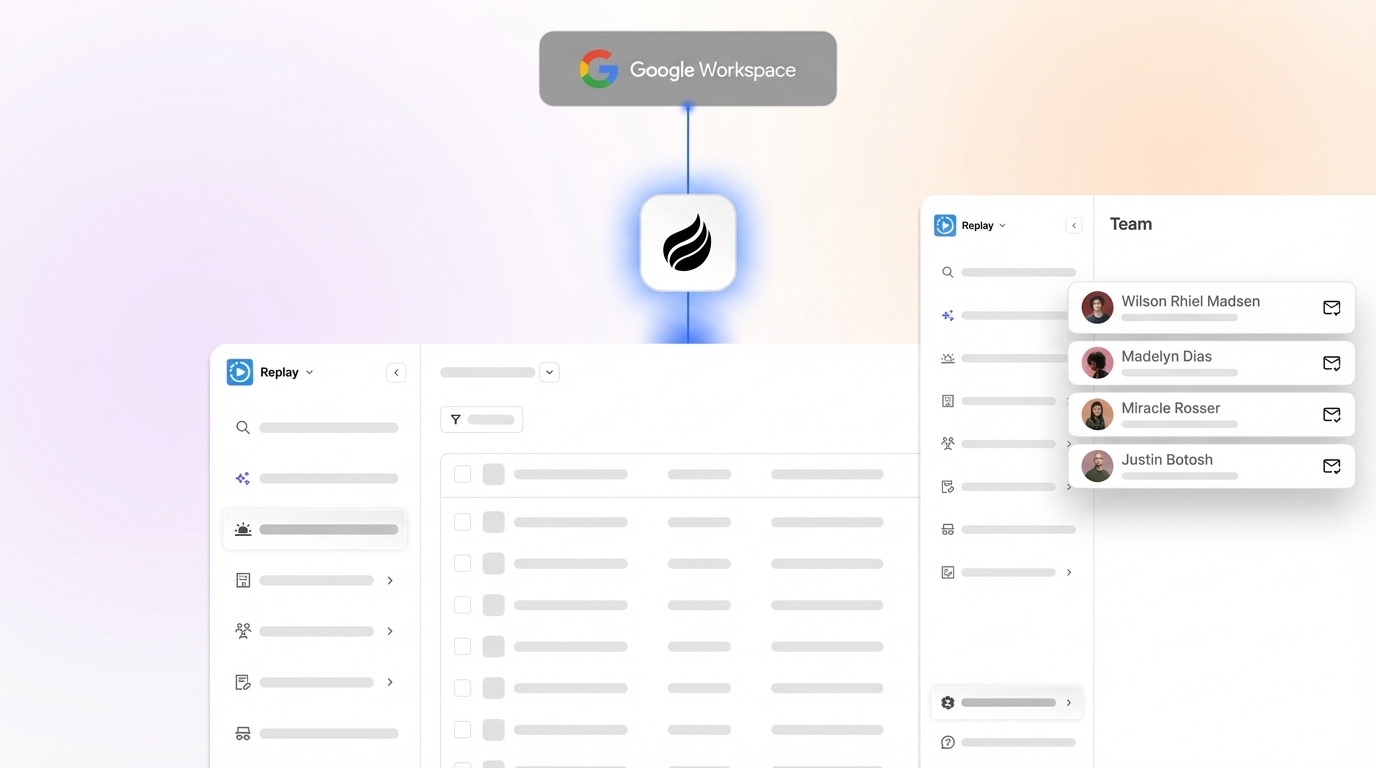
| Integration Effort | Sales-led onboarding that takes days to weeks for a 5-seat team, and PitchBook requires a separate subscription. | Hours to a day for self-serve setup. | One to three months of implementation with purpose-built integrations. | Simple authentication to Google Workspace or Microsoft 365 so the agent begins capturing data immediately, with Zapier integrations available and deeper connections on the roadmap. |
Coffee’s differentiator is its agent-first architecture. Where Affinity automates the relationship graph but still requires humans to log founder context, tag partners, and export data for reporting, Coffee deploys an autonomous agent that handles that busywork. The agent captures unstructured data from call transcripts and emails, updates deal stages, and generates pipeline intelligence without manual intervention. AI agent automation can achieve high accuracy compared with manual SDR data entry.

Who Should Stay on Affinity and Who Should Switch
This matrix is segmented by team size and primary use case so operations leads can make a direct assessment.
| Profile | Stay on Affinity | Consider Switching | Best Alternative |
|---|---|---|---|
| Institutional fund, 25+ seats, $500M+ AUM | Affinity remains the institutional standard for relationship mapping at this scale. | If reporting gaps and manual tagging burden are consuming analyst time. | DealCloud for compliance-heavy needs, and Coffee Companion App on existing Salesforce. |
| Emerging manager, Fund I–II, 3–8 seats | If relationship graph depth is the primary requirement and budget covers the annual minimum. | The annual minimum is the key gating factor that prices out small managers. | Coffee Standalone CRM or Attio. |
| Mid-size VC/PE ops team, 10–20 seats, multiple funds | If a single-fund linear pipeline is sufficient and budget is already approved. | Managing 30–50 active deals across two or three funds exposes Affinity’s manual data entry errors. | Coffee for agent-led automation, and 4Degrees for a lighter-weight VC fit. |
| RevOps lead evaluating cost reduction | If enrichment quality from 40+ sources is non-negotiable and the contract is already multi-year. | Annual price escalation of 5–10% compounds, and add-ons may increase yearly costs. | Coffee consolidates CRM, enrichment, recording, and forecasting into one agent. |
Checklist: Match Your Constraints to the Right CRM
Use this checklist before finalizing any CRM evaluation. Each item maps directly to a documented 2026 pain point.
- Calculate true annual cost. Start with the list price, then layer in enrichment add-ons and implementation fees. Finally, factor in the quarterly reconciliation burden documented earlier when calculating true annual cost.
- Audit your pipeline structure. If you manage more than one fund or parallel deal tracks, confirm that the platform supports non-linear, multi-fund pipelines natively before signing.
- Test reporting without exports. Run your most complex cross-fund report inside the platform. If it requires a CSV export to Excel, document that as a workflow cost.
- Measure manual tagging burden. Count how many times per week partners manually log founder context, meeting notes, or interaction history. Platforms that automate this step remove a documented error source.
- Confirm API limits for your tier. Affinity’s Scale and Advanced tiers cap API calls at the account level for the entire account, and heavy usage requires an Enterprise upgrade.
- Evaluate integration timeline against your go-live date. Affinity onboarding for a 5-seat team typically requires days to weeks and is sales-led. Agent-first platforms that connect via Google Workspace or Microsoft 365 authentication can be live the same day.
- Verify data security certifications. Confirm SOC 2 Type 2 and GDPR compliance for any platform handling LP or portfolio company data. Coffee is SOC 2 Type 2 and GDPR compliant, and data is not used to train public models.
Frequently Asked Questions
How long does it take to implement a VC/PE CRM in 2026?
Implementation timelines vary significantly by platform type. Purpose-built VC CRMs like 4Degrees typically require one to three months. Enterprise platforms like DealCloud require six months or more because of customization and compliance requirements. Affinity’s sales-led onboarding for a five-seat team typically takes days to weeks. Agent-first platforms like Coffee connect via Google Workspace or Microsoft 365 authentication and begin capturing data immediately, which makes same-day activation realistic for most teams. If your firm needs to be operational before a fund close or LP reporting cycle, treat implementation timeline as a primary evaluation criterion.
How difficult is it to migrate data away from Affinity?
Data migration from Affinity carries both financial and operational costs. On the financial side, migration services typically cost $3,000–$15,000 depending on data volume and complexity, and these fees are sometimes negotiable for larger contracts. On the operational side, the primary risk is relationship context loss, especially interaction history and relationship scores that Affinity builds from email and calendar data. When you evaluate alternatives, confirm that the destination platform can ingest historical email and calendar data to reconstruct relationship timelines instead of starting from a blank record. Coffee’s agent connects to Google Workspace or Microsoft 365 and immediately begins building interaction history from existing email and calendar data, which reduces the effective data gap during migration.
Is Coffee secure enough for VC/PE data?
Coffee is SOC 2 Type 2 and GDPR compliant. Data ingested by the Coffee Agent, including emails, calendar events, and call transcripts, is not used to train public AI models. For VC and PE teams handling LP data, portfolio company financials, and deal terms, these certifications represent the baseline security standard. Teams in heavily regulated environments or those subject to multi-year security review cycles should confirm that any platform meets their specific internal security requirements before deployment. Coffee is best suited for small to mid-sized investment teams, while large enterprises with complex custom compliance workflows may require additional evaluation.
Does Coffee integrate with the tools VC/PE teams already use?
Coffee connects natively to Google Workspace and Microsoft 365, which covers the email and calendar data sources that relationship intelligence depends on. For other integrations, Coffee currently supports connections via Zapier, with deeper native integrations on the product roadmap. Teams running Salesforce or HubSpot as their system of record can deploy Coffee as a Companion App, and the agent writes enriched data, meeting summaries, and activity logs back to the existing CRM without requiring a platform migration. This setup makes Coffee a practical option for VC and PE ops teams that want agent-led automation without abandoning an existing Salesforce instance.

What reporting capabilities does Coffee provide compared to Affinity?
Affinity’s reporting requires CSV exports to Excel for complex cross-fund analytics, which is a documented limitation for fund managers who need real-time pipeline visibility. Coffee addresses this through its Pipeline Compare feature, which visualizes week-over-week deal changes, including progressed deals, stalled opportunities, and new additions, directly inside the platform without manual exports. Because Coffee’s agent captures all activity into a built-in data warehouse, historical context remains preserved and queryable instead of being overwritten when fields are updated. For VC and PE teams whose primary reporting need is pipeline review and LP update preparation, Coffee’s agent-generated summaries and pipeline intelligence replace the manual spreadsheet workflows that Affinity users currently absorb as hidden operational cost.

Conclusion: When Coffee Makes More Sense Than Affinity
Affinity delivers genuine value for institutional VC and PE firms that need a proven relationship graph and can absorb its 2026 cost structure. The documented trade-offs, including a five-figure annual minimum that prices out emerging managers, rigid pipeline customization, reporting that requires CSV exports for complex analysis, and a manual tagging burden that leaves founder context unlogged, create real constraints for mid-sized teams with lean ops capacity.
For VC and PE operations teams that need relationship intelligence without the manual data entry tax, Coffee’s agent-first approach offers a practical alternative. The agent captures structured and unstructured data automatically, removes the manual logging burden that undermines Affinity’s relationship graph at scale, and deploys in hours rather than weeks. Teams can run Coffee as a standalone CRM or as a Companion App on top of an existing Salesforce or HubSpot instance.