Written by: Doug Camplejohn, CEO & Co-Founder, Coffee | Last updated: July 16, 2026
Key Takeaways
- Predictive lead scoring works only when CRM data is clean and complete. Most models need 200–500 closed-won deals and at least six months of accurate history to avoid pushing low-probability leads to the top.
- Manual data entry drives poor scoring accuracy. Seventy-six percent of teams say less than half their CRM data is reliable, which wastes rep time and cuts revenue.
- Salesforce, HubSpot, and Dynamics 365 reach higher score reliability only after automation fills gaps in firmographics, activities, and outcome tagging.
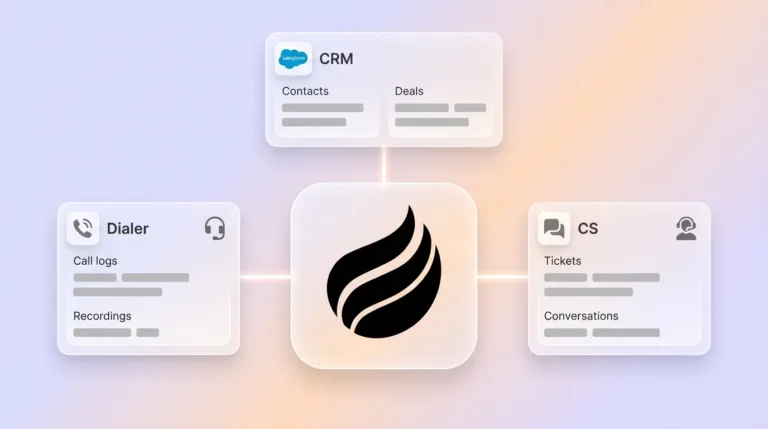
- Coffee’s native agent removes manual entry by auto-capturing contacts, logging activities, and enriching records from email and calendar. That foundation supports top-tier scoring accuracy in any connected CRM.
- Start with Coffee to automate data capture before your next scoring cycle and convert anonymous visitors into scored pipeline without manual work. See Coffee plans and connect your workspace.
What predictive lead scoring actually requires
Predictive lead scoring uses machine learning on historical CRM data, including firmographics, behavioral signals, and outcome labels, to rank active leads by conversion probability. Most predictive lead scoring models need at least 200–500 closed-won examples and six or more months of clean CRM data to train effectively.
The problem: manual data entry breaks predictive lead scoring accuracy
Data quality blocks AI scoring effectiveness because CRM records are inconsistent, firmographic fields are missing, and historical outcomes are only partially tagged. This pattern is structural across teams, not a rare exception.
Predictive models trained on CRM data that includes bounced emails, stale titles, and missing firmographics do not fail quietly. They confidently rank low-probability leads at the top. No 2025 Frontiers study in Artificial Intelligence reported Gradient Boosting achieving 98.39 percent holdout accuracy.
The Validity 2025 State of CRM Data Management report found that 76 percent of respondents say less than half of their CRM data is accurate and complete. This inaccuracy forces sales reps to spend about 27 percent of their time, or roughly 546 hours per year, verifying and correcting records. Even after that cleanup work, the records they create remain incomplete, so the cycle continues.
A Validity survey of more than 1,200 CRM users and stakeholders found that 44 percent say they lose over 10 percent in annual revenue because of low-quality CRM data. At the same time, Gartner estimates that the average organization loses around 12.9 million dollars per year due to poor data quality. No scoring model, from any vendor, can overcome that foundation.
Teams that want to stop this revenue loss need to remove manual data entry from their process so scoring models receive clean inputs by default. Connect Coffee and let the agent handle data capture before your next scoring cycle.
How Coffee compares to Salesforce, HubSpot, Dynamics 365, and monday.com
The table below shows how manual data-entry hours per rep relate to predictive score reliability in production. Platforms that rely on more manual entry deliver lower and less consistent accuracy. Coffee removes manual entry entirely, and its agent-maintained data supports the highest accuracy bands, which illustrates why automation must come before model selection. Hours-per-week figures reflect published research, and score reliability ranges reflect production accuracy bands from 2025–2026 analyses.
| Platform | Manual data-entry hours/week (per rep) | Resulting score reliability (production) | Agent automation status |
|---|---|---|---|
| Salesforce | 5.5 hours per week on CRM administration and manual data entry | 65–85 percent with Einstein, lower without hygiene | Agentforce available, separate licensing and data preparation required |
| HubSpot | Several hours per week on manual data entry | 65–85 percent with Breeze, Enterprise tier required | Breeze Agents available on Enterprise plans, data gaps remain without automation |
| Dynamics 365 | Several hours per week on manual data entry | Starts with as few as 40 leads, accuracy degrades without enrichment | Sales Qualification Agent available, relies on clean field population |
| monday.com CRM | Significant manual data-entry time per rep | Accuracy depends on manual field completion, no published production band | No native data-capture agent, AI features depend on clean manual inputs |
| Coffee | Zero hours targeted, because the agent auto-captures contacts, activities, and enrichment from email and calendar | Agent-maintained inputs support top production accuracy bands. Continuous enrichment exceeds 90 percent scoring accuracy at Level 4 readiness. | Native agent included, data entry is the agent’s core function |
Salesforce Einstein: predictive lead scoring with complete fields
Salesforce Einstein Lead Scoring pulls from existing CRM fields and trains a model on closed-won and closed-lost patterns. Einstein Lead Scoring needs at least 1,000 leads in the past six months and 120 conversions. The constraint is field completeness, not the algorithm.
In many organizations, key firmographic fields such as annual revenue, tech stack, and funding stage remain incomplete. Einstein then trains on a biased sample and scores the remaining records incorrectly. Coffee’s Companion App fixes this by writing enriched, structured data into Salesforce before Einstein runs. The model receives reliable inputs without forcing a platform change.
HubSpot predictive scoring: impact of missing activity data
HubSpot’s AI predictive scoring, available on the Enterprise tier, uses email engagement, form submissions, and demographic data. Teams often see more sales-qualified leads after turning it on, but that outcome assumes complete behavioral tracking and accurate firmographic records.
Salesso research shows that 79 percent of opportunity data collected by reps never reaches the CRM. HubSpot’s model then trains on a small slice of the real signal. Coffee’s Companion App for HubSpot auto-logs calls, emails, and meeting outcomes, which closes that 79 percent gap before the scoring model evaluates any lead.
Dynamics 365 scoring: strong agent, inherited data gaps
The Sales Qualification Agent in Dynamics 365 Sales evaluates inbound leads, researches across data sources, prioritizes based on intent, and drafts personalized outreach. Microsoft’s agent is capable, yet it still depends on the fields present in the record at scoring time.
Industry analyses show that organizations with mature AI scoring and strong CRM hygiene reach higher predictive accuracy. Implementations with data gaps perform lower. Dynamics 365 does not fix upstream data capture, so it inherits whatever gaps exist.
Why AI scoring success depends on CRM data quality
A July 2026 LeanData survey of 157 B2B revenue leaders found that 55 percent named data quality as their top AI challenge, and 31 percent cited business processes. Together, these responses show that 87 percent of AI barriers are operational rather than technical. Model selection becomes a secondary decision, while data readiness becomes the primary one.
B2B companies using AI-powered lead generation see an average 73 percent increase in qualified leads within six months, based on Salesforce reports cited in 2026 analyses. Teams that skip data cleanup see inconsistent scores that sellers ignore. Research shows that the gap between strong and weak AI lead scoring results comes from data quality, not model sophistication, so data cleanup must happen before deployment.
Coffee’s agent solves this at the source. After connecting to Google Workspace or Microsoft 365, it scans emails and calendars to auto-create contacts, log activities, and enrich records with job titles, funding data, and LinkedIn profiles, without reps touching the CRM. The CRM then meets the data-readiness thresholds that every scoring model expects.
From anonymous visitors to scored pipeline with Coffee
Clean records on known leads solve only half of the scoring challenge. CRM data alone misses 60–70 percent of lead-scoring signal because it lacks external B2B data for firmographics, technographics, and intent. That missing signal often lives in anonymous website traffic.

Coffee’s Visitor Identification feature closes this gap. A single tracking pixel identifies anonymous visitors as named individuals and surfaces name, title, email, LinkedIn profile, pages viewed, and time on site. Real-time Slack alerts notify reps about high-fit visitors, and one click adds the enriched prospect to Coffee or the connected CRM, ready for outreach.
Most standalone tools reveal only company-level data. Coffee’s Suggested Leads feature instead uses your buyer persona to recommend the two or three specific people inside a visiting company who are most likely to convert. This workflow turns an anonymous visit into a scored, enriched pipeline record without manual entry at any step. Install Coffee’s tracking pixel and start converting anonymous visitors into enriched pipeline records.

Evaluation framework for AI CRMs with predictive scoring
The order of decisions determines predictive scoring results. Teams that choose a scoring model before checking data readiness usually land in the 65–70 percent accuracy band that appears across platforms, because the model inherits every gap present at activation. The better sequence automates data capture first to guarantee clean inputs, then activates scoring so the model trains on reliable patterns from day one.
30-day pilot checklist
- Days 1–3: Data audit. Measure field completeness for company size, industry, job title, and lead source. Flag any field below 70 percent completeness for enrichment. Check email bounce rate and bring it under 10 percent before scoring runs.
- Days 4–7: Connect Coffee. Authenticate Google Workspace or Microsoft 365. Confirm that the agent auto-creates contacts, logs activities, and writes enrichment back to the CRM, whether that is Salesforce, HubSpot, or Coffee Standalone.
- Days 8–10: Install the Visitor ID pixel. Add the Coffee tracking script to the site header. Verify that anonymous visitors resolve to named individuals with firmographic data.
- Days 11–14: Label historical outcomes. Check that closed-won and closed-lost records for the past 12–24 months are tagged correctly. Predictive models need clean negative training examples, and many teams lack enough tagged losses for reliable training.
- Days 15–21: Activate scoring. Turn on the native scoring model, such as Einstein, Breeze, or Dynamics 365, or a third-party tool. Set thresholds so high-score leads route to immediate follow-up and low-score leads enter automated nurture.
- Days 22–30: Measure baseline KPIs. Track leads qualified per day, MQL-to-SQL conversion rate by score band, and rep time spent on data entry, with a target of zero. Compare forecast accuracy before and after. Gartner research shows that only 45 percent of sales organizations report high confidence in forecast accuracy, often because of CRM data quality issues.
Deploy Coffee’s agent to automate the first four steps of this checklist and remove manual data work.
Frequently Asked Questions
Why does data quality matter more than the scoring model I choose?
Every predictive scoring model, including Einstein, Breeze, and third-party tools, trains on the records already in your CRM. If those records contain missing firmographic fields, stale titles, or untagged outcomes, the model learns the wrong patterns and ranks low-probability leads with high confidence. Switching models does not solve this problem, while cleaning the data does.
The practical takeaway is clear. Your scoring platform choice is a secondary decision, and your data-entry strategy is the primary one. Coffee’s agent enforces clean, complete data by capturing contacts, activities, and enrichment directly from email and calendar, which removes the human data-entry step that creates gaps.
Can Coffee work alongside my existing Salesforce or HubSpot instance, or does it require replacing them?
Coffee supports two deployment modes. As a Companion App, it runs as an intelligent layer on top of an existing Salesforce or HubSpot instance. The agent handles data capture and enrichment, then writes structured, accurate records into your current system of record.
Your Salesforce workflows, quotas, required fields, and forecasting hierarchies stay in place. Coffee understands Salesforce and HubSpot integration details, including required fields, forecast categories, and custom objects, which separates it from newer CRM alternatives that lack this depth. As a Standalone CRM, Coffee replaces legacy systems for teams that have outgrown spreadsheets but consider Salesforce or HubSpot too maintenance-heavy.
How long does it take to see accurate predictive scores after connecting Coffee?
The Coffee agent starts populating and enriching records as soon as it connects to Google Workspace or Microsoft 365. Teams that already have at least 1,000 closed-won and closed-lost records in their CRM can activate scoring within days of completing the data audit and outcome-labeling steps.
Teams with thinner history still benefit because Coffee’s agent increases the rate of clean data collection by logging every new interaction automatically. Most teams finish the 30-day pilot checklist and see measurable improvements in MQL-to-SQL conversion rates within four to six weeks of activating scoring on agent-maintained data.
Is Coffee secure enough for a mid-market sales team handling sensitive pipeline data?
Coffee is SOC 2 Type 2 certified and GDPR compliant. Data processed by the Coffee agent does not train public models. For mid-market teams in standard B2B technology verticals, these certifications meet the compliance requirements that RevOps and legal teams usually review.
Coffee is not built for heavily regulated industries such as healthcare or financial services that need multi-year security reviews or custom data residency. For the 10–50 person United States tech company that this guide targets, Coffee’s security posture supports immediate deployment.
What time savings should a sales team realistically expect from Coffee’s agent?
Coffee’s agent aims to remove manual data entry entirely, which currently consumes a large share of every rep’s week. The agent auto-creates contacts and companies from email and calendar, logs last activity and next activity, enriches records with job titles, funding data, and LinkedIn profiles through licensed data partners, and generates post-call summaries, next steps, and follow-up drafts.
Teams using Coffee report saving 8–12 hours per rep per week that previously went to CRM maintenance. That time shifts to selling activity, which supports the pipeline volume that predictive scoring models need for training and the forecast accuracy that sales leaders require for planning.