Written by: Doug Camplejohn, CEO & Co-Founder, Coffee
Key Takeaways
- Legacy CRMs often consume 8–12 hours each week on manual data entry. AI-first CRMs use autonomous agents to capture, enrich, and interpret data from emails and calendars automatically.
- Coffee ranks #1 with true zero-entry automation, a 5-minute setup through Google Workspace or Microsoft 365, and flexible standalone or companion modes for SMBs.
- Key criteria for AI-first CRMs include setup under 10 minutes, deep automation, SMB-friendly pricing, and straightforward integrations. Coffee outperforms HubSpot, folk, and other competitors across these areas.
- Competitors such as HubSpot AI and Pipedrive provide partial automation and still depend on manual input. Coffee’s agent manages the entire data lifecycle on its own.
- Start reclaiming your selling time with Coffee’s 14-day trial and experience true zero-entry automation.
Choosing an AI-first CRM should not force small teams to trade ease of use for automation power. Many legacy tools bolt AI onto manual workflows, while newer apps stay simple but shallow. This guide evaluates modern CRMs using criteria that matter most to resource-constrained founders who want real automation without complex setup.
Five Criteria That Define an AI-First, Easy-Setup CRM
The best AI-first CRMs for small businesses must excel across five connected dimensions that together shape daily usability and long-term value.
- Setup Speed: Less than 10 minutes from signup to operational status, with only light configuration so teams can start working the same day.
- Automation Depth: Zero-entry data capture, autonomous enrichment, and agent-led workflows that remove repetitive admin work.
- Data Intelligence: Handling both structured records and unstructured content such as emails and call transcripts to surface context-rich insights.
- SMB Pricing: Clear, affordable seat-based plans with free trials instead of complex enterprise-style licensing.
- Integration Simplicity: Native connections to Google Workspace, Microsoft 365, and popular tools that do not require technical implementation.
These criteria separate true AI-first solutions from legacy CRMs with superficial AI features. Founders need agents that work autonomously, not extra manual processes dressed up as automation. With this framework in place, the next section reviews seven leading platforms and shows how each one measures up.
The 7 Best AI-First CRM Platforms with Easy Setup in 2026
1. Coffee – The Autonomous CRM Agent
Coffee stands alone as the only truly autonomous CRM agent, designed from the ground up to eliminate manual data entry entirely. This architectural choice means Coffee’s agent manages the complete data lifecycle, from capture to insights, without human intervention, which contrasts sharply with competitors that only automate parts of the workflow.
The Coffee Agent scans connected Google Workspace or Microsoft 365 accounts to create and enrich contacts, companies, and activities. It joins meetings through an AI bot, generates briefings and summaries, and tracks pipeline changes using its built-in data warehouse.

Coffee runs in two modes. The Standalone CRM serves small businesses with 1–20 employees that want a full system. The Companion App enhances existing Salesforce or HubSpot instances. The Pipeline Compare feature visualizes week-over-week changes automatically and turns pipeline reviews into focused strategy sessions instead of status interrogations.

Strengths: True zero-entry automation, simple authentication-based setup, built-in data warehouse for historical tracking, and dual deployment models.
Limitations: Newer platform with a still-expanding integration ecosystem.
Ideal For: SMB founders frustrated with manual CRM work and teams moving away from legacy systems.
Pricing: Seat-based with free 14-day trial and guided onboarding.
2. folk – Enrichment-Focused CRM
folk presents a modern CRM centered on strong data enrichment, automatically pulling contact information from multiple sources. The platform emphasizes clean data entry and relationship mapping, which appeals to small teams that prioritize contact management over full automation.
Strengths: Excellent data enrichment, intuitive interface, and relationship tracking.
Limitations: Less comprehensive autonomous agent capabilities than Coffee.
Ideal For: Teams focused primarily on contact enrichment and relationship mapping.
3. HubSpot AI – Partial Automation Platform
HubSpot CRM includes Breeze Copilot as a generative AI sidekick and Breeze Agents for automating workflows, yet it still requires significant manual input for deal management and activity logging. The platform offers a generous free tier but becomes expensive as teams grow.
Strengths: Free tier, large ecosystem, and strong marketing integration.
Limitations: Ongoing manual data entry and complex pricing at scale.
Ideal For: Teams already invested in HubSpot’s marketing tools.
4. Clarify – Zero-Touch Pipeline Updates
Clarify offers a free plan with unlimited seats and ambient intelligence for zero-touch pipeline updates. It integrates with Zoom, Meet, and Teams to capture conversations automatically.
Strengths: Free unlimited seats, automatic meeting integration, and simple setup.
Limitations: Limited advanced features and a smaller integration ecosystem.
Ideal For: Early-stage startups that need basic automation.
5. Day.ai – Productivity-Focused CRM
Day.ai focuses on unstructured data processing and productivity, offering AI-driven insights from conversations and emails. It excels at extracting action items from meetings but does not provide full CRM breadth.
Strengths: Strong unstructured data processing and meeting insights.
Limitations: Limited traditional CRM features and a narrow product scope.
Ideal For: Teams that value meeting intelligence more than complete CRM coverage.
6. Attio – Modern Interface CRM
Attio delivers a visually polished, modern CRM interface with AI-powered enrichment and workflow automation. It still relies heavily on manual data entry and lacks the fully autonomous agent capabilities of AI-first platforms like Coffee.
Strengths: Attractive interface, flexible data modeling, and strong user experience.
Limitations: Ongoing manual data entry and limited automation depth.
Ideal For: Design-conscious teams willing to trade automation for aesthetics.
7. Pipedrive AI – Pipeline-Focused Automation
Pipedrive CRM provides quick setup and focuses on pipeline optimization for small teams. It offers AI agents for communication and basic workflow improvements while keeping its visual pipeline layout and adding AI-powered next-step recommendations.
Strengths: Visual pipeline management, quick setup, and affordable pricing.
Limitations: Less autonomous than Coffee’s agent and still requires manual activity logging.
Ideal For: Small sales teams that prioritize pipeline visualization.
The table below compares four representative platforms on the dimensions that matter most for quick deployment. These options span the spectrum from Coffee’s full automation to HubSpot’s partial assistance.
| CRM | Setup Time | Auto-Entry | Price Tier | Best For |
|---|---|---|---|---|
| Coffee | 5 minutes | Full agent | Seat-based | SMB zero-entry |
| folk | 15 minutes | Enrichment + automation | Per user w/ trial | Contact management |
| HubSpot AI | 30 minutes | Partial | Freemium | Marketing teams |
| Clarify | 10 minutes | Meeting-focused | Free/Credits | Early startups |
Now that you have a side-by-side view of setup speed and automation depth, the next step is to see Coffee’s setup in action.
Hands-On: Set Up Coffee’s AI-First CRM in Under 10 Minutes
Coffee delivers one of the fastest AI-first CRM setups available, and the process stays straightforward from start to finish.
- Sign up free: Create an account at Coffee.ai and complete email verification.
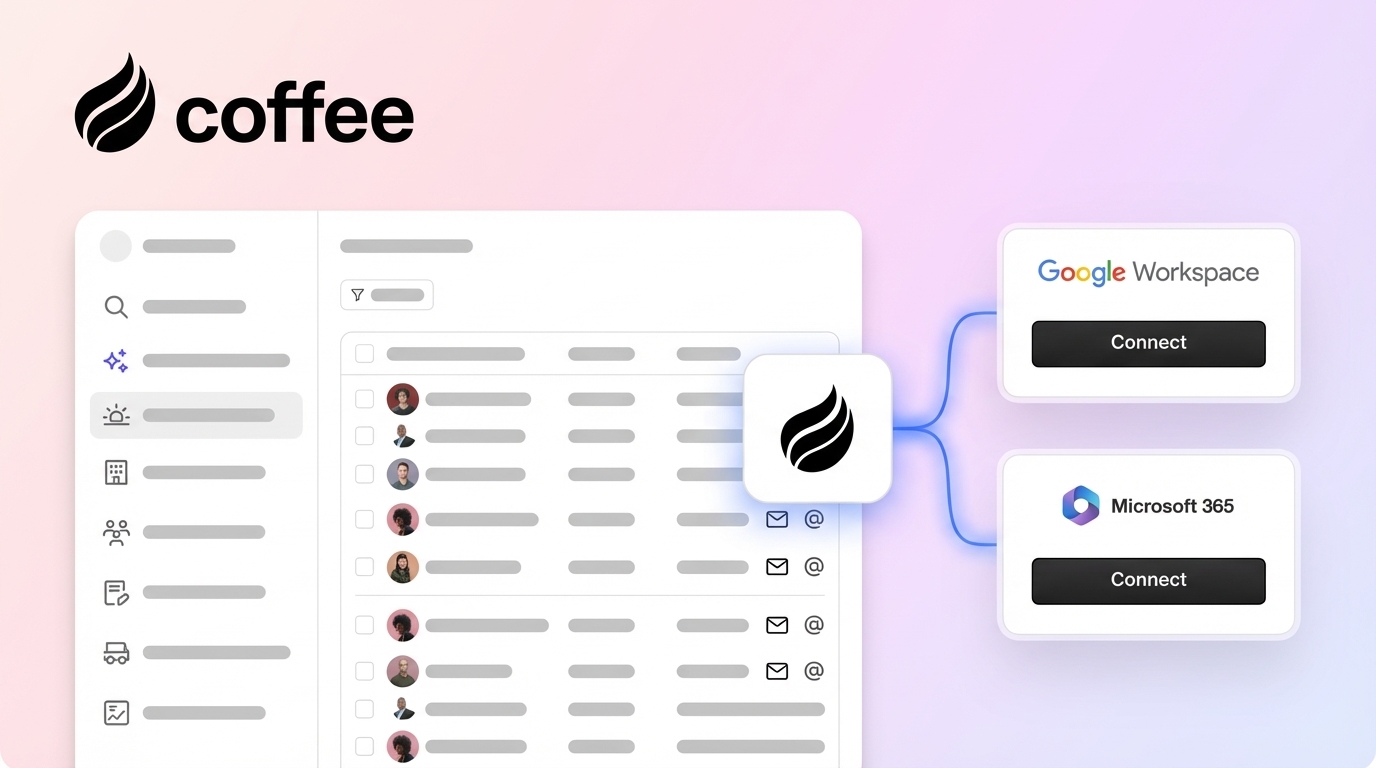
- Authenticate workspace: After verification, connect Google Workspace or Microsoft 365 with one-click OAuth. This connection gives Coffee’s agent access to the data sources it needs.
- Agent initialization: With workspace access in place, Coffee’s agent scans emails and calendars to discover contacts and companies automatically.
- Configure companion mode: Choose between running Coffee as a standalone CRM or as a companion to your existing Salesforce or HubSpot instance.
- Access Pipeline Intelligence: Review the auto-generated insights and the Pipeline Compare dashboard to understand week-over-week changes.
Competitors often demand extensive configuration before any value appears. Coffee’s agent starts working as soon as authentication completes. Stripe integration imports customers and adds paid invoices as Closed Won deals, and QuickBooks integration syncs invoices and payment statuses for real-time visibility.

Try this five-minute setup yourself and use the 14-day trial to explore Coffee’s autonomous agent.
Coffee vs. Competitors: How Autonomous Agents Outperform Manual CRMs
The core difference between Coffee and competitors comes from its agent-first architecture. Coffee behaves as an autonomous operator, while most rivals retrofit AI onto manual-entry systems. The comparison below highlights how that foundation affects four critical capabilities.
| Feature | Coffee | HubSpot AI | folk |
|---|---|---|---|
| Zero-Entry Data | Full automation | Partial manual | Enrichment + workflows |
| Data Warehouse | Built-in history | Limited tracking | No warehouse |
| Stack Consolidation | All-in-one agent | Multiple tools needed | CRM only |
| Free Trial | 14 days full access | Limited free tier | Free trial available |
Coffee’s autonomous agent approach removes the “manual debt” that weighs down traditional CRMs. This agent-first foundation, introduced earlier, distinguishes Coffee from platforms that simply attach AI helpers to legacy architectures.
Real Results: Coffee in Action for a Fast-Growing AI Startup
A company generating tens of millions in revenue from custom AI solutions had outgrown spreadsheets but still relied on them for sales. Their small team spent hours each week updating contact details, meeting notes, and pipeline status instead of speaking with customers.
When they evaluated Salesforce and HubSpot, both options required the same manual data entry they already struggled with, only in a different interface. They chose Coffee because its autonomous agent promised a different model with no ongoing manual entry.
After connecting Google Workspace, Coffee’s agent began capturing contacts, logging activities, and building pipeline intelligence automatically. Within weeks, the team saw clear improvements.

Results after implementing Coffee’s AI-first CRM:
- Automated data capture: Contact creation from Google Workspace removed manual entry and created a reliable data foundation.
- Pipeline intelligence: With accurate data flowing in, the Pipeline Compare feature generated weekly reviews without spreadsheet maintenance.
- API flexibility: The team used Coffee’s API to build custom prompts and briefings tailored to their internal workflows.
- Time savings: Together, these automations delivered the 35% productivity gain that Coffee customers typically report.
“Coffee’s agent scales without humans,” noted the company’s leadership. The autonomous approach let their team maintain clean CRM data while focusing on high-value customer conversations.
FAQ: Practical Questions About AI-First CRM Easy Setup
What’s the easiest AI-first CRM setup for small businesses?
Coffee offers one of the simplest AI-first CRM setups for small teams. A quick authentication flow takes you from signup to operational status, and the agent immediately starts capturing data from connected email and calendar systems. Competing tools often need extensive setup and training, while Coffee begins delivering value as soon as authentication completes, which suits busy founders who want fast productivity gains.
Which is the best AI CRM for small business in 2026?
Coffee ranks as the leading AI CRM for small businesses in 2026 because of its true zero-entry automation and autonomous agent model. Platforms such as HubSpot and folk include AI features but still depend on manual data entry and pipeline management. Coffee’s agent manages the full data lifecycle, from contact creation through pipeline insights, so small teams can spend more time selling and less time on admin work.
Are there free AI-first CRM options for startups?
Coffee provides a 14-day free trial with full access to its autonomous agent, including automatic data capture, meeting intelligence, and pipeline insights. This window lets startups experience complete hands-free operation before choosing a paid plan. Clarify’s free unlimited seats plan and HubSpot’s limited free tier also exist, although they do not match Coffee’s depth of automation.
How does Coffee compare to HubSpot AI for automation?
Coffee delivers fully autonomous automation, while HubSpot AI offers partial assistance. Coffee’s agent captures customer interactions, creates contacts, logs activities, and generates insights without human input. HubSpot AI still requires manual data entry for deals, activities, and pipeline updates, so it functions more like an assistant than an independent agent. Coffee’s data warehouse also preserves complete interaction history, whereas HubSpot can lose context when fields change.
Is Coffee secure for business data?
Coffee maintains enterprise-grade security with SOC 2 Type 2 compliance and GDPR adherence. Customer data never trains public AI models, which protects privacy and confidentiality. The platform uses secure OAuth connections for workspace integration and encrypts all data in transit and at rest. These standards meet the needs of businesses handling sensitive customer information while still benefiting from autonomous CRM capabilities.
Conclusion: Why Coffee Leads AI-First CRM Easy Setup in 2026
Manual CRM data entry drains selling time and slows small business growth. Coffee’s autonomous agent removes this burden and delivers complete hands-free operation from data capture through pipeline insights, matching the time savings demonstrated in the case study above.
For founders exhausted by legacy CRMs and spreadsheet chaos, Coffee represents a new model of customer relationship management where software handles the busywork and teams focus on revenue.
Experience the future of CRM by starting your 14-day trial and letting Coffee’s agent manage the admin while you focus on selling.