Written by: Doug Camplejohn, CEO & Co-Founder, Coffee
Key Takeaways
- Gong keyword trackers reveal hidden sales patterns like objections and competitor mentions, which can drive 20–30% win rate improvements.
- A 4-step process connects call data to revenue: set up trackers, search and filter calls, extract insights, then export and visualize results.
- Pricing objections appear in 43% of calls with 38% win rates, while executive buy-in discussions achieve 51% success.
- Teams can work around Gong export limits using CSV, API, and CRM integrations to power BI dashboards and pipeline analysis.
- Adding Coffee integration automates transcripts, CRM sync, and revenue intelligence for a smoother workflow.
Quick Start: 4 Steps to Turn Gong Keywords into Revenue Insight
This 4-step framework connects Gong keyword data to coaching, pipeline reviews, and revenue decisions. You will set up trackers, search and filter calls, turn patterns into insights, then export those insights for reporting and coaching.
Step 1: Configure Gong Keyword Trackers for Real Objections
Start in Admin > Agent Studio and create custom and smart trackers that monitor specific conversation themes across your calls. March 2026 updates include enhanced filter flexibility and improved SPICED/BANT detection in multilingual environments, which supports more accurate tracking for global teams.
Configure trackers using these connected sub-steps:
- First, define conversation themes like pricing concerns for closed-lost analysis, so you know which patterns you want to measure.
- Then set exact phrases such as “too expensive” or “budget constraints” that signal those themes in real conversations.
- Apply speaker filters to track customer-only responses, which keeps rep talk tracks from inflating your counts.
- Finally, preview results on 100 random calls to confirm your phrases catch real objections without creating false positives.
Prevent false positives by excluding related but irrelevant words and by refining phrase lists over time. Benchmark data shows pricing objections appear in 43% of calls with a 38% win rate, while implementation timeline concerns have the lowest success rate at 22%. Careful tracker setup helps you surface these patterns and build specific objection-handling responses.
This approach turns reactive coaching into proactive strategy development. Teams can track Gong smart tracker performance, refine playbooks, and improve objection handling across the entire sales organization.
Step 2: Search and Filter Gong Calls by Target Keywords
Use Gong’s transcript search to find specific terms inside objection handling, discovery, and closing moments. Filter by rep performance, deal outcome, and customer segment so you can compare closed-lost calls with wins and see how language shifts between them.
Execute searches using these methods in sequence:
- Apply “Words/phrases” filters for targeted term discovery, starting with your highest-impact objections and qualification terms.
- Use speaker context to separate customer language from rep language, which clarifies who raised each concern.
- Create visual templates for competitor mention tracking, so you can quickly scan how often rivals appear in key stages.
- Export fresh CSV files to capture recent conversation data and keep your analysis aligned with current pipeline activity.
Transcription errors can skew results, especially when names like “Ryan” appear as “Rye and” due to audio quality issues. Reduce this risk by exporting updated CSV files regularly and including multiple keyword variations for important names, products, and competitors.
This structured filtering approach helps sales leaders compare successful and lost deals using the same keyword lens. Coaching then focuses on specific conversation dynamics, not vague advice about “handling objections better.”
Step 3: Turn Gong Keyword Patterns into Sales Insights
Raw keyword counts only become valuable when you connect them to buyer behavior, objections, and deal outcomes. Use Gong AI features like Spotlight and Ask to scan large call volumes quickly and highlight recurring themes.
Focus on insight categories such as objection frequency, sales call keyword trends, and competitive patterns that show how buyers move through the funnel. Win rate analysis shows “Needs Executive Buy-in” conversations achieve 51% success rates, which nearly doubles the win rate of implementation timeline discussions at 22%. The following table illustrates how different objection categories appear in calls and how they correlate with win rates, highlighting that executive buy-in conversations deliver the strongest outcomes even though pricing comes up more often:
| Keyword Category | Frequency | Win Rate |
|---|---|---|
| Pricing/Budget | 43% | 38% |
| Implementation Timeline | 28% | 22% |
| Needs Executive Buy-in | 35% | 51% |
Extract Gong sales insights by correlating keyword mentions with deal stages and progression. Teams that review these patterns consistently can spot coaching gaps, refine qualification questions, and design training that targets specific conversation challenges instead of broad sales skills.
Step 4: Export and Visualize Gong Keyword Data
Exporting Gong data into spreadsheets and BI tools allows you to share keyword insights with leadership and revops. Significant data portability limitations require custom development solutions, often through API connections or third-party platforms like Zapier.
Choose export strategies based on your reporting needs:
- CSV downloads with keyword tracker hit counts per call, which offer the simplest option for one-time or lightweight analysis.
- API-based data extraction for BI platform integration, which suits teams that need automated, recurring dashboards.
- CRM push configurations to Salesforce or HubSpot, which surface keyword insights directly on deal records for reps.
- Custom dashboard creation using exported transcript data, which combines any of the above methods for leadership reviews.
Work around export limits by selecting keyword trackers during CSV export to include hit counts and separate columns for comparative analysis. This structure supports trend charts for pipeline reviews without heavy manual spreadsheet work.
This final step turns Gong transcript reviews from slow, call-by-call listening into automated intelligence that informs decisions across sales, marketing, and product teams.
Supercharge Gong Analysis with Coffee’s Automated Workflow
Many teams find Gong’s export steps and manual configuration heavy once they scale analysis across regions and segments. Coffee offers an agent-led alternative that replaces fragmented point solutions and reduces manual effort.
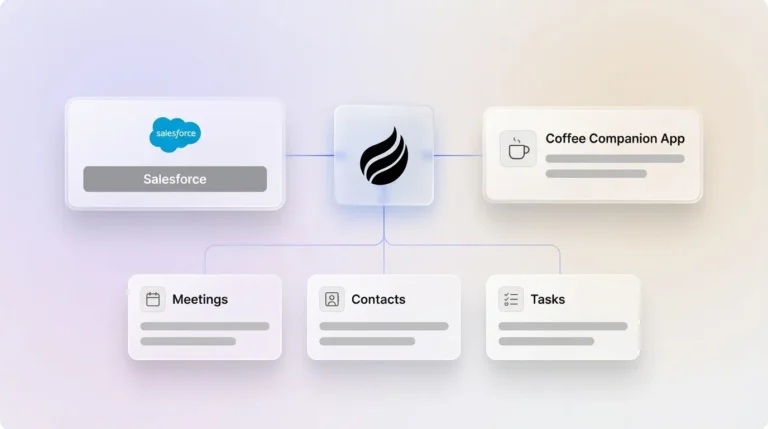
The Coffee Agent automatically transcribes calls, generates summaries using sales methodologies like MEDDIC, BANT, and SPICED, and syncs insights to your CRM through the Companion App for Salesforce or HubSpot. It also provides Pipeline Compare functionality for deeper revenue intelligence across opportunities.
Set up Coffee using these steps:

- Connect your Google Workspace or Microsoft 365 account to Coffee.
- Enable the AI Meeting Bot to join Zoom, Teams, or Meet calls on your calendar.
- Auto-generate summaries, action items, and follow-ups after each conversation.
- Automatically log qualification data and enrich CRM records with call context.
Case studies demonstrate 25% faster deal closure when conversation intelligence integrates with CRM data, which supports prioritized follow-up and more relevant messaging.

Coffee’s agent-led approach removes manual data entry and keeps call insights synced to CRM records, creating a smooth path from conversation capture to pipeline action. Try Coffee’s automated workflow to transform your sales process with conversational intelligence and streamlined pipeline reviews.
Frequently Asked Questions
How do you create a tracker in Gong?
Go to Admin Center > Agent Studio and select your tracker type. For custom smart trackers, choose either question-based conversation analysis or free-text input. Configure conversation types, add participant and account filters, and set call timing parameters. Preview results on 100 random calls to validate accuracy before saving. Recent platform updates (detailed in Step 1) have improved tracker accuracy, especially for teams using SPICED or BANT across multiple languages.
What are the best Gong keywords for improving win rates?
Prioritize objection-related keywords such as “budget,” “timeline,” “decision maker,” and “implementation.” The benchmark data mentioned earlier shows that pricing objections appear frequently, while executive buy-in conversations correlate with higher success rates. Track competitor mentions, feature requests, and urgency phrases like “need by” or “deadline.” Include qualification keywords tied to BANT, MEDDIC, or SPICED so you can map deal progression and coaching opportunities.
How do you analyze closed-lost calls effectively?
Filter calls by deal outcome and apply keyword trackers to highlight loss patterns. Search for objection terms, competitor mentions, and timeline concerns inside closed-lost transcripts. Use speaker filters to isolate customer objections from rep responses. Export CSV data with keyword hit counts to quantify objection frequency and design targeted coaching programs. Use Coffee’s automated data capture to track objection trends across your entire pipeline without manual entry.
What are Gong smart trackers and how do they work?
Smart trackers use AI to identify conversation themes beyond simple keyword matching. They analyze context, sentiment, and conversation flow to detect concepts like pricing concerns or competitive threats even when exact words differ. The 2026 updates include improved multilingual detection and flexible filter options. Smart trackers can identify SPICED, BANT, and MEDDIC qualification elements automatically, which produces more nuanced insights than traditional keyword tracking.
How can you export Gong keywords for external analysis?
Export keyword data through CSV downloads that include hit counts per call, or configure CRM pushes to Salesforce and HubSpot. Use Gong’s API for custom integrations with BI platforms, although this usually requires development resources. Coffee provides built-in pipeline intelligence and data warehouse capabilities that remove the need for manual exports by syncing call insights directly to your CRM. Always export fresh CSV copies so recent manual updates appear in your analysis.
What is the difference between Gong AI insights and manual keyword analysis?
Gong AI insights use machine learning to detect patterns and themes automatically, while manual keyword analysis depends on predefined terms and phrases. AI can pick up sentiment, conversation flow, and contextual meaning that keyword tracking might miss. Manual analysis still offers tighter control over specific terms and competitive topics. The strongest approach combines both methods, using AI for broad pattern discovery and manual trackers for your highest-priority business questions.
What are typical sales call keyword trend benchmarks?
The keyword frequency and win rate benchmarks detailed in Step 3 show consistent patterns across many industries, although exact percentages vary by deal size and market saturation. Competitive mentions typically appear in 15–25% of calls. Feature requests occur in 60–70% of discovery calls, while urgency indicators show up in about 40% of closing-stage conversations.
How do you integrate Gong with CRM for better keyword insights?
Use Gong’s native CRM integrations to push conversation data, including keyword tracker results, directly into Salesforce or HubSpot records. Create custom fields for keyword categories such as objections, competitors, and qualification criteria. Coffee’s Companion App automates data entry from calls and emails into Salesforce or HubSpot, keeping records enriched with conversation context without manual effort. This setup enables pipeline analysis that links activities to outcomes for more accurate forecasting.
Conclusion: Turn Gong Keywords into Higher Win Rates
This 4-step framework turns Gong keyword analysis into a repeatable system that supports coaching, pipeline reviews, and revenue planning. Combined with Coffee’s automation, teams gain deeper revenue insights while removing data entry busywork. Next steps include building rep coaching programs around keyword insights and updating playbooks based on real conversation data. Start your free Coffee trial today to supercharge your Gong keyword analysis with automated CRM integration and pipeline intelligence.