Written by: Doug Camplejohn, CEO & Co-Founder, Coffee
Key Takeaways
- 71% of sales reps still waste hours on manual data entry, leaving only 35% of their time for selling. Automation saves 8 to 12 hours each week.
- Three practical methods stand out: no-code tools like Zapier for easy setup, native CRM features for built-in options, and AI agents like Coffee for the most autonomous approach.
- Native CRM automations handle basic email and call logging but struggle with spam, duplicate records, and syncing data across multiple systems.
- No-code tools such as Zapier offer flexible filters for emails and calls but lack advanced AI enrichment and reliable scaling for large teams.
- Coffee’s AI agent delivers fully autonomous contact creation, enrichment, and duplicate prevention for Salesforce and HubSpot. Start with Coffee today for zero-touch CRM management.
Top 3 Ways to Automate CRM Contact Creation in 2026
Three main approaches now cover most automation needs for contact creation. No-code tools like Zapier connect apps quickly across platforms. Native CRM toggles add basic automation inside Salesforce, HubSpot, and similar tools. AI agents like Coffee handle hands-off scaling with intelligent data processing that keeps quality high as volume grows. Leading automation platforms show different strengths in ease of use, cost, and duplicate prevention.
|
Method |
Ease (1-5) |
Cost/Mo |
Dupe-Proofing/Email+Call |
|
Zapier/Make |
4 |
$20+ |
Filters/Basic |
|
Native CRM |
3 |
Subscription-based |
Thresholds/Limited |
|
Coffee AI Agent |
5 |
Super simple seat-based pricing |
Autonomous AI/Full |
Method 1: Native CRM Automations for Contact Creation
Native CRM automations give you a quick starting point for automatic contact creation. Salesforce users can turn on Einstein-powered contact creation in Settings, then use Einstein Activity Capture and Activity Settings to log calls and set duplicate detection thresholds. HubSpot workflows use enrollment triggers based on email engagement and call activity. Zoho offers similar automation through its workflow engine for email and call events. HubSpot vs Salesforce comparisons show that relational databases often lose historical context when records update, which limits long-term insights.
Native tools work well when you stay inside one platform, yet they often miss spam filtering and cross-system sync. Promotional emails can flood your CRM with low-value contacts. External communication tools may not log every call or email, which leaves gaps in your activity history.
Pro Tip: Test every automation rule in a sandbox first. This simple step helps you avoid duplicate contacts and data corruption in your live CRM.
Method 2: No-Code Automations with Zapier and Power Automate
No-code tools like Zapier and Power Automate give you more control over how contacts flow into your CRM. Zapier workflows usually start with Gmail or Outlook triggers for new emails. You then apply domain-based filters to remove spam and likely duplicates. The final step creates or updates CRM contacts. Adding RingCentral or similar VoIP integrations lets you create contacts from inbound calls without manual entry.
Microsoft Power Automate supports Office 365 environments with flows that trigger on email receipt and then run CRM contact creation actions. These flows can also connect to telephony tools for call-based triggers. VoIP productivity statistics show that call duration filters can save about 30 minutes per employee each day by blocking short or spam calls from creating new contacts. Filters based on call length, email domain reputation, and sender verification raise overall data quality.
Get started with Coffee when you outgrow basic no-code workflows and need automation that scales with your team. Explore Coffee’s pricing to remove manual setup complexity and ongoing maintenance.
Method 3: AI Agents for CRM Contact Creation in 2026
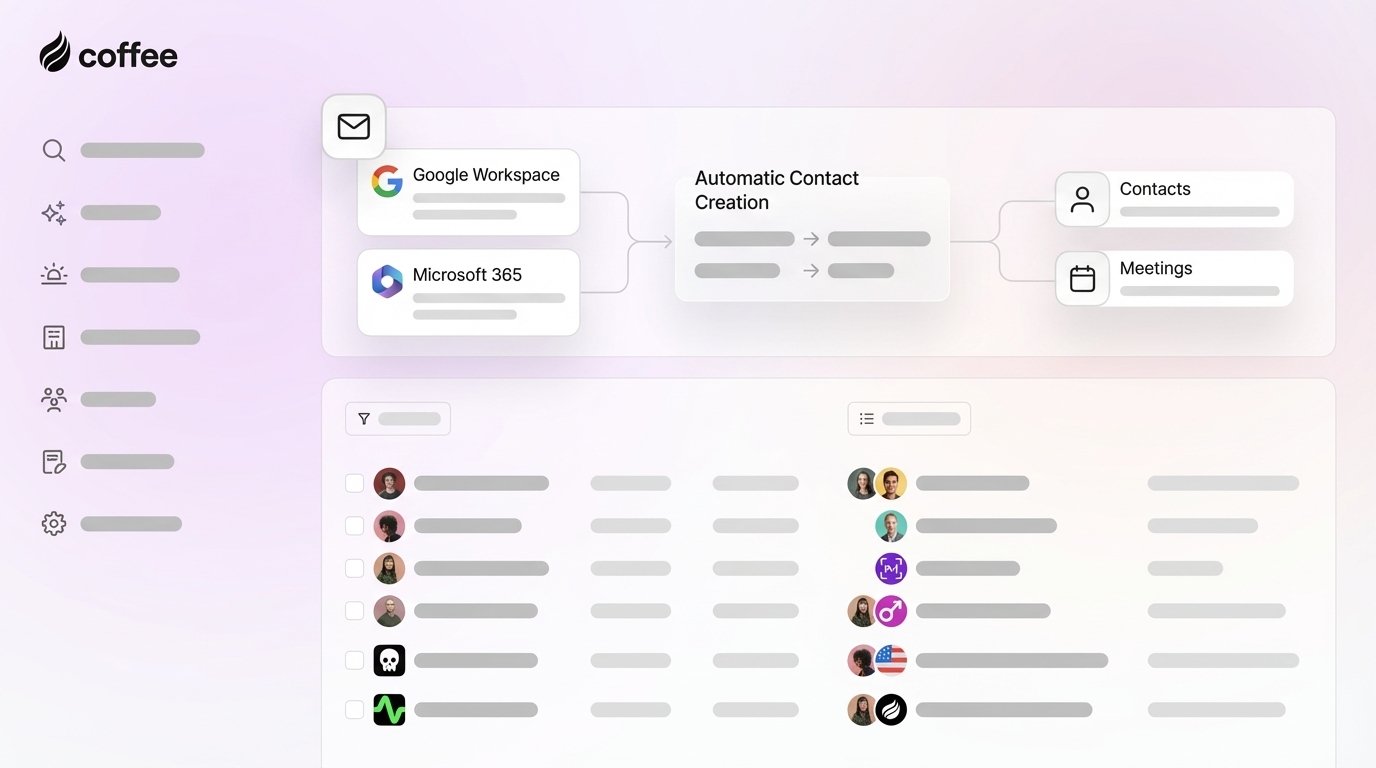
AI agents now offer the most complete approach to automated contact creation and enrichment. Coffee’s AI agent automatically creates and enriches contacts from Google Workspace and Microsoft 365 emails, calendars, and calls. The agent logs all related activities, adds LinkedIn profiles, and pulls in funding data without human effort. Setup requires simple authentication to your email and calendar systems plus your CRM, either as a Standalone deployment or as a Companion for Salesforce or HubSpot. After that, the agent scans and unifies unstructured data across channels.

Legacy systems usually handle only structured fields, which limits what they can learn from real conversations. Salesforce Agent Force implementations show how AI agents can read unstructured content from emails and call transcripts and still act reliably. Coffee’s data warehouse architecture keeps full historical context that traditional relational databases often lose during updates.
One mid-market client saved 8 to 12 hours per week for each rep while keeping high accuracy in contact creation and enrichment. The AI agent removed nearly all manual data entry and still delivered cleaner data than human-managed processes.

Get started with Coffee to put an AI agent in charge of contact creation instead of your sales team. Book a Coffee demo and see autonomous CRM management in action.
Anti-Dupe Strategies and Spam Control Best Practices
Strong duplicate prevention relies on several layers of checks, not a single rule. Effective setups combine email domain validation, call duration thresholds, and intelligent matching algorithms. Advanced duplicate detection techniques include partial matching, phonetic fuzzy matching, and multi-field comparison across name, phone, and email.
Salesforce supports multi-field fuzzy matching that can catch near-duplicates. HubSpot offers automated merging when 20 of 25 properties match between records. Coffee’s AI matching technology goes beyond fixed rules and evaluates the context and intent behind each contact creation event.
Pro Tip: Plan for about 95% accuracy with AI-powered duplicate detection. Rule-based systems often stay closer to 70 to 80% accuracy in real-world use.
Salesforce and HubSpot: Auto-Creating Contacts from Email and Calls
Coffee’s Companion App connects directly with both Salesforce Einstein and HubSpot workflows through simple authentication. The app automatically syncs contact creation, enrichment, and activity logging while keeping your CRM as the single source of truth. This setup answers common search needs such as “automatic contact creation Salesforce” and “HubSpot auto create from calls” with one unified solution that works across both platforms without complex configuration.
Troubleshooting and Practical Pro Tips
Teams avoid duplicate contact chaos when they use an AI matching system that understands relationships across emails, calls, and meetings. Coffee’s AI tracks these touchpoints and links them to the right contact or account. VoIP integration benefits include reclaiming up to one hour per person each day through automated call logging and contact creation. Reps stay in one interface during customer conversations instead of bouncing between phone tools and the CRM.

FAQ
Does Coffee work with HubSpot and Salesforce?
Coffee’s Companion App integrates with both HubSpot and Salesforce through secure authentication. The AI agent automatically creates contacts, enriches data, and logs activities while your existing CRM remains the system of record. Setup usually takes minutes and does not require technical expertise.
Are there free options for automating CRM contact creation?
Basic automation exists through native CRM features and limited Zapier workflows. These free options often lack strong duplicate detection, deep data enrichment, and AI-powered processing. Coffee offers full automation that scales with your business and removes the ceilings that free tools hit quickly.
Is it secure to use Zapier for email-to-CRM contact automation?
Zapier follows SOC 2 and GDPR standards for data protection. Coffee goes further with SOC 2 Type 2 certification and strict controls that prevent customer data from training public AI models. This approach gives you enterprise-grade security for sensitive contact information.
How does Power Automate compare to Coffee for call automation?
Power Automate supports call-to-contact workflows inside Microsoft ecosystems and uses AI Builder and Copilot for enrichment and natural language flows. It also offers many connectors for cross-platform use. Coffee’s AI agent focuses on intelligent data processing and automatic enrichment with LinkedIn and funding data. It works across both Google Workspace and Microsoft 365 environments with one consistent experience.
What time savings can I expect from VoIP CRM call logging automation?
Teams that use Coffee typically save 8 to 12 hours per week per rep. These savings come from automated contact creation, enrichment, and activity logging from emails and calls, which removes nearly all manual data entry across communication channels.
Conclusion: Turn CRM Contact Creation into a Scalable Engine
Automated CRM contact creation from emails and calls turns your sales process into a scalable pipeline engine. Coffee stands out for teams that want reliable data flowing in and accurate reporting coming out without manual work. The AI agent handles the busywork so your team can focus on closing deals and building strong relationships.
Get started with Coffee today to remove manual contact creation from your workflow. Transform your CRM workflow and unlock pipeline insights powered by accurate, automated data.