
Written by: Doug Camplejohn, CEO & Co-Founder, Coffee
Key Takeaways
-
Sales reps lose most of their week to CRM admin. Fragmented tools and manual entry leave only a fraction of time for selling.
-
AI agents capture details from emails and meetings, saving 8–12 hours per rep each week and improving data completeness.
-
Built-in CRM workflows and no-code tools like Zapier manage fields and triggers, but miss context from conversations and notes.
-
Coffee automates both clean CRM fields and messy conversational data, beating competitors on time savings and data accuracy.
-
Implement Coffee today by exploring pricing options to remove manual CRM entry and lift sales productivity.
Why Automate CRM Data Entry? The Rep Productivity Crisis
Legacy CRMs assume busy humans will keep data updated, yet most reps never do this consistently. Seventy-nine percent of opportunity data never reaches the CRM because manual entry feels slow and painful. Poor data quality then drives bad forecasts, missed follow-ups, and lost revenue.
Manual tool stitching makes the situation worse. Reps bounce between HubSpot for records, ZoomInfo for enrichment, Gong for calls, and Gmail for communication. Inaccurate CRM data wastes up to 546 hours per rep each year on searching for the right information or chasing duplicate leads.
These losses make automation a necessity, not a nice-to-have. Salesforce’s 2026 State of Sales report shows reps spend 60% of their time on non-selling work. AI agents reclaim this time by reading emails and transcripts directly and then updating records, which traditional integrations cannot do.
Coffee’s “good data in, good data out” philosophy targets the root problem at the moment of capture. Because agents automatically capture, enrich, and structure information from every customer interaction, the CRM shifts from a drag on productivity to a reliable system of record that supports accurate forecasting.
Built-in CRM Automations and No-Code Basics
Most teams begin with built-in automation such as Salesforce Flows, Einstein Activity Capture, HubSpot Workflows, or Zapier integrations. These tools handle clear, structured fields well but struggle with conversational content from emails, calls, and meeting notes.
Built-in automations work best when you need simple, rule-based actions. They excel at:
-
Triggering actions when fields change
-
Moving deals between pipeline stages
-
Sending automated email sequences
-
Creating tasks and reminders
These systems still demand ongoing human oversight and configuration. HubSpot’s 2024 Sales Trends Report shows that basic AI automation saves teams 2–5 hours weekly on admin work, which reflects only structured workflows and simple rules.
No-code tools like Zapier connect apps reliably, but cannot interpret nuance in conversations. They automate isolated tasks without understanding intent, qualification details, or next steps that live inside emails and call notes. AI agents fill this gap by reading those interactions and then deciding what to update.
This limitation becomes obvious when you rely on email threads, meeting summaries, or complex deal cycles that require context. In those situations, autonomous AI agents outperform rule-based automation because they can interpret language, not just fields.
Best Tools to Automate CRM Data Entry in 2026
Understanding these limitations explains why different automation tools deliver very different outcomes. The CRM automation market has moved from simple integrations toward intelligent agents that handle richer data. The table below shows how time savings and data handling vary across tool types, with AI agents delivering significantly higher productivity gains than traditional automation.
|
Tool |
Data Handling |
Weekly Time Savings |
Best For |
|---|---|---|---|
|
Zapier/HubSpot Workflows |
Structured CRM fields only |
2–5 hours |
Basic field updates and triggers |
|
Clay/Einstein AI |
Partial AI enrichment |
4–7 hours |
Data enrichment and lead scoring |
|
Coffee AI Agent |
Full coverage of CRM fields and conversational data |
8–12 hours |
Complete CRM automation |
|
Salesforce Agentforce |
CRM fields plus conversational data across systems |
6–10 hours |
Enterprise users on Salesforce |
Coffee ranks first for end-to-end automation because it handles both clean CRM fields, such as contact details and deal values, and messy conversational content from emails and meetings. Instead of stitching together several point solutions, Coffee uses a single agent that captures information, enriches records, and updates the CRM in one coordinated workflow.
See Coffee’s pricing and plans to experience the most advanced CRM automation available.
Step-by-Step: How to Automate CRM Data Entry with AI Agents
A clear rollout plan helps AI agents deliver accurate data from day one. The steps below follow the “good data in, good data out” approach and show how agent-based automation differs from simple rule setups.
1. Connect Your Email and Calendar
Connect Google Workspace or Microsoft 365 so the agent can see customer emails and meetings. This stream of real conversations forms the raw material that traditional integrations never touch.
2. Authenticate Your CRM System
Link Salesforce, HubSpot, or Coffee’s standalone CRM and grant write access. The agent then creates contacts, updates deal stages, and logs activities directly, instead of waiting for reps to type notes.
3. Enable Automatic Contact and Company Creation
Configure the agent to read email signatures and attendee lists. It then creates and enriches contact and company records automatically, which removes hours of manual research and typing each week.

4. Activate AI Meeting Bot and Transcription
Turn on the meeting bot for Zoom, Teams, or Google Meet. The agent joins calls, transcribes the conversation, extracts qualification details such as BANT, and records next steps without any manual note-taking.

5. Review Automated Outputs and Pipeline Intelligence
Check the agent’s work through pipeline compare views that highlight deal movement, stalled opportunities, and improvements in data completeness. This review loop keeps the agent aligned with your process.

6. Refine and Scale the Automation
Adjust agent behavior to match your sales framework, whether MEDDIC, SPICED, or BANT. Start with core workflows, then expand coverage as the team gains confidence.
Pro tip: Begin with email and calendar connections before rolling out meeting bots. This sequence lets the agent build a reliable base of contacts and companies, which then improves the quality of meeting insights.
Coffee: The Ultimate CRM Agent for Hands-Free Data Entry
Coffee stands out through autonomous agent technology that manages both CRM fields and conversational content. Competitors usually focus on one slice of the workflow, while Coffee’s agent covers the entire path from first email to closed-won record.
Key differentiators include:
-
SOC 2 Type 2 compliance that satisfies strict enterprise security standards
-
Seat-based pricing that includes unlimited agent work behind the scenes
-
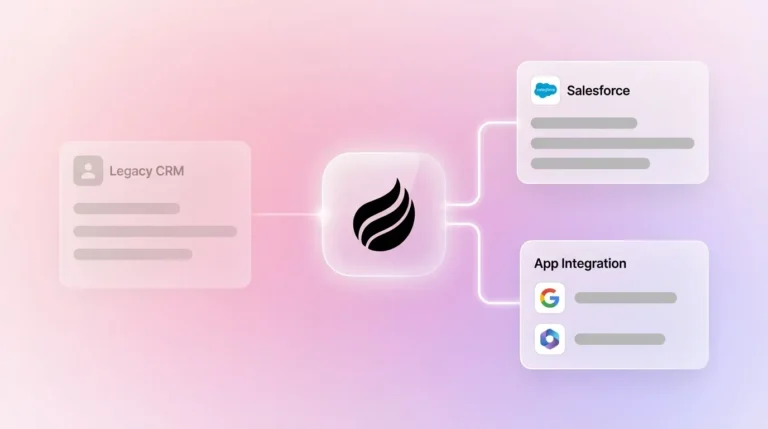
Flexible deployment as a standalone CRM or as a companion to Salesforce or HubSpot
-
A built-in data warehouse that preserves historical context for every interaction
One mid-market company with tens of millions in revenue replaced spreadsheet-driven sales tracking with Coffee’s agent. The team had rejected Salesforce and HubSpot because those tools still required heavy manual entry. Coffee’s automatic contact creation from Google Workspace and Pipeline Compare feature automates weekly reviews, delivering the time savings shown in the comparison above.

Sellers who use AI sales tools are 3.7 times more likely to hit quota, according to Gartner’s 2024 Sales Survey. Coffee’s agent supports this advantage through comprehensive automation that traditional tools cannot match.
Explore Coffee’s automation capabilities to implement comprehensive automation for your sales team.
Troubleshooting and Pro Tips for CRM Automation Success
Strong CRM automation depends on clean data, secure integrations, and a deliberate rollout plan. Use the following tips as a connected checklist for long-term success.
-
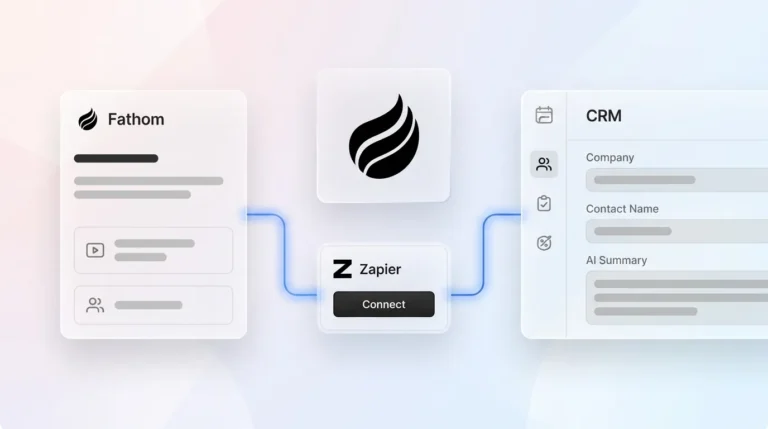
Confirm Zapier Compatibility: Connect Coffee through Zapier when you need to bridge legacy systems, then deepen native integrations as they become available.
-
Protect Sensitive Data: Rely on SOC 2 Type 2 compliance to meet enterprise security standards while still allowing the agent to work across systems.
-
Watch Data Quality Trends: Forty-seven percent of sellers using AI assistants save 8+ hours weekly because consistent data quality reduces rework and manual cleanup.
-
Roll Out in Phases: Start with email automation, then add meeting bots once the team trusts the system and sees early wins.
-
Track Pipeline Visibility Gains: Use automated pipeline compare views to quantify improvements in completeness, velocity, and forecast accuracy.
Treat AI agents as autonomous teammates rather than static tools. Traditional software needs constant rule updates, while agents learn from your workflows and adapt over time, which compounds value as usage grows.
FAQ
How do I automate data entry in Salesforce?
Deploy Coffee as a Companion App that sits on top of your existing Salesforce setup. The agent connects to your email and calendar, then handles contact creation, deal updates, and activity logging automatically. Unlike Salesforce’s built-in tools that rely on manual rule building, Coffee’s agent observes your process and adapts, which preserves your Salesforce investment while removing manual data entry.
What’s the best AI for CRM data entry in 2026?
Coffee leads the market as a solution that manages both CRM fields and conversational content through autonomous agents. Tools like Clay focus on enrichment, and Zapier focuses on connections, while Coffee’s agent reads email content, meeting transcripts, and complex deal context. This approach removes the need to stitch together several point tools and delivers full automation in one platform.
Does Coffee replace Zapier for CRM automation?
Coffee goes beyond Zapier by interpreting conversations that rule-based integrations cannot understand. Zapier remains strong for moving structured fields between apps. Coffee’s agent reads email threads, meeting notes, and sales context, then decides what to log. Coffee also connects with Zapier for legacy workflows, so teams can combine both approaches instead of choosing one.
How can I automate my CRM completely?
Complete automation requires an agent that manages both incoming information and outbound updates. Connect your email and calendar to Coffee so the agent can create contacts, enrich company data, log activities, and surface pipeline insights. It reads customer interactions, converts them into structured records, and improves data quality and forecast accuracy while removing manual entry.
Is it really possible to automate CRM data entry?
AI agents now make full CRM data entry automation realistic for most teams. Older tools handled only structured fields and needed constant supervision. Modern agents like Coffee read emails and meeting transcripts, understand sales context, and decide how to update records. Teams typically save 8–12 hours per week while gaining cleaner data and clearer pipeline visibility.
Conclusion
Manual CRM entry drains rep time and produces unreliable data that weakens forecasts. AI agents reverse this pattern by processing both CRM fields and conversational content from customer interactions. Coffee’s autonomous agent approach delivers meaningful weekly time savings while keeping “good data in, good data out” at the center of every sales decision.
Start your Coffee trial today to automate CRM data entry and transform your sales team’s productivity.