Written by: Doug Camplejohn, CEO & Co-Founder, Coffee
Key Takeaways
- Optimize knowledge base articles with clear keywords and metadata so automation triggers and AI recommendations can find them quickly.
- Set up workflows for smart ticket routing that deflect about 30% of routine queries with knowledge base suggestions.
- Configure macros and deploy the HubSpot KB Agent to resolve up to 65% of queries without human help.
- Build chatbots and implement SLAs with Coffee to unlock advanced automation that goes beyond native HubSpot features.
- Native HubSpot automation saves time, but Get started with Coffee to gain 8-12 hours of weekly savings through AI-powered data enrichment and CRM intelligence.
Step 1: Tune KB Articles for Reliable Automation Triggers
Refine your knowledge base articles with specific keywords and complete metadata that automation tools can read. Go to Service > Knowledge Base and review each article for search terms that match real customer questions. The February 2026 updates include AI assistance for content refinement, which powers smarter content recommendations through Claude’s enhanced capabilities.
Turn on AI settings in your knowledge base configuration so Breeze AI can suggest articles. This keeps your content aligned with customer search patterns and language. Use the new Claude integration to scan email threads and call notes for context-aware content ideas. Avoid publishing articles without SEO basics or leaving metadata outdated for months.
Step 2: Build Workflows for Ticket Routing and KB Deflection
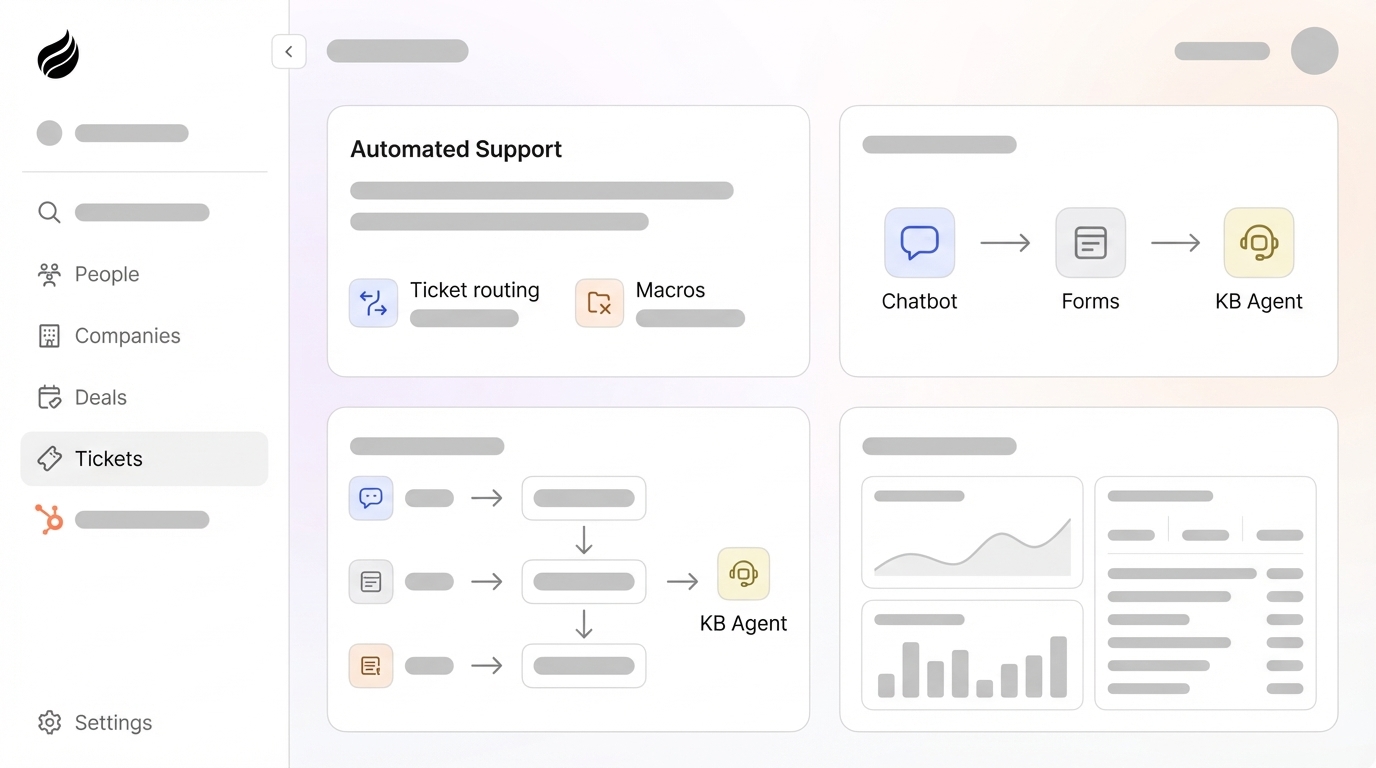
Use Automations > Workflows to set up ticket routing that suggests relevant knowledge base articles before an agent steps in. The Automations overview page uses Breeze AI to generate new automations and provide recommendations for Professional or Enterprise accounts.
Choose triggers based on ticket properties such as subject keywords, customer tier, or issue type. Add actions that suggest KB articles, route tickets to the right team, or escalate complex issues. This setup can deflect around 30% of routine questions before they reach a human. Take advantage of the 2026 workflow improvements that support easier undo of unintended updates, which protects your team from hours of manual cleanup.
Step 3: Create Macros for Fast KB-Linked Replies
Open Help Desk > Macros and build templated replies that include direct links to knowledge base articles. Create macros for frequent requests such as password resets, billing questions, and feature explanations. Each macro should link to a specific KB article and update the ticket status to “Waiting on customer” or “Resolved.”
Write macros with a friendly greeting, a short explanation, and clear next steps. This approach cuts response time from minutes to seconds while keeping answers consistent across your team. Test macros with different customer segments before rolling them out widely. Avoid generic replies that ignore the customer’s actual context.
Step 4: Turn On the HubSpot KB Agent with 2026 AI Upgrades
Enable the customer agent in Settings > AI Assistants by activating Generative AI and Customer Conversation Data. The February 2026 updates enable AI assistance for support teams to respond quickly and close tickets faster, with Claude reading email threads and call notes for deeper context.
Sync your published knowledge base articles, website pages, and blog posts so the AI agent has a complete content library. With strong coverage, the system can resolve up to 65% of incoming support queries without human intervention. Refine AI prompts regularly and review generated answers for accuracy. The customer agent re-syncs updated knowledge base content automatically, which keeps information consistent.
Step 5: Design Chatbots and Forms That Use Your KB First
Go to Conversations > Chatflows and build chatbots that search your knowledge base and share instant answers. Map conversation flows that ask a few qualifying questions, search relevant KB content, then hand off complex issues to human agents. Connect forms that create tickets with the right category and priority.
Guide customers through self-service steps before you offer live support. Add SLA alerts and routing rules so urgent issues reach an agent quickly. This structure increases self-service adoption and reduces the daily load on your support team.
Step 6: Combine SLAs, Routing Rules, and Coffee for Deeper Automation
Set Service Level Agreements and advanced routing rules in HubSpot, then connect Coffee as your HubSpot Companion App for stronger automation. Coffee’s AI agent captures and enriches contacts, companies, and activities from unstructured data such as emails and call transcripts. This keeps your HubSpot CRM clean and reliable.
Coffee saves support teams 8-12 hours each week on data entry and admin work compared with native tools. The AI agent processes meeting summaries, email content, and customer interactions to surface accurate pipeline insights and trigger workflows. As HubSpot’s premier companion app, Coffee converts unstructured data into clear, actionable records that raise CRM data quality. Get started with Coffee to unlock automation that goes beyond HubSpot’s built-in options.

Step 7: Compare Native HubSpot Automation with Coffee-Enhanced Setup
| Feature | Native HubSpot | Coffee-Enhanced | Impact |
|---|---|---|---|
| Data Enrichment | Manual or Zapier integration | AI from emails and calls | 8-12 hours per week saved |
| Data Quality | Basic knowledge base sync | 50%+ improvement via agent intelligence | Higher CRM accuracy |
| Workflow Triggers | Limited to structured data | Unstructured data plus autonomous actions | More complete automation |
| Admin Time | 5-15 minutes per record | Automated agent handling | About 3x efficiency gain |
HubSpot delivers strong baseline automation, while Coffee’s AI agent turns your CRM into an intelligent, self-improving system that feeds accurate data into every report.

Calculate Your ROI with the 40-60% Ticket Drop Formula
Use this simple formula to estimate savings: current monthly tickets × 0.5 (50% reduction) × average cost per ticket. A team handling 1,000 tickets per month at $100 per ticket could save about $50,000 each year through effective automation. Companies with AI-powered knowledge bases report a 35% reduction in support volume, and advanced setups reach even higher deflection rates.
Include time savings for your support team in the calculation. If each agent saves 8-12 hours weekly through automation, multiply that by hourly rates to estimate labor savings. Add gains from higher customer satisfaction and fewer escalations to see the full ROI picture.
Fixing Common Knowledge Base Automation Issues
AI-linking errors usually appear when knowledge base articles lack metadata or contain outdated details. Multi-tool sync issues often affect teams that use Zapier to connect HubSpot to over 8,000 apps, but Coffee’s integration through Zapier reduces sync delays and data mismatches.
If chatbots return irrelevant answers, review conversation flows and refresh KB article tags. When ticket routing breaks, check workflow triggers and confirm that property mappings are correct. Coffee’s AI agent supports these systems by maintaining high-quality CRM data for better decisions.
Advanced Play: Use Coffee Meeting Summaries to Grow Your KB
Coffee processes meeting transcripts and customer calls to uncover knowledge gaps and suggest new KB articles. The AI agent studies conversation patterns and recommends content updates so your knowledge base keeps pace with customer needs. Every interaction feeds a loop that steadily improves self-service performance.

Connect Coffee’s pipeline intelligence to track which KB articles appear in successful deals. This view helps you prioritize content that improves support efficiency and also supports revenue growth.
FAQ
Can Coffee automate HubSpot KB responses?
No. Coffee does not automate HubSpot knowledge base responses. Coffee’s AI agent, as a companion app for HubSpot, focuses on automating data entry, enrichment, activity logging, and meeting management so CRM data stays accurate. The platform is SOC 2 Type 2 compliant and GDPR secure, which protects your data.
How do HubSpot workflows compare with the Coffee agent?
Native HubSpot workflows manage basic automation that relies on structured data. Coffee’s AI agent reads unstructured data from emails, calls, and meetings to automate data entry and surface accurate insights. Coffee works alongside HubSpot as a companion app and improves data quality instead of replacing workflows.
What changed in the 2026 HubSpot KB agent updates?
The 2026 updates add Claude insights integration, Breeze AI recommendations, stronger content refinement tools, and better workflow error handling. These upgrades support faster ticket resolution and more accurate AI-generated answers, while Coffee’s agent adds extra intelligence for complex automation needs.
How much can I reduce tickets with a HubSpot knowledge base?
Most companies see a 23-35% ticket reduction with a well-implemented knowledge base. AI-powered setups can reach 50-65% deflection rates. Success depends on strong content, smart routing, and ongoing improvements based on customer behavior.
Is Coffee compatible with my current HubSpot setup?
Yes. Coffee connects to existing HubSpot installations through a simple authentication flow. The AI agent runs beside your current workflows as a companion app and enhances data processes with enrichment, activity logging, and meeting intelligence while delivering value immediately.
Next Steps: Turn Your HubSpot KB into an Automation Engine with Coffee
These seven steps shift your HubSpot knowledge base from a static library into a live support automation engine. Start with content tuning and workflows, then add AI capabilities for the biggest impact.
Coffee’s AI agent handles complex automation that native HubSpot cannot, which helps teams reach 50% ticket reduction and sub-5-minute response times. Get started with Coffee today and experience a more automated, data-accurate support operation.