
Executive summary
- Traditional CRMs create manual work, fragmented data, and hidden costs that limit sales performance.
- Automated CRM customer insights dashboards capture, enrich, and organize customer data with minimal manual input.
- Coffee uses an AI-first approach to automate data entry, meeting workflows, pipeline tracking, and prospecting.
- Sales teams gain time back for selling, improve forecasting accuracy, and work from a unified customer view.
- Coffee can operate as a standalone CRM or as a companion to existing platforms such as Salesforce or HubSpot.
Traditional CRM Challenges: Fragmented Data And Hidden Costs
Manual Data Entry: The Productivity Drain
Sales representatives across industries spend a large share of their week on administrative work instead of selling. Manual data entry in traditional CRMs creates bottlenecks and lowers adoption. Industry benchmarks often show that sales representatives spend around 35% of their time actively selling, with the rest going to data entry, system navigation, and other administrative tasks.
This productivity loss stems from CRM systems that rely on frequent human input. After every call, meeting, or email exchange, sales reps may need to log notes, update opportunity fields, and move information into structured formats. The tools that should support selling can end up competing with it.
Manual data entry also increases the risk of human error. When sales teams must remember and transcribe details from many customer interactions, important information can be lost, misrecorded, or never entered. Over time, the CRM may become an incomplete or unreliable source of truth, and sales leaders turn to spreadsheets and informal updates to understand their pipeline and customer relationships.
Data Silos And Reduced Insight Quality
Modern sales organizations often use multiple tools to manage customer relationships, which creates a fragmented ecosystem where critical information lives in separate systems. Teams may juggle platforms for CRM, data enrichment, outreach, call recording, and analytics. Each tool holds part of the customer picture, but none presents it in full.
These data silos create several problems. Teams struggle to develop a unified understanding of customer needs, preferences, and interaction history. When information is scattered, sales representatives lack the context to deliver relevant, timely communication. Incomplete or inconsistent records also make analysis and decision-making less reliable.
Fragmentation affects collaboration between sales, marketing, and customer success. When each department works from different systems, alignment becomes difficult. Marketing may target customers who are already in late-stage sales conversations, while customer success may be unaware of active opportunities that affect their accounts.
Outdated Architecture And Low User Adoption
Many legacy CRM systems rely on architecture that does not fit today’s AI-driven, real-time environment without significant customization or add-ons. Even when established platforms evolve, complex implementation and confusing interfaces can discourage consistent use.
Poor user experience often leads to what many teams call “shadow CRMs.” Sales representatives build their own informal systems in tools such as Notion, Evernote, or spreadsheets. As more activity moves outside the official CRM, data in the core system becomes incomplete or outdated, and organizational alignment drops further.
Business Impact Of CRM Stagnation
The combined effect of manual processes, silos, and low adoption creates real financial costs. Organizations lose opportunities and waste time when they continue to rely on fragmented, manual systems.
Lost sales opportunities are one major impact. Without complete, current customer information, teams may miss signs of upsell potential, customer needs, or ideal engagement timing. Maintaining multiple disconnected tools also increases overhead, and managers spend more time reconciling data instead of improving strategy or coaching.
Eliminate these costly inefficiencies. Request access to Coffee’s automated CRM customer insights dashboard today.
The Solution: Adopting An Automated CRM Customer Insights Dashboard
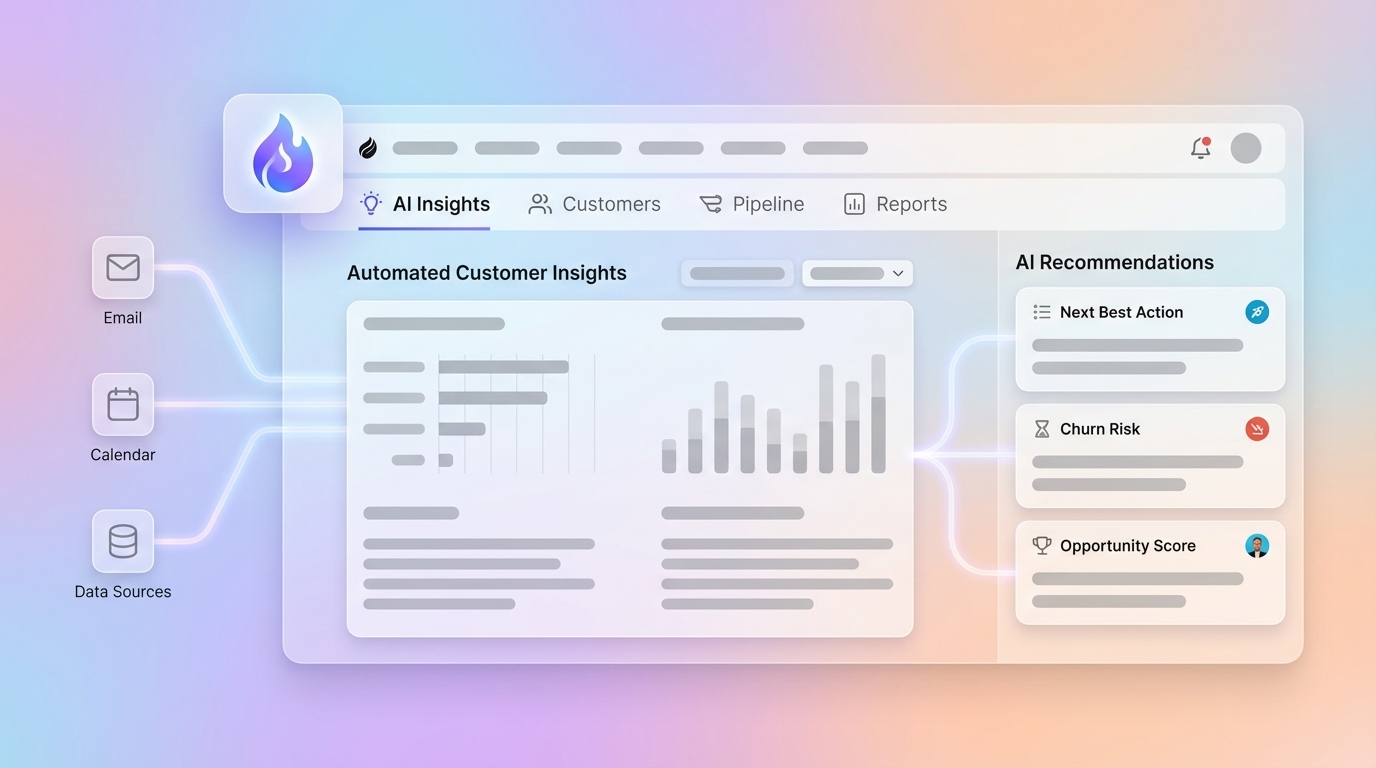
An automated CRM customer insights dashboard shifts customer data management from manual tracking to proactive intelligence. This type of system consolidates data streams from emails, calendars, call transcripts, and CRM records into one platform that generates insights with limited manual effort.
Instead of relying on sales representatives to enter data, automated dashboards use artificial intelligence to capture, enrich, and analyze customer information in near real time. They integrate with existing business tools and communication channels, building detailed customer profiles and interaction histories automatically. This approach removes data silos and reduces the bottlenecks that slow traditional systems, while giving sales teams the context they need to manage relationships more effectively.
This is more than simple automation. Automated CRM customer insights dashboards align with natural sales workflows rather than forcing teams to work around rigid system rules. The result is a CRM environment that supports productivity instead of competing with it.
Coffee: An AI-First CRM For Automated Insights
Coffee is an AI-first automated CRM customer insights dashboard designed to address the limitations of traditional systems. Its architecture uses artificial intelligence at the core, so the platform can act as an intelligent assistant across the customer lifecycle instead of functioning only as a database.
Coffee delivers automated insights through several key capabilities:
- Automatic data entry and enrichment: Coffee creates contacts, companies, and activities by scanning emails and calendar invites, then enriches these records with details such as job titles, company information, and LinkedIn profiles from licensed data partners. This reduces or removes the need for manual data entry.
- AI-powered meeting management: The platform offers meeting briefings before calls, transcribes conversations in real time with a bot that joins Google Meet, Microsoft Teams, and Zoom, and generates summaries, action items, and follow-up drafts after the meeting. Customer interactions become structured data that teams can search, review, and act on.
- Pipeline intelligence with compare feature: Coffee automatically tracks pipeline changes through a built-in data warehouse. With a single compare button, sales leaders can run week-over-week pipeline reviews without manual spreadsheets, and see which deals have progressed, stalled, been added, or closed.
- Tech stack consolidation: Instead of relying on separate tools for CRM, data enrichment, call recording, and forecasting, Coffee provides these capabilities in a single environment, which can reduce complexity and cost.
- List builder for targeted prospecting: Sales teams can build prospect lists with natural language queries, using Coffee’s integrated data enrichment to surface ideal customers based on defined criteria.
Access Coffee’s automated CRM customer insights dashboard to see how AI-first workflows can support your sales team. Request access today.
Key Advantages Of An Automated CRM Customer Insights Dashboard
Eliminate Manual Labor And Improve Productivity
Automated CRM customer insights dashboards reduce the manual administrative work that often limits sales capacity. When data entry, enrichment, and activity logging happen automatically, sales representatives can dedicate more time to prospecting, building relationships, and closing deals.
With Coffee, data capture starts as soon as teams connect their Google Workspace or Microsoft 365 accounts. The platform monitors email and calendar activity, and each customer interaction generates structured data in the CRM without a separate logging step.
Many teams see meaningful time savings. When manual data entry is removed from daily routines, sales representatives can reclaim an estimated 8 to 12 hours per week and apply that time to higher value sales activities.
Turn Fragmented Data Into A Unified Customer View
Automated CRM customer insights dashboards combine structured and unstructured data from many sources into a unified customer view. This direct consolidation addresses one of the core issues of traditional CRMs, the lack of a complete picture of each customer relationship.
Coffee’s architecture links all touchpoints to the correct contacts and companies by default. Emails, meetings, and notes flow into a single profile, so sales teams can quickly scan past interactions and understand context without switching between tools or reconstructing history by hand.
Use AI For More Proactive Engagement
Modern automated CRM customer insights dashboards rely on artificial intelligence not only for data capture, but also for organization and insight generation. In Coffee, AI supports the full meeting lifecycle. Before meetings, it compiles briefings that help representatives prepare. During meetings, it transcribes discussions. After meetings, it produces structured summaries that highlight key points, decisions, and follow-up tasks.
This AI-based workflow turns reactive customer management into more proactive engagement. Teams can follow up at better times, reference accurate details, and prioritize outreach based on recent activity and signals.
Improve Forecasting Accuracy And Pipeline Management
Automated CRM customer insights dashboards provide more accurate, current pipeline information. Coffee’s Pipeline Compare feature changes how teams review pipeline health. Instead of exporting data to spreadsheets and reconciling changes manually, sales leaders can see week-over-week pipeline shifts with one click.
Real-time pipeline intelligence helps improve forecasting. When every customer touchpoint contributes to the record, pipeline metrics reflect the actual state of deals instead of lagging or partial data.
Strengthen your pipeline management with AI-supported visibility. Request access to Coffee’s automated customer insights dashboard to evaluate the impact on your sales process.
Automated CRM Customer Insights Dashboard vs. Traditional CRM: A Comparison
Automated CRM customer insights dashboards differ from traditional CRM systems in how they capture data, maintain quality, and present insights. The comparison below outlines key areas where AI-first solutions such as Coffee change day-to-day sales work.
|
Feature Area |
Traditional CRM Systems |
Automated CRM Customer Insights Dashboard (Coffee) |
|
Data Capture |
Manual entry, siloed data, prone to human error |
Automated, real-time capture from email, calendar, meetings, and other touchpoints |
|
Data Quality |
Incomplete, inconsistent records |
Automated validation and enrichment for more complete records |
|
Insights and Reporting |
Static reports that can be outdated by the time they are generated |
Current, AI-supported insights based on recent activity |
|
User Experience |
Complex interfaces and workflows that can discourage adoption |
Workflows designed around sales representatives, with automation handling routine tasks |
|
Integration |
Fragmented tools that require multiple vendors and custom connections |
Consolidated capabilities in a unified platform that can also complement existing CRMs |
Frequently Asked Questions (FAQ) About Automated CRM Customer Insights Dashboards
What are the main benefits of an automated CRM customer insights dashboard?
Automated CRM customer insights dashboards support both revenue and operational efficiency. The primary benefits include eliminating most manual data entry, which can save sales representatives an estimated 8 to 12 hours per week. These dashboards also provide a unified customer view by consolidating data from emails, calls, meetings, and other touchpoints into complete profiles.
Automation improves forecasting accuracy and pipeline management, since sales leaders see pipeline data that reflects real customer interactions. AI-generated insights help teams prioritize outreach and follow-up. Finally, consolidating multiple tools into a single platform can lower technology costs and simplify administration.
How does an automated dashboard improve data quality in a CRM?
Automated dashboards improve data quality by reducing human error and filling in missing information. Instead of relying on manual transcription, the system captures details directly from tools such as email platforms and calendar applications.
In Coffee, automation includes integrated data enrichment that improves accuracy and completeness. When a new contact or company is created, Coffee enriches those records with verified information from licensed data sources, including job titles and company details. This helps keep customer records current and more reliable.
Can an automated CRM customer insights dashboard integrate with my existing CRM?
Many automated CRM customer insights dashboards, including Coffee, are designed to work alongside existing CRM platforms. Coffee offers a Companion App model that adds AI-based automation and insights to Salesforce or HubSpot while maintaining current workflows.
Implementation usually involves authenticating the connection and selecting which enriched data and insights should write back to the primary CRM. This allows organizations to gain the benefits of automation without fully replacing established systems.
How does Coffee specifically address the problem of poor CRM user adoption?
Coffee addresses CRM adoption by shifting routine work from sales representatives to the system. Tasks such as data entry, meeting preparation, and post-meeting documentation are automated wherever possible. Representatives can focus on conversations and strategy rather than administration.
Because Coffee surfaces useful briefings, notes, and reminders directly in workflows, sales teams see clear day-to-day value. When the CRM behaves more like an assistant than a reporting obligation, adoption tends to improve.
What security and compliance considerations should I know about automated CRM dashboards?
Automated CRM customer insights dashboards, including Coffee, are built with security and compliance as core requirements. Coffee maintains SOC 2 Type 2 and GDPR compliance and follows strict controls for data handling, storage, and access. Organizations can review security documentation and data policies as part of their evaluation and procurement process.
Conclusion: Enable Your Sales Team With An Automated CRM Customer Insights Dashboard
Fragmented data and manual CRM processes reduce sales effectiveness and make it harder to forecast accurately. Automated CRM customer insights dashboards offer a structured way to address these issues by automating data capture, consolidating information, and generating practical insights.
Coffee, as an AI-first CRM, focuses on these outcomes. The platform captures customer activity automatically, enriches records, surfaces meeting intelligence, and tracks pipeline changes without extra manual work. By emphasizing tools that support sales professionals in their daily routines, Coffee helps create a CRM environment that teams are more likely to use consistently.
Evaluate how an automated CRM customer insights dashboard can support your sales strategy. Request access to a personalized Coffee demo and review how AI-first automation may fit your organization.