Written by: Doug Camplejohn, CEO & Co-Founder, Coffee | Last updated: June 20, 2026
Key Takeaways for Sales and RevOps Leaders
- Agent-based CRM automation uses autonomous AI to ingest emails, calls, and calendar data, then creates and enriches records without manual entry.
- Traditional CRMs rely on reps for data input, which produces incomplete records, lost selling time, and unreliable forecasting.
- Coffee stands out by offering both a standalone AI-first CRM and a companion app that layers onto Salesforce or HubSpot.
- Teams typically save 8–12 hours per rep per week and see measurable ROI through higher data quality and recovered selling time.
- Explore Coffee’s pricing and dual-model options on Coffee’s pricing page.
How Much Time Manual CRM Entry Really Costs
Manual CRM entry consumes a large share of every sales rep’s week and drags down performance. The range across studies is wide but consistently damaging. Salesforce’s State of Sales report shows reps spend roughly 28–29% of their time selling, with secondary analyses estimating manual CRM data entry at about 10–11 hours per week, while SyncGTM estimates that sales reps spend 28% of their week updating CRM records. Analyses of a typical mid-market week put CRM data entry and pipeline updates at several hours.
Regardless of the exact figure, the outcome stays the same. Salesforce measured 34% of a rep’s time on selling activities in 2018. Many sales staff admit to fabricating CRM data because the entry burden conflicts with quota pressure. The hours lost to entry also produce unreliable data.
Agent-based automation directly addresses both problems. The time savings mentioned earlier, 8–12 hours per week, translate to recovering 15–20% of selling time previously spent on admin tasks. Mid-market and field sales reps using AI meeting capture and CRM automation report these gains.
Evaluation Criteria for Automated Data Entry Tools
Clear evaluation criteria help compare tools that look similar on the surface but behave very differently in practice. Every tool in this guide is evaluated on the following seven dimensions, which build on each other.
Automation depth measures whether the tool captures both structured data, such as form fills and field updates, and unstructured data, such as email text, call transcripts, and meeting notes, without human intervention. This depth directly shapes the second criterion.
Time saved per rep per week tracks the net hours recovered from administrative tasks. Time savings only matter when the tool does not create new problems during setup or maintenance, which leads to the third criterion.
CRM integration friction covers setup complexity, field-mapping requirements, sync reliability, and ongoing maintenance burden. Low friction keeps the automation stable, which supports the next dimension.
Data quality outcomes assess accuracy, completeness, deduplication, and enrichment depth. High-quality data then feeds into pipeline intelligence, which evaluates whether the tool produces actionable forecasting and deal-change visibility from the data it captures.
Pricing model examines seat-based versus usage-based costs and total cost of ownership. Finally, team-size fit identifies the organizational profile where each tool delivers the strongest return, so buyers can match architecture to stage.
Side-by-Side Comparison Table
| Tool | Automation Depth | Hours Saved/Week | CRM Integration | Data Quality | Pricing Model | Best Team Size |
|---|---|---|---|---|---|---|
| Coffee | Structured + unstructured, agent-led | 8–12 hrs | Native Salesforce and HubSpot companion or standalone CRM | Auto-enriched, data warehouse history retained | Seat-based, agent labor unlimited | 1–100+ (dual model) |
| Salesforce (native) | Structured only, manual entry required | Minimal without add-ons | Native, complex admin overhead | Dependent on rep input | Per seat + add-ons | Enterprise |
| HubSpot (native) | Structured, limited unstructured via bolt-ons | Minimal without add-ons | Native, 15-min sync cycles | Dependent on rep input | Per seat + tiers | SMB–Mid-market |
| Gong | Unstructured (calls only), no CRM write-back of contacts | ~2–4 hrs (call review) | Requires Salesforce/HubSpot, separate license | High for call data, gaps elsewhere | Per seat, high cost | Mid-market–Enterprise |
| Fathom | Unstructured (meeting notes), no enrichment | ~4 hrs (meeting tasks) | Manual CRM push, limited native sync | Transcript quality only | Freemium + per seat | SMB |
| Day.ai | Unstructured focus, limited structured handling | ~3–5 hrs | Limited Salesforce/HubSpot depth | Gaps in structured field coverage | Per seat | SMB |
| Clarify CRM | Structured + some unstructured, newer architecture | ~4–6 hrs | Lacks depth for established Salesforce/HubSpot orgs | Good for small teams, integration gaps at scale | Per seat | SMB (1–20) |
Coffee: Dual-Model Agent for Any CRM Stack
Coffee operates as a proactive CRM agent rather than a passive database. It is the only solution in this comparison that offers both a standalone AI-first CRM and a companion app that layers onto existing Salesforce or HubSpot installations, so teams avoid ripping and replacing their stack to eliminate manual entry.
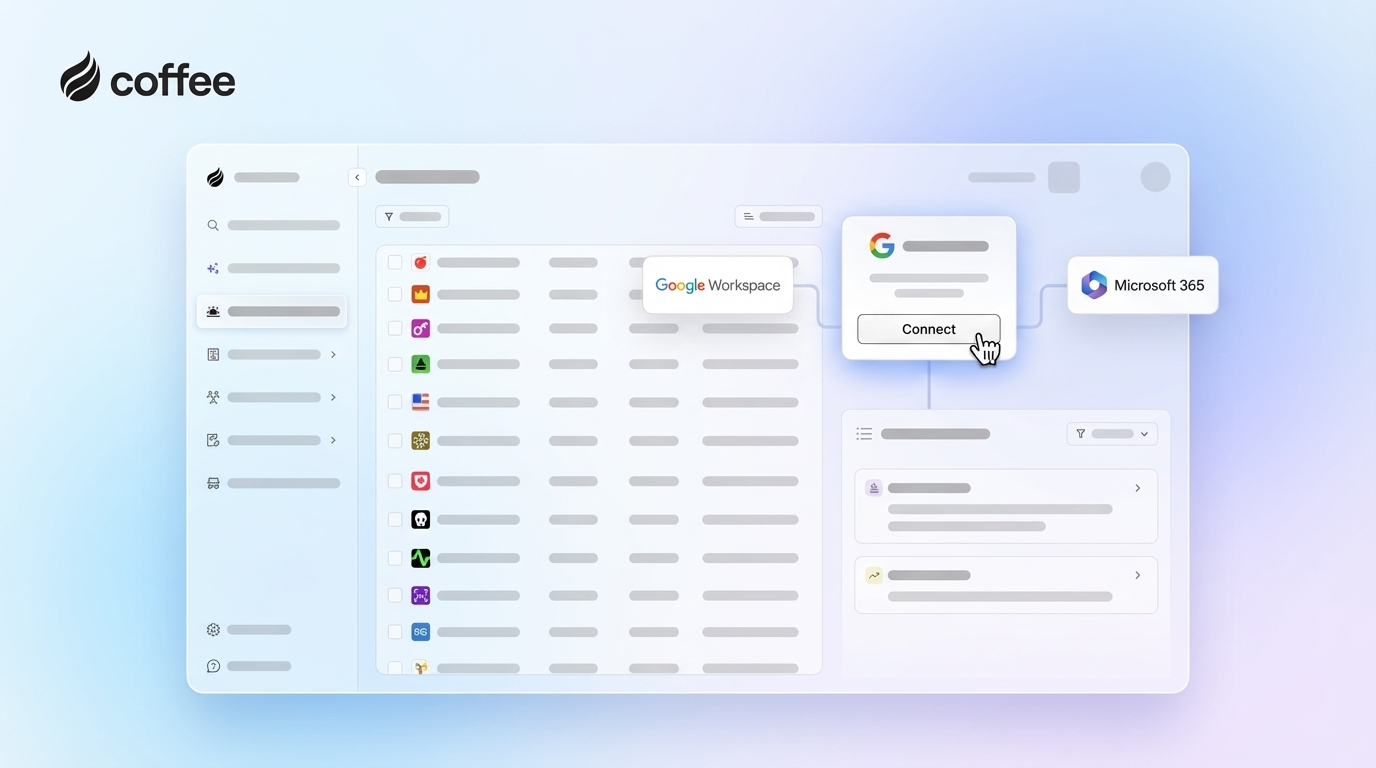
For teams of 1–20, the standalone CRM deploys the Coffee Agent as the system of record. After connecting Google Workspace or Microsoft 365, the agent scans emails and calendars to auto-create contacts and companies, enriches records with job titles, funding data, and LinkedIn profiles via licensed data partners, and logs every activity autonomously. No rep touches a data entry field.

For Salesforce and HubSpot users with 20–100 reps, the companion app authenticates in minutes and begins writing enriched data back to the existing CRM. The agent attends every Zoom, Teams, or Google Meet call, generates structured summaries aligned to BANT, MEDDIC, or SPICED, and drafts follow-up emails for rep review, all inside the primary CRM workflow.

Pipeline Compare visualizes week-over-week deal changes automatically. It replaces manual CSV exports and interrogation-style pipeline reviews with a single agent-generated view of progressed, stalled, and new opportunities. Visitor Identification converts anonymous website traffic into named prospects with enriched profiles, and Suggested Leads recommends two or three specific contacts inside each visiting company who match the buyer persona, a capability no standalone visitor identification tool currently replicates.

Try Coffee and stop paying reps for data entry by deploying the agent your team needs in a single session.
Best Tools to Auto-Log Calls and Emails
AI note-takers and meeting assistants now sit in most sales calls, but only some tools write clean data back to the CRM. In 2026, 75% of professionals use an AI note-taker in work meetings, and nearly 40% of enterprises have already deployed AI meeting assistants. Adoption is accelerating, yet capabilities differ sharply.
Fathom and similar standalone note-takers capture transcripts and generate summaries but rely on manual CRM pushes or limited native sync. Gong captures call data at high fidelity but does not auto-create contacts or enrich records and requires a separate license on top of an existing CRM. AI-powered meeting summarization tools that sync directly to CRM records save reps 30–60 minutes daily on note-taking and data entry, but only when the sync is native and bidirectional.
Coffee’s agent joins calls, transcribes, structures notes to a chosen sales methodology, and writes the summary, action items, and next steps directly to the CRM record with no manual step. Action-item completion rates reach 85–95% with AI-generated meeting notes and structured follow-up, compared to 50–60% without them. Sales teams using AI meeting tools often see higher close rates because fewer commitments slip through the cracks.

CRM Companion Agent vs Standalone Automation
The companion model preserves an organization’s existing Salesforce or HubSpot investment while eliminating the manual entry problem. Integration friction is the primary risk. Common challenges of HubSpot–Salesforce integration include complex initial field mapping, sync errors and delays, duplicate record creation, and ongoing maintenance as APIs change. Coffee’s companion app addresses this through a simple authentication flow and deep knowledge of Salesforce and HubSpot object models, including quotas, forecasting, and required fields, where newer CRM alternatives often lack the depth to serve established teams reliably.
The standalone model fits organizations that have outgrown spreadsheets but have not yet committed to Salesforce or HubSpot. In this setup, the Coffee Agent becomes the system of record. It removes the setup overhead of a legacy CRM while delivering enrichment, pipeline intelligence, and meeting automation from day one.
Teams already on Salesforce or HubSpot with low adoption and poor data quality are the strongest fit for the companion model. As noted earlier, teams of 1–20 evaluating their first real CRM are the strongest fit for the standalone model.
Data Quality and Pipeline Intelligence Outcomes
Passive CRMs produce data quality that depends entirely on rep behavior. When reps fabricate or omit CRM entries due to entry burden, the downstream effect is inaccurate forecasting, missed follow-ups, and pipeline reviews built on incomplete records.
Agent-based systems break this dependency. Because the Coffee Agent ingests ground-truth data from emails, calendars, and call transcripts, the records it writes come from actual interactions rather than rep recollection. The agent retains historical context in a built-in data warehouse, which is a structural advantage over relational databases that overwrite fields and lose prior state. Companies deploying AI CRM solutions report average sales increases of 29% and service improvements of 34%, driven primarily by the quality of data entering the system rather than the sophistication of the reporting layer.
Rule-based automation tools can enforce field validation and trigger workflows. However, they depend on clean, consistent, structured data inputs and typically fail or require manual reprogramming when inputs, workflows, or conditions change. Unstructured data, which represents most of what happens in a sales interaction, remains outside their scope.
Pricing and Team-Size Fit
Pricing and team size should guide which Coffee model you choose. Coffee uses seat-based pricing with no metering on agent actions, LLM usage, or automated processes. The agent’s labor is included at the seat price, which keeps cost predictable as teams scale.
For teams of 1–20, the standalone CRM removes the per-seat costs of multiple point solutions, such as enrichment tools, meeting recorders, and forecasting add-ons, by consolidating those functions into one agent. For teams of 20–100 on Salesforce or HubSpot, the companion app adds agent capability without replacing the existing CRM license. The ROI is measurable against recovered rep hours. A 20-person sales team using AI automation that saves 5 hours per rep per week achieves $312,000 in annual productivity gains at a $60 effective hourly cost. That figure comes before accounting for revenue impact from improved pipeline visibility.
Scenario-Based Best-Fit Use Cases
Early-stage teams (1–20 reps): As noted earlier, this segment is the primary fit for Coffee’s standalone CRM. Founders and early sales hires who have outgrown spreadsheets but find Salesforce or HubSpot expensive and maintenance-heavy gain an agent that handles setup, enrichment, and logging from day one with no admin overhead.
Growing teams (20–100 reps): RevOps leaders managing Salesforce or HubSpot with low adoption and dirty data are the primary fit for Coffee’s companion app. The agent writes clean data back to the existing system without requiring a CRM migration or retraining the sales team on new software.
Established mid-market teams: Organizations with defined sales methodologies, such as MEDDIC or SPICED, and regular pipeline review cadences benefit from Coffee’s structured note-taking, Pipeline Compare, and Visitor Identification with Suggested Leads. These capabilities replace multiple point solutions with a single agent layer.
Operational and Long-Term Considerations
Agent-based CRM tools typically implement faster than traditional CRM deployments. First automations can be live within a day for simple workflows, and Coffee’s companion app authenticates and begins capturing data in a single session. Change management stays light because reps remove a task, manual entry, instead of adding a new one.
The recommended implementation sequence for automation is to configure tools and integrations, build and test workflows using dummy data, run the automation in parallel with the existing manual process for 1–2 weeks, then go live while monitoring closely. Coffee’s onboarding follows this pattern, with the agent running alongside existing workflows before teams fully transition.
Long-term scalability depends on data warehouse architecture. Coffee’s built-in warehouse retains historical context as deal states change. That structure supports accurate forecasting in a way relational databases, which overwrite fields, cannot match.
Risks and Limitations
Agent-based tools introduce a dependency on email and calendar connectivity. If a rep conducts outreach outside connected channels, the agent cannot capture it. Coffee mitigates this through broad integration coverage, but teams with highly fragmented communication stacks should audit channel coverage before deployment.
Passive CRMs carry the inverse risk. Every gap in rep behavior produces a gap in the data. A primary source of truth must be defined for contacts, accounts, and opportunities to reduce data conflicts, and that definition requires ongoing governance that passive systems cannot enforce autonomously.
Point solutions for meeting capture or enrichment reduce specific pain points but do not solve the underlying architecture problem. Stacking Fathom, ZoomInfo, and Gong on top of Salesforce adds cost, creates integration maintenance, and still requires reps to reconcile data across tools. Traditional automation is highly reliable within narrow boundaries but cannot read context or handle exceptions on its own. Point solutions therefore require manual intervention precisely when sales interactions are most complex.
Decision Framework and Checklist
Matching your constraints to the right architecture prevents expensive misalignment. Use the following checklist as a quick filter.
If your team has fewer than 20 reps and no existing CRM commitment, evaluate Coffee’s standalone CRM first. If your team has 20–100 reps on Salesforce or HubSpot with low adoption or dirty data, evaluate Coffee’s companion app as the primary option.
If your primary pain is meeting capture only and you have no CRM data quality problem, a standalone note-taker may suffice, but verify CRM write-back depth before purchasing. If your primary pain is enrichment only, confirm whether your existing CRM’s native enrichment or a companion agent covers the gap before adding a point solution.
If pipeline intelligence is the stated goal, confirm that the tool capturing data and the tool reporting on it share the same data layer. Otherwise, the intelligence is only as good as the manual entry feeding it.
See which Coffee model fits your team based on your current stack and headcount.
Frequently Asked Questions
How long does it take to implement Coffee and see results?
Coffee’s companion app connects to Salesforce or HubSpot through a simple authentication flow and begins capturing data immediately. Most teams have the agent logging contacts, activities, and meeting summaries within a single session. The standalone CRM follows the same pattern. You connect Google Workspace or Microsoft 365, and the agent begins populating records from existing email and calendar history. Meaningful data quality improvements appear within the first week as the agent backfills activity history and enriches existing records.
How much migration effort is required to switch to Coffee?
For teams adopting the companion app, no migration is required. Coffee layers onto the existing Salesforce or HubSpot instance and writes enriched data back to it. For teams adopting the standalone CRM, Coffee can import existing contact and company records. The agent then takes over ongoing data maintenance, which removes the need to manually transfer historical activity logs. Teams that have been managing sales in spreadsheets or Notion typically find the import process straightforward, as Coffee’s case study with a multi-million-dollar AI solutions company demonstrates.
Is Coffee secure, and how is data handled?
Coffee is SOC 2 Type 2 and GDPR compliant. Data processed by the Coffee Agent is not used to train public AI models. For organizations in regulated industries or those with formal security review requirements, Coffee’s compliance documentation is available on request. Teams with multi-year security review cycles or highly customized enterprise compliance requirements should evaluate fit against those specific requirements before deployment.
How does Coffee’s data enrichment quality compare to ZoomInfo or Apollo?
Coffee’s enrichment, delivered through licensed data partners, is on par with ZoomInfo and Apollo for most B2B use cases, including job titles, company funding, and LinkedIn profiles. The key difference is that Coffee’s enrichment is built into the agent and included in the seat price, which removes the need for a separate enrichment license. Teams with highly specialized data requirements in niche verticals should run a parallel test against their existing enrichment tool to confirm coverage before consolidating.
How do I assess whether Coffee is the right fit before committing?
The clearest signal is the current state of your CRM data. If reps skip fields, log activities inconsistently, or maintain shadow CRMs in spreadsheets, the problem is architectural. A passive database will not fix it regardless of the vendor. Coffee’s dual-model approach means the evaluation question is which deployment model fits your current stack. Teams on Salesforce or HubSpot evaluate the companion app, while teams without a CRM commitment evaluate the standalone model. Both models share the same agent, the same data quality guarantee, and the same seat-based pricing structure.
Conclusion: Fix the Architecture, Not the Reps
Manual CRM entry is not a discipline problem, it is an architecture problem. Passive databases that rely on rep behavior to produce accurate data will always produce inaccurate data, because reps optimize for quota, not data hygiene. The average salesperson loses substantial time each week to manual data entry, and the records produced by that effort are incomplete, inconsistent, and often fabricated under quota pressure.
Agent-based automation solves the problem at the source by replacing human entry with autonomous capture across structured and unstructured data. Coffee is the only solution in this comparison that delivers both a standalone AI-first CRM and a companion app for Salesforce and HubSpot, unified by the same agent and the same data warehouse architecture. The guarantee stays simple: good data in, good data out.
Try Coffee and stop paying your reps to be data entry clerks by putting an agent in front of your CRM.