Written by: Doug Camplejohn, CEO & Co-Founder, Coffee
Key Takeaways
- Legacy CRMs like Salesforce and HubSpot waste 71% of sales reps’ time on manual data entry, leaving only 35% for actual selling.
- AI-powered CRM agents capture, enrich, and log data from emails, calendars, and calls, so reps stop maintaining records by hand.
- Coffee stands out as the strongest all-around option, with full agent automation, Pipeline Compare insights, and flexible standalone or companion deployment.
- Tools such as Salesmate, Oliv.ai, Monday.com, and PhantomBuster add useful automation but do not fully manage unstructured data across channels.
- You can reclaim 8 to 12 hours per rep each week by getting started with Coffee and letting agents handle CRM busywork.
Why Sales Teams Outgrow Legacy CRMs
Legacy CRMs create productivity drains instead of productivity gains for modern sales teams. Despite HubSpot’s 38% global market share in marketing automation, shadow spreadsheets and side tools still appear because reps feel they work for the CRM, not the other way around.
Core issues include fragmented data across many tools, constant manual data entry, and old architectures that cannot handle unstructured data such as email text or call transcripts. When reps overwrite fields in basic relational databases, the system loses historical context, which creates a “bad data in, bad data out” cycle.
AI agents solve this by turning CRMs from passive storage into active data managers. Organizations that embed generative AI in sales workflows report 8–12% productivity improvements, and agents continue to evolve toward autonomous execution in clearly defined workflows by 2026.
Automation typically follows three steps. You connect Google Workspace or Microsoft 365, allow the agent to auto-populate records, and then customize qualification frameworks such as BANT or MEDDIC. Using this approach, a manufacturing client cut sales team data entry by 60% and reclaimed 2.4 hours per week per rep for selling.

Top Automated CRM Platforms for Sales Teams
1. Coffee: Full-Funnel Automation for SMB and Mid-Market Teams
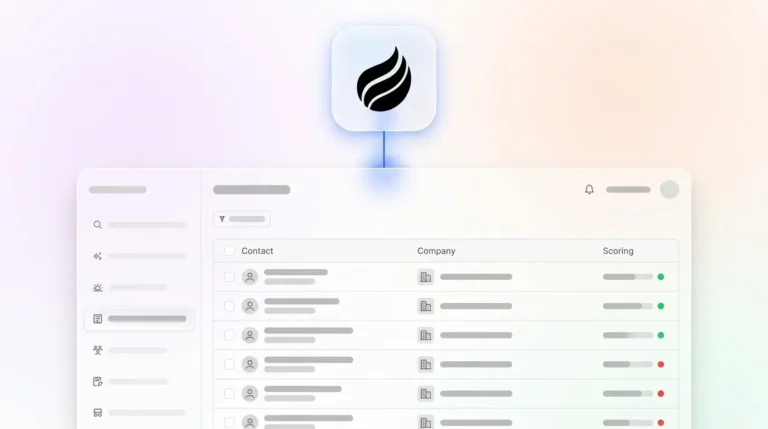
Coffee focuses on sales teams that dislike data entry and want an intelligent agent to handle CRM busywork. The platform automates data entry and enrichment, meeting orchestration with briefings and summaries, Pipeline Compare for week-over-week analysis, and List Builder for targeted prospecting.

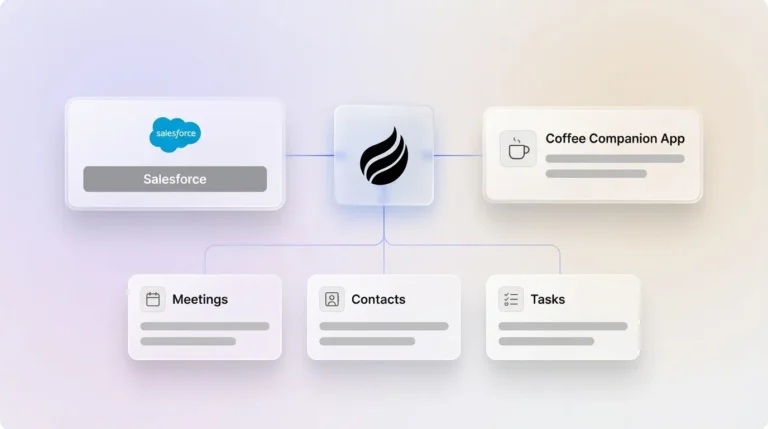
Coffee’s main strength comes from handling both structured and unstructured data through a built-in data warehouse that preserves historical context. The dual-model setup lets teams use Coffee as a standalone CRM or as a companion app for existing Salesforce or HubSpot environments, so it fits different stages of tech stack maturity.
Implementation stays simple. Teams authenticate Google Workspace or Microsoft 365 and Salesforce or HubSpot, then Coffee’s seat-based pricing includes unlimited agent labor. The system unifies fragmented data streams and removes the manual stitching between tools such as ZoomInfo, SalesLoft, and Fathom.

2. Salesmate: Starter Automation for Growing Teams
Salesmate supports small and medium businesses that want to streamline basic sales processes. The platform offers entry-level data entry automation, email integration, and pipeline management for teams moving away from spreadsheets and manual tracking.
Salesmate delivers reliable foundational automation but does not match the agent depth or unstructured data handling of more advanced platforms. It suits straightforward sales cycles, although complex data unification often requires additional tools.
3. Oliv.ai: Conversation Intelligence and Smart Notes
Oliv.ai centers on AI-powered sales assistance with conversation intelligence and automated note-taking. The platform connects to existing CRMs and produces meeting summaries plus action items.
Oliv.ai can automate CRM updates and deal management, which helps busy teams. Revenue leaders still need to consider how it fits into a broader agent-based stack if they want full data unification across every channel.
4. Monday.com: Visual Pipelines with Workflow Automation
Monday.com extends its project management platform into CRM use cases with workflow automation and customizable pipelines. The platform reports a 41% reduction in manual data work and a gain of 4 hours weekly per sales rep through automated data management.
Monday.com shines at visual pipeline tracking and team collaboration. Revenue teams that need deeper sales intelligence or advanced unstructured data processing often pair it with other tools.
5. PhantomBuster: Targeted Automation for Prospecting
PhantomBuster focuses on data extraction and automation for lead generation and prospecting. The platform connects to multiple data sources to automate list building and contact enrichment.
PhantomBuster works well for specific automation jobs but behaves more like a specialized add-on than a full CRM agent. Teams still need a core CRM or agent platform for complete sales management.
|
Tool |
Data Entry Automation |
Pipeline Intelligence |
Integrations |
Pricing Model |
|
Coffee |
Full agent automation |
Pipeline Compare with history |
Workspace/365, Zapier |
Seat-based |
|
Salesmate |
Basic automation |
Standard reporting |
Email, calendar |
Per user |
|
Oliv.ai |
Conversation intelligence and CRM updates |
Conversation insights |
Robust CRM sync |
Usage-based |
|
Monday.com |
Workflow automation |
Visual pipelines |
Extensive app store |
Tiered plans |
How Coffee Compares to Other Automated CRMs
The automated CRM market splits between workflow tools and true agent-based systems. Coffee stands out with comprehensive agent automation that manages structured database fields and unstructured content such as email threads and call transcripts.
Traditional platforms emphasize workflow rules inside existing CRM frameworks, while agent-based systems like Coffee rethink how CRMs should operate. Coffee follows a “good data in, good data out” approach, where the agent improves input quality and then powers accurate pipeline intelligence through features such as Pipeline Compare.
Coffee’s companion model lets teams run it as a standalone CRM or layer it on top of Salesforce or HubSpot. This flexibility supports mid-market organizations that invested heavily in legacy systems but now need modern automation without a disruptive rip-and-replace project.
Teams that evaluate automated pipeline change tracking and AI agents for SDRs usually find that agent-based platforms create a more unified experience than middleware stacks that depend on many point solutions.
Steps to Roll Out Automated CRM Agents
Successful automated CRM rollouts start with a clear deployment choice. Teams first assess their current tech stack and decide whether a standalone platform or a companion app fits better. Companies with deep Salesforce or HubSpot investments often choose a companion model, while fast-growing teams frequently select a standalone implementation.
Next, teams connect Google Workspace or Microsoft 365 so the agent can access email and calendar data for automatic contact creation and activity logging. The agent then begins to populate the CRM with people and organizations based on real communication history.

Revenue leaders then configure qualification frameworks such as MEDDIC or BANT to match their sales methodology. The agent structures meeting notes and conversation data around these frameworks, which keeps qualification data consistent across every opportunity.

Finally, teams review insights from automated meeting notes and pipeline intelligence features. Coffee’s SOC 2 Type 2 and GDPR compliance addresses data security requirements while still delivering the productivity gains of agent-based automation.
Moving to Agent-Based CRM Automation
Automated sales team CRM software marks the shift from passive databases to active agents that remove manual data entry from reps’ workloads. Coffee leads this shift with end-to-end automation that turns high-quality inputs into reliable outputs, saving reps 8 to 12 hours per week and improving forecast accuracy.
This move toward agent-based CRM automation fixes core flaws in legacy systems while meeting teams where they are in their current tech stack. Get started with Coffee and see how AI agents can reshape your sales operations.
FAQ
What is the best automated CRM for sales teams?
Coffee ranks as the leading automated sales team CRM software because it offers complete AI agent capabilities that remove manual data entry. It supports both standalone and companion app setups and manages structured and unstructured data through a built-in data warehouse, which preserves historical context and powers accurate pipeline intelligence.
Which sales CRM reduces manual data entry through AI automation?
Coffee’s AI agent captures and enriches customer data from emails, calendars, and calls without human input. The system creates contacts, logs activities, and updates deal records in real time, which eliminates the manual grind that consumes 71% of sales reps’ time in traditional CRMs.
How does Coffee reduce data entry compared to traditional CRMs?
Coffee deploys an intelligent agent that connects to Google Workspace or Microsoft 365 and automatically populates CRM records from communication history. The agent manages meeting orchestration, produces summaries with MEDDIC or BANT qualification data, and maintains pipeline intelligence without constant manual updates from sales reps.
How does Coffee compare to Salesforce for automation?
Salesforce mainly functions as a passive database that depends on manual data entry, while Coffee operates as an active agent that captures and structures information automatically. Coffee can sit beside Salesforce as a companion app to enhance automation or replace it with a modern, agent-driven approach that removes CRM busywork.
Can AI agents handle sales forecasting and pipeline management?
Coffee’s Pipeline Compare feature delivers automated week-over-week pipeline analysis by tracking every change. Because the agent maintains high-quality data, the system supports accurate forecasting and pipeline intelligence without manual CSV exports or costly add-on tools that many traditional CRMs require.