Written by: Doug Camplejohn, CEO & Co-Founder, Coffee | Last updated: July 1, 2026
Key Takeaways
- CRM admin automation uses software agents to capture contacts, log activities, transcribe meetings, enrich records, and update deal stages without manual rep input.
- Key evaluation criteria include data quality, implementation effort, workflow fit, user adoption, integration depth, reporting visibility, automation scope, and ongoing admin burden.
- Coffee outperforms legacy CRMs, generic platforms, modern AI CRMs, and visitor ID tools by handling both structured and unstructured data with deep native Salesforce and HubSpot sync and low ongoing maintenance.
- Coffee consolidates multiple point solutions by providing automatic activity logging, meeting transcription with structured CRM sync, built-in lead enrichment, pipeline intelligence, visitor identification, and natural-language list building in one agent.
- Teams ready to eliminate CRM admin work can get started with Coffee today.
Eight Criteria That Define Effective Sales Automation
Eight criteria determine whether a sales automation tool genuinely reduces CRM admin work or simply relocates it.
- Data quality: The tool must produce accurate, structured records from unstructured inputs like emails and transcripts.
- Implementation effort: Setup time and IT involvement should stay low enough for a mid-market team to launch quickly.
- Workflow fit: The tool needs to plug into existing rep workflows instead of forcing major behavior changes.
- User adoption: Reps should use the tool voluntarily because it saves time, not because managers enforce it.
- Integration depth: The tool should write back to Salesforce or HubSpot natively instead of relying on brittle middleware.
- Reporting visibility: The tool should surface pipeline intelligence, not just capture raw activity data.
- Automation scope: The tool should handle both structured data and unstructured data such as transcripts and emails.
- Ongoing administrative burden: The tool should avoid constant maintenance, rule-building, and prompt tuning.
See how Coffee performs across all eight criteria with a free trial for your team.
Side-by-Side Comparison of Sales Automation Tools
These eight criteria reveal a clear pattern across tool categories. Most solutions excel in one area while forcing manual workarounds in others. The table below highlights how each category performs on the four criteria that most affect ongoing admin work: data quality and scope, integration depth, admin burden, and reporting visibility.
| Category | Data Quality & Automation Scope | Integration Depth (SF / HubSpot) | Ongoing Admin Burden | Reporting Visibility |
|---|---|---|---|---|
| Legacy CRMs (Salesforce, HubSpot) | Structured data only, relies on manual rep entry | Native, but no autonomous write-back agent | High, constant human maintenance required | Strong reporting, but only as good as data entered |
| Generic Platforms (Zapier, Make) | Structured triggers only, no unstructured data handling | Via API connectors, brittle at field-level complexity | High, rules break and require ongoing rebuilding | None native, depends on downstream tool |
| Modern AI CRMs (Day.ai, Clarify) | Unstructured data focus, limited structured CRM depth | Shallow, limited support for SF/HubSpot custom objects | Medium, requires migration from existing stack | Emerging, not mature for mid-market forecasting |
| Visitor ID Tools (RB2B, Warmly) | Company-level or raw people lists, no CRM enrichment | Webhook or Zapier, no native CRM agent | Medium, manual follow-up routing required | Traffic-level only, no pipeline context |
| Coffee | Structured and unstructured, autonomous agent handles both | Deep native sync to Salesforce and HubSpot | Low, agent handles data entry, enrichment, and logging | Pipeline Compare delivers week-over-week deal intelligence |
The comparison table shows that Coffee’s advantage comes from six specific capabilities that legacy tools handle poorly or only through multiple point solutions. The next sections walk through each capability and show how the agent architecture removes a distinct category of admin work.
Automatic Activity Logging That Matches Real Deal Progress
Legacy CRMs log activities only when a rep manually creates a task or sends a tracked email. Generic platforms like Zapier can trigger activity records from specific events, but only when a structured trigger exists, such as a form fill, button click, or webhook. These approaches miss the ambient activity that defines real sales relationships, including reply-all threads, rescheduled calls, and LinkedIn messages.
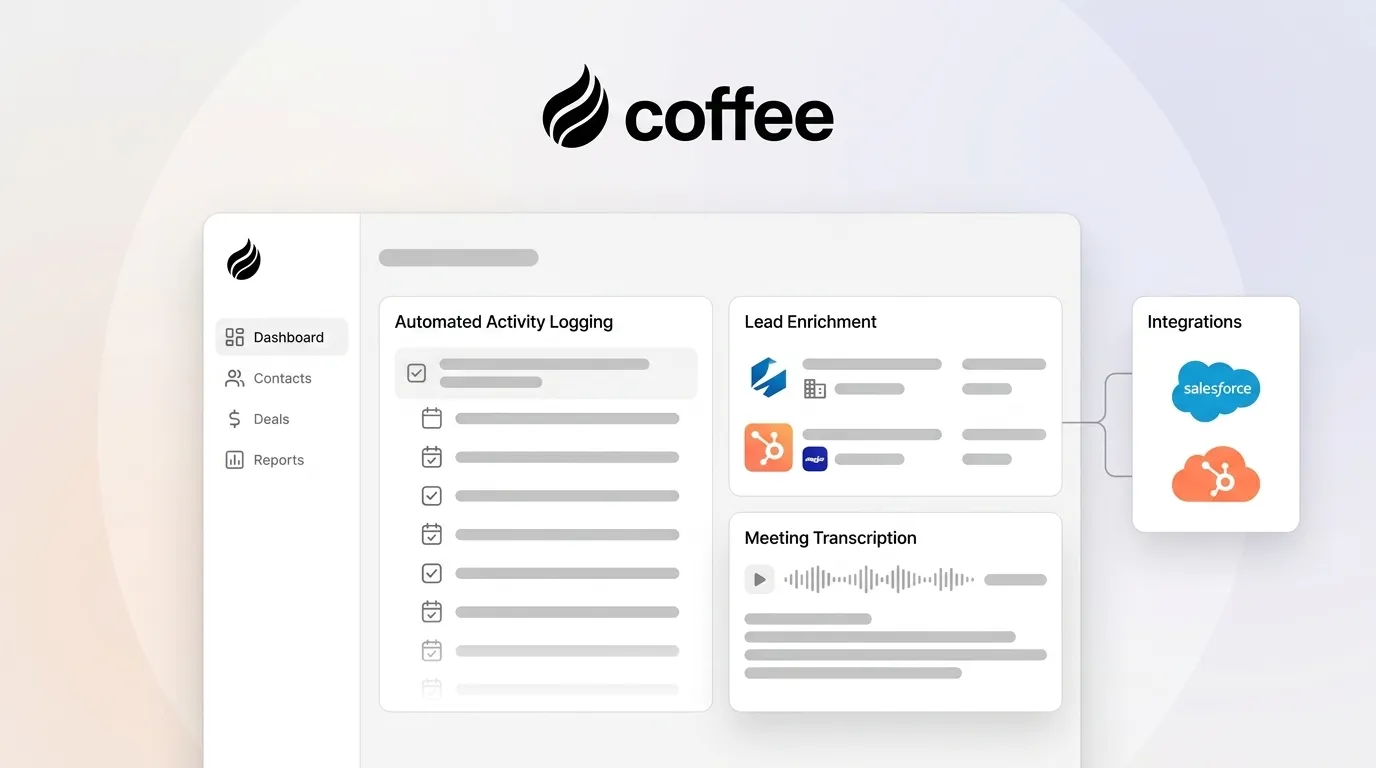
Coffee’s autonomous agent connects to Google Workspace or Microsoft 365 and starts scanning emails and calendar events immediately. It logs last activity and next activity on its own, which keeps deal state current without rep input. The activity timeline then reflects what actually happened instead of what a rep remembered to log at the end of the week.
Meeting Transcription with Direct CRM Sync
Gong dominates conversational intelligence by recording calls, surfacing deal risk signals, and providing coaching analytics. It delivers strong value for teams that need call coaching at scale. Gong still acts as an analytics layer, because it does not write structured, actionable data back to Salesforce or HubSpot as a native agent action.
A RevOps team must configure field mappings, build Zap workflows, or rely on a rep to update the opportunity record after reviewing a Gong summary. Coffee’s meeting bot joins Zoom, Teams, and Google Meet calls, records and transcribes the conversation, and then generates a structured summary without human intervention. It identifies next steps and drafts a follow-up email in Gmail for rep review.

The agent writes this output directly back to the CRM record. It also structures notes according to BANT, MEDDIC, or SPICED so qualification data enters the system in a consistent, queryable format. For mid-market teams already on Salesforce or HubSpot, this workflow removes the post-call admin loop.

Built-In Lead Enrichment That Replaces Extra Tools
Most mid-market sales stacks rely on a dedicated enrichment tool such as ZoomInfo, Apollo, or Clearbit alongside the CRM. Each tool adds its own license, login, and data hygiene workflow. Reps switch between the enrichment tool and the CRM to populate job titles, funding rounds, and contact details, which reintroduces manual effort through a different path.
Coffee’s agent augments contact and company records with job titles, funding data, and LinkedIn profiles through licensed data partners at the moment of record creation. No separate enrichment tool is necessary for typical mid-market needs. Data quality remains comparable to standalone enrichment vendors for most use cases.
The practical result is stack consolidation. Teams carry one fewer license, maintain one fewer integration, and gain enrichment that happens automatically instead of on demand.
Pipeline Intelligence from a Historical Activity Warehouse
Pipeline reviews in most mid-market organizations follow a predictable pattern. A RevOps analyst exports a CSV from Salesforce, builds a comparison against last week’s snapshot in a spreadsheet, and presents the delta in a slide deck. This process stays manual, error-prone, and time consuming.
Coffee’s Pipeline Compare feature removes that workflow. The agent captures all deal activity into a built-in data warehouse and preserves historical context that relational databases overwrite. It can then visualize week-over-week changes automatically.
Progressed deals, stalled opportunities, and new additions appear in a single view without spreadsheets. Pipeline reviews shift from data reconciliation to strategic conversation. Sales leaders who currently spend 8–12 hours per rep per week on admin overhead report that pipeline review prep is among the first tasks to disappear.
Visitor Identification with Suggested Leads
RB2B and Warmly identify companies or individuals visiting a website and surface that data through Slack notifications or CRM webhooks. RB2B focuses on individual-level identification, while Warmly adds intent signals and routing logic. Both tools provide raw data and leave prioritization and outreach to the rep.
Coffee’s visitor identification starts from a single tracking pixel installed in the site’s head tag. It identifies the visitor’s name, title, email, and LinkedIn profile along with company, pages visited, and session duration. Suggested Leads then applies the team’s buyer persona to recommend the two or three people inside the visiting company who deserve outreach first.
Real-time Slack notifications surface these leads, and one click adds the prospect to Coffee with enrichment pre-filled. The rep can move directly into LinkedIn outreach or enroll the contact in an outbound sequence without leaving the agent.
Natural-Language List Building for Targeted Outreach
Building a targeted prospect list in a legacy CRM usually requires multiple filter selections, saved views, and often a data export to a spreadsheet. Generic automation platforms cannot build lists at all because they react to triggers instead of querying enrichment databases proactively.
Coffee’s agent accepts natural-language commands from reps and RevOps leaders. A user can say, “Find VPs of Sales in North America at companies with ten million dollars or more in funding that use Salesforce.” The agent runs the query against integrated enrichment data and returns a qualified list ready for outbound action.

This approach compresses a multi-step workflow into a single conversational request. Let Coffee build your next prospect list in seconds and compare it to your current manual process.

When Coffee Fits Best: Three Common Scenarios
Small teams outgrowing spreadsheets: Companies with one to twenty employees that have exhausted Notion or Airtable but find HubSpot Starter or Pipedrive too manual fit well with Coffee’s Standalone CRM. The agent manages the system of record from day one.
Mid-market teams committed to Salesforce or HubSpot: Organizations that have invested in Salesforce or HubSpot with custom objects, forecasting hierarchies, and required fields rarely suit rip-and-replace projects. Coffee’s Companion App deploys the agent as an intelligent layer on top of the existing instance. Authentication takes minutes and the agent starts writing clean data back to the CRM right away.
RevOps leaders tired of fragmented point solutions: Teams running separate contracts for enrichment, conversational intelligence, visitor identification, and pipeline reporting can fold those functions into Coffee’s agent. This reduces software cost and cuts the integration maintenance burden that builds up across a fragmented stack.
Operational Considerations for Deploying Coffee
Coffee is SOC 2 Type 2 and GDPR compliant, which covers baseline security requirements for most mid-market procurement reviews. A common follow-up concern involves whether customer data trains public AI models. Coffee addresses this with a data isolation policy, where the agent processes email, calendar, and call data to populate CRM records, but that data never enters public model training pipelines.
Pricing follows a seat-based model. The agent’s work, including enrichment queries, activity logging, meeting transcription, and list building, is included without metering on LLM usage or process volume. This structure keeps cost predictable as headcount grows.
Zapier and Make integrations connect Coffee to tools outside the native Salesforce and HubSpot integrations. Teams should confirm that required third-party connections are available before committing. The product roadmap includes deeper native integrations for additional systems.
Change management remains light for the Companion App model because reps keep working inside Salesforce or HubSpot. The agent handles data entry in the background while reps continue using the interface they already know.
Risks and Limitations to Keep in View
No automation tool can fix data quality problems that stem from broken processes. Undefined deal stages, inconsistent opportunity naming, or an unenforced sales methodology will still cause issues. In those cases, an agent captures bad process more efficiently instead of correcting it.
Coffee’s agent structures notes according to BANT, MEDDIC, or SPICED, which enforces consistent qualification. The underlying sales process still needs clear definition before automation amplifies it. Integration gaps also exist for teams that depend heavily on tools outside Google Workspace, Microsoft 365, Zoom, Teams, and the native Salesforce and HubSpot connectors.
These teams should verify compatibility before deployment because Zapier-based connections introduce the same brittleness that limits generic automation platforms. Modern AI CRMs like Day.ai and Clarify also present a rip-and-replace risk for mid-market teams. These tools lack the integration depth to handle Salesforce and HubSpot custom objects, forecasting hierarchies, and required field logic at the complexity level many teams have built over years.
Migration cost and data loss risk often push mid-market organizations toward an add-on agent model instead of full platform replacement.
Decision Checklist for Selecting a Sales Automation Approach
- 1–20 employees, no existing CRM: Choose Coffee Standalone CRM so the agent manages the system of record from setup.
- 20–500 employees, committed to Salesforce or HubSpot: Choose Coffee Companion App to deploy the agent on top of the existing instance without migration.
- RevOps team running four or more point solutions for enrichment, recording, visitor ID, and pipeline reporting: Evaluate Coffee as a consolidation play and compare the combined license cost of ZoomInfo, Gong, RB2B, and a pipeline reporting tool against Coffee’s seat-based pricing.
- Primary pain is post-call admin: Use Coffee’s meeting bot and automated CRM sync to address this directly. Gong helps partially but still needs extra workflow configuration to write structured data back to the CRM.
- Primary pain is pipeline forecast accuracy: Use Pipeline Compare, which depends on clean activity data as input. If activity logging is manual and inconsistent today, the agent’s automatic logging becomes the prerequisite fix.
- Enterprise with complex custom workflows: Do not select Coffee. Large organizations with multi-year security reviews and deeply customized CRM architectures fall outside Coffee’s current ideal customer profile.
Frequently Asked Questions
How long does it take to implement Coffee as a Companion App on Salesforce or HubSpot?
Implementation uses a simple authentication that connects Coffee to the existing Salesforce or HubSpot instance. Once authenticated, the agent starts syncing data, enriching records, and logging activities right away. No migration of historical data is required, and reps keep working inside the CRM they already use. Most teams become operational in a short period.
Does deploying Coffee require migrating away from Salesforce or HubSpot?
No. The Companion App model preserves the existing CRM investment. Coffee acts as an agent layer on top of Salesforce or HubSpot and handles the data-in process so the system of record stays accurate. Reps, managers, and RevOps teams continue using the same CRM interface, reports, and dashboards they already rely on. Coffee writes clean data into those existing structures instead of replacing them.
How does Coffee handle data security and compliance?
Coffee is SOC 2 Type 2 certified and GDPR compliant. The agent processes email, calendar, and call data to populate CRM records, and that data does not train public AI models. For most mid-market teams in non-regulated industries, this satisfies the standard security review. Teams in healthcare or financial services with multi-year compliance requirements should confirm that Coffee’s certification scope aligns with their specific obligations before proceeding.
How do I measure the reduction in admin hours after deploying Coffee?
The most direct approach uses a pre- and post-deployment time audit. Before deployment, ask reps to log time spent on CRM data entry, post-call note-taking, and pipeline update tasks for one week. After a 30-day deployment period, repeat the audit and compare the results.
Activity log completeness in the CRM, measured by comparing records created manually versus records created by the agent, offers a secondary objective metric. Pipeline data quality scores, such as field completion rates and deal stage accuracy, provide a third signal that correlates with forecast reliability over time.
Is Coffee’s built-in enrichment data comparable to ZoomInfo or Apollo?
For most mid-market use cases, including job title, company size, funding stage, and LinkedIn profile, Coffee’s enrichment data from licensed partners matches the practical accuracy of standalone enrichment vendors. Teams with highly specialized needs, such as direct-dial phone numbers at scale or intent data from proprietary publisher networks, may still want a supplemental source.
In many cases, Coffee’s enrichment covers the majority of requirements while a niche provider fills the remaining gap. The consolidation benefit, which removes a separate enrichment license and the manual workflow of toggling between tools, usually outweighs small coverage differences for mid-market teams.
Conclusion: Use an Agent That Removes CRM Admin Work
The core problem with legacy CRMs comes from architecture rather than interface or price. Salesforce and HubSpot operate as passive databases that rely on humans for data entry. That assumption produces the admin overhead discussed earlier, which reduces selling time, pollutes pipeline data, and makes forecast accuracy depend on luck instead of system design.
Generic automation platforms like Zapier and Make move structured data between systems but cannot process unstructured inputs such as call transcripts or email threads. Modern AI CRMs like Day.ai and Clarify address the architecture issue but require rip-and-replace migration and lack the integration depth to handle the custom objects, forecasting hierarchies, and required field logic that mid-market Salesforce and HubSpot instances use.
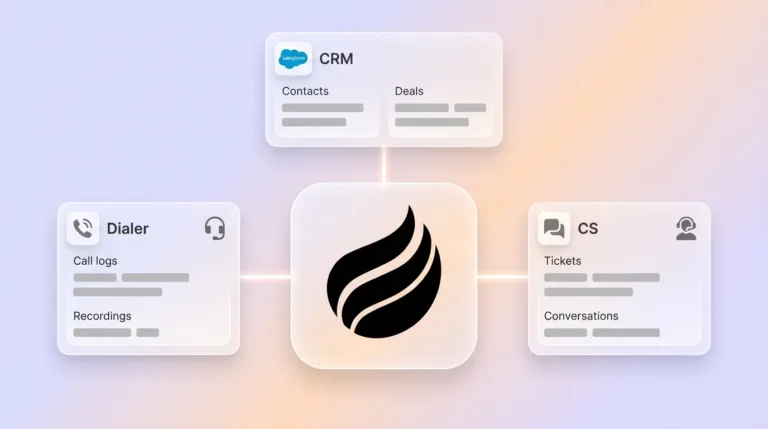
Coffee’s Companion App solves this problem without forcing a platform change. The agent’s native Salesforce and HubSpot integration, demonstrated in the meeting transcription, activity logging, enrichment, visitor identification, list building, and Pipeline Compare workflows above, handles data-in labor autonomously. These capabilities consolidate multiple tools into a single agent that runs on a seat-based pricing model with no metered usage costs.
For mid-market sales leaders and RevOps teams whose main constraint is data quality and admin overhead rather than CRM functionality, Coffee acts as the add-on that makes the existing investment perform as intended. Start a Coffee trial and let the agent handle the admin work your team should not be doing.