Written by: Doug Camplejohn, CEO & Co-Founder, Coffee | Last updated: July 10, 2026
Key Takeaways for RevOps and Sales Leaders
- Waterfall enrichment relies on periodic database refreshes that cannot keep pace with continuous CRM data decay, while AI-agent enrichment captures live signals from email, calendar, and call transcripts to maintain real-time accuracy.
- CRM data decays rapidly, with email addresses and overall contact data degrading each month and year, so one-time or batch enrichment cannot sustain data quality.
- Traditional waterfall tools and point solutions require significant RevOps effort for setup, ongoing configuration, and credit management, whereas Coffee’s agent model deploys with a single authentication and operates without manual intervention.
- AI-agent enrichment reduces operational burden by automatically logging activities, generating post-call summaries, and writing enriched data directly into Salesforce or HubSpot, which frees reps to focus on selling rather than data entry.
- Teams that want passive, always-on CRM accuracy without credit pools or recurring cleanup projects can explore pricing and request a demo with Coffee.
The Real Cost of CRM Data Decay in 2026
B2B contact data decays at 25–30% annually, so roughly one in four records becomes inaccurate within twelve months due to job changes, acquisitions, and phone reassignments. Email addresses alone decay at approximately 3.6% per month, which compounds over the year and risks sender-reputation damage and domain blacklisting at high bounce rates.
The downstream consequences are measurable. Validity’s 2025 State of CRM Data Management report found that 76% of organizations say less than half of their CRM data is accurate and complete, and workers spend substantial time hunting for information in CRM systems due to data gaps. Gartner estimates that poor data quality costs organizations an average of $12.9 million per year through failed campaigns, wasted rep time, and misrouted leads. Thirty-seven percent of organizations lose revenue directly due to poor data quality.
A Salesforce study found that sales reps spend only 28% of their time actually selling, with an additional 20–30% consumed by data quality tasks such as researching bounced contacts and deduplicating records. A database cleaned in January is already degraded by February due to the continuous email decay rate mentioned earlier, so periodic cleanup always lags continuous decay.
How to Evaluate B2B Contact Enrichment Tools in 2026
Given the continuous nature of data decay, selecting an enrichment solution requires evaluating not just data quality, but how that quality is maintained over time. RevOps and sales leaders evaluating enrichment solutions in 2026 should apply six criteria consistently across every vendor.
- Data freshness and accuracy: Measure what percentage of records are verified within the last 90 days and the claimed accuracy rate.
- Implementation effort: Assess how much technical work and elapsed time initial setup requires.
- Hands-off automation depth: Determine whether the tool needs ongoing human configuration or operates continuously without intervention.
- Total cost of ownership: Include credits, overages, ops time, and adjacent tooling in the cost model.
- User adoption: Check whether the solution adds rep burden or removes manual work from their day.
- Long-term scalability: Review how cost and complexity grow with headcount and contact volume.
Get started with Coffee and explore pricing and request a demo.
Side-by-Side Comparison: Waterfall Tools vs Modern Point Solutions vs Coffee’s Agent Model
| Criterion | Waterfall Tools (Clay, ZoomInfo multi-vendor) | Modern Point Solutions (Apollo, Clearbit/Breeze) | Coffee AI Agent |
|---|---|---|---|
| Data freshness / accuracy | Eighty-five to ninety-five percent accuracy via multi-provider waterfall, while the email decay rate still accumulates between batch refreshes. | Apollo single-source accuracy benchmarked at about 65% in independent testing; healthy real-world email bounce rates are typically under 2% for opt-in campaigns and under 3–5% overall, with higher rates indicating problems. | Always-on agent reads email and calendar signals continuously, so accuracy reflects ground-truth interactions rather than third-party database snapshots. |
| Implementation effort | Clay requires dedicated RevOps or GTM engineering resources to build and maintain custom waterfall workflows. | Apollo recommends a five-step RevOps implementation that includes audits, trigger definition, source connection, field-write rules, and KPI monitoring. | Single authentication to Google Workspace or Microsoft 365, and the agent begins populating Salesforce or HubSpot immediately. |
| Hands-off automation depth | Periodic batch refreshes with routing logic and vendor prioritization that require ongoing human maintenance. | Continuous automated re-enrichment is now leading practice, yet triggers and field-write rules still need configuration. | Agent autonomously logs activities, enriches contacts, and writes summaries after calls with no human configuration after setup. |
| Total cost of ownership | Clay users often burn through monthly credit allocations in a single afternoon on multi-step workflows, and ZoomInfo full-stack costs reach $110,000–$170,000 per year for a 25-user team. | Apollo offers a free plan at $0 and its lowest paid plan (Basic) starts at $49 per user per month billed annually, but teams still need three to four additional tools for recording, forecasting, and engagement. | Seat-based pricing with unlimited agent labor included, with no credit pools, no overage penalties, and no adjacent tool purchases for core enrichment and meeting intelligence. |
| Long-term scalability | Credit-based pricing stays accessible at low usage but becomes expensive and unpredictable at scale. | Coverage and cost scale with contact volume, and single-source providers achieve only 50–70% coverage rates on average. | Scales with human seats, so agent workload grows without incremental cost as contact volume and meeting frequency increase. |
User adoption differs significantly across these approaches. Waterfall tools improve record quality but do not reduce the manual logging burden reps face. Point solutions offer partial automation, though reps still manage outreach and logging as separate tasks. Coffee’s agent eliminates data entry entirely by handling activity logging, pre-meeting briefings, and post-call summaries automatically, so reps interact with insights rather than fields.

Setup and Onboarding Effort Compared
Clay is suitable only for RevOps or GTM engineering teams with dedicated resources to build and maintain custom waterfall workflows. ZoomInfo’s enterprise onboarding involves contract negotiation, field mapping, and routing rule configuration before any data flows into Salesforce or HubSpot. Apollo’s recommended implementation follows a five-step process that includes auditing the CRM for gaps, defining re-enrichment triggers, connecting the source, setting field-write rules, and monitoring KPIs monthly, which creates a meaningful ongoing commitment.
Coffee’s Companion App for Salesforce and HubSpot requires a single authentication to Google Workspace or Microsoft 365. The agent immediately begins scanning emails and calendars, auto-creating contacts, logging activities, and writing enriched records back to the existing CRM. Teams avoid field-mapping sessions, routing logic, and the need for a dedicated ops resource.

Continuous Data Capture from Email, Calendar, and Transcripts
Waterfall tools query static databases on a schedule, so the data they return reflects what a provider verified at some prior point, not what happened in yesterday’s discovery call or this morning’s email thread. A database cleaned in January is already degraded by February, and no batch refresh cadence closes that gap permanently.
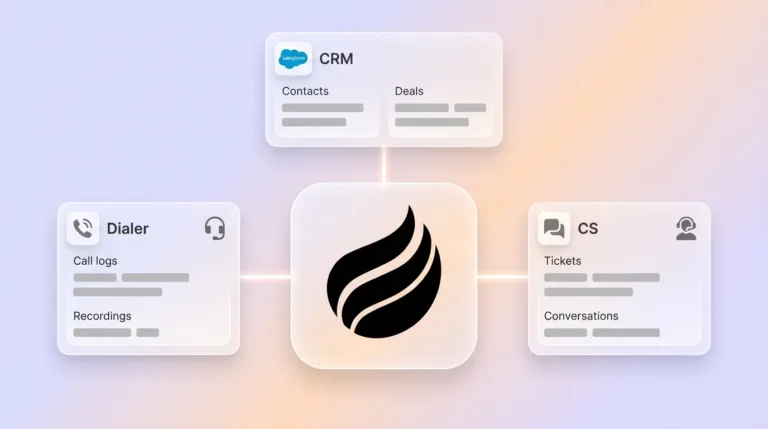
Coffee’s agent ingests unstructured signals such as email text, calendar invites, and call transcripts from Zoom, Teams, and Google Meet in real time. It identifies attendees, extracts job titles and company context, generates post-call summaries structured to BANT, MEDDIC, or SPICED, and writes all of it back natively to Salesforce or HubSpot. The enrichment source is the actual relationship, not a third-party database approximation of it.

Re-enrichment Cadence, Accuracy Benchmarks, and Decay Rates
The recommended re-enrichment cadence for existing records is weekly or monthly, with real-time enrichment for new inbound leads. Even at weekly cadence, the monthly email decay rate means a weekly refresh still misses intra-week job changes, domain migrations, and contact departures.
AI-enabled B2B teams achieve 85–95% data enrichment coverage or match rates via waterfall methods across multiple providers, compared to 60–70% with single-source providers. Coffee’s agent operates on a different axis, because it captures ground-truth signals from live interactions, so accuracy reflects the current state of the relationship rather than a provider’s last verification cycle.
Operational Burden and Total Cost of Ownership
Hidden costs in waterfall and point-solution stacks accumulate across several categories.
- Credit consumption that scales with contact volume and burns unpredictably on multi-step workflows
- Ops time for routing logic maintenance, field-write rule audits, and monthly KPI reviews
- Adjacent tool purchases for recording, forecasting, and engagement that waterfall tools do not cover
- Rep time lost to manual activity logging that enrichment tools do not eliminate
Stale contact records result in wasted rep time, failed outreach, and deliverability damage. Coffee’s seat-based pricing includes unlimited agent labor. There are no credit pools, no overage penalties, and no separate purchases required for meeting intelligence, activity logging, or pipeline tracking.
Get started with Coffee and see what seat-based agent pricing looks like for your team size.
Best-Fit Use Cases by Company Size and CRM Stack
Companies with 1–20 employees that have outgrown spreadsheets but find Salesforce and HubSpot too maintenance-heavy can use Coffee’s Standalone CRM as the full system of record. The agent auto-creates contacts from Google Workspace or Microsoft 365, logs all activity, and provides pipeline intelligence without any manual data entry.
Companies with 20–200 employees already committed to Salesforce or HubSpot can use Coffee’s Companion App as an intelligent layer on top of the existing installation. A single authentication connects the agent to the CRM, and it then handles enrichment, activity logging, meeting summaries, and pipeline tracking natively within the existing system. Teams retain their Salesforce or HubSpot investment while removing the manual work that degrades its data quality.
Seed or Series A teams get more value from one solid single-source tool than building a complex Clay-style waterfall stack before they have identified actual enrichment gaps in their ICP. Coffee’s agent model fits teams at any stage within the 1–200 employee range that prioritize passive accuracy over manual configuration.
Risks, Limitations, and Common Misconceptions
Several misconceptions affect enrichment tool evaluations, and they often conflate surface metrics with real outcomes.
- Waterfall coverage does not equal freshness. Waterfall enrichment pushes coverage to 85–95%, but coverage measures whether a field is populated, not whether the value is current. A populated field with a stale job title still misroutes leads.
- Automation depth varies significantly. Many tools marketed as automated still require RevOps to configure triggers, maintain field-write rules, and monitor match rates monthly. Continuous re-enrichment has replaced quarterly refreshes as leading practice, yet it still falls short of a fully passive agent.
- Integration depth matters for Salesforce and HubSpot. Newer AI CRM alternatives lack the integration depth required for Salesforce’s quotas, forecasting hierarchies, and required fields. Coffee is built specifically for these integrations.
- Credit-based pricing is not predictable at scale. Clay users often burn through monthly allocations in a single afternoon on multi-step workflows, so buyers should model total annual spend at projected contact volumes before committing.
Decision Framework: Matching Enrichment Approach to Your Constraints
The right enrichment approach depends on three variables: existing CRM investment, available RevOps capacity, and tolerance for ongoing manual work.
Teams with dedicated RevOps engineers, large contact databases, and enterprise budgets can extract value from ZoomInfo’s multi-source verification pipeline or a custom Clay waterfall stack. The tradeoff is ongoing maintenance, credit management, and the persistent gap between batch refresh cycles and real-time decay.
Teams without dedicated enrichment ops, or those whose primary accuracy problem stems from missing activity data and stale contact records rather than prospecting coverage, are better served by an agent that captures ground-truth signals continuously. The absence of credit metering, routing logic, and manual trigger configuration makes the agent model operationally sustainable at SMB and mid-market scale.
Teams already on Salesforce or HubSpot should decide whether their accuracy problem is a database coverage problem, which waterfall tools address, or a data entry and freshness problem, which only an agent that reads live signals and writes back natively can solve.
Frequently Asked Questions
How long does Coffee take to implement, and what expertise is required?
Coffee’s Companion App for Salesforce and HubSpot requires a single authentication to Google Workspace or Microsoft 365. No RevOps engineering, field mapping sessions, or routing logic configuration are needed. The agent begins scanning emails and calendars and writing enriched data back to the CRM immediately after authentication. The Standalone CRM follows the same authentication model for teams that do not have an existing CRM investment.
How does Coffee’s data quality compare to ZoomInfo or Apollo?
ZoomInfo and Apollo query proprietary databases of static records verified at a prior point in time. Coffee’s agent captures ground-truth signals from live emails, calendar events, and call transcripts, so the data it writes reflects the current state of the relationship rather than a database snapshot. For contact fields that appear in active email and calendar interactions, such as names, titles, email addresses, and company affiliations, Coffee’s agent data is more current by definition. For prospecting coverage of contacts outside a team’s existing network, licensed data partners integrated into Coffee’s enrichment layer provide firmographic and LinkedIn data comparable to Apollo for most SMB and mid-market use cases.
Is Coffee secure and compliant?
Coffee is SOC 2 Type 2 and GDPR compliant. Data processed by the agent is not used to train public models. For teams in regulated industries such as healthcare or finance that require multi-year security reviews or custom compliance frameworks, Coffee is not the appropriate fit.
How does Coffee handle existing Salesforce or HubSpot configurations, including required fields and forecasting?
Coffee’s Companion App is built with deep knowledge of Salesforce and HubSpot’s native structures, including required fields, quota hierarchies, forecasting categories, and deal stage logic. The agent writes data back within the constraints of the existing CRM configuration rather than overwriting or bypassing required fields. Newer AI CRM alternatives that lack this integration depth can create data integrity issues in established Salesforce and HubSpot instances, and Coffee is designed specifically to avoid them.
What happens to CRM accuracy between enrichment events with waterfall tools?
With waterfall tools, accuracy degrades continuously between batch refresh cycles. The email and job title decay rates discussed earlier, along with complete contact departures, create ongoing pipeline context loss with no partial recovery. A weekly refresh cadence still leaves a window of days during which new job changes, domain migrations, and contact departures go uncaptured. Coffee’s agent closes this window by reading email and calendar signals continuously, so the CRM reflects the current state of every active relationship rather than its state at the last scheduled refresh.
Conclusion: Choosing Continuous Accuracy Over Constant Cleanup
Waterfall enrichment tools address CRM decay by periodically overwriting stale fields with fresher database records. They improve coverage and reduce the worst data gaps, but they do not eliminate the root cause, because CRM data decays continuously and batch refreshes always lag behind it. The annual decay rate discussed earlier requires continuous rather than one-time enrichment to maintain data quality.
Coffee’s AI agent addresses the root cause by capturing ground-truth signals from email, calendar, and call transcripts and writing them back natively to Salesforce or HubSpot without human input. The result is a CRM that reflects the current state of every active relationship, not the state of a third-party database at its last verification cycle. For RevOps and sales leaders at U.S. SMB and mid-market companies who need accurate forecasts without ongoing manual enrichment work, Coffee is the only solution that delivers passive, always-on CRM accuracy.
Get started with Coffee and view pricing and request a demo today.