Written by: Doug Camplejohn, CEO & Co-Founder, Coffee | Last updated: June 24, 2026
Key Takeaways for Choosing a CRM in 2026
- Legacy CRMs act as passive databases that depend on manual data entry, while agent-first platforms like Coffee automatically capture, structure, and enrich data for built-in accuracy.
- Coffee saves sales reps 8–12 hours per week on manual data entry across all company sizes, from 1–10 employees up to 51+ employee teams with Salesforce or HubSpot.
- Key differentiators include autonomous meeting orchestration with AI-generated summaries and follow-ups, Pipeline Compare for week-over-week deal tracking, and Suggested Leads that identify specific buyer contacts from website visitors.
- Coffee offers flexible deployment through Standalone for smaller teams or Companion App for organizations that want to keep existing CRM investments without migration.
- Eliminate the data-entry grind from your sales workflow with Coffee and guarantee good data in/good data out.
How Company Size Shapes Your CRM Choice
A two-person founding team and a 45-person revenue org share the same core problem, bad data produces bad forecasts, but they face it at different levels of complexity. Four size buckets capture the meaningful inflection points: 1–10 employees (pre-dedicated sales function), 11–25 employees (first dedicated reps), 26–50 employees (scaling pipeline reviews), and 51+ employees (existing Salesforce or HubSpot stack). Evaluation criteria that matter across all four are data-entry automation, meeting orchestration, pipeline intelligence, integration flexibility, and total cost of ownership. The table below shows how Coffee’s agent-first architecture compares to legacy CRMs across these criteria.
Comparison Table: Agent-First vs. Legacy CRMs
| Criteria | Salesforce | HubSpot | Pipedrive | Coffee |
|---|---|---|---|---|
| Data-Entry Automation | Minimal native automation, relies on human input and paid add-ons | Some email logging, contact creation still largely manual | Activity logging is manual, no autonomous enrichment | Agent auto-creates contacts, companies, and activities from email and calendar, and enriches records with titles, funding, and LinkedIn profiles |
| Meeting Orchestration | Requires third-party tools (Gong, Fathom) for recording and summaries | Requires third-party tools, no native pre-meeting briefing | No native meeting intelligence | Agent joins calls, generates briefings, produces summaries and follow-up drafts post-call, and structures notes to BANT, MEDDIC, or SPICED |
| Pipeline Intelligence | Available via Einstein add-on at significant additional cost, no built-in history warehouse | Reporting available, week-over-week pipeline comparison requires manual CSV exports | Basic visual pipeline, no automated change tracking | Pipeline Compare tracks week-over-week deal movement automatically from a built-in data warehouse, no spreadsheets required |
| Integration Flexibility | Deep native ecosystem, high admin overhead to maintain | Large app marketplace, integration management adds complexity | Zapier and native integrations with limited depth | Connects via Google Workspace or Microsoft 365 natively, broader tool integrations currently via Zapier, with deeper native connectors on the roadmap |
| Total Cost of Ownership | High license cost plus required add-ons for enrichment, intelligence, and recording | Mid-to-high cost, marketing hub bundling inflates price for pure sales teams | Lower entry price, point-solution sprawl adds cost | Seat-based pricing where agent labor for enrichment, recording, and forecasting is included, no separate tools required |
1–10 Employees: Moving Beyond Spreadsheets
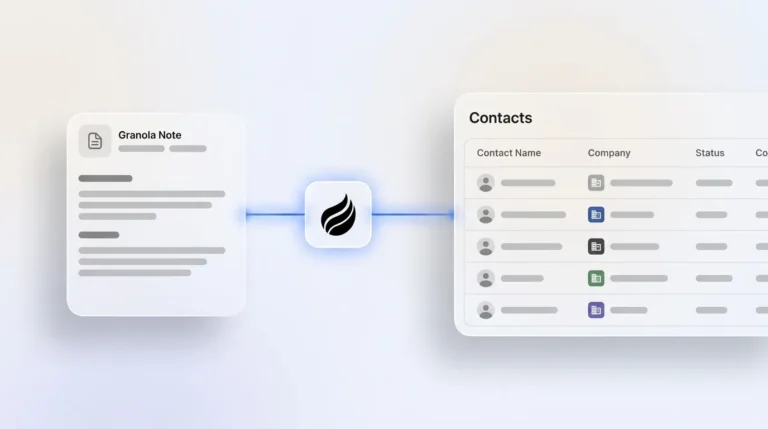
At this stage, founders and early hires serve as the sales team. Spreadsheets and Notion break down the moment a second rep joins and deal history diverges across two files. Legacy tools like HubSpot Starter or Pipedrive solve the organizational problem but introduce a new one, because every contact, activity, and note still requires a human to log it. Coffee Standalone deploys the agent as the system of record from day one. It scans Google Workspace or Microsoft 365 on connection, auto-populates contacts and companies, and logs every interaction without a single manual entry. For a team of five, that time recovery is the difference between selling and administrating.
11–25 Employees: Managing First Dedicated Reps
When a company hires its first dedicated sales reps, CRM adoption becomes a management problem. Pipedrive is a common choice at this stage because of its visual pipeline and low entry price. The tradeoff is that Pipedrive activity logging is entirely manual, so reps must record every call, email, and meeting themselves. Adoption slips, deal history becomes incomplete, and pipeline reviews devolve into status updates rather than strategic conversations. Coffee’s agent logs last activity and next activity autonomously, and its meeting bot joins every call to produce summaries and follow-up drafts. Reps review and send, and the agent handles the rest. The pipeline stays current without enforcement.

26–50 Employees: Fixing Pipeline Review Quality
HubSpot is the dominant choice in this bracket, and it works until data quality degrades. Because HubSpot was built as a marketing platform with a CRM bolted on, its architecture stores structured fields but loses historical context when records are updated. Reps who find the logging burden too high migrate to shadow CRMs such as spreadsheets, Notion boards, or personal notes that management cannot see. The result is a pipeline report that reflects what reps entered, not what actually happened. Coffee’s Pipeline Compare feature addresses this directly. Because the agent writes every interaction to a built-in data warehouse, the full history is preserved. Week-over-week pipeline changes, including progressed deals, stalled opportunities, and new additions, surface automatically. Pipeline reviews become strategic rather than interrogative. See Pipeline Compare in action with a Coffee trial.
51+ Employees: Enhancing Existing Salesforce or HubSpot Stacks
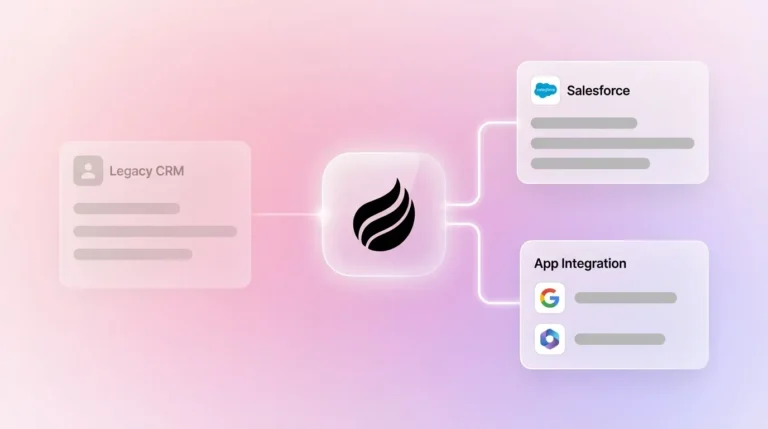
At 51 or more employees, a CRM migration carries real risk because custom fields, quota structures, forecasting hierarchies, and years of deal history are not portable without significant effort. The Coffee Companion App is designed for exactly this situation. It deploys the Coffee agent as an intelligent layer on top of an existing Salesforce or HubSpot instance. The agent handles the data-in process, auto-logging activities, enriching records, capturing call transcripts, and writing clean, structured data back to the primary CRM. The system of record stays intact and the maintenance burden disappears. Newer agent-CRM alternatives like Day.ai and Clarify lack the depth of understanding required to navigate Salesforce quota structures, required fields, and forecasting configurations. Coffee’s Companion App is built with that complexity in mind.
Standalone vs. Companion App: How to Decide
Coffee offers two deployment paths, and the right choice depends on existing infrastructure. Teams can adopt Coffee as the primary CRM or layer it on top of Salesforce or HubSpot.
Choose Coffee Standalone if: the company has 1–20 employees, the current system is spreadsheets, Notion, or Airtable, the team wants an agent-managed system of record without legacy overhead, and speed of setup is a priority.
Choose the Coffee Companion App if: the company is committed to Salesforce or HubSpot, CRM adoption and data quality are the primary problems, the Head of Sales or RevOps owns the decision, and the goal is to eliminate point-solution sprawl (ZoomInfo, Gong, Fathom) without replacing the core system.
While the deployment paths differ based on existing infrastructure, both Standalone and Companion App share the same core value, and the agent delivers the same core guarantee established earlier.
2026 AI Features: Pipeline Compare, Suggested Leads, List Builder
Agent architecture unlocks capabilities that passive databases structurally cannot match. Three features highlight the gap clearly. Pipeline Compare works because the Coffee agent writes every deal change to a data warehouse with full history, while legacy CRMs overwrite fields and lose context permanently. Suggested Leads works because the agent cross-references anonymous website visitor data against a defined buyer persona and surfaces the two or three specific individuals inside a visiting company worth contacting, not just the company name, as competitors like RB2B and Warmly provide. The Natural-Language List Builder works because the agent can execute a command like “Find me VPs of Sales in North America at companies with $10M+ funding using Salesforce” against integrated enrichment data in real time. These outputs require an agent that controls the data-in layer.

Risks and Limitations to Consider
Coffee’s integration depth beyond Google Workspace and Microsoft 365 currently relies on Zapier. Teams with complex, multi-tool stacks that require native bidirectional sync with tools outside the core email and calendar environment may encounter limitations today. Native connectors for additional platforms are on the product roadmap. Companies in heavily regulated industries such as healthcare or finance that require multi-year security review cycles are not the right fit at this stage. Coffee is SOC 2 Type 2 and GDPR compliant, and customer data is not used to train public models, but enterprise procurement timelines at large organizations exceed Coffee’s current sales motion.
Frequently Asked Questions
How long does Coffee implementation take?
Coffee Standalone offers fast implementation. Connecting Google Workspace or Microsoft 365 triggers the agent immediately, and it begins scanning emails and calendars, auto-creating contacts and companies, and logging activities without any manual configuration. For the Companion App, a simple authentication connects the Coffee agent to an existing Salesforce or HubSpot instance. There is no data migration, no field mapping exercise, and no professional services engagement required for standard deployments. Teams are often operational shortly after signing up.

Is Coffee SOC 2 and GDPR compliant?
Coffee is SOC 2 Type 2 certified and GDPR compliant. Customer data is processed to power the agent’s automation functions and is not used to train public AI models. For teams evaluating data security as part of a CRM selection process, Coffee’s compliance posture fits small to mid-market companies in non-regulated industries. Teams in healthcare or financial services with multi-year security review requirements should evaluate whether Coffee’s current compliance scope meets their specific regulatory obligations.
What is Coffee’s pricing model?
Coffee uses seat-based pricing. Each human user on the team occupies a seat, and the agent’s labor for data enrichment, activity logging, meeting recording, pipeline intelligence, list building, and visitor identification is included in that seat cost without additional metering. There are no separate charges for LLM usage, number of automations run, or data records processed. This model keeps the total cost of ownership predictable and removes the add-on sprawl that inflates the cost of legacy CRM stacks over time.
How much migration effort is required from spreadsheets or Salesforce?
Migration from spreadsheets is minimal. The Coffee agent begins building the system of record from live email and calendar data on connection, so historical spreadsheet data can be imported as a reference layer without the agent depending on it for accuracy going forward. Migration from Salesforce is handled differently depending on the deployment path. Teams choosing the Companion App do not migrate at all, because Salesforce remains the system of record and the agent enriches it. Teams choosing Coffee Standalone that want to carry over Salesforce history can import existing records, and the agent then takes over maintenance from that baseline. In both cases, the agent’s value begins accruing immediately upon connection, independent of historical data completeness.
Conclusion: Choose the Architecture That Protects Data Quality
The CRM selection decision in 2026 is not primarily a feature comparison, it is an architectural one. Legacy systems like Salesforce, HubSpot, and Pipedrive are passive databases that produce accurate output only when humans provide accurate input. For teams losing 8–12 hours per rep per week to manual entry, that condition is never reliably met. Coffee’s agent-first architecture removes the human from the data-entry loop entirely, which is the only structural path to the data accuracy guarantee described above.
For teams with 1–25 employees, Coffee Standalone is the fastest route to a clean, agent-managed system of record. For teams with 26–50 employees experiencing shadow CRM proliferation, Coffee Standalone with Pipeline Compare addresses the root cause. For organizations at 51 or more employees already committed to Salesforce or HubSpot, the Coffee Companion App deploys the agent without disrupting the existing stack. Start your Coffee trial and put the agent to work today.