Last updated: March 30, 2026
Key Takeaways for Mailchimp CRM Buyers
- 71% of sales reps lose time to data entry when Mailchimp and their CRM do not sync well, so prioritize CRMs with reliable contact, tag, and engagement sync.
- Coffee stands out as the leading AI agent CRM, automating 8–12 hours of weekly manual work through Zapier connections with Mailchimp and Google Workspace.
- HubSpot delivers the strongest free tier for budget-focused teams, though its automation depth trails Coffee’s intelligent data handling.
- Pipedrive shines for visual pipeline management, while Zoho and ActiveCampaign give cost-conscious teams flexible AI and email-CRM hybrid options.
- You can transform your Mailchimp workflow with Coffee’s AI agent and start a free trial that removes repetitive data entry from your week.
How to Evaluate CRMs for Mailchimp Teams
Focus on five connected criteria that move from data foundation to daily efficiency. Start with seamless sync capabilities that automatically pull contacts, tags, and campaign activities without manual exports. That foundation only pays off when the CRM has enough automation depth to act on it, so look for systems that auto-log email opens and clicks to deals and reduce the hours teams spend on data entry. With clean data flowing in, you then need pipeline visibility that connects marketing engagement with sales stages so reps can act on real behavior.
These capabilities must also fit your budget over time, so look for scalable pricing that grows with your team without sudden cost spikes. None of this matters if setup drags on, so insist on setup simplicity that gets you live quickly without heavy technical support. Modern AI agents like Coffee close legacy CRM gaps by handling unstructured data from emails and calls, while traditional systems rely on manual field updates that lose historical context.
Top 6 CRM Picks for Mailchimp Teams in 2026
1. Coffee: AI Agent CRM for Mailchimp-Heavy Teams
Coffee functions as an AI agent-powered CRM for teams tired of maintaining data by hand. The agent automatically captures tasks, connects data streams, and logs interactions so accurate information flows in and reliable insights flow out.

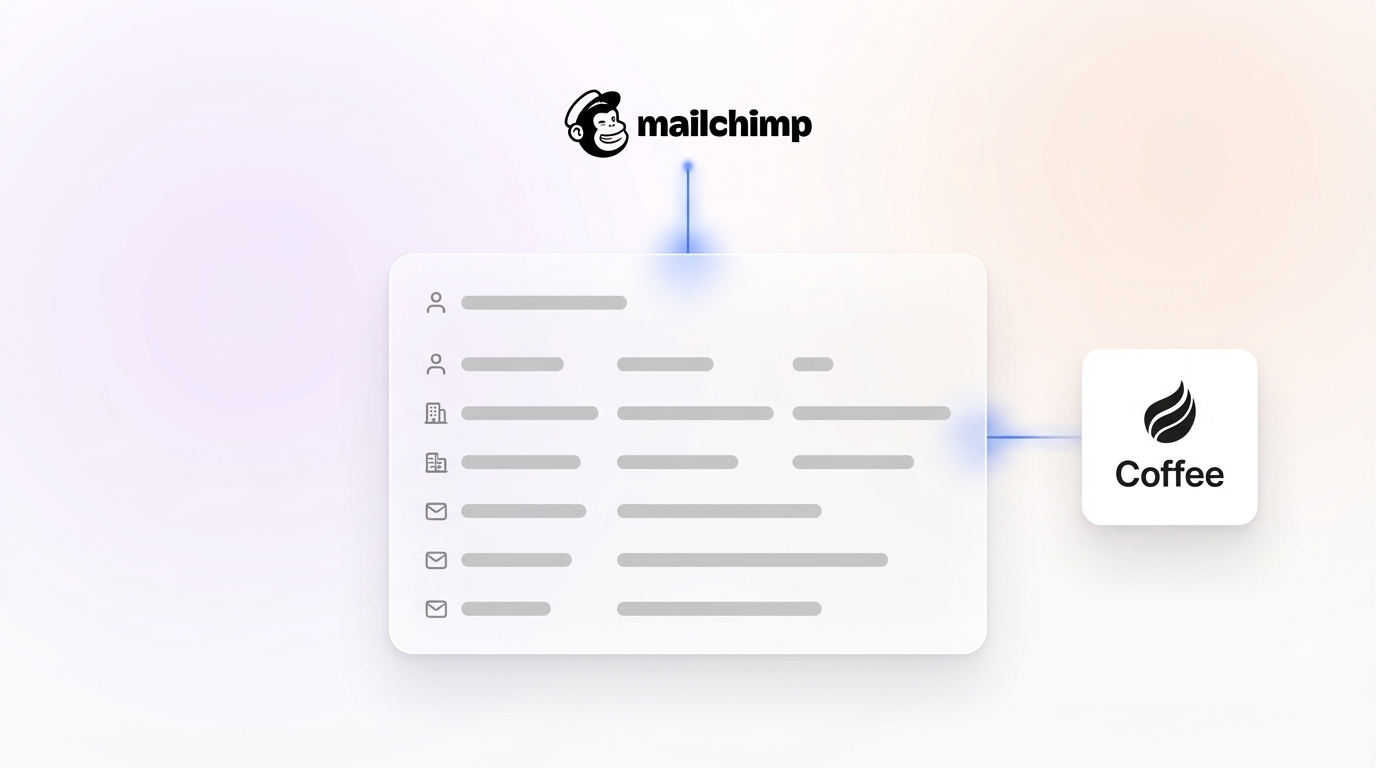
The Coffee–Mailchimp connection runs through Zapier and pulls email activities, calendar events, and engagement data directly into your pipeline. Coffee’s AI search on deals, released in January 2026, answers natural-language prompts such as “Which deals are stuck in negotiation?” or “What’s closing this month?” The agent delivers the 8–12 hour weekly savings mentioned earlier by removing manual contact creation, data enrichment, and activity logging.

Setup follows 3–5 clear steps that build on each other. First, connect Google Workspace or Microsoft 365 and Mailchimp through Zapier with OAuth to establish data sources. Next, map tags to deal stages so the agent understands how to categorize incoming activity. Finally, configure automated briefings that define which insights and formats your team wants to see. Coffee launched Custom Meeting Briefings and Summaries in February 2026, so teams can request high-level executive summaries or detailed technical breakdowns.

Strengths: AI agent unifies structured and unstructured data, Pipeline Compare feature for week-over-week insights, native Google Workspace integration, reduces shadow CRMs
Limitations: Focused on SMB teams of roughly 1–50 users, not built for complex enterprise org charts
Ideal for: Mailchimp-loyal teams that want to remove manual data entry while keeping their existing email marketing stack
2026 Pricing: Simple seat-based model
A company generating tens of millions in revenue previously ran sales from spreadsheets before adopting Coffee. The AI agent’s automatic contact creation from Google Workspace and the Pipeline Compare feature turned weekly reviews from manual interrogations into strategic discussions. Try Pipeline Compare in your own weekly reviews to see how agent-powered automation changes sales conversations.

2. HubSpot: Free CRM with Strong Marketing Alignment
HubSpot provides a generous free CRM tier that supports unlimited users and basic Mailchimp integration through native connectors and Zapier. The Free Customer Platform tier supports up to two users and 1,000 contacts, with contact and company management, deal and task tracking, email marketing up to 2,000 sends per month, and limited Copilot AI features.
The Mailchimp connection primarily flows one way from HubSpot to Mailchimp, using API key setup and list mapping. Breeze AI tools appear across the suite and provide summaries of conversations and sales interactions, plus template building and copy generation with adjustable tone.
Strengths: Robust free tier, Breeze AI summaries, large app marketplace with more than 1,800 integrations
Limitations: Workflows still rely heavily on manual updates, pricing climbs quickly as you add advanced features, limited bi-directional Mailchimp sync
Ideal for: Budget-conscious SMBs that value marketing and sales alignment more than deep automation
3. Pipedrive: Visual Sales Pipeline Specialist
Pipedrive focuses on visual pipeline management with drag-and-drop deal progression that sales teams adopt quickly. Mailchimp connects through Zapier and native API options, syncing contacts and activities with flexible field mapping.
Setup includes connecting API credentials and mapping sales funnels to Mailchimp audiences. The sales-native design and simple interface reduce training time for new reps.
Strengths: Intuitive user experience, strong pipeline visualization, accessible entry pricing
Limitations: No built-in marketing suite, limited AI automation, basic reporting compared with enterprise platforms
2026 Pricing: Starts at $14 per user per month for the Essential plan
Ideal for: Sales-led teams that care most about deal management and less about advanced marketing automation
4. Zoho CRM: Budget Option with Zia AI
Zoho CRM offers broad workflow automation and native Mailchimp sync for leads and segments. Zoho CRM includes a free tier for up to three users, with Standard at $14 and Professional at $23 per user per month, plus strong Zia AI and deep customization.
Setup uses OAuth authentication and field mapping between Zoho and Mailchimp. Zia AI surfaces insights and automation suggestions, and the NextGen UI gives the platform a more modern feel.
Strengths: Affordable pricing with AI features, high customization, powerful workflow builder
Limitations: Third-party integration quality can vary and may require extra testing
2026 Pricing: Free for three users, Standard $14, Professional $23 per user per month
Ideal for: Cost-focused teams that want AI-driven insights without enterprise-level pricing
5. ActiveCampaign: Email and CRM in One Platform
ActiveCampaign blends email marketing with CRM features and includes native Mailchimp migration tools and engagement sync. The platform stands out for marketing automation with advanced trigger-based workflows.
Setup uses OAuth connection and tag mapping between systems. This hybrid model works well for teams that want to consolidate email marketing and CRM into a single tool.
Strengths: Built-in email marketing, advanced automation, strong segmentation
Limitations: Less sales-native than dedicated CRMs, can feel complex for straightforward sales processes
2026 Pricing: Starts around $29 per user per month
Ideal for: Marketing-heavy teams that want unified email and CRM capabilities
6. Folk/Outfunnel: Lightweight Modern Sync Tools
Folk and Outfunnel act as modern, lightweight CRM and sync tools that rely on Zapier-focused Mailchimp integration. They emphasize clean contact management and real-time sync triggers over complex feature sets.
Setup centers on API connection and real-time trigger configuration. The streamlined interface appeals to teams that value simplicity more than deep CRM functionality.
Strengths: Clean modern interface, strong contact management, straightforward pricing
Limitations: Basic pipeline features, limited advanced CRM capabilities such as lead scoring
2026 Pricing: Starts around $19 per user per month
Ideal for: Small teams that prioritize contact management over complex sales processes
Side-by-Side CRM Comparison for Mailchimp Teams
The table below compares how each CRM handles Mailchimp sync, automation strength, and entry-level pricing so you can see tradeoffs at a glance.
| CRM | Sync Type | Automation Score | Starting Price |
|---|---|---|---|
| Coffee | Zapier + Agent | High | Seat-based |
| HubSpot | Native | Medium | Free |
| Pipedrive | Zapier/API | Medium | $14/user/month |
| Zoho CRM | Native | Medium | Free (3 users) |
| ActiveCampaign | Native | Medium | $29/user/month |
| Folk/Outfunnel | Zapier | Low | $19/user/month |
Coffee leads in automation through its AI agent model, while HubSpot delivers the most generous free tier. Teams that value automation more than subscription savings should focus on Coffee’s agent-powered data handling, and budget-conscious teams may start with HubSpot’s free option before upgrading later.
Choosing the Right CRM for Your Mailchimp Stack
Match your CRM choice to team size and your most painful bottlenecks. Teams with 1–50 users that feel buried in manual updates should prioritize Coffee’s AI agent automation. Budget-constrained startups can begin with HubSpot’s free tier, with clear expectations that manual workflows may slow future scale. Sales-focused teams often favor Pipedrive’s pipeline visualization, while marketing-heavy organizations lean toward ActiveCampaign’s hybrid model.
Consider total cost of ownership beyond subscription fees, including time spent on upkeep and integration work. Start your Coffee trial to experience agent-powered automation before you commit. Most platforms offer trial periods, so test real Mailchimp sync workflows with your own data instead of relying on demos.
Mailchimp CRM Integration Best Practices
Strong integrations start with careful field mapping and tag alignment. Poor tag mapping can drop data during sync and create gaps in customer records. Begin with OAuth authentication, map core fields like email and name first, then layer in custom properties once the basics work.
Test sync behavior with small contact batches before a full rollout. User Acceptance Testing asks marketing and CRM admins to run live scenarios, such as Mailchimp campaign opens logging on contact timelines and unsubscribes suppressing in real time in both systems.
Coffee streamlines this work through instant Google Workspace and Mailchimp connection with intelligent field mapping. See Coffee’s instant integration setup and avoid the weeks-long mapping projects common with legacy CRMs.
FAQ
What is the best free CRM for Mailchimp users?
HubSpot offers the most complete free CRM tier with basic Mailchimp integration, unlimited users, and 1,000 contacts. Coffee delivers stronger automation that removes much of the manual work that makes free tiers time-consuming to maintain.
Does Coffee integrate directly with Mailchimp?
Yes. As mentioned in the Coffee review above, the AI agent uses Zapier to sync contacts, campaign activities, and engagement data without manual intervention.
How does Coffee compare to HubSpot for Mailchimp teams?
HubSpot provides a free starting point, while Coffee’s AI agent removes the manual updates that make HubSpot slower for busy teams. Coffee automatically handles contact creation, activity logging, and pipeline updates that often require hands-on work in HubSpot.
What is the typical setup time for Mailchimp CRM integration?
Basic integrations usually take 1–2 weeks, and complex setups with custom fields and automation can require 6–8 weeks. Coffee’s agent-powered setup often finishes in days instead of weeks.
Can I migrate from my current CRM to Coffee while keeping Mailchimp?
Yes. Coffee supports keeping your existing Mailchimp configuration while you deploy its AI agent as a Standalone CRM or Companion App. The agent maps contacts and activities automatically without interrupting email marketing workflows.
Conclusion: Turn Mailchimp Data into a Revenue Engine
Coffee leads the 2026 CRM landscape for Mailchimp teams through its AI agent approach that automates contact creation, enrichment, and logging while unifying marketing and sales workflows. Teams that prioritize automation and efficiency should lean toward Coffee, and budget-conscious startups may still begin with HubSpot’s free tier.
The key is aligning CRM capabilities with your team’s current pain points and growth plans. Trial Coffee’s AI agent to see automated Mailchimp data management in action. Unify your fragmented tool stack and turn disconnected data into a revenue engine that runs with far less manual effort.