Written by: Doug Camplejohn, CEO & Co-Founder, Coffee | Last updated: July 22, 2026
Key Takeaways for Gong Call Analysis
- Manual Gong call review is too slow and inconsistent to scale, so most calls stay unscored and coaching chances disappear.
- An 8-step framework with benchmarks, AI summaries, targeted queries, weighted rubrics, keyword tracking, CRM sync, agent deployment, and curated libraries turns every call into structured coaching data.
- AI agents like Coffee automatically score calls, flag the three highest-impact moments, and write rubric scores and summaries directly into Salesforce or HubSpot.
- Teams that adopt the framework see measurable gains in coaching consistency, time saved per rep, and close-rate lift of 20–30%.
- Unlock the full power of your Gong data with Coffee—connect your Gong account in under an hour.
Why Manual Gong Review Fails at Scale
Manual post-call notes and CRM updates consume substantial time per day for high-volume sales reps. Managers who use AI call analysis tools review far more rep calls per week than managers who rely on manual review. Manual review also introduces inconsistency, because different managers weight different behaviors, calibration sessions are infrequent, and the reps who need coaching most are often the ones whose calls go unreviewed longest.
Confirm this readiness checklist before you roll out the framework:
- Gong access with call recording and transcription enabled for all active reps
- CRM connection (Salesforce or HubSpot) with deal-stage and outcome fields populated
- Buyer-persona definitions documented so keyword tracking and rubric criteria map to real ICP language
- Sufficient recorded calls per rep per month to identify reliable patterns
Connect Coffee to your Gong account and eliminate the manual review bottleneck from day one.
The 8-Step Gong Analysis Framework
Step 1: Set Strict Conversation Benchmarks
Inputs: Gong call library, historical win/loss data by deal stage. Owner: Head of Sales or RevOps.
Set numeric targets before you score a single call. Gong Labs analysis establishes the ideal talk-to-listen ratio at 43% rep talking to 57% prospect listening, which gives buyers enough airtime to surface objections and buying signals. Successful discovery calls tend to run 30–45 minutes, with top reps averaging 42 minutes, which creates enough room for real discovery. Reps who ask 11–14 discovery questions per call advance opportunities to late stage more often, because that question volume uncovers budget, authority, and urgency.
Output: A benchmark document with numeric floors and ceilings for talk ratio, call duration, and question count by stage. Troubleshooting: If benchmarks vary widely by segment, set separate targets for SMB, mid-market, and enterprise motions rather than applying one universal standard.
Step 2: Use AI Call Summaries for Faster Notes
Inputs: Gong transcripts, AI summary output. Owner: Individual rep plus manager.
AI call summarization cuts post-call note time and keeps details consistent. Effective summaries capture next steps, stakeholders mentioned, objections raised, and agreed timelines, not just a loose narrative recap. Coffee launched Custom Meeting Briefings and Summaries in February 2026, so teams can define exact formats such as high-level executive summaries or granular technical breakdowns.
Output: Structured summary per call, written back to the CRM opportunity record. Troubleshooting: If summaries omit key fields, refine the summary template to include explicit prompts for budget, authority, timeline, and next step.
Step 3: Turn Gong’s “Ask Anything” into Targeted Coaching
Inputs: Gong transcript, specific coaching question. Owner: Sales manager.
Gong’s “Ask Anything” feature lets managers query a transcript with natural-language questions, so they avoid scrubbing the full recording. Questions such as “Did the rep confirm a next step?” or “Was pricing discussed before value was established?” convert qualitative review into a repeatable, queryable process. Coffee’s Intelligence layer, introduced in February 2026, stores deep context on business model, ICP, and competitors, so AI-generated answers match your specific sales motion instead of generic patterns.
Output: Targeted answers to coaching questions, timestamped to the relevant call moment. Troubleshooting: Vague questions produce vague answers, so use specific, binary-style queries tied to rubric criteria.
Step 4: Implement a Weighted Scoring Rubric That Mirrors Win Drivers
Inputs: Rubric criteria, call transcript or summary. Owner: RevOps (rubric design), manager (scoring).
Apply a weighted rubric to every scored call so coaching focuses on behaviors that move deals forward. The weights below are calibrated to close-rate impact, with Discovery and Objection Handling receiving the highest allocation because they predict deal advancement more reliably than other behaviors, according to research on discovery and closing criteria.
- Discovery (30%): Open-ended question count, pain confirmation, stakeholder mapping. Reps who ask 11–14 discovery questions have significantly higher conversion rates to late stage. Discovery receives the highest weight because it determines whether the rep earns permission to present value.
- Value Proposition (25%): Specificity of ROI framing, alignment to stated pain, absence of feature-dumping. Value Proposition is weighted second because it converts discovery insights into a tailored business case.
- Objection Handling (25%): Acknowledgment speed, reframe quality, resolution confirmed. Reps who verbally acknowledged buying signals in under 15 seconds closed deals at 2.1× the rate of reps who responded after 30 seconds. Objection Handling shares equal weight with Value Proposition because it determines whether the business case survives buyer scrutiny.
- Closing (20%): Explicit next step with date, decision-maker confirmed, follow-up committed. Closed-won deals contain approximately 3.4× more buyer contacts (17 vs. 5 stakeholders) than lost deals. Closing receives the lowest weight because it depends on the quality of the prior three dimensions.
Score each dimension on a 1–5 scale and use pass/fail for compliance items such as legal disclosures. Output: Numeric score per call, per dimension, stored in the CRM. Troubleshooting: If scores cluster at 3 across all reps, behavioral anchors are too vague, so rewrite each rating level with verbatim transcript examples.
Step 5: Track Custom Keywords and Competitors for Risk and Intent
Inputs: Competitor names, ICP pain phrases, objection language. Owner: RevOps or Sales Enablement.
Configure Gong’s tracker library with competitor mentions, pricing objection phrases, and buying-signal language specific to your ICP. Five specific verbal buying-signal phrases appeared at least 4× more often on closed-won calls than on closed-lost calls in a 350-call study, with closed-won calls averaging 2.4 buying signals per demo versus 0.7 on closed-lost demos. AI-detected risk signals such as competitor mentions, pricing objections, and champion disengagement predict deal stall with 78% accuracy, so keyword tracking becomes an early-warning system.
Output: Keyword frequency report by rep and deal stage. Troubleshooting: If keyword lists grow beyond 30 terms, segment them by funnel stage to avoid alert fatigue.
Step 6: Automate CRM Syncing to Protect Data Quality
Inputs: Gong call data, CRM opportunity record. Owner: RevOps.
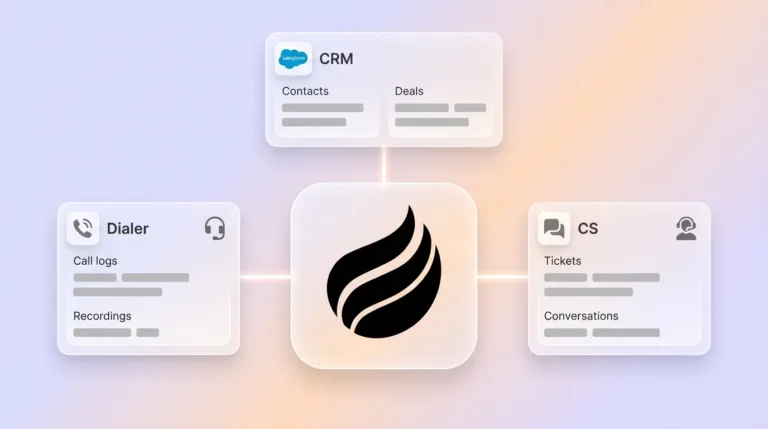
Manual CRM updates after calls are where data quality usually collapses. Coffee released improved summary templates in November 2025 that are customizable to match workflows and writable back to Coffee, HubSpot, or Salesforce, which removes the data-entry step entirely. Every scored call should auto-populate the relevant opportunity with talk ratio, rubric score, next step, and flagged risk signals.
Output: CRM fields updated within minutes of call completion, with no rep action required. Troubleshooting: Map required CRM fields before you enable sync to avoid blank mandatory fields that block deal progression.
Step 7: Deploy AI Enhancement Agents with Coffee
Inputs: Full Gong call library, CRM deal data, rubric definitions. Owner: RevOps (setup), agent (ongoing execution).
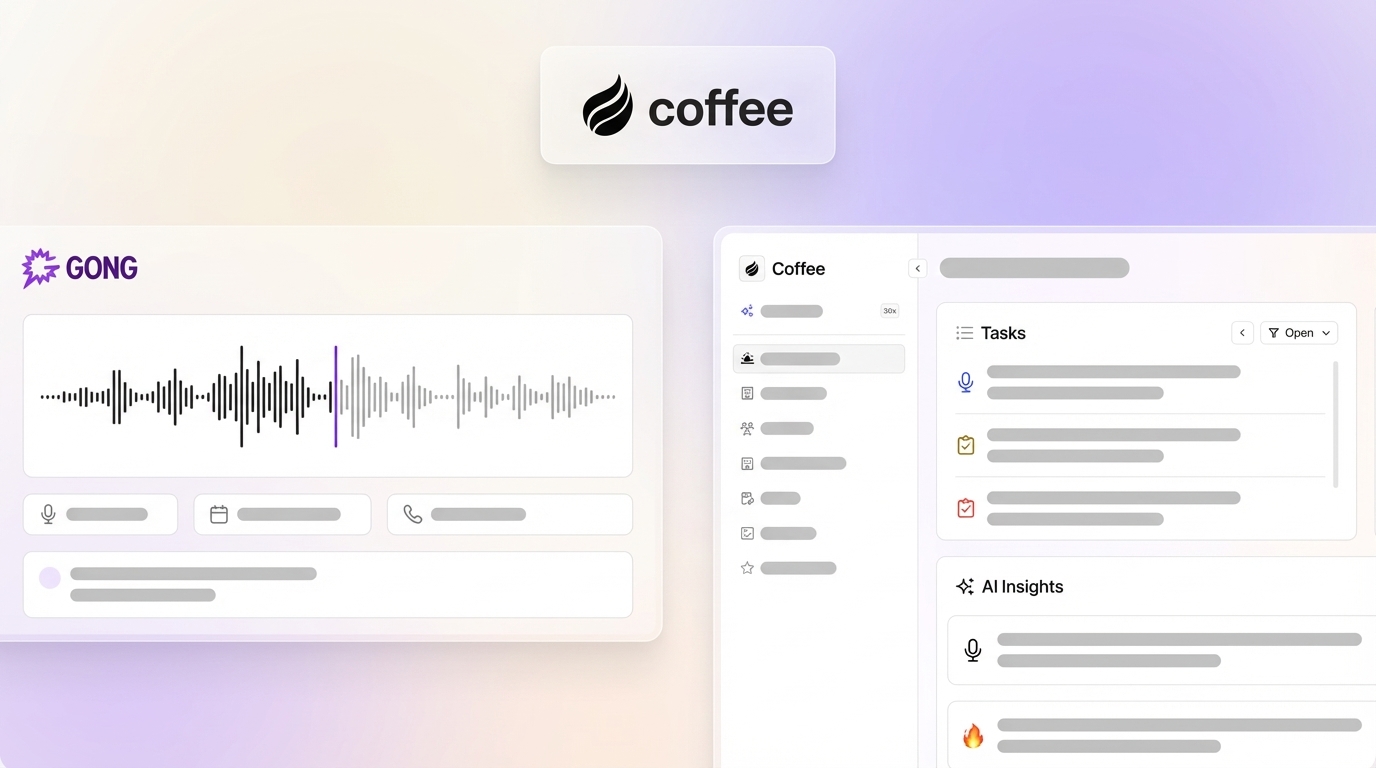
Coffee expanded call recording options in January 2026 via Zapier integration with Gong, Fathom, Fireflies, and a Desktop app for MacOS, Windows, and Linux, which makes ingestion of Gong recordings straightforward. After connection, Coffee’s agent scores every call against the weighted rubric, flags the three highest-impact coaching moments per rep, and drafts follow-up emails for rep review. Reps who receive AI-generated call coaching apply feedback more consistently than reps who receive feedback only in weekly reviews.

Output: Per-rep coaching digest delivered after every call, rubric scores written to CRM, follow-up draft in Gmail or Outlook. Troubleshooting: If agent outputs feel generic, enrich Coffee’s Intelligence layer with ICP definitions, competitor positioning, and product specifics.
Deploy Coffee’s agent and let it handle steps 6 through 8 autonomously.
Step 8: Build a Curated Call Library from Top Moments
Inputs: Top-scored calls by rubric dimension, closed-won outcomes. Owner: Sales Enablement or Head of Sales.
A call library converts individual coaching moments into a team-wide learning asset that compounds over time. An automated coaching library identifies high-impact call segments through pattern capture that flags high-performing calls using success indicators including deal size, cycle length, and conversion rate, then categorizes key moments into learning themes such as discovery questioning, objection management, and pricing conversations. Organize clips by theme, not by rep, so the library scales without becoming a hall of fame for one or two individuals.
Output: Tagged clip library accessible to all reps, updated weekly by the agent. Troubleshooting: If reps do not engage with the library, surface relevant clips automatically in pre-call briefings rather than requiring reps to browse.
The 8-step framework above is comprehensive, yet many managers still face time constraints that prevent full-call review. For those teams, a simplified approach focuses on just three moments per call.
Review Only Three Moments to Cut Review Time 70%
Focusing on three specific moments in each call captures most coaching value while sharply reducing review time. For teams under time pressure, narrowing to these three moments captures the highest-leverage coaching signal while cutting review time by roughly 70%. These three moments—the opening, first objection, and close attempt—consistently predict deal outcomes across all deal stages.
- The opening (first 60 seconds): Agenda set, rapport established, rep talk time below 50%. Coffee’s speaker-tracking feature, released in December 2025 with breakdowns and talk time per participant, surfaces this data without scrubbing the recording.
- First objection: The moment that most reliably predicts whether a deal advances. The acknowledgment speed threshold from the rubric (under 15 seconds) is validated by won-call data: closed-won calls averaged 8-second acknowledgment gaps versus 47 seconds on lost calls. Coffee timestamps this moment automatically.
- Close attempt: Explicit next step confirmed with a date, decision-maker named, follow-up committed. Outcome-based coaching triggers include any call over 45 minutes with no next step and second calls that did not advance the deal, so this moment becomes the final checkpoint.
Coffee’s agent flags all three moments with timestamps in the post-call digest, so managers review the two minutes that matter rather than the full recording.
Compare Closed-Won vs. Closed-Lost Calls with Coffee Pipeline Compare
Pattern comparison between won and lost deals is where the framework generates its highest ROI, because it reveals which behaviors truly separate top performers. Top-quartile reps talked 46% of the time on first calls while bottom-quartile reps talked 72% in Gong’s analysis of 519,000 B2B sales calls. Coffee’s Pipeline Compare feature surfaces these gaps without manual CSV exports. The five-step process below identifies the behavioral deltas that separate won deals from lost deals, giving you a prioritized coaching roadmap.
- Filter the Pipeline Compare view by deal outcome (Closed Won / Closed Lost) for the trailing 90 days.
- Review the talk-to-listen gap column. Reps who exceed 60% talk time close at significantly lower rates than those who maintain the 43:57 benchmark established in Step 1.
- Check buying-signal density. Won deals consistently show higher signal counts than the 0.7 baseline seen on lost calls, validating the keyword tracker configuration from Step 5.
- Examine multi-threading data. The 17-stakeholder average from won deals (versus 5 on lost deals) translates to a 130% win-rate boost for deals over $50K.
- Export the comparison as a coaching brief. Coffee writes the delta summary directly to the relevant Salesforce or HubSpot opportunity records.
Validate Results: Metrics That Prove the Framework Works
Three primary metrics confirm that the framework is generating lift and not just extra reporting.
- Time saved per rep: Baseline is substantial post-call admin time per day. Target is under 10 minutes with Coffee handling CRM sync and summary generation.
- Coaching consistency score: Track inter-rater agreement on rubric scores using Cohen’s kappa. Teams using AI scoring can reach high agreement with senior QA leads after calibration.
- Close-rate lift: Dynamic, real-time coaching improves win rates by 40% and quota attainment by 30% according to Kixie research on live coaching. Sales teams using AI call analysis can mirror this lift by turning every call into a coaching touchpoint.
Use team size to guide how you scale the framework:
- 5 reps: One manager reviews Coffee’s weekly coaching digest per rep, and the call library is seeded with 10 clips per theme. Focus the rubric on Discovery and Objection Handling.
- 15 reps: RevOps owns rubric calibration monthly, and the Coffee agent handles 100% of CRM sync and summary generation. Introduce stage-specific rubric variants for discovery versus closing calls.
- 50+ reps: A dedicated Sales Enablement role curates the call library, and Coffee’s Pipeline Compare runs automated won/lost reports weekly for each segment lead. Add MEDDIC or SPICED methodology fields to the rubric and CRM write-back.
Frequently Asked Questions
How long does it take to set up Coffee with Gong?
Most teams complete the initial connection in under an hour. Coffee connects to Gong via Zapier integration, which requires authenticating both platforms and mapping the call data fields you want ingested. Once connected, Coffee immediately begins processing new recordings. Configuring the Intelligence layer, which includes adding your ICP, competitor names, and product context, takes an additional 30–60 minutes and significantly improves the relevance of AI-generated coaching insights. Full rubric calibration, where you score 10 calls manually and compare against Coffee’s output, typically takes one week of normal call volume.
Is my Gong call data secure when Coffee processes it?
Coffee is SOC 2 Type 2 and GDPR compliant. Call data ingested from Gong is processed within Coffee’s secure infrastructure and is not used to train public AI models. Data remains associated with your account and is not shared with third parties. For teams in regulated industries, Coffee’s security documentation is available on request, though Coffee is best suited for small-to-mid-market teams rather than organizations requiring multi-year enterprise security reviews.
How deep is the Salesforce/HubSpot write-back?
Coffee writes structured data back to the opportunity or deal record in Salesforce or HubSpot, including call summaries, rubric scores, next steps, flagged risk signals, and talk-to-listen ratios. Summary templates are fully customizable, so teams can define which fields map to which CRM properties, and required fields are respected so that mandatory CRM validation rules are not violated. The write-back happens automatically after each call is processed, with no rep action required. Coffee has deep familiarity with Salesforce and HubSpot architecture, including quotas, forecasting fields, and required field logic, which distinguishes it from newer CRM tools that lack this integration depth.
Can the agent support custom methodologies like MEDDIC?
Coffee’s AI meeting bot and summary engine can structure post-call notes according to BANT, MEDDIC, or SPICED. You define the methodology fields in Coffee’s Intelligence layer, and the agent maps call content to those fields automatically in every summary. For MEDDIC specifically, the agent captures Metrics, Economic Buyer, Decision Criteria, Decision Process, Identify Pain, and Champion from the transcript and writes each field to the corresponding CRM property. Teams switching methodologies can update the template without rebuilding the integration.
Conclusion: Turn Every Gong Call into Revenue
The 8-step framework with benchmarks, AI summaries, targeted queries, weighted rubric, keyword tracking, automated CRM sync, agent deployment, and a curated call library converts Gong from a recording archive into a systematic coaching engine. Manual review cannot scale this process, because it covers too few calls, introduces too much inconsistency, and consumes time reps should spend selling. An autonomous agent that ingests every Gong call, scores it against an outcome-linked rubric, surfaces the three highest-impact coaching moments, and writes clean data back to Salesforce or HubSpot provides a reliable path to consistent close-rate lift at scale. Coffee is the only agent built to execute this entire workflow end to end.
Try Coffee free for 14 days and turn every Gong call into a revenue-linked coaching insight automatically.