Written by: Doug Camplejohn, CEO & Co-Founder, Coffee | Last updated: June 19, 2026
Key Takeaways
- Reliable pipeline visibility in 2026 depends on automated data capture, week-over-week tracking, and AI risk detection instead of manual spreadsheets.
- HubSpot’s native Breeze AI forecasting struggles when CRM data is incomplete, which keeps many teams stuck at 70–80% accuracy.
- Autonomous agents like Coffee remove manual data entry by scanning emails, calendars, and transcripts, then writing structured qualification data into HubSpot deals.
- Coffee’s Pipeline Compare and stalled-deal alerts deliver week-over-week visibility that native HubSpot cannot match without exports or complex workflows.
- Teams that want dependable forecasts can reach 85%+ accuracy with Coffee’s autonomous agent by automating HubSpot data quality.
Why HubSpot AI Forecasting Struggles With Incomplete Data
HubSpot automatically migrated all Sales Hub Professional and Enterprise users to a redesigned Sales Workspace on April 27, 2026, with no revert option after May 18, 2026. The update introduced Stalled Deals cards and Follow-up on Meetings flags, but removed View-As mode for managers, inline deal alerts, and the Deal Stage Tracker from the preview panel. RevOps teams had relied on those features for coaching and pipeline reviews.
HubSpot’s Breeze AI generates revenue forecasts with upper, lower, and most-likely bounds by training on closed-won deal history from the past three months. It weighs stage progression patterns, activity history, deal size, owner performance, and deal age. When qualification fields are blank or stage dates lag reality, Breeze AI still produces a projection that mirrors those gaps, because the model only sees what lives in the CRM.
The data quality gap is severe. Validity’s 2025 survey found that 76% of organizations report less than half their CRM data is accurate, so most forecasting models run on noisy inputs. Gartner reports that fewer than 50% of sales leaders have high confidence in their forecasts, and poor data hygiene is a leading reason forecasts miss by more than 10%. Median B2B teams land around 70–80% forecast accuracy, while top-quartile teams reach 90%+ accuracy or ±5–10% variance. Without an agent layer that enforces data quality, native HubSpot keeps most teams near the lower end of that range.
Automation Tools That Reduce HubSpot Data Entry Work
Sales professionals spend about 70% of their time on non-selling work such as logging activities, updating fields, and pulling reports. Native HubSpot workflows can auto-create deals on qualification thresholds and assign tasks on stage changes. They cannot, however, capture unstructured data like email text, call transcripts, and meeting notes, then convert it into structured deal fields without human help.
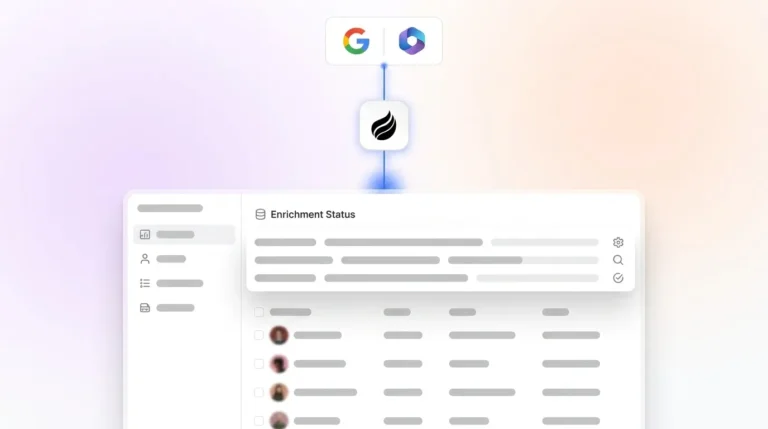
Pipeline automation platforms need deep HubSpot integration so emails and meetings log automatically, which reduces manual entry while keeping processes consistent. Many tools still depend on reps to interpret unstructured conversations and update fields. Agent-based automation solves that gap. Coffee’s autonomous agent connects to Google Workspace or Microsoft 365, scans emails and calendars, auto-creates contacts and companies, logs last and next activity, and writes enriched insights such as BANT, MEDDIC, or SPICED qualification data extracted from call transcripts into HubSpot deals. Coffee’s Stripe integration, launched in January 2026, automatically imports customers, enriches them, and marks deals as Closed Won based on payment data, which removes an entire category of manual close-date updates that distort forecasts.

Eliminate manual data entry with Coffee’s autonomous agent and keep HubSpot fields complete without adding admin work.
Pipeline Change Tracking: HubSpot Board vs Coffee Compare
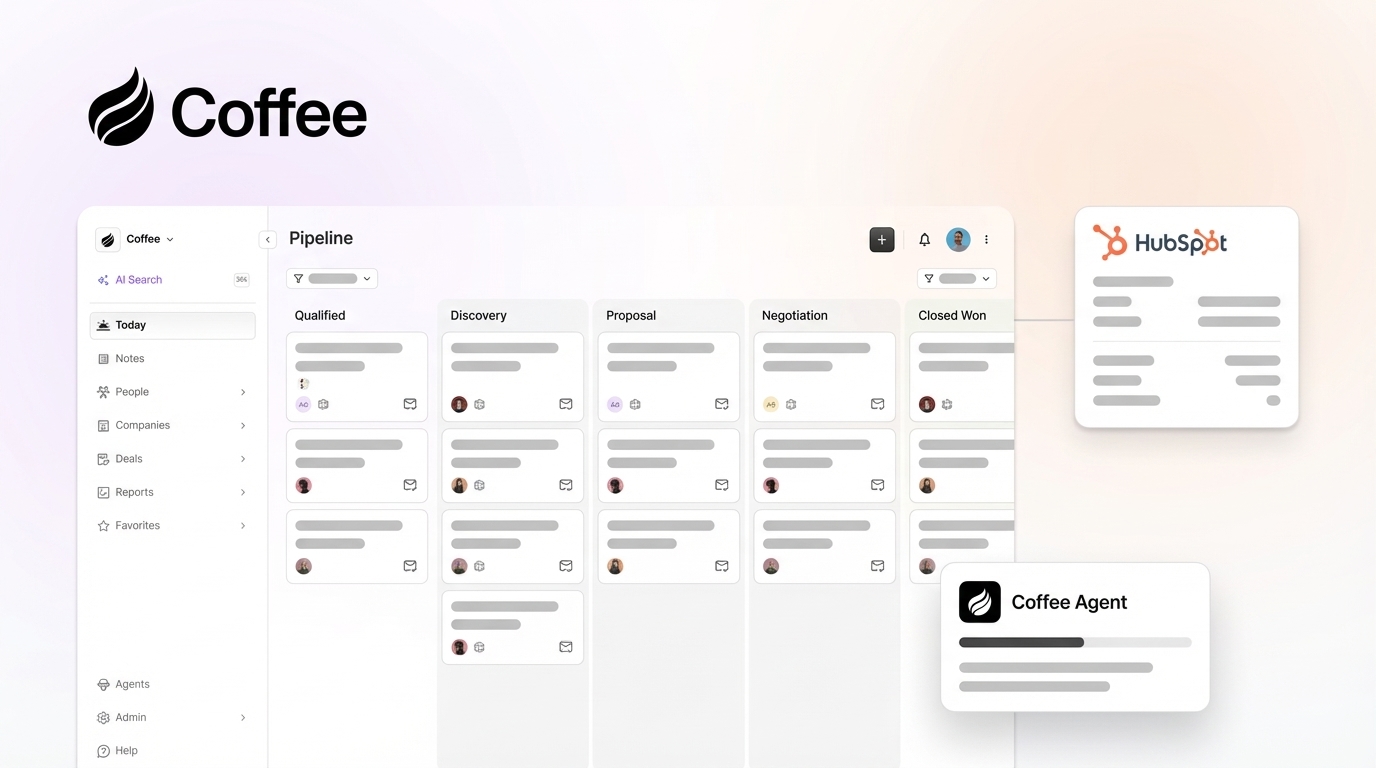
HubSpot’s native pipeline board offers a kanban view with deal records and activity timelines. Week-over-week change tracking, however, usually requires manual CSV exports or Operations Hub workflows. Coffee’s Pipeline Compare feature visualizes week-over-week changes automatically, highlighting progressed deals, stalled opportunities, and new additions. The agent captures history in a built-in data warehouse rather than a flat relational database that overwrites prior states. The table below shows how this architectural difference affects accuracy, forecasting, and daily operations.
| Metric | Native HubSpot | Coffee Companion App |
|---|---|---|
| CRM data accuracy (industry baseline) | Below 50% of records accurate (Validity 2025) | Agent writes from emails, calendars, transcripts, unifying structured and unstructured data |
| Forecast accuracy range | Near median baseline of 70–80% accuracy | Targets 85%+ accuracy through enforced data completeness |
| Week-over-week pipeline compare | Manual CSV export or Operations Hub workflow required | Automated compare; built-in data warehouse tracks all changes |
| Depth of CRM updates | Native workflows update structured fields when humans trigger actions | Agent updates qualification fields and activity logs continuously |
How Coffee Connects to HubSpot and Your Stack
Coffee runs as a Companion App on top of existing HubSpot Sales Hub Professional or Enterprise instances, so teams keep their current CRM. The integration follows a clear checklist.

- Authentication: Connect Coffee to HubSpot via OAuth. The agent receives read and write access to contacts, companies, deals, and activity objects.
- Email and calendar sync: Connect Google Workspace or Microsoft 365. The agent immediately starts scanning for contacts, meetings, and interactions to log.
- Data-sync scope: Define which pipelines and deal stages the agent monitors. Set required fields as agent-enforced gates.
- Intelligence configuration: Coffee’s Intelligence layer, launched February 2026, lets teams define business model, ICP, product details, and competitors so the agent delivers tailored insights.
- Agent write-back activation: Enable the agent to record BANT, MEDDIC, or SPICED data, meeting summaries, and next steps in HubSpot deal properties after every call.
- Pipeline Compare setup: Turn on week-over-week visualization so the agent surfaces stalled-deal alerts and progression changes inside HubSpot.
Coffee’s AI search on deals, released January 2026, answers natural-language prompts such as “Which deals are stuck in negotiation?” or “What is closing this month?” directly inside the interface. Pipeline reviews shift from interrogation sessions to focused strategy conversations.

Clari vs Coffee for HubSpot-Centric Teams
Clari is a long-standing revenue intelligence platform that analyzes deal progression, rep activity, and historical win patterns to improve forecast accuracy beyond manual CRM-based methods. For large enterprise teams with dedicated RevOps administrators, it remains a strong option. For 20-to-100-person teams that run their business on HubSpot, Clari’s implementation effort and cost structure often create friction that Coffee avoids.
| Criterion | Coffee Companion App | Clari |
|---|---|---|
| Implementation effort | OAuth connection plus email and calendar sync, agent operational the same day | Multi-week implementation that typically needs a dedicated admin or consultant |
| Pricing model | Seat-based pricing with agent labor included and no consumption metering | Enterprise contracts that are not publicly listed and usually reach five-figure annual spend |
| Depth of HubSpot updates | Agent enriches deal properties, qualification data, and activity logs automatically | Reads from and syncs with CRM, with write depth depending on configuration |
| Target team size | 20–100-person teams committed to HubSpot | Mid-market to enterprise organizations with higher complexity |
The table above highlights differences in implementation and pricing. The operational contrast becomes sharper when you look at specific features. On week-over-week visualization, Clari provides roll-up views and waterfall charts that assume CRM data is already clean. Coffee’s agent creates that clean data first, so Pipeline Compare becomes a natural output of continuous updates rather than a separate analytics layer. For stalled-deal alerts, Coffee surfaces notifications inside existing HubSpot workflows, which avoids the parallel-tool fatigue that appears when reps must log into another platform.
Compare Coffee to Clari for your HubSpot setup and choose the fit that matches your team size and admin capacity.
Best-Fit Use Cases for Coffee’s Agent
20-person teams: A 20-person company on HubSpot Sales Hub Professional usually has one RevOps generalist or a sales leader handling operations. For this single resource, manual data hygiene can consume 30–40% of working time. That time could support strategy, enablement, and process design instead. Coffee’s agent removes the hygiene burden by auto-creating contacts, logging activities, and recording qualification data, which frees the ops owner to focus on higher-value work. Clari’s implementation complexity and cost structure typically require support that 20-person teams do not have.
100-person teams: At 100 seats, forecast variance directly affects board-level revenue confidence. Gartner estimates that poor data quality costs organizations an average of $12.9 million annually. A 100-person team needs an agent that enforces data standards across many reps and pipelines, flags stalled deals before they skew the quarter, and delivers pipeline compare views managers can act on without exports. Coffee’s seat-based pricing scales in a predictable way and avoids lengthy enterprise contract negotiations.
Decision Framework for Choosing HubSpot Forecasting Tools
Use this three-part scoring model to decide whether native HubSpot, a forecasting layer, or an autonomous agent fits your team. Score each dimension from 1 to 3, where 1 represents a low burden or gap and 3 represents a high burden or gap.
| Dimension | Score 1 | Score 2 | Score 3 |
|---|---|---|---|
| Data-hygiene burden | Fields mostly complete and reps log consistently | Partial logging with some fields blank regularly | Below industry baseline for CRM accuracy (see Validity data above) |
| Forecast accuracy gap | Within 10% of actuals most quarters | Missing by 10–20% most quarters | Missing by more than 20%, below the median accuracy range noted earlier |
| Appetite for agent automation | Preference for native tools only | Open to a lightweight add-on | Ready for an autonomous agent that updates HubSpot directly |
Score 3–5: Native HubSpot with disciplined workflow configuration can usually close the remaining gap. Score 6–7: A third-party forecasting layer such as Forecastio or Clari adds analytical intelligence but still depends on human data entry. Score 8–9: Coffee fits teams that need to remove the data-entry problem at the source, maintain clean HubSpot records, and approach 85%+ forecast accuracy without spreadsheets or extra headcount. This combination of autonomous updates, unstructured data processing, and week-over-week pipeline compare aligns with all three dimensions of the framework.
Frequently Asked Questions
How long does it take to implement Coffee on top of HubSpot?
Coffee connects to HubSpot via OAuth and to Google Workspace or Microsoft 365 through a standard authentication flow. Most teams are operational the same day. The agent begins scanning emails and calendars immediately after authentication and starts populating deal records without manual data migration. There is no multi-week implementation project, no dedicated administrator required, and no disruption to existing HubSpot pipelines or workflows.
Is Coffee SOC 2 and GDPR compliant?
Yes. Coffee is SOC 2 Type 2 certified and GDPR compliant. Customer data is not used to train public AI models. For teams in regulated industries or those with data residency requirements, Coffee’s security posture matches the standards expected by mid-market buyers without forcing a multi-year security review.
Does Coffee use Zapier to sync with HubSpot, or is it a native integration?
Coffee’s HubSpot Companion App uses a direct OAuth-based integration that lets the agent read and update HubSpot contacts, companies, deals, and activity objects natively. Zapier remains available for connecting Coffee to additional tools in the broader stack where deeper roadmap integrations are not yet live. For core HubSpot updates such as logging activities, updating deal properties, and recording qualification data, the native integration handles everything without Zapier middleware.
How does Coffee handle HubSpot required fields and forecasting roll-ups?
Coffee understands HubSpot’s required field architecture, deal stage gates, and forecasting roll-up logic. The agent enforces required fields such as close date, deal amount, next step, and key contacts by extracting structured values from emails, call transcripts, and meeting notes, then writing them into the correct HubSpot properties. Forecasting roll-ups then reflect real pipeline state instead of blank or stale fields. Unlike newer CRM alternatives that lack this depth, Coffee is built to operate inside HubSpot’s quota, forecasting, and required-field framework.
How quickly will forecast accuracy improve after deploying Coffee?
Data quality improves on day one because the agent starts logging activities and enriching deal records immediately. Forecast accuracy improves as the clean dataset grows. Teams usually see measurable variance reduction within the first 30 days as stale and missing fields get filled. The 85%+ accuracy benchmark reflects sustained agent operation across a full pipeline cycle and aligns with industry findings that show accuracy gains soon after data hygiene improves.
Conclusion: Turning HubSpot Into a Reliable Forecasting System
Native HubSpot forecasting still behaves like a garbage-in, garbage-out system. No Gartner source confirms a 30% forecast accuracy gain; Salesforce reports that companies with CRM data completeness above 85% achieve 22% higher forecast accuracy than those below 60%. HubSpot alone cannot raise its own data completeness, because reps rarely keep every field current. Breeze AI, the April 2026 Sales Workspace, and native pipeline cards all help, yet they remain constrained by whatever data humans enter.
Coffee’s autonomous agent removes that constraint. It continuously writes clean, structured, enriched data into HubSpot from emails, calendars, call transcripts, and financial systems so every forecast, pipeline compare view, and stalled-deal alert reflects ground truth. For 20-to-100-person teams already committed to HubSpot, Coffee turns the CRM from a passive database into a dependable forecasting engine without replacing HubSpot, hiring extra RevOps headcount, or accepting another quarter at 60% accuracy.
Reach 85%+ forecast accuracy with Coffee and treat HubSpot as a source of truth instead of a partial snapshot.