
Written by: Doug Camplejohn, CEO & Co-Founder, Coffee | Last updated: July 8, 2026
Key Takeaways for Choosing a Lightfield.app Alternative
- AI-native CRMs in 2026 focus on autonomous data capture that removes manual entry and unifies records with emails and call transcripts.
- This comparison evaluates automatic data entry quality, meeting intelligence, pipeline visibility, Salesforce/HubSpot integration, visitor identification, pricing, team-size fit, and admin load.
- Coffee is the only platform that works as both a full standalone CRM and a companion layer for Salesforce or HubSpot, with deep integration and native visitor ID.
- Coffee’s agent auto-creates contacts, enriches records, logs activities, and structures meeting notes using BANT and MEDDIC, reclaiming 8–12 hours per week.
- Explore Coffee’s flexible deployment options to streamline your CRM workflow — see Coffee pricing.
Evaluation Criteria for 2026 AI CRMs
Eight criteria frame this comparison:
- Automatic data entry quality: How completely the platform captures contacts, activities, and deal state without human input.
- Meeting intelligence: How well the tool records, transcribes, summarizes, and extracts action items from calls.
- Pipeline visibility: Whether managers see week-over-week changes without CSV exports or manual updates.
- Salesforce/HubSpot integration depth: Whether the platform handles required fields, forecasting hierarchies, and permission models, not just surface-level sync.
- Visitor identification: Whether the tool resolves anonymous website traffic to named individuals.
- Pricing transparency: Whether pricing is seat-based and predictable or consumption-metered and opaque.
- Team-size fit: Whether the tool is tuned for 1–20 seats, 20–200 seats, or enterprise.
- Administrative burden: How much ongoing maintenance the platform imposes on RevOps.
The benchmarks anchoring these criteria are significant. A Gartner study released at the May 2026 CSO & Sales Leader Conference found AI tools save sellers an average of 4.8 hours per week. Cirrus Insight’s AI Meeting Prep can save reps time through automated pre-call intelligence gathering. One Clarify customer (Sift) reports a 90% reduction in CRM admin time from its ambient intelligence architecture. With these benchmarks in mind, the next section compares how each platform performs across the eight criteria.
See pricing for Coffee’s standalone CRM and Salesforce/HubSpot companion.
Side-by-Side Comparison of Lightfield.app and Alternatives
| Tool | Automatic Data Entry | Meeting Intelligence & Transcripts | Salesforce/HubSpot Integration Depth | Visitor ID & Pipeline Visibility |
|---|---|---|---|---|
| Lightfield.app | Email/calendar sync, limited enrichment | Basic transcript capture, no methodology structuring | Surface-level sync, no forecasting hierarchy support | No native visitor ID, manual pipeline review |
| Attio | AI-first record enrichment and action triggering built into core data model, requires separate tools for outbound and enrichment | No native meeting bot, relies on third-party integrations | CRM-only platform, no companion mode for Salesforce/HubSpot | No native visitor ID, Universal Context keeps semantic embeddings in sync with CRM data |
| Clarify | Ambient intelligence auto-updates pipeline without human intervention; one customer reports a 90% reduction in CRM admin time | Records via Zoom/Meet/Teams, extracts goals, pain points, stakeholders, objections | Limited integration depth, not built for Salesforce forecasting hierarchies or required fields | No native visitor ID, pipeline updates automated but visibility limited to Clarify’s own UI |
| Day.ai | Unstructured data focus (emails, notes), limited structured enrichment | Productivity-oriented summaries, no sales methodology structuring (BANT/MEDDIC) | Basic integrations, not designed for mid-market Salesforce/HubSpot complexity | No native visitor ID, pipeline visibility limited |
| Coffee | Agent auto-creates contacts, enriches records (titles, funding, LinkedIn), logs all activity from Google Workspace/Microsoft 365, saves 8–12 hours per week | Native meeting bot with sales methodology structuring (BANT, MEDDIC, SPICED) | Deep companion mode that syncs, enriches, and writes back to Salesforce/HubSpot, including required fields and forecasting; standalone CRM also available | Native visitor ID pixel resolves anonymous traffic to named individuals with Suggested Leads, companies using visitor ID with automated follow-up achieve 3–5x more pipeline from existing traffic, Pipeline Compare shows week-over-week changes without exports |
Automatic CRM Updates and Setup Effort
Setup effort reveals a clear gap between these platforms. Attio requires teams to adopt separate enrichment and outbound tools, since it functions as a CRM-only platform. Clarify’s ambient architecture reduces setup friction for net-new deployments but offers limited depth when connecting to established Salesforce orgs with custom objects and required fields. Day.ai focuses on unstructured productivity data and does not support structured pipeline management at scale.
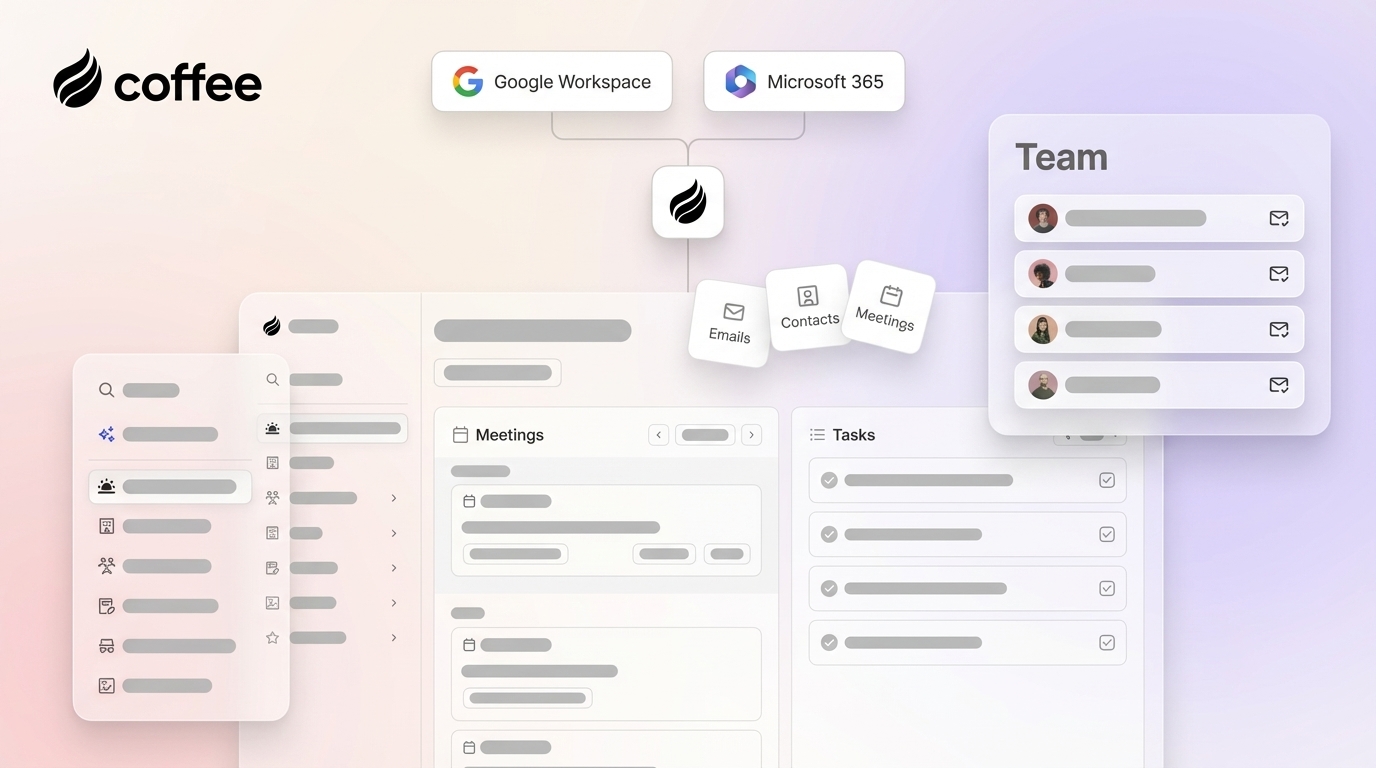
Coffee connects to Google Workspace or Microsoft 365 with a single authentication step. The agent immediately scans emails and calendars to auto-create contacts and companies, enriches records with job titles, funding data, and LinkedIn profiles through licensed data partners, and logs last and next activity autonomously. Sales reps spend approximately 24 hours per week on non-revenue tasks including data entry, scheduling, and follow-ups, and Coffee’s agent reclaims much of that time without forcing reps to change behavior. The average sales rep spends over 5 hours per week updating CRM data manually, with CRM information often going stale within a month. Coffee’s continuous agent loop keeps records fresh from the start.

AI Conversation Understanding and Meeting Intelligence
Transcript quality separates tools that capture words from tools that capture meaning. AI meeting and call summarization can save reps time on note-taking and data entry and provide managers with visibility into conversation quality.
Clarify’s ambient intelligence extracts goals, pain points, stakeholders, and objections and updates pipeline stages automatically, which works well for standalone deployments. Lightfield.app and Day.ai offer basic transcript capture without sales methodology structuring. Attio has no native meeting bot.
Coffee’s meeting bot joins Zoom, Teams, and Meet calls, then generates post-call summaries, identifies next steps, and drafts follow-up emails in Gmail for rep review. The agent builds on the methodology structuring highlighted in the comparison table and ensures qualification data enters the system in a consistent, queryable format. This consistency turns transcripts into an intelligence layer that improves forecast accuracy. Teams using AI forecasting can reduce forecast variance after model tuning.

Founder Relationships and Pipeline Visibility
Early-stage teams managing investor and customer relationships face a high risk of context loss. Legacy relational databases lose historical context permanently when fields are updated. Attio’s Universal Context addresses this for its own data model, but it does not extend to Salesforce or HubSpot records.
Coffee’s built-in data warehouse retains full interaction history. The Pipeline Compare feature visualizes week-over-week changes, including progressed deals, stalled opportunities, and new additions, without CSV exports or manual preparation. Pipeline reviews shift from interrogation sessions into strategic discussions. This capability exists in both the standalone CRM and the companion mode, so teams already on Salesforce gain the same visibility layer without migrating their system of record.

Eliminate manual pipeline reviews with Coffee’s Pipeline Compare feature.
Team-Size Fit and Integration Reality
Platform fit diverges sharply by team size and existing infrastructure:
- 1–20 employees (founders, early sales hires): Coffee’s standalone CRM suits teams that have outgrown spreadsheets but find HubSpot or Pipedrive to be expensive manual chores. Lightfield.app and Day.ai also target this segment but lack enrichment depth and visitor identification.
- 20–100 employees (growing sales teams): Clarify suits teams building net-new CRM infrastructure. Coffee’s standalone CRM scales into this range with pipeline intelligence and list-building via natural language commands.
- Teams committed to Salesforce or HubSpot: Coffee’s companion model has no direct equivalent among the alternatives. Switching from Salesforce to a custom CRM becomes cost-effective around 25–35 agents. Coffee deploys as an intelligent layer that handles data in, auto-enriches records, logs activities, and writes back insights without migration. Clarify and Day.ai lack the integration depth to handle Salesforce forecasting hierarchies, required fields, and permission models reliably.
73% of sales teams report tool overlap wasting $2,340 per rep per year in redundant spend. Coffee consolidates the jobs of CRM, enrichment, recording, forecasting, and visitor identification into one agent, which reduces both cost and the integration maintenance that grows with every additional tool.
Operational Considerations, Risks, and Limits
No platform removes all operational overhead. These considerations shape how each option performs in practice:
- Agent reliability: Multi-agent AI systems can fail in production, often due to coordination issues rather than model limitations. Evaluating any AI CRM requires testing agent reliability under real workloads, not just demos.
- Data hygiene prerequisites: Even reliable agents depend on clean input data. Key CRM fields should be populated before AI tools deliver reliable results. Teams migrating from spreadsheets should plan a data preparation phase before expecting full agent performance.
- Integration maintenance: Pre-built connectors between sales platforms typically sync on fixed schedules rather than in real time, which introduces delays between actions and their CRM reflection. Coffee’s companion mode uses bidirectional sync with write-back to reduce this lag.
- Change management: Big-bang deployment across an entire team creates too many variables and change-management load, while ignoring adoption leads reps to route around tools quietly. Phased rollouts with clear rep-facing value reduce this risk.
- Scalability ceiling: Coffee does not target large enterprises with complex custom workflows or heavily regulated industries requiring multi-year security reviews. Its ideal customer profile is small to mid-market.
Decision Framework for Selecting a Lightfield.app Alternative
Match your constraints to the appropriate path:
- No existing CRM, 1–20 seats, want zero admin: Coffee standalone CRM. Lightfield.app works as an alternative when enrichment depth is not a priority.
- No existing CRM, 20–100 seats, want ambient automation: Coffee standalone or Clarify. Review each integration roadmap carefully if Salesforce adoption is likely within 12 months.
- Already on Salesforce or HubSpot, poor data quality, low adoption: Coffee companion mode. No migration is required, and the agent writes clean data back to the existing system of record.
- Need visitor identification integrated with CRM: Coffee is the only platform in this comparison with native visitor ID that resolves anonymous traffic to named individuals and surfaces Suggested Leads matched to a buyer persona. 98% of B2B website visitors leave without filling out a form, representing a typical seven-figure annual revenue leak for companies generating 10,000 monthly visits.
- Attio fit: Teams that want an AI-first data model and feel comfortable assembling separate tools for enrichment, outbound, and meeting intelligence.
Frequently Asked Questions
How long does implementation typically take for AI-native CRMs in 2026?
Implementation timelines vary by platform and existing infrastructure. Standalone AI-native CRMs like Coffee activate after connecting Google Workspace or Microsoft 365, and the agent begins auto-creating contacts and logging activity. Companion deployments on Salesforce or HubSpot require an authentication step and field-mapping configuration that depends on the complexity of the existing org. Platforms that require custom object mapping or bidirectional sync testing with legacy CRMs may take several weeks. Teams migrating from spreadsheets should budget additional time for data preparation, since key fields must be populated before AI tools deliver reliable scoring and forecasting.
What is the migration effort when moving from spreadsheets or legacy CRMs?
Migration effort depends on data volume, field consistency, and whether the destination platform is standalone or companion. Moving from spreadsheets to a standalone AI CRM like Coffee involves relatively low friction, because the agent begins enriching and structuring data from connected email and calendar immediately and reduces reliance on imported historical records. Migrating from a legacy CRM like Salesforce to a net-new standalone platform is more complex, since custom objects, workflow automations, and historical activity logs must be mapped or rebuilt. Coffee’s companion model avoids this entirely, because the existing Salesforce or HubSpot instance remains the system of record and the Coffee agent layers on top without data migration.
How does automatic data quality compare with dedicated enrichment tools?
AI-native CRMs with built-in enrichment, including Coffee, provide data quality roughly on par with dedicated enrichment tools like Apollo or ZoomInfo for most small-to-mid-market use cases. Coffee enriches records with job titles, funding data, and LinkedIn profiles via licensed data partners, which removes the need for a separate enrichment subscription. Dedicated enrichment tools mainly offer broader databases for enterprise prospecting at scale. For teams running multiple tools per SDR, consolidating enrichment into the CRM agent can reduce stack complexity and the integration maintenance that accompanies each additional vendor.
Which platforms meet SOC 2 and GDPR requirements for mid-market teams?
Coffee is SOC 2 Type 2 and GDPR compliant, and customer data is not used to train public models. Mid-market teams evaluating any AI CRM should verify bidirectional sync testing, field mapping documentation, permissions configuration, GDPR legal basis documentation, data minimization practices, data residency via Standard Contractual Clauses, and subject rights handling before deployment. Heavily regulated industries such as healthcare and financial services should conduct a full security review regardless of vendor certifications, because multi-year compliance processes may exceed the capabilities of any AI-native CRM in this comparison.
How should a 5-person versus 25-person sales team evaluate fit?
A 5-person team, typically founders and early hires, needs zero-configuration automation, fast time-to-value, and a system that does not require a dedicated RevOps resource to maintain. Coffee’s standalone CRM fits this profile, since the agent handles data entry, meeting notes, and pipeline visibility from day one. A 25-person team faces different constraints, including existing CRM investments, defined sales methodologies, and a RevOps function managing data quality. For this profile, Coffee’s companion mode on Salesforce or HubSpot delivers agent-led automation without disrupting the existing system of record. Clarify suits 25-person teams building net-new infrastructure, but its limited Salesforce integration depth creates risk for teams expecting to scale into enterprise CRM complexity within 12 to 18 months.
Conclusion: Choosing the Right AI CRM Agent in 2026
The 2026 CRM market has moved past debating whether AI belongs in a CRM. The real decision now centers on whether the AI acts as a passive suggestion engine or an active agent that handles the work. Lightfield.app, Attio, Clarify, and Day.ai each address parts of the problem, yet none operate as both a full standalone CRM and a companion layer on Salesforce or HubSpot. Coffee is the only platform in this comparison that delivers good data in and good data out across both deployment models, capturing structured and unstructured data through an autonomous agent, surfacing named website visitors with Suggested Leads, and writing clean intelligence back to whatever system of record a team already owns. For Heads of Sales and RevOps leaders who need to stop acting as data-entry clerks without ripping out existing infrastructure, that dual model becomes the deciding factor.
Explore Coffee’s flexible deployment options for your team size.


