Written by: Doug Camplejohn, CEO & Co-Founder, Coffee | Last updated: July 24, 2026
Key Takeaways for Small Sales Teams
- Agent-based CRM automation captures every interaction from email, calendar, calls, and website visits automatically, so reps stop doing manual data entry while managers still get structured history and accurate pipelines.
- Bitrix24 consumes a large share of rep time because its automation is limited and still relies on humans to keep data current.
- Traditional CRMs like HubSpot, Zoho, and Pipedrive still depend on manual data entry, which creates incomplete records, shadow CRMs, and long setup cycles before teams see value.
- Coffee’s autonomous agent connects to Google Workspace or Microsoft 365 and immediately starts populating contacts, companies, activities, and pipeline updates, returning 8–12 hours per rep per week.
- Ready to reclaim those hours for selling instead of admin? Start a Coffee trial and see the agent in your stack →
How Bitrix24 Burns Rep Time on Admin Work
B2B sales reps spend an average of 11.5 hours per week on CRM input, which equals roughly 29% of a full working week. Salesforce’s State of Sales data shows only 34% of rep time goes to actual selling, with the rest spent on admin, meetings, and searching for information.
For a 5-rep B2B sales team, that 11.5 hours per rep becomes 57.5 hours of collective CRM input every week. Those hours produce no customer conversations, no proposals, and no closed deals. Small teams feel that loss immediately in slower pipeline movement and fewer new opportunities.
Bitrix24 amplifies this problem by design. Automation could handle a large portion of CRM updates and keep the system accurate, yet the platform still expects humans to supply most of that input. When reps do not record work in the system, visibility stays partial, and the platform can centralize a workflow but cannot capture what the team never logs.
Where Bitrix24 Automation Breaks Down for Small Teams
Bitrix24’s automation limits come from its structure, not from a few missing features.
- The free plan provides only a small set of automations and CRM pipelines, so teams hit ceilings quickly.
- Advanced automation capabilities sit behind higher tiers, which raises cost before value appears.
- Automations can struggle with contact information updates, so data quality still depends on manual checks.
- The large feature set creates a complex interface that is hard to configure without dedicated IT support, often pushing teams toward certified integrators.
- A typical Bitrix24 implementation takes 5 to 10 weeks, depending on project scope and integration complexity.
Too many alerts, rigid rule chains, and overlapping workflows make the system harder to use. Teams start ignoring notifications, move conversations into email or chat, or bypass the process entirely. Shadow CRMs in spreadsheets and Notion then become the real workspace.
How We Compare Bitrix24 and Modern CRMs in 2026
The 2026 CRM market splits into two clear architectures: passive databases that store data humans enter, and agent-based systems that capture data autonomously. For 5–20 person teams without dedicated ops staff, the criteria that decide whether a CRM saves time or creates work are simple.
- Data capture method (manual vs autonomous)
- Setup and onboarding time
- Ongoing maintenance burden
- User adoption friction
- Automation depth
- Total cost of ownership
These six dimensions directly affect the 8–12 hours per week that reps either spend feeding the system or win back for selling.
Bitrix24 vs Agent CRMs: What Really Differs
The fundamental architectural difference is data capture. HubSpot, Zoho, and Pipedrive still require manual entry for core records, with AI features layered on top at higher tiers. Clarify offers automatic contact enrichment from emails and calendars but still expects manual activity logging. Coffee’s autonomous agent captures contacts, companies, activities, and pipeline updates with no manual input required.

The table below evaluates five platforms across the remaining criteria. Every pricing figure reflects 2026 published rates, and AI-agent maturity reflects documented capabilities, not roadmap claims.
| Criterion | HubSpot | Zoho CRM | Pipedrive | Clarify | Coffee |
|---|---|---|---|---|---|
| Setup Time | 1–5 days at lower tiers, with complexity rising at Professional and Enterprise | Several days to weeks | About 30 minutes to a working sales pipeline | Days to weeks, with limited documentation for complex stacks | Connect Google Workspace or Microsoft 365, and the agent begins populating records immediately |
| Maintenance Burden | Regular maintenance and data cleaning required for small teams | Moderate, because Zia automates some updates but core record hygiene stays manual | Low to moderate, since pipeline stages still need manual advancement | Low for basic use, but integration gaps raise effort for established stacks | Agent handles enrichment, activity logging, and pipeline updates autonomously, saving 8–12 hours per rep per week |
| User Adoption | Adoption takes several weeks with moderate admin dependency | Adoption takes several weeks with moderate-to-high admin dependency | Adoption often completes within a few weeks with straightforward onboarding | Fast for small teams, with higher risk for complex existing stacks | Reps work with a co-pilot instead of a data-entry form, so shadow-CRM risk stays low because the agent does the logging |
| Automation Depth | Breeze Agents automate workflows, interact with customers, and filter leads | Zia Agent Studio offers 700+ built-in actions in a no-code prompt-based environment | AI acts as a digital teammate for communication and workflow optimization | AI enrichment and relationship intelligence, with limited automation depth outside the native stack | Autonomous meeting briefings, call recording, post-call summaries, follow-up drafts, pipeline compare, visitor ID with Suggested Leads, and List Builder via natural language |
| 2026 Pricing (per user/month) | Free plan, with paid tiers from $20 per user per month | From $14 per user per month | Paid plans from about $14 per user per month | Contact vendor for current pricing | Seat-based pricing with agent labor included at no extra metering cost, as detailed on Coffee pricing |
Compare Coffee’s pricing to your current CRM cost →
Setup and Onboarding Trade-offs for Small Teams
The most common implementation slip for SMB teams is workflow setup. Building automations often takes longer than selecting and configuring the CRM platform itself. For 5–20 person teams without dedicated ops staff, that delay becomes a real risk.
- HubSpot: Estimated annual time cost for small teams at a $100 per hour valuation reaches $15,000–$25,000 due to setup, maintenance, and data cleaning.
- Zoho: Adoption can take several weeks with moderate-to-high admin dependency.
- Pipedrive: Teams can reach a working sales pipeline in about 30 minutes, yet pipeline stages still require manual advancement.
- Coffee: Authentication to Google Workspace or Microsoft 365 triggers immediate autonomous data population, so no workflow configuration sprint is needed before the agent starts working.
Small teams without ops staff often spend days configuring custom pipeline stages and fields in generic CRMs. They then discover the system still does not match their workflow, which creates labor before any value appears.
Data Capture, Data Quality, and Maintenance Burden
Industry research shows CRM data quality problems are systemic. Salesforce estimates that 91% of CRM data is incomplete, and 70% of that data deteriorates and becomes inaccurate each year. Validity’s 2025 State of CRM Data Management survey found that 76% of organizations say more than half of their CRM data is inaccurate and incomplete, and 37% of users report direct revenue loss from poor data quality. These figures highlight the core flaw of passive databases that depend on already overloaded humans.
Coffee’s autonomous agent fixes this at the source. After connecting to Google Workspace or Microsoft 365, the agent scans emails and calendars to auto-create contacts and companies, enriches records with job titles, funding data, and LinkedIn profiles, and logs last and next activity without any rep input. CRM auto-enrichment and data entry automation deliver the highest ROI, reclaiming 5–8 hours per week per rep with field-level accuracy typically above 85% for B2B records. Combined with meeting automation, this delivers the 8–12 hours per week mentioned earlier, which teams can now spend on selling instead of data entry. Coffee is SOC 2 Type 2 and GDPR compliant, and data is not used to train public models.

Frontline Usability and Manager Pipeline Visibility
Many CRM implementations miss their goals because people do not adopt the system, even when the technology works as designed. Low adoption, not missing features, usually kills value.
CRM adoption averages 67.9% overall and reaches 91% among mid-size companies and those with 10 or more employees. The sharpest drop-off appears in teams of four or five people that sign up for tools like HubSpot or Pipedrive and then watch the system drift into stale data within about six weeks.
When reps stop logging activity, managers lose pipeline visibility and fall back to spreadsheet exports. Coffee’s Pipeline Compare feature shows week-over-week changes automatically, highlighting progressed deals, stalled opportunities, and new additions without any manual CSV export. Coffee’s AI search on deals, released in January 2026, answers natural-language questions such as “Which deals are stuck in negotiation?” or “What is closing this month?” so managers can get answers without interrogating reps.

Integration Complexity and Long-Term Flexibility
Additional integrations beyond the original scope of a CRM project can add weeks to the implementation timeline. For small teams, each extra point solution for enrichment, recording, or forecasting multiplies cost and complexity.
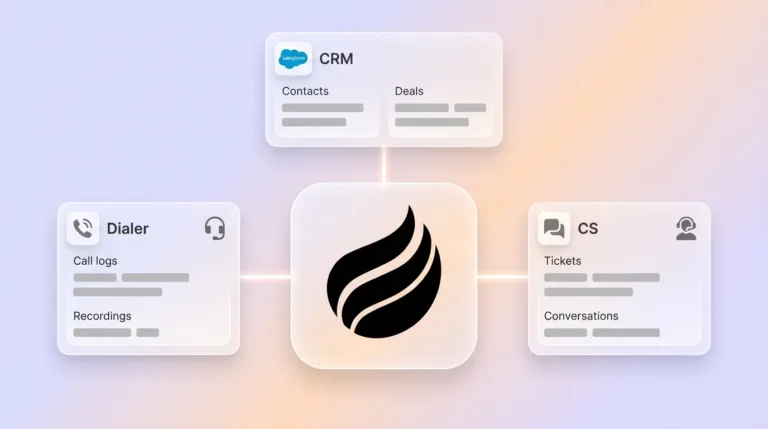
Coffee consolidates the work of several tools, including CRM, enrichment, call recording, meeting summaries, pipeline forecasting, and website visitor identification. Current integrations run through Zapier, and deeper native integrations sit on the roadmap. For teams already committed to Salesforce or HubSpot, Coffee can deploy as a Companion App that authenticates once and writes enriched data back to the existing system of record without replacing it.
Coffee’s Stripe integration, launched in January 2026, automatically imports customers and companies, enriches them, and adds paid invoices to deals as Closed Won. A QuickBooks integration launched in February 2026 automatically syncs invoices and payment statuses, giving teams real-time revenue visibility inside the CRM.
Best-Fit Use Cases by Team Type
- 1–20 employees, outgrowing spreadsheets: Coffee Standalone CRM. The agent handles all data entry from day one, so no ops hire is required.
- Growing sales orgs committed to Salesforce or HubSpot: Coffee Companion App. The agent feeds clean data into the existing system without disrupting quotas, forecasting, or required fields.
- Teams needing broad feature coverage at low cost: Zoho CRM or Pipedrive. Both provide capable toolsets, but manual data entry remains a daily task.
- Teams already deep in the HubSpot ecosystem: HubSpot with Breeze Agents. Automation depth increases, yet setup and maintenance costs stay high for small teams without ops staff.
Change Management, Training, and Data Hygiene
Employee resistance to CRM systems is common during adoption. Staff used to spreadsheets or email often worry that a new system will complicate workflows or demand extensive training.
Agent-based CRMs reduce this friction by removing the main source of resistance: mandatory data entry. When the agent logs the call, drafts the follow-up, and updates the pipeline stage, reps have no chore to resist. AI contact creation and enrichment can cut manual data entry by up to 90% by auto-updating records from emails and calls.
Risks, Limits, and Common Misconceptions
- Hidden maintenance in “automated” CRMs: Traditional CRM automation follows fixed if-then rules and cannot adapt to shifts in tone or urgency mid-conversation, infer meaning from customer statements, or spot deal-stalling behavior. Rule-based automation is not the same as agent-based automation.
- Overbuying on features: Small businesses sometimes build enterprise-grade process architecture before they need it. That choice raises maintenance effort and kills adoption.
- Agent washing: Gartner’s 2026 trends warn that many vendors label rule-based automation as agentic AI. Teams need to test whether the system truly acts on its own.
- Coffee’s current limits: Integrations currently run through Zapier, and Coffee does not suit large enterprises with complex custom workflows or heavily regulated industries that require multi-year security reviews.
Decision Framework: Match Your Team to the Right CRM
| Team Profile | Manual Work Tolerance | Existing Stack Commitment | Recommended Option |
|---|---|---|---|
| 1–20 employees, no CRM yet | Zero, want the agent to handle all entry | Google Workspace or Microsoft 365 | Coffee Standalone CRM |
| 5–50 employees, on Salesforce or HubSpot | Low, want clean data without replacing the CRM | Salesforce or HubSpot (committed) | Coffee Companion App |
| 5–20 employees, budget-constrained | Moderate, willing to log some activities manually | None or light | Pipedrive or Zoho CRM |
| 10–50 employees, HubSpot ecosystem | Moderate, want AI features inside the existing platform | HubSpot (deep) | HubSpot with Breeze Agents |
| Teams needing Salesforce or HubSpot depth without enterprise cost | Low, want autonomous data capture on top of the current system | Salesforce or HubSpot | Coffee Companion App |
Find your team profile and check Coffee’s fit →
Frequently Asked Questions
How long does Coffee implementation take for a 10-person team?
Implementation for a 10-person team usually starts the same day. Connecting Google Workspace or Microsoft 365 triggers the Coffee agent to scan emails and calendars immediately and auto-create contacts and companies without a long configuration sprint. Traditional CRMs often need weeks of workflow setup before they deliver value. Coffee’s agent starts populating the system of record from the first authenticated session, so most teams reach a fully operational pipeline within days instead of weeks.
What is the migration effort from Bitrix24?
Migration from Bitrix24 involves exporting existing contact, company, and deal records and importing them into Coffee. Coffee’s agent then enriches imported records by appending job titles, LinkedIn profiles, and funding data from licensed data partners, so the quality of migrated data usually improves within the first 30 days without manual cleanup. The main migration task is field mapping, which Coffee’s onboarding process guides teams through. Small businesses do not need a certified integrator or dedicated IT support to complete the migration.
Is Coffee’s agent data secure for small-business use?
Coffee is SOC 2 Type 2 and GDPR compliant, and data processed by the Coffee agent is not used to train public AI models. For small businesses handling customer communications, deal data, and financial records, this means the agent operates under the same security standards enterprise buyers expect, without the multi-year review cycles those buyers face. The SOC 2 Type 2 certification covers controls for data access, availability, and confidentiality across Coffee’s infrastructure.
How does seat-based pricing scale as the team grows?
Coffee uses straightforward seat-based pricing. Teams pay for the human seats, and the agent’s labor for data capture, enrichment, meeting management, pipeline intelligence, and visitor identification is included without extra metering on AI usage or process volume. As the team grows from 5 to 10 to 20 people, cost scales linearly with headcount instead of spiking based on contacts enriched, calls recorded, or automations triggered. There are no hidden per-feature charges for capabilities such as Pipeline Compare, Suggested Leads from Visitor ID, or the List Builder.
Conclusion: Pick the Right Automation Model in 2026
The real trade-off in 2026 sits between CRM architectures, not just vendor names. Passive databases rely on humans to maintain data quality, while agent-based systems handle that work autonomously. For 5–20 person sales teams, this difference means 8–12 hours per rep per week returned to selling, accurate pipeline intelligence without spreadsheet exports, and a system reps actually use because it helps them instead of burdening them.
HubSpot, Zoho, and Pipedrive serve teams that can invest in setup and accept ongoing manual maintenance. Bitrix24 adds implementation complexity and automation gaps that increase that burden. Coffee is the only option in this comparison that removes manual data entry as a category and behaves as an autonomous agent instead of a passive container.
Founders and sales leaders at small businesses who want to stop acting as data entry clerks have a clear path forward. Start your Coffee trial and reclaim those 8–12 hours per week →