
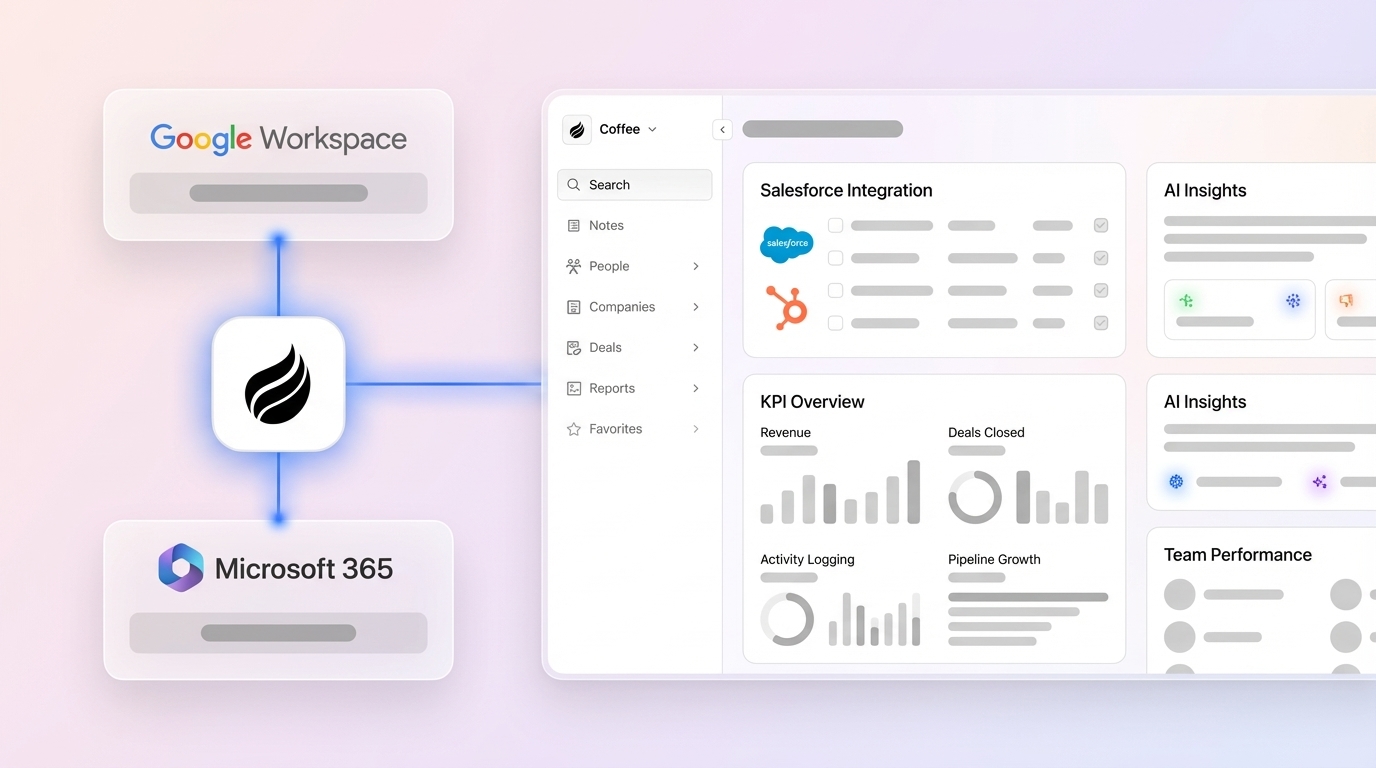
In today’s fast-evolving sales landscape, businesses face increasing pressure to optimize their customer relationship management (CRM) systems for better performance and revenue growth. Salesforce, a widely adopted CRM platform, offers powerful tools for tracking sales data, yet many organizations struggle with fragmented data, manual processes, and inconsistent reporting. These challenges can obscure critical insights and hinder sales teams from achieving their full potential. As the market shifts toward automation and data-driven decision-making, AI-powered solutions are emerging as vital companions to traditional CRM systems. They address long-standing pain points by automating data collection, enhancing insights, and enabling real-time visibility into sales performance. This article explores how defining clear Salesforce KPIs, supported by AI tools like Coffee, can help sales teams overcome operational hurdles and focus on what matters most: closing deals and building customer relationships.
Why Salesforce KPIs Often Fall Short in Driving Results
Many sales teams find that their Salesforce KPIs don’t provide the actionable insights needed to improve performance. Traditional setups often face data quality issues due to manual entry and disconnected systems. Sales reps spend considerable time on administrative tasks instead of engaging with prospects, which impacts overall efficiency. Data silos form when information is spread across multiple platforms, from Salesforce to separate tools for outreach or call logging. This results in inconsistent data standards and unreliable KPI measurements, pushing some reps to rely on personal spreadsheets outside the official system.
Manual reporting worsens these problems. Managers frequently export data into spreadsheets for analysis, a time-intensive process that often yields outdated results. Incomplete records and low system adoption further erode data reliability, creating blind spots in performance tracking. These inefficiencies can lead to inaccurate forecasts, reduced visibility into deal progress, and lower productivity as reps focus on paperwork over customer interactions.
Key Benefits of Defining Actionable Sales KPIs
Selecting the right KPIs helps align sales activities with measurable business goals. Effective KPIs focus on outcomes that reps can influence, offering early signals of revenue performance and supporting informed decisions. Metrics should address critical areas like lead conversion efficiency, predictors of deal closure, sales cycle duration, and activity impact on revenue. This approach ensures KPIs drive strategic improvements rather than just tracking surface-level data like total emails sent, which may not correlate with success.
Essential KPIs for Salesforce include:
- Pipeline Coverage Ratio, which compares total pipeline value to revenue targets to ensure enough opportunities exist.
- Win Rate and Loss Rate Analysis, offering insights into deal closure effectiveness across different segments or reps.
- Average Deal Size and Sales Cycle Length, aiding in revenue timing predictions and process optimization.
- Conversion Rates at each funnel stage, pinpointing bottlenecks or growth areas.
- Sales Activity Metrics, like calls or meetings, when tied to outcomes, indicating pipeline health.
- Customer Acquisition Cost (CAC) and Customer Lifetime Value (CLTV), guiding focus toward profitable segments.
How to Prepare Salesforce Data for Accurate KPI Tracking
A solid data foundation is essential for reliable KPI measurement. Start by standardizing formats for dates, currencies, and dropdown options in Salesforce. Identify and merge duplicate records to avoid fragmented data affecting calculations. Set up validation rules to prevent incomplete entries and use required fields for critical KPI data. Regular audits can catch historical inconsistencies in key areas like accounts, contacts, and opportunities.
Proper field mapping ensures AI tools can pull relevant data for KPI analysis. Key fields on opportunity objects, such as stage, close date, and amount, are crucial for pipeline metrics. Contact and account fields tied to territories or classifications enable detailed breakdowns, while activity records for emails and tasks support behavior-based KPIs. AI can also fill data gaps by inferring missing details or extracting insights from emails and notes, adding depth to KPI context.
Automate KPI Data Collection with Coffee’s Companion App
As part of the growing trend toward AI-driven CRM enhancements, Coffee stands out as a practical companion to Salesforce. Its app integrates smoothly through a straightforward authentication process, using standard permissions to access data while respecting security protocols. This setup maintains existing Salesforce configurations, including custom fields and workflows, making adoption straightforward for teams. Coffee syncs in real time, ensuring KPIs reflect the latest information for faster, more accurate decisions.
Coffee automates data capture from emails, calendars, and communication tools, logging interactions directly into Salesforce without manual effort. It updates pipeline records by analyzing deal progress signals from conversations and meetings. The app also prepares reps with pre-meeting briefings on customer history and post-meeting summaries with action items, automatically syncing everything to Salesforce. Additionally, it enriches contact and company data with details like firmographics and job changes, enabling deeper segmentation for KPI analysis.

Visualize and Analyze KPIs with Coffee’s Custom Tools
Coffee provides tailored dashboards for different roles, from reps viewing personal metrics to managers accessing team performance data with detailed breakdowns. These dashboards update automatically, ensuring users always see current information. Customization options align analytics with specific sales frameworks like BANT or MEDDIC, matching your organization’s goals.
The Pipeline Compare feature tracks week-over-week changes, showing deal movement and flagging potential issues without manual spreadsheet work. This helps leaders allocate resources effectively by highlighting stages needing focus. Coffee also pushes enriched data back into Salesforce, so existing reports and dashboards benefit from improved accuracy while maintaining familiar workflows.
If setup challenges arise, verify field mappings between Coffee and Salesforce for custom data consistency. Historical gaps can affect trends, but Coffee’s AI estimates missing values, and manual checks on key records add certainty. Training on automation benefits can encourage team adoption for better territory management through KPIs.
Optimize Sales Performance Using AI-Driven KPI Insights
Coffee’s AI examines KPI patterns to uncover bottlenecks and opportunities, linking activities and customer traits to outcomes for actionable insights. It breaks down performance by territory or segment, aiding targeted strategies. The app also offers specific recommendations, like coaching tips for reps or process tweaks based on successful patterns, ensuring a holistic approach to optimization.
Real Impact of AI-Enhanced Salesforce KPIs
Adopting AI tools like Coffee for Salesforce KPIs can streamline operations significantly. Automation cuts down on manual reporting, freeing time for strategic work. Higher CRM usage often follows as data entry becomes less burdensome, providing reps with clear benefits. Improved data quality and real-time updates give managers better visibility into performance drivers.
For example, a technology services firm managing tens of millions in revenue shifted from spreadsheet chaos to Coffee. After reviewing platforms like Salesforce and HubSpot, they valued Coffee’s user-friendly design, automatic contact creation from Google Workspace, pipeline reviews via Pipeline Compare, and API access for tailored briefings. This reflects how AI companions can address specific operational needs effectively.
Advanced Ways to Expand AI CRM Optimization
Coffee’s meeting bot joins calls on popular platforms to transcribe conversations, turning unstructured data into KPI insights for deeper activity analysis. Its List Builder feature creates targeted prospect lists using natural language queries, supporting account-based strategies and tracking relationship metrics. Pipeline snapshots, backed by a built-in data warehouse, store historical records for trend analysis, helping refine deal management over time.
Enhance your Salesforce KPIs with Coffee’s advanced tools. Request access to explore these capabilities for your team.
Comparing Traditional Salesforce to Coffee AI CRM for KPIs
|
Feature |
Traditional Salesforce KPI Management |
Salesforce with Coffee AI CRM |
|
Data Capture |
Manual entry, fragmented sources |
Automated from email, calls, calendar |
|
Data Quality |
Often inconsistent, incomplete |
Enhanced with real-time enrichment |
|
Real-time Insights |
May require manual customization for specialized needs |
Instant insights via AI automation |
|
Pipeline Visibility |
Dynamic with user data input |
Dynamic, ‘Pipeline Compare’ feature |
Common Questions About AI-Powered Salesforce KPIs
How Coffee Enhances Traditional Salesforce Reporting
Coffee improves KPI tracking by automating data collection from emails and calendars into Salesforce, cutting down on manual work. While Salesforce provides strong reporting options, data quality often suffers from human error. Coffee delivers real-time, enriched data for more reliable and useful reports with less effort.
Does Coffee Replace Existing Salesforce Dashboards?
Coffee works alongside your Salesforce reporting setup, not as a replacement. It adds AI-driven insights and feeds enriched data into Salesforce, allowing you to use current dashboards with better accuracy.
Is Salesforce Data Secure with Coffee?
Coffee meets strict security standards, including SOC 2 Type 2 and GDPR compliance. It uses encryption and access controls, ensures data isn’t used for AI training, and follows standard Salesforce security protocols during integration.
How Soon Can Results Be Seen with Coffee?
Improvements in data accuracy and visibility often appear shortly after integrating Coffee, thanks to automated activity tracking. Time saved on data entry, roughly 8 to 12 hours weekly, can be noticeable within weeks, with deeper KPI insights emerging over the first month.
Does Coffee Support Existing Sales Frameworks?
Coffee adapts to various sales methodologies like BANT, MEDDIC, or SPICED. It organizes meeting summaries and insights based on your criteria, aligns with Salesforce field setups, and customizes analytics to match your KPIs.
Conclusion: Strengthen Salesforce with AI-Driven KPIs
Shifting to AI-supported KPI tracking can significantly boost sales operations. Coffee, as a leading example of this trend, tackles data quality issues and administrative overload, encouraging consistent CRM use among reps. By automating data capture and offering pipeline insights, it helps teams prioritize revenue-focused tasks while improving performance visibility.
Enhance your Salesforce KPIs with Coffee’s Companion App. Request access to see how AI automation can support your team’s revenue goals and simplify data-driven decisions.