
Written by: Doug Camplejohn, CEO & Co-Founder, Coffee
Key Takeaways for Signature-Based Contact Creation
-
Manual contact creation from email signatures wastes sales time and introduces errors that weaken CRM data quality.
-
Native Gmail and Outlook tools capture only basic header fields, so titles, phones, LinkedIn URLs, and company websites often stay blank.
-
Agentic automation solutions like Coffee deliver higher field accuracy, automatic deduplication, and full CRM sync without ongoing maintenance.
-
Teams above 20 reps or with duplicate rates over 10% should adopt parsers or agentic tools to prevent downstream automation failures.
-
Coffee replaces manual contact entry and helps teams reclaim 8–12 hours per rep each week by automating signature capture and enrichment.
The Operational Pain of Manual Contact Creation
Salesforce’s State of Sales Report found that sales reps spend only 28% of their time actually selling, with the rest spent on non-selling work such as CRM updates and inbox management. At the CRM level, AI-powered automation reduces manual CRM data work by 40%, allowing reps to reclaim an average of 4–6 hours per week that previously went to data entry.
The cost of manual entry also shows up in data quality. Inaccurate or incomplete contact records can trigger incorrect outreach, inflate activity metrics, and erode customer trust. Clean, deduplicated contact data acts as a prerequisite for effective automation, because poor data quality masks true pipeline health, misclassifies deal stages, and produces inaccurate forecasts.
Step-by-Step: Creating a Contact from an Email Signature
This five-step workflow describes the two most common manual methods used in 2026: Gmail hover-to-add and Outlook drag-and-drop.
-
Open the email containing the sender’s signature in Gmail or Outlook.
-
Gmail: Hover over the sender’s name or email address in the message header. A contact card appears. Click “Add to contacts” to open a pre-populated form, then review and save. Outlook: Click the sender’s name to open their contact card, then select “Add to Contacts” or drag the email directly to the People icon in the navigation bar to pre-fill a new contact record.
-
Manually copy remaining fields, such as phone number, job title, company name, and LinkedIn URL, from the signature block into the contact form, because neither native tool parses the full signature automatically.
-
Deduplicate by searching the CRM for an existing record before saving. Merge records if a duplicate already exists.
-
Sync to CRM using the HubSpot Sales Extension or Salesforce Inbox plugin, or export via CSV if no native connector is active.
This five-step process takes two to five minutes per contact. Across a team of ten reps receiving twenty new contacts weekly, that adds up to 400–1,000 minutes of non-selling time every week.
Executive Overview: Why Signature Parsing Matters
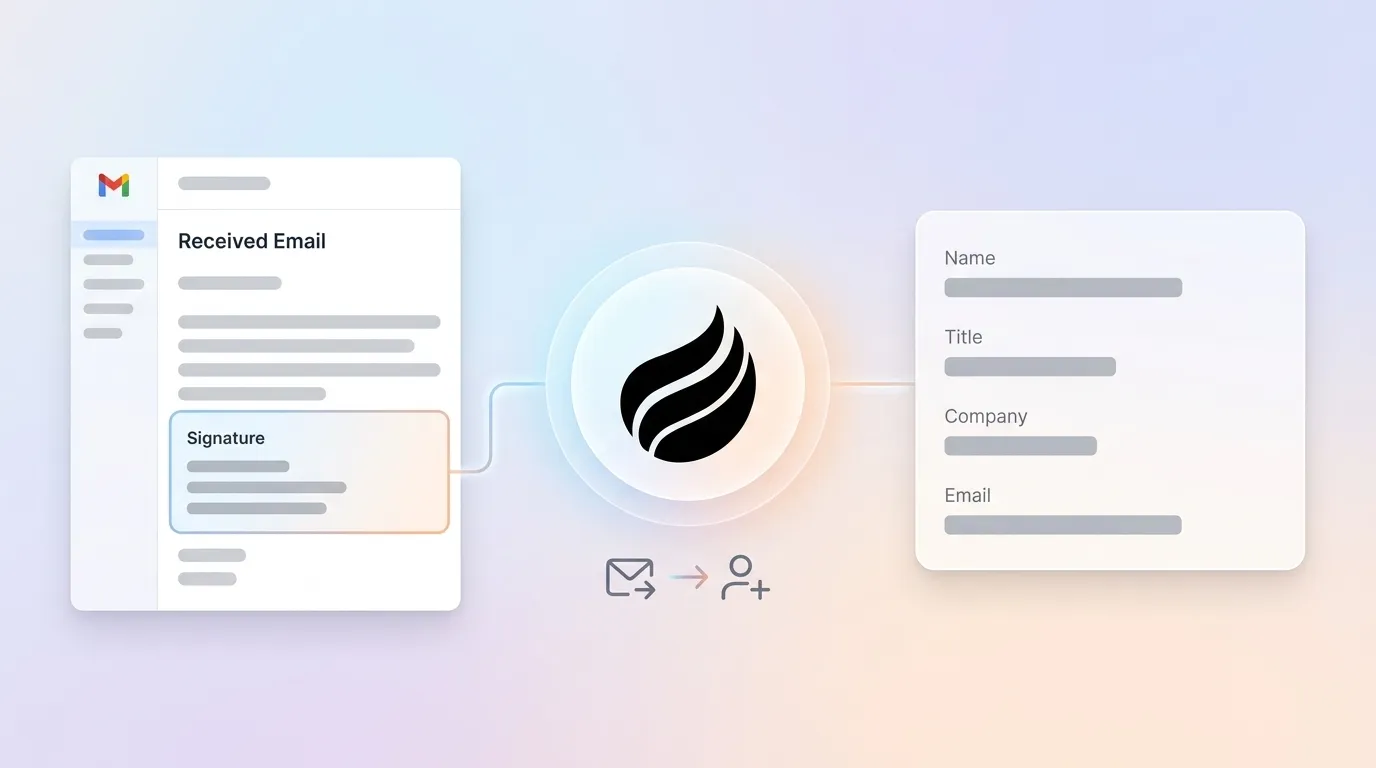
Signature parsing means automated extraction of structured contact fields, such as name, title, company, phone, email, and LinkedIn, from the unstructured text block appended to outbound emails. Its role in CRM data quality is foundational, because every downstream workflow, from lead scoring to pipeline forecasting, depends on records being complete and accurate at the point of creation.
Four approaches exist in 2026, each with distinct trade-offs:
-
Manual entry, which relies on human copy-paste via Gmail or Outlook native tools.
-
Native CRM features, which use built-in signature capture within HubSpot or Salesforce inbox integrations.
-
Third-party parsers, such as SigParser or EverReady, which extract and route contact fields via API.
-
Agentic automation, where an autonomous AI agent such as Coffee continuously monitors email and calendar streams, creates and enriches contacts, deduplicates records, and writes structured data directly to the CRM without human intervention.
Market Context: Growing Demand for Intelligent Capture
The global Intelligent Document Processing market grew from approximately USD 1.70 billion in 2023 to a projected USD 12.21 billion by 2030 at a CAGR of 32.5%, driven by AI, machine learning, and NLP capabilities that improve handling of unstructured data such as email signatures. The AIIM 2024 Industry Watch Report found that 72% of organizations expect information management to become more critical in the next twelve months, which reinforces the shift toward automated capture of unstructured data for CRM enrichment.
By 2026, marketing and sales teams increasingly adopt agentic AI systems, and buyers often cite AI agent capability as a key evaluation criterion.
Operational Flow: From Email Signature to CRM Record
Document processing in 2026 functions as an automated five-step pipeline: document collection, classification, OCR, data extraction, and system integration. This pipeline enables extraction of structured data from emails and direct push into CRMs.
The data flow for signature-based contact creation follows this path:
-
Ingestion: The email client, Gmail or Outlook, surfaces the raw message, including the signature block.
-
Classification and extraction: Intelligent Document Processing interprets contextual fields, cross-checks records against databases, handles varying formats including signatures and tables, and adapts over time via machine learning and NLP. Traditional OCR extracts plain text but struggles with unstructured layouts.
-
Validation and deduplication: Combining AI models with human-in-the-loop validation can improve accuracy in data validation tasks. Agentic systems handle this loop autonomously.
-
CRM write-back: Structured fields are pushed to the correct object, such as Contact or Account, in Salesforce or HubSpot, with enrichment data appended from licensed data partners.
The table below quantifies the gap between automated extraction and manual entry. Automated parsing consistently captures fields that manual processes skip, and LinkedIn URLs plus company websites are captured far less than 30% of the time manually, which creates downstream enrichment failures.
|
Field |
Raw Signature Text |
Extracted Value |
Manual Entry Rate |
|---|---|---|---|
|
Full Name |
“Jordan Lee” |
Jordan Lee |
~100% |
|
Job Title |
“VP, Revenue Operations” |
VP, Revenue Operations |
~70% |
|
Company |
“Acme Corp” |
Acme Corp |
~85% |
|
Direct Phone |
“+1 (415) 555-0192” |
+14155550192 |
~50% |
|
LinkedIn URL |
“linkedin.com/in/jordanlee” |
https://linkedin.com/in/jordanlee |
~20% |
|
Company Website |
“acmecorp.com” |
https://acmecorp.com |
~30% |
Manual entry rates reflect observed field-completion patterns in teams without automated parsing. LinkedIn URL and company website are routinely omitted, which weakens enrichment and outreach quality downstream.
Strategic Trade-offs Across Four Signature Capture Methods
No single approach wins across every dimension. The table below compares four methods on the factors that matter most for mid-market RevOps decisions.
|
Factor |
Manual Entry |
Native CRM (HubSpot AI / Salesforce Inbox) |
Third-Party Parser (SigParser / EverReady) |
Agentic Automation (Coffee) |
|---|---|---|---|---|
|
Setup effort |
None |
Low (plugin install) |
Medium (API config, field mapping) |
Low (OAuth connect to Gmail/Outlook) |
|
Field extraction accuracy |
Variable, because human-in-the-loop validation can reach above 95% but depends on rep discipline |
Moderate, limited to sender header fields |
High, with continuous enrichment from licensed data partners |
|
|
CRM sync depth |
Manual export or plugin |
Native, shallow, Contact object only |
API-driven, requires field mapping maintenance |
Full object sync across Contact, Account, and Activity |
|
Ongoing maintenance |
High, rep-dependent |
Low |
Medium, because format changes break rules |
None, because the agent self-updates |
|
Cost model |
Rep time only |
Included in CRM license |
Per-seat or per-parse fee |
Seat-based, with agent labor included |
|
2026 feature update |
N/A |
HubSpot AI Breeze adds intent signals, Salesforce Einstein adds auto-enrich |
EverReady adds LinkedIn URL extraction, SigParser adds dedup rules |
Coffee adds visitor identification and pipeline compare |
Purchased CRM platform approaches reach full deployment in one to three months with minimal technical skills required, and long-term maintenance is included in the subscription fee. Native CRM tools and agentic solutions share this advantage over custom-built parsers.
Readiness and Evaluation Framework for RevOps Leaders
RevOps leaders should assess a sequence of factors before selecting an approach, starting with operational scale and moving toward strategic requirements.
-
Team size and email volume: Start by evaluating team size and inbound volume, because this determines whether native tools can keep pace or whether automation becomes necessary. Teams under 10 reps with low inbound volume may find native CRM tools sufficient, while teams above 20 reps with high contact velocity require automation to avoid data degradation.
-
CRM commitment: Next, confirm long-term commitment to the current CRM. Scalability is a key factor in adopting CRM automation because manual processes break under increasing lead volume, while automation lets teams handle more leads without adding headcount.
-
Data quality baseline: Then review current data quality. If duplicate rates exceed 10% or field completion falls below 70%, a parser or agent is required before any downstream automation can function reliably.
-
Change management capacity: After that, consider how much change the organization can absorb. Sales automation implementations benefit from staged rollouts, fallback queues, and human approval gates to surface anomalies. Agentic tools with low setup effort reduce change management burden significantly.
-
Integration requirements: Finally, evaluate integration needs across departments. Many companies explore AI across teams, so unified, accurate CRM data becomes essential for predictive lead scoring and pipeline forecasting.
Common Pitfalls in Signature-Based Contact Capture
Incomplete field capture. Native tools and basic parsers extract the sender header, such as name and email, but miss phone, title, LinkedIn, and company website. This produces shallow records that require manual enrichment later, which removes much of the time savings.
Duplicate records. AI systems in CRM platforms automatically extract information from emails and documents while performing duplicate detection and data validation. Tools without built-in deduplication logic create parallel records that corrupt pipeline reporting.
Shadow CRM usage. When reps find the CRM too burdensome to maintain, they revert to spreadsheets or Notion as their working system of record. This fragments data across tools and makes forecasting unreliable. Agentic automation removes the burden entirely and eliminates the incentive to work outside the CRM.
Implementation Guidance for Mid-Market Teams
A four-phase rollout minimizes disruption for mid-market teams and creates a clear path to value.
-
Discovery (Week 1–2): Audit current field completion rates in Salesforce or HubSpot. Identify the top sources of new contacts, such as inbound email, outbound replies, and event follow-up. Establish a baseline duplicate rate.
-
Pilot (Week 3–6): Connect the chosen tool to a subset of rep mailboxes. Monitor extraction accuracy against the real extraction example framework above. Confirm that phone, LinkedIn, and title fields are captured reliably.
-
Validation (Week 7–8): Compare CRM record completeness before and after the pilot. Measure duplicate creation rate. Confirm that CRM sync writes to the correct objects and fields.
-
Measurement (Ongoing): Track rep time reclaimed, field completion rate, and downstream automation performance, including sequence enrollment rates and forecast accuracy. Mid-market teams often achieve AI automation payback within 4–8 months.
Frequently Asked Questions
Does Coffee work with both Salesforce and HubSpot?
Coffee works with both Salesforce and HubSpot as a Companion App that sits on top of existing instances. After a simple OAuth authentication, the Coffee Agent begins scanning Gmail or Outlook, creating and enriching contacts, and writing structured data back to the correct CRM objects, including Contact, Account, and Activity records. Coffee has deep knowledge of Salesforce and HubSpot architecture, including required fields, forecasting categories, and quota structures, which separates it from newer CRM alternatives that lack this integration depth.
Is Coffee SOC 2 and GDPR compliant?
Coffee is SOC 2 Type 2 certified and GDPR compliant. Data processed by the Coffee Agent is not used to train public AI models. For teams in regulated industries or those with data residency requirements, Coffee’s security posture supports standard enterprise procurement reviews at the small-to-mid-market level.
How does Coffee’s contact enrichment compare to dedicated data tools like ZoomInfo or Apollo?
Coffee provides enrichment, including job titles, funding data, and LinkedIn profiles, via licensed data partners built directly into the agent. For most small-to-mid-market use cases, the data quality matches standalone enrichment tools, which removes the need for a separate subscription. Coffee also consolidates the functions of multiple point solutions, such as CRM, enrichment, call recording, and forecasting, into a single seat-based price that reduces stack complexity and cost.
What happens to contacts created before Coffee was connected?
Coffee’s Agent works forward from the point of connection and processes new emails and calendar events as they arrive. For historical backfill, the agent can scan existing email threads to surface contacts that never entered the CRM. This capability is particularly valuable for teams migrating from spreadsheets or Notion that have years of contact data trapped in their inboxes.
How is Coffee priced?
Coffee uses seat-based pricing. Organizations pay per human seat, and the agent’s labor, including contact creation, enrichment, activity logging, meeting summaries, and pipeline tracking, is included without additional metering on AI usage or process volume. This model keeps cost predictable as email and contact volume scales, unlike per-parse pricing models used by some third-party parsers.
Next Steps: Shift Contact Entry to an Agent
Manual contact creation from email signatures is a solved problem in 2026. Teams can choose methods that range from Gmail hover-to-add to fully autonomous agentic automation, and the trade-offs are clear. For small-to-mid-market companies using Salesforce or HubSpot, the operational case for agentic automation is straightforward, because it raises field completion rates, removes ongoing maintenance, and lets reps spend their time selling instead of copying data from email footers.
Coffee’s Agent connects to Gmail or Outlook in minutes, creates and enriches contacts automatically, deduplicates records, and writes structured data directly to Salesforce or HubSpot with no manual steps required at any point in the workflow.
Connect your inbox today and let Coffee handle contact creation while your reps focus on selling.


