Written by: Doug Camplejohn, CEO & Co-Founder, Coffee
Key Takeaways
-
Sales reps spend 71% of their time on admin tasks, which leaves 76% of CRM data inaccurate and pipelines unreliable.
-
Commission-tied CRM updates, weekly pipeline reviews, and embedded sales methodologies drive stronger, consistent CRM adoption.
-
AI agents handle data entry, enrichment, meeting summaries, and activity logging so reps stop doing manual admin work.
-
Unified tools and companion apps for Salesforce and HubSpot create a single source of truth without forcing a disruptive migration.
-
Track KPIs like data accuracy and forecast improvements. Coffee’s built-in analytics dashboard makes monitoring these metrics effortless while its agent handles the data work automatically.
Why CRM Adoption Breaks Sales Pipelines
Traditional CRMs create a vicious cycle. Fragmented data across multiple tools forces reps into constant context-switching and manual data entry, which leads to poor adoption and dirty pipelines. Only 40% of businesses claim a 90% CRM adoption rate, while outdated UX pushes reps into shadow CRMs and private spreadsheets. Legacy systems like Salesforce and HubSpot still rely on humans for data entry instead of intelligent agents that automate the process. Coffee’s autonomous agent breaks this cycle by handling data capture, enrichment, and pipeline updates automatically.
10 CRM Adoption Strategies That Build a Cleaner Pipeline
1. Tie Commissions to CRM Updates with a Clear “No CRM, No Commission” Rule
Link commission payments directly to complete CRM data entry so revenue depends on accurate records. Set simple, non-negotiable requirements for opportunity updates, contact information, and activity logging before processing payments.
-
Define mandatory fields for commission eligibility, such as deal stage, close date, and contact roles, that directly affect forecast accuracy.
-
Enforce these requirements through weekly data quality audits, using commission holds for incomplete records when needed.
-
Support reps with automated alerts for missing pipeline data before pay periods, which gives them time to fix issues.
-
When alerts are not enough, establish clear escalation procedures for persistent data compliance issues.
Pipeline Impact: Teams that tie commissions to CRM compliance see higher data completeness, faster deal velocity, and more reliable forecasts.
Pitfall Alert: Keep requirements focused on essential pipeline fields. Overly complex rules create extra admin work and frustrate reps.
Coffee captures deal progression, contact interactions, and activity logging automatically, so commission-eligible data flows into your system without extra effort from reps.
2. Deploy AI Agents for Automatic Data Entry and Enrichment
Use autonomous agents to capture interactions from emails, calendars, and meetings so reps no longer type data into the CRM. This shift frees selling time and keeps records consistently up to date.
-
Connect AI agents to email and calendar systems so they create contacts automatically.
-
Enable real-time enrichment with job titles, company information, and LinkedIn profiles for every new record.
-
Set up automatic activity logging for calls, emails, and meeting outcomes so timelines stay complete.
-
Configure intelligent duplicate detection and record merging to keep your database clean.
Pipeline Impact: AI automation cuts manual data work and supports higher revenue by feeding your pipeline with complete, current data.
Pitfall Alert: Define clear governance for AI-generated entries and confirm data privacy compliance to protect accuracy and trust.
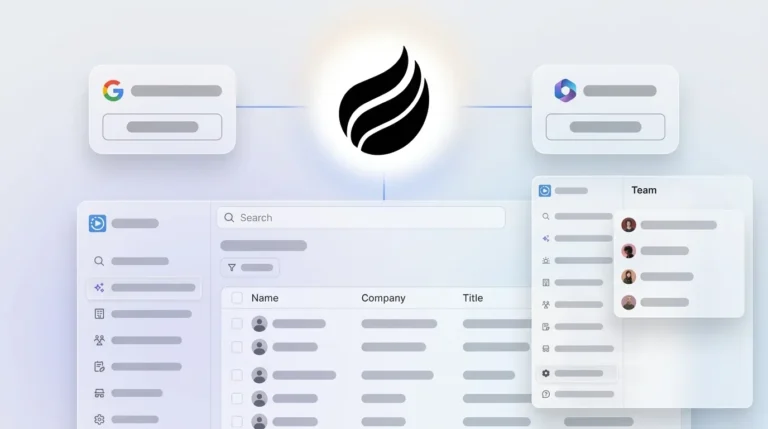
Coffee’s agent automatically creates contacts from Google Workspace or Microsoft 365, enriches records with Stripe and QuickBooks integrations, and logs all interactions without human intervention, turning your inbox and calendar into a self-updating CRM.
3. Use AI Briefings and Summaries for Frictionless CRM UX
Turn CRM from a data entry chore into a briefing hub that helps reps prepare and follow up. AI-powered summaries and contextual briefings give reps what they need before and after every interaction.
-
Deploy AI meeting briefings that surface attendee context and interaction history in one view.
-
Automate post-meeting summaries with action items and next steps that sync back to the CRM.
-
Create daily pipeline briefings that highlight priority deals and activities for each rep.
-
Enable natural language queries for pipeline insights and deal status so reps can ask questions in plain English.
Pipeline Impact: Teams using AI briefings report 23% faster deal closure and stronger meeting preparation, which supports healthier pipelines.
Pitfall Alert: Keep humans in the loop so managers and reps verify that AI summaries capture nuance and key details.
Coffee’s “Today” page delivers intelligent briefings, while AI search answers natural-language questions like “Which deals are stuck in negotiation?” for instant pipeline insights.

4. Run Weekly Pipeline Reviews with Clear Visual Comparisons
Use automated week-over-week comparison tools instead of manual spreadsheets so leaders can see movement at a glance. Visual changes reveal deal progression, stagnation, and new opportunities without exports.
-
Set up automated pipeline comparison dashboards that show weekly changes by stage and owner.
-
Configure alerts for stalled deals that exceed stage duration thresholds.
-
Create visual heat maps that highlight at-risk opportunities for focused coaching.
-
Establish consistent review cadences with a simple, repeatable agenda.
Pipeline Impact: Opportunities closed within 50 days have 47% win rates versus 20% after 50 days, so early identification of stalled deals is critical for velocity.
Pitfall Alert: Keep reviews focused on decisions and next steps. Long data walkthroughs drain energy and reduce engagement.
Coffee’s Pipeline Compare feature automatically visualizes week-over-week changes, which makes progressed deals and stalled opportunities obvious without spreadsheet work.
5. Integrate Sales Methodologies Directly into CRM Workflows
Build BANT, MEDDIC, or SPICED into your CRM so qualification and data capture stay consistent across the team. Reps follow the same structure on every deal, which improves pipeline quality.
-
Configure CRM fields that match your chosen sales methodology requirements.
-
Create guided workflows that prompt methodology-specific questions during discovery.
-
Set up automated coaching alerts when key qualification data is missing.
-
Define pipeline stage progression criteria based on methodology milestones.
Pipeline Impact: Companies with formal sales coaching programs achieve 28% higher win rates, and methodology integration supports consistent qualification.
Pitfall Alert: Keep frameworks lightweight. Overly detailed checklists slow deals and frustrate both reps and buyers.
Coffee structures meeting notes according to BANT, MEDDIC, or SPICED automatically, so consistent qualification data enters your pipeline without heavy training.
6. Track Adoption KPIs and Data Completeness
Define clear adoption metrics so you can spot gaps before they affect revenue. Focus on login frequency, data completeness, and pipeline freshness.
-
Monitor daily and weekly CRM login rates by team member.
-
Track required field completion percentages across each deal stage.
-
Measure time between deal updates and watch for pipeline staleness indicators.
-
Set automated alerts when adoption or completeness drops below agreed thresholds.
Pipeline Impact: Teams that maintain strong data completeness enjoy more accurate forecasts and faster deal cycles than teams with partial records.
Pitfall Alert: Use monitoring to coach, not to police. Heavy surveillance reduces trust and encourages surface-level CRM use.
Coffee provides built-in adoption analytics and maintains accurate, complete records through automated capture, which reduces the need for manual completeness checks.
7. Unify Your Sales Tools into a Single Source of Truth
Consolidate your sales stack or connect it tightly so data flows across tools without friction. A single source of truth cuts context switching and removes data silos.
-
Audit your current tool stack for redundant functionality and data gaps to see which tools truly add value.
-
Use this audit to implement bi-directional sync between the essential tools you decide to keep.
-
Build on that integration to establish one system of record for customer data and interactions.
-
Finally, create unified reporting dashboards that pull from these integrated sources so leaders see one consistent view of pipeline health.
Pipeline Impact: McKinsey reports that an automated workflow solution can increase sales reps’ selling time by 15 to 20 percent, while reduced tool fragmentation can improve data reliability by 45%.
Pitfall Alert: Avoid integrating every niche tool. Focus on the core systems that shape pipeline management and customer conversations.
Coffee consolidates CRM, enrichment, recording, and forecasting into one platform, or acts as a unified agent layer that sits on top of existing Salesforce and HubSpot setups.
8. Use AI Meeting Bots for Automatic Activity Logging
Replace manual call logging with AI meeting bots that capture every conversation. These bots transcribe, summarize, and log sales interactions directly into CRM records.

-
Configure AI bots to join Zoom, Teams, and Google Meet calls automatically.
-
Set up automatic transcription and summary generation for each meeting.
-
Enable direct CRM integration so activity logs attach to the right records.
-
Create automated follow-up tasks based on meeting outcomes and action items.
Pipeline Impact: Automated meeting logging improves activity tracking, and DingTalk AI Meeting Minutes reduces post-meeting admin time by 60%, which increases pipeline visibility and supports accurate forecasting.
Pitfall Alert: Set clear permissions and privacy rules, especially for sensitive client conversations that require explicit consent.
Coffee’s AI meeting bot joins calls automatically, generates summaries with action items, and drafts follow-up emails in Gmail for reps to review and send.

9. Build Prospect Lists with Natural Language Commands
Use AI-powered natural language queries to generate targeted prospect lists instead of building them manually. Reps describe the ideal profile, and the system returns a ready-to-work list.

-
Implement a natural language query interface for prospect identification.
-
Connect to enrichment databases so prospect data stays current and detailed.
-
Set up automated list updates based on trigger events like funding or hiring.
-
Create a smooth handoff from list building into outreach sequences.
Pipeline Impact: AI-driven list building cuts prospect research time, sharpens targeting, and increases the volume of qualified leads.
Pitfall Alert: Review AI-generated lists for fit and accuracy before launching campaigns to protect sender reputation.
Coffee’s List Builder runs natural language commands like “Find VPs of Sales in North America at $10M+ funding companies using Salesforce” with integrated enrichment data.

10. Scale with Companion Apps Around Existing CRM Investments
Use intelligent companion apps when your team stays on Salesforce or HubSpot but wants automation. These apps handle data entry and enrichment while your current workflows remain intact.
-
Implement companion agents that sync data to existing CRM systems in real time.
-
Keep current user interfaces while automating backend data processes.
-
Preserve existing reporting and dashboard investments that leaders already trust.
-
Introduce agent-powered workflows gradually so change feels manageable.
Pipeline Impact: Companion apps save time and improve data quality without disrupting established CRM processes.
Pitfall Alert: Align companion app data governance with existing CRM security and compliance standards.
Coffee Companion works seamlessly with Salesforce and HubSpot, acting as an intelligent agent layer that automates data entry while preserving your current system investments, with no migration and no workflow disruption.
Measuring Pipeline Success After CRM Adoption
Track a focused set of KPIs so you can see how CRM adoption improves pipeline data quality and forecasting. The table below compares industry benchmarks with Coffee’s performance across four core metrics, which highlights how agent-powered automation improves accuracy and saves rep time.
|
KPI |
Target Benchmark |
Coffee Benchmark |
Source |
|---|---|---|---|
|
Data Accuracy |
High |
High |
– |
|
Pipeline Stagnation |
Low |
Low |
– |
|
Forecast Accuracy |
80% |
Above 80% |
|
|
Rep Time Saved |
Several hrs/week |
Significant |
Coffee Data |
Review these metrics monthly to confirm sustained adoption and ongoing pipeline improvements. Teams that hit these benchmarks report faster deal cycles and stronger revenue growth.
Transform Your Pipeline with Agent-Powered Automation
Applying these 10 CRM adoption strategies as a connected system turns unreliable spreadsheets into accurate revenue forecasting engines. Start with AI agent automation, weekly pipeline comparisons, and companion apps, then layer in methodologies and KPIs as your team matures.
Coffee’s autonomous agent handles the busywork automatically by creating contacts from emails, enriching records with financial data, logging interactions, and generating pipeline insights. Whether you need a standalone CRM for a growing team or a companion for existing Salesforce or HubSpot investments, Coffee delivers the “good data in, good data out” foundation modern sales teams rely on.
Stop fighting with dirty pipeline data. Coffee’s autonomous agent delivers clean, complete pipeline coverage that your forecast depends on by capturing every interaction, enriching every record, and surfacing insights without manual work.
Frequently Asked Questions
How does CRM help sales pipeline management?
CRM systems improve sales pipeline management by centralizing customer data, tracking deal progression through standardized stages, and providing visibility into sales activities. Modern CRMs with AI agents automate data entry, enrich contact information, and generate pipeline insights that help sales teams identify bottlenecks, prioritize opportunities, and forecast revenue accurately. Clean data that flows in through automation supports reliable pipeline reporting and better strategic decisions.
What causes low CRM adoption rates in sales teams?
Low CRM adoption often comes from time-consuming manual data entry that pulls reps away from selling, complex user interfaces that slow workflows, and a lack of visible value for individual reps. When CRMs demand constant maintenance but fail to deliver actionable insights, reps fall back to spreadsheets and personal tools. Agent-powered automation reverses this pattern by handling data entry while delivering briefings, summaries, and pipeline insights that reps actually use.
How can AI improve CRM data quality for sales pipelines?
AI improves CRM data quality by capturing data from emails and calendars automatically, enriching records with company and contact information, and detecting and merging duplicates. AI agents also structure unstructured data like meeting transcripts into standardized fields, enforce consistent field completion, and flag anomalies for review. This automation reduces human error and keeps data fresh and complete, which supports accurate pipeline forecasting.
What metrics should sales managers track for CRM adoption success?
Sales managers should track user login frequency, data completeness across required fields, time between deal updates, pipeline velocity, and forecast accuracy. Additional helpful metrics include activity logging consistency, duplicate record rates, and the balance between administrative time and selling time. The goal is a pipeline with accurate data, minimal stagnation, and meaningful time savings per rep through automation.
How do companion apps work with existing CRM systems?
Companion apps connect to existing CRM systems like Salesforce and HubSpot through APIs and act as an intelligent automation layer. They capture interactions from email and calendar systems, enrich records with external data sources, and sync information back to the primary CRM automatically while preserving current workflows. This approach lets teams keep their existing investments, reporting structures, and user interfaces while gaining agent-powered automation that improves data quality and reduces manual work.