
Executive summary
- Manual CRM data entry takes time away from selling and often leads to incomplete or inaccurate data.
- AI CRM agents such as Coffee automatically capture meetings, emails, and activities, then populate and enrich CRM records.
- Strong foundations in tools, integrations, and data structure make automation more accurate and reliable.
- Coffee’s agent connects to your email, calendar, meeting tools, and CRM to automate notes, follow-ups, and pipeline insights.
- Teams that adopt CRM agents commonly save 8–12 hours per sales representative each week and improve forecasting and deal management.
Many traditional CRM systems now function as tools that demand constant manual updates. AI-powered CRM agents change this model by taking on routine capture and data management, so sales teams can focus on building relationships and closing deals.
Request access to see how Coffee’s CRM agent can move your sales process from manual data entry to automated, structured data.
Reduce admin work with automated meeting notes and CRM data population
Reduce the cost of manual CRM data entry and admin work
The numbers tell a clear story. Seventy one percent of sales representatives spend too much time on data entry, leaving only 35 percent of their time for actual selling activities. This administrative burden creates an opportunity cost that compounds across entire sales organizations.
Manual CRM data entry creates a range of problems that go beyond time management. When sales reps act as data entry clerks, they are pulled away from revenue-generating activities. The fragmented nature of modern sales stacks makes this worse. Teams toggle between HubSpot for records, ZoomInfo for enrichment, SalesLoft for outreach, and meeting tools for recording. This constant context switching is inefficient and mentally exhausting.
Legacy CRMs like Salesforce and HubSpot often rely on a flawed assumption that busy humans will reliably input accurate data. They usually do not. The result is “garbage in, garbage out”, poor data quality that weakens forecasting accuracy, pipeline visibility, and strategic decisions.
The architectural challenges of legacy systems can compound these issues. Older systems may face compatibility or customization limits, although many have adapted over time to better manage the data types that matter to sales interactions.
Use a CRM agent to improve data accuracy and forecasting
A CRM agent shifts CRM from passive data storage to active data management. Instead of requiring humans to serve the software, the agent serves the users by automatically capturing, structuring, and enriching the data that flows through sales interactions.
Automated data capture provides reliable, near real time pipeline intelligence. When meeting notes are generated automatically and CRM records update during or soon after conversations, sales teams gain immediate access to accurate information. This supports better forecasting, more informed decisions, and more consistent revenue outcomes.
Automation also helps with CRM adoption. When the system works for the user, adoption improves. Sales reps can view the CRM as a co-pilot that supports their work rather than a reporting tool that creates extra tasks. This shift changes how teams interact with their data and their customers.
Preparing for automation: prerequisites for implementing a CRM agent
Essential tools and integrations
Effective CRM automation starts with the right technology foundation. Core requirements include access to a CRM system, such as Salesforce, HubSpot, or Coffee’s standalone AI first CRM, and integrated communication tools such as Zoom, Microsoft Teams, Google Meet, plus Google Workspace or Microsoft 365.
A clear understanding of your sales process and CRM field structure is equally important. This knowledge helps you configure the agent to capture the data points that matter most to your organization. Document your current sales methodology, such as BANT, MEDDIC, or SPICED, and identify the key fields that drive your pipeline reporting.
Security and compliance expectations should be defined early. Your chosen CRM agent should meet your organization’s requirements, including SOC 2 Type 2 compliance and GDPR adherence. Coffee, for example, ensures that data is not used to train public models, which maintains the confidentiality of customer interactions.
Why foundation matters for accurate automation
The quality of automated outputs depends on the quality of inputs and configuration. A properly configured CRM agent functions as a force multiplier, delivering reliable data and insights that support decisions across the organization. Poor setup can extend existing data problems and introduce new ones.
The principle of “good data in, good data out” becomes critical when using automation. Manual processes allow humans to apply judgment when entering data. Agents rely on structured inputs and clear configuration. This makes the initial setup phase important for long term success.
Strong foundations also reduce the need for costly corrections later. When field mappings and integration points are correctly configured, the agent can begin delivering value quickly.
Step by step: automating meeting notes and CRM with Coffee’s agent
Step 1: Connect Coffee to your sales ecosystem
Implementation starts with connecting Coffee to your existing sales ecosystem. For organizations using Salesforce or HubSpot, Coffee integrates to enhance your current setup. For smaller teams or those seeking a fresh start, Coffee’s standalone AI first CRM provides a modern alternative where the agent powers the platform.
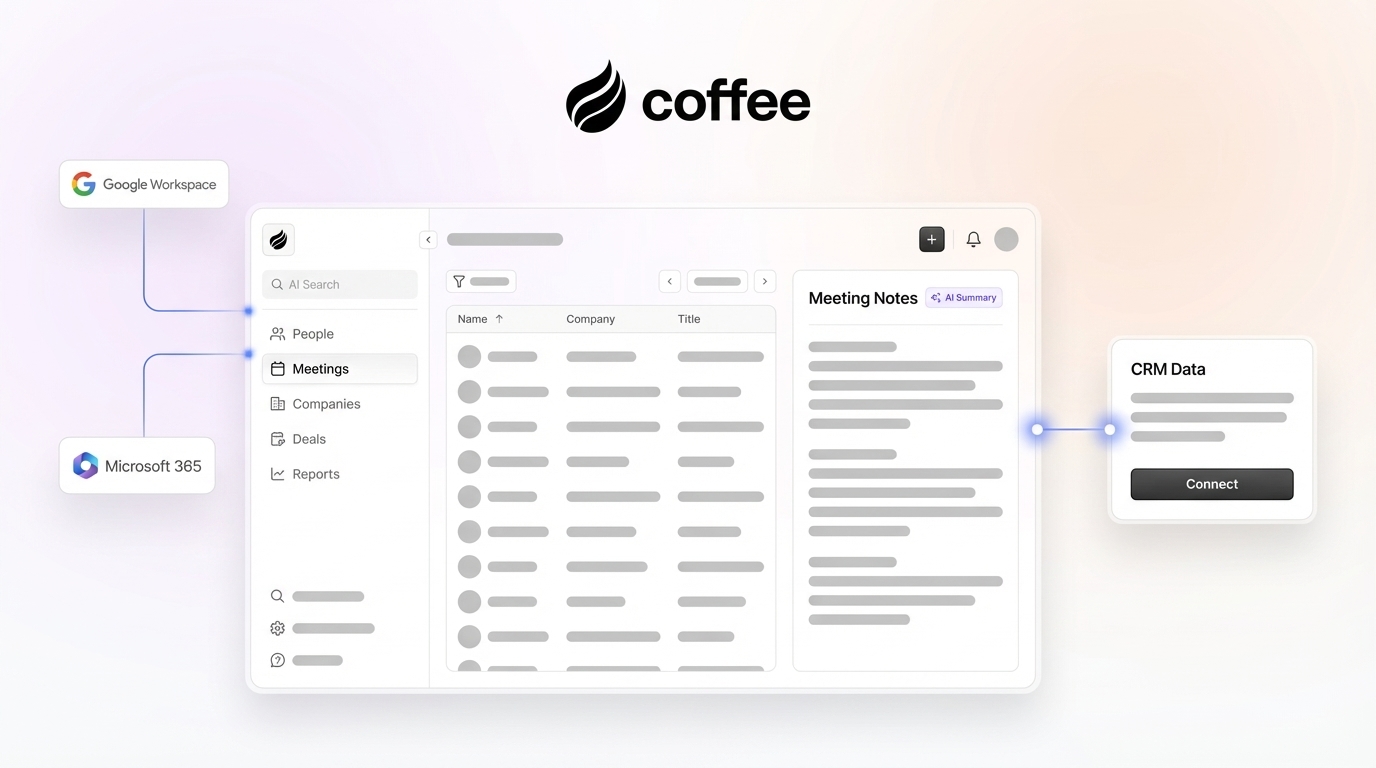
The integration process is direct. You authenticate your Google Workspace or Microsoft 365 account to enable calendar and email access, then connect to your CRM system through Coffee’s secure API connections. This dual integration lets the agent capture data from multiple touchpoints while keeping a single source of truth in your CRM.
Pro tip: During setup, Coffee maintains strict security and compliance standards. The platform is SOC 2 Type 2 certified and GDPR compliant, and your data is never used to train public AI models. This protects the confidentiality of your customer interactions and competitive information.
The authentication process typically takes less than ten minutes. Once connected, Coffee’s agent starts working in the background, scanning historical email and calendar events to begin building accurate customer profiles and interaction histories.
Step 2: Configure your Coffee agent for intelligent meeting capture
Meeting capture configuration starts when you invite the Coffee agent to your sales calls. The agent joins meetings as a participant, records and transcribes conversations, and identifies key discussion points in real time. This capability works across major meeting platforms such as Zoom, Microsoft Teams, and Google Meet, so you get consistent coverage regardless of how your customers prefer to connect.

Coffee supports automated summaries that align with your specific sales methodology. Whether you follow BANT qualification criteria, MEDDIC discovery frameworks, or SPICED opportunity assessment, you can configure the agent to structure its notes accordingly. This approach keeps qualification data consistent across the system.

Common mistake: Many teams skip the step of setting clear meeting objectives before configuration. This can limit the agent’s ability to prioritize relevant information. Define what a successful meeting outcome looks like in your sales process and configure the agent to track those specific indicators.
Step 3: Automate CRM data population and updates
Coffee’s automation capabilities are especially strong in CRM data population. The agent creates and enriches contact and company records from meeting participant information, which removes the manual research and data entry that typically follow customer interactions.

Beyond basic contact creation, the agent handles data enrichment through licensed data partners. Job titles, company information, funding details, and LinkedIn profiles can be appended to records. This gives your sales team deeper context for every interaction and reduces the need for separate enrichment tools.
Activity logging becomes automated as well. The agent updates “last activity” timestamps, logs call summaries, and sets “next activity” reminders based on conversation outcomes. This helps keep your database current and actionable.
Troubleshooting tip: If certain fields are not populating as expected, review your field mapping configuration in Coffee’s admin panel. The agent can update only fields that are mapped correctly and have appropriate permissions. Many population issues come from incorrect field types or insufficient user permissions rather than the agent itself.
Step 4: Use automated summaries, action items, and follow ups
Post meeting automation is one of Coffee’s most visible productivity benefits. The agent generates summaries that highlight key discussion points, decisions, and concerns. These summaries follow your sales methodology and are saved to the appropriate CRM records.
Action items and owners are also created automatically. Coffee analyzes the conversation to identify next steps and commitments, then creates these items in your CRM with due dates and assignments. This reduces the chance that tasks slip through the cracks.
Follow up email automation extends this productivity gain. Based on the sales discussion, Coffee drafts follow up emails that reference specific conversation points and outline agreed next steps. These drafts appear in your Gmail for review and sending, so you keep your personal tone while saving time on composition.

Many teams that implement Coffee’s automated meeting workflow report significant reductions in post meeting administrative time. This often translates to 8–12 hours per week saved per sales representative, time that can shift toward prospecting, relationship building, and deal progression.
Request access to Coffee’s automated meeting workflows and explore how your team can reclaim hours each week for selling activities.
Step 5: Turn pipeline intelligence into proactive forecasting
Coffee’s accurate data capture enables pipeline intelligence that changes how sales teams approach forecasting and deal management. The Pipeline Compare feature shows week over week changes in your sales funnel, highlights deal progression, flags stalled opportunities, and surfaces new additions without manual analysis.
This automated pipeline intelligence addresses one of the most time consuming aspects of sales management, understanding what is happening in active deals. Instead of relying on sales reps to manually update stages and add commentary, Coffee’s agent gathers this information from customer interactions and presents it in structured views.
Pipeline reviews can then focus on tactics and strategy rather than data collection. When the data is already captured and presented, managers and reps can spend meeting time on competitive positioning, stakeholder mapping, and next steps.
Advanced strategies to get more value from your CRM agent
Build targeted prospect lists with natural language
Coffee’s list building capabilities show how natural language processing can simplify sales operations. Instead of configuring complex database queries, a user can request, “Find me VPs of Sales in North America at companies with $10M+ funding using Salesforce.” The agent processes the request and returns a targeted prospect list with enriched contact information.

This natural language approach removes many of the steps linked to traditional prospecting tools. Sales reps can describe their ideal customer profile in conversational terms rather than mastering query syntax or database structures. The agent manages the technical details and returns results the team can act on.
Integrate with other tools for a smoother workflow
Coffee consolidates much of the sales technology stack, and its integration capabilities help it work alongside specialized tools your team still needs. Current Zapier integration supports workflow automation that extends beyond the CRM to other platforms.
The integration roadmap includes deeper native connections with popular sales and marketing tools. These connections will enable more advanced automation workflows over time.
Strategic integration planning should account for current needs and future growth. Coffee’s feature set reduces the need for many point solutions, and targeted integration with essential tools can create useful synergies that support sales effectiveness.
Customize the agent for specific sales methodologies
Coffee supports various sales methodologies through customizable note structures and data capture frameworks. Whether your organization follows BANT qualification, MEDDIC opportunity assessment, or SPICED deal analysis, the agent can be configured to capture and organize information according to your requirements.
BANT implementations focus on budget, authority, need, and timeline. Coffee can be configured to listen for and highlight these elements in meeting summaries, which supports consistent qualification.
MEDDIC customization emphasizes metrics, economic buyer identification, decision criteria, decision process, pain identification, and champion development. The agent can structure notes and populate CRM fields that match these data points, which supports consistent opportunity analysis.
SPICED methodology implementation focuses on situation, pain, impact, critical event, and decision criteria. Coffee’s templates can capture and organize information within this framework, which helps align automation with your sales training and management approach.
Advanced CRM agent implementation strategies
Optimize agent performance with data quality management
Strong CRM agent performance depends on ongoing attention to data quality and system optimization. Regular audits of captured data help confirm that the agent continues to deliver accurate insights and that configuration changes are made when needed.
Teams can monitor key performance indicators such as contact creation accuracy, meeting summary completeness, and CRM field population rates. These metrics provide early signals if performance declines or if additional configuration is required.
Feedback loops between sales teams and system administrators help the agent improve over time. When reps identify situations where the agent could better support their work, these observations can guide configuration updates.
Scale agent implementation across the organization
Successful CRM agent rollouts benefit from structured change management and phased deployment. Many organizations start with power users who act as internal champions and provide feedback in the early stages.
Training programs should highlight the shift from manual data management to agent supervision. Sales reps need to understand their role as data stewards who guide and refine agent performance rather than relying on manual processes.
Governance frameworks become important at scale. These frameworks define data standards, privacy protocols, and performance expectations for the agent. Clear policies around data access, sharing, and retention help automation support, rather than weaken, organizational data security.
Request access to learn how Coffee supports CRM agent implementations with training, onboarding, and support resources.
Measuring ROI and success metrics for CRM agent implementation
Quantify productivity gains
Clear measurement of CRM agent success includes both time savings and quality improvements. Important metrics include reductions in administrative time, gains in data accuracy, and increases in time spent selling.
Time savings often range from 8–12 hours per week for each sales representative, which creates a meaningful increase in available selling time. These gains compound across a full sales organization and can raise overall capacity.
Data quality improvements can be tracked through completeness rates, accuracy scores, and pipeline forecasting precision. When manual data entry is reduced, error rates drop and data completeness tends to improve.
Assess revenue impact
Revenue impact is a key measure of CRM agent success. This impact usually appears through higher conversion rates, shorter sales cycles, and increased average deal sizes. Better data quality also supports more accurate forecasting, which helps with resource allocation and planning.
Conversion rate improvements often result from better qualification and more consistent follow up. When every interaction is captured and followed up on, fewer opportunities are lost, and win rates can rise.
Sales cycles often shorten when information sharing improves and handoffs become more efficient. Complete interaction histories and automated follow ups reduce the time needed to move deals through pipeline stages.
Comparison: Coffee CRM agent vs. traditional manual CRM data entry
|
Feature |
Coffee CRM Agent |
Traditional Manual Entry |
Productivity Impact |
|
Meeting Note Capture |
Automated, AI generated summaries and action items |
Manual transcription and note taking |
8–12 hours saved weekly |
|
Contact/Company Creation |
Automatic from emails and calendar |
Human research and input |
Significant time reduction |
|
Data Enrichment |
Automated via licensed partners |
Manual search, additional tools |
Less tool switching |
|
Activity Logging |
Autonomous “last” and “next” activity updates |
Manual logging by reps |
Improved compliance |
Frequently asked questions (FAQ) about CRM agents
Is the Coffee agent secure?
Yes. Coffee maintains enterprise grade security standards with SOC 2 Type 2 certification and GDPR compliance. Your customer data is protected, and Coffee does not use your data to train public AI models. This keeps your customer information and competitive intelligence confidential.
Can the Coffee agent integrate with my existing CRM like Salesforce or HubSpot?
Yes. Coffee offers integration capabilities that work alongside existing Salesforce or HubSpot installations. The integration process is straightforward and does not disrupt current workflows. For organizations that prefer a fresh start, Coffee also offers a standalone AI first CRM that includes all agent capabilities.
How does the Coffee agent help with data quality compared to manual entry?
The Coffee agent supports “good data in” by ingesting and structuring data directly from emails, calendars, and meeting transcripts. Manual entry is often prone to errors, omissions, and inconsistencies. The agent captures information systematically and accurately, which reduces the “garbage in, garbage out” problem common in many CRM implementations.
Will the Coffee agent replace the need for other sales tools like ZoomInfo or Gong?
Coffee includes features for data enrichment and meeting automation that can reduce reliance on multiple tools. It is designed to complement rather than replace every specialized tool. Integration capabilities help Coffee work alongside the platforms your team considers essential while reducing overall technology complexity and cost.
How quickly can I expect to see results after implementing a CRM agent?
Many teams see results within the first week of deployment. Early benefits include time savings from automated note taking and data entry, which appear in the first few meetings. Data quality gains become visible within two to three weeks as the agent builds contact and company profiles. Longer term benefits, such as improved forecasting accuracy and pipeline intelligence, typically appear within 30–60 days once the agent has enough interaction history to analyze.
Conclusion: Use a CRM agent to reduce manual CRM work
The shift from manual CRM data entry to automated capture represents a significant productivity opportunity for modern sales organizations. By implementing a CRM agent such as Coffee, teams can reduce administrative work and spend more time on revenue generating activities.
The benefits extend beyond time savings. Automated data capture improves accuracy and completeness compared to manual processes, which supports better forecasting and more informed decisions. When sales teams can trust their data, they can focus on building relationships and closing deals.
Effective implementation requires planning and change management. Organizations that define success metrics, invest in training, and continue to optimize configuration often see notable improvements in productivity.
Automation in sales operations will continue to expand as AI capabilities advance. Organizations that adopt CRM agents now position themselves to benefit from future innovations while others continue to manage manual processes and fragmented data.
Request access to hire the Coffee CRM agent and automate your meeting notes and CRM data entry.
The future of sales operations is more automated, more intelligent, and more focused on human relationship building than administrative tasks. Coffee’s CRM agent helps sales teams capture, organize, and use customer information with less manual effort.