Written by: Doug Camplejohn, CEO & Co-Founder, Coffee | Last updated: June 22, 2026
Key Takeaways for Sales Leaders
- AI CRM automation with agents gives each rep back 8–12 hours every week by removing manual data entry and admin work.
- Agent-driven systems improve data accuracy, preserve full change history, and shrink forecast variance from ±20% to roughly ±5–8%.
- Teams using AI CRM are 83% more likely to exceed sales goals through automated lead routing, scoring, and personalized interactions.
- Small teams (1–20 employees) gain the most from Coffee’s Standalone CRM, while mid-market teams on Salesforce or HubSpot can use the Companion App without migration.
- Sales teams can unlock these productivity gains with Coffee and keep CRM activity running on autopilot.
How This Guide Compares CRM Automation and Traditional Systems
This guide evaluates CRM automation and traditional systems using criteria that tie directly to revenue and team productivity.
- Hours reclaimed per rep per week
- Data accuracy and completeness
- User adoption rates
- Integration effort and stack consolidation
- Forecasting reliability
- Total cost of ownership
- Long-term scalability
With these criteria in place, you can see how each approach affects daily workflows and long-term growth.
Key Differences at a Glance for 2026 CRM Decisions
The comparison below shows how AI-driven CRM automation shifts routine work from reps to autonomous agents across core sales activities.
| Attribute | Traditional CRM | CRM Automation (AI Agent) | 2026 Benchmark |
|---|---|---|---|
| Time-on-task (selling) | ~34–40% of workweek on selling | Best-in-class teams reach 50%+ selling time | Salesforce 2026 State of Sales: 40% selling time average, 50%+ with automation |
| Data-entry ownership | Human-dependent, up to 13 hrs/week on meeting admin | Agent-automated, 8–12 hrs/week reclaimed | SuperOffice states that its SuperNotes tool can save up to 13 hours a week on meeting admin tasks |
| Pipeline visibility | Manual CSV exports, history lost on field update | Automated week-over-week compare, full history retained | Many enterprises report improved forecasting via automation |
| Lead-response automation | Manual routing, round-robin rules | AI routing by availability, skills, territory | AI routing decreases lead response times vs. manual rules |
| Change-history retention | Lost when fields are overwritten | Data warehouse preserves full audit trail | Traditional relational databases overwrite context on update |
| Required human oversight | High, reps serve the software | Low, agent handles busywork, rep reviews outputs | Many companies using AI CRM report benefits from automation of data entry and personalization |
Time-on-Task and Weekly Hours Reclaimed
The Salesforce 2026 State of Sales report, drawn from 4,050 sales professionals, found that the average seller spends 40% of their time selling, while losing large blocks of time to manual data entry and admin work. SuperOffice states that its SuperNotes tool can save up to 13 hours a week on meeting admin tasks.
Coffee’s autonomous agent delivers the time savings shown above by automatically creating contacts, logging activities, and generating post-meeting summaries. Reps keep working in email and calendar as usual, and the agent removes the entry burden that often drags down CRM adoption.

Reclaim 8–12 hours per rep each week with Coffee’s autonomous agent.
Data-Entry Ownership and Accuracy Impact
Traditional CRMs rely on the assumption that reps will reliably enter data, an assumption that rarely holds in practice. This gap has direct revenue impact, because poor data quality in CRM systems causes 15–25% revenue loss. The problem compounds over time, since relational databases overwrite field values on update and permanently erase the historical context that explains why deals stalled or forecasts missed.
Coffee’s agent connects to Google Workspace or Microsoft 365 and immediately begins scanning emails and calendars to auto-create contacts, enrich records with job titles and LinkedIn profiles, and log every interaction. The agent structures call notes according to BANT, MEDDIC, or SPICED frameworks, so qualification data enters the system in a consistent format. Coffee holds SOC 2 Type 2 and GDPR certifications, and customer data is never used to train public models, which matters for teams handling sensitive pipeline information. Automating data entry is the single biggest productivity gain available in any CRM and the prerequisite for every other AI capability to produce reliable outputs.

Pipeline Visibility and Forecasting Reliability
Teams using AI CRM typically see forecast variance shrink from ±20% to ±5–8% after 3–6 months of model tuning, compared with gut-feel estimates or simple weighted pipelines in traditional systems. AI improves sales forecast accuracy by 15-25% and can reduce churn rates by up to 37%.
Coffee’s Pipeline Compare feature, built on a native data warehouse, visualizes week-over-week changes such as progressed deals, stalled opportunities, and new additions without manual CSV exports or expensive add-ons. Because the agent captures every interaction as it happens, the historical record stays complete and pipeline reviews shift from interrogation sessions to strategic discussions.
Accurate forecasting depends on complete data capture, which in turn requires strong CRM adoption across the team.
Lead-Response Automation and Adoption Rates
65% of businesses use generative AI inside their CRM as of 2026. Businesses using AI within their CRM are 83% more likely to exceed sales goals due to AI’s support in lead scoring, predictive analytics, and personalized customer interactions.
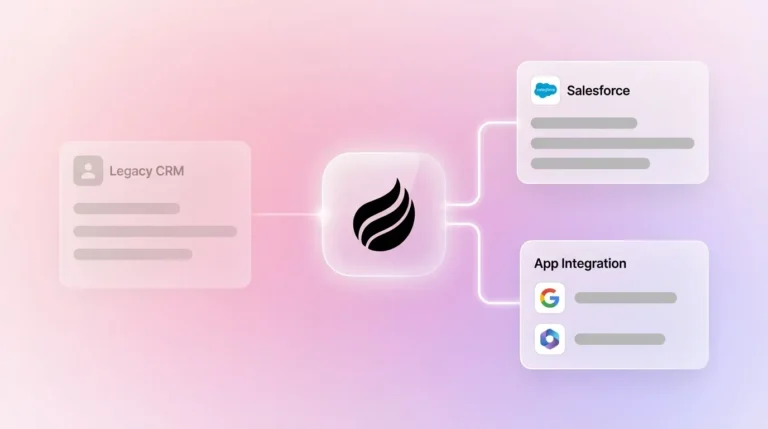
For teams already on Salesforce or HubSpot, Coffee’s Companion App deploys the agent as an intelligent layer on top of the existing system through simple authentication, with no migration required. The agent handles data capture and enrichment, then writes clean records back to the primary CRM. Teams running sales pipeline automation have reported velocity increases of 89% or up to 3.2× along with response-speed gains exceeding 30% from automated lead routing.

Change-History Retention and Human Oversight
Relational databases, which underpin Salesforce, HubSpot, and most legacy CRMs, overwrite field values on update so prior deal states disappear. Coffee stores all pipeline data in a built-in data warehouse, preserves the full audit trail, and enables the Compare feature to surface exactly what changed and when. As noted earlier, AI-assisted forecasting achieves the 15–25% accuracy improvement that shrinks variance to single digits. Human oversight shifts away from data entry and reconciliation toward reviewing agent-generated summaries and approving follow-up emails, which creates a much lower cognitive load.
When Traditional CRM Still Fits Better
While agent-driven CRM delivers measurable advantages in most scenarios, certain organizations still align better with traditional systems. Large enterprises with deeply customized Salesforce instances, including complex approval workflows, multi-currency forecasting, and many custom objects, face integration complexity that requires careful evaluation before layering any agent. Heavily regulated industries such as healthcare and financial services may also face multi-year security review cycles that slow adoption of new platforms. Organizations with procurement processes that favor static database feature checklists over automation outcomes remain better served by traditional systems until their evaluation criteria evolve.
Scenario-Based Best-Fit Guidance for Coffee
1–20 employee teams: Teams that have outgrown spreadsheets or Notion but find HubSpot or Pipedrive to be expensive manual chores are the primary fit for Coffee’s Standalone CRM. The agent manages the system of record from day one, with no legacy architecture to work around.
Mid-market teams on Salesforce or HubSpot: RevOps and Heads of Sales experiencing low adoption, poor data quality, and fragmented point solutions (ZoomInfo, Gong, Fathom) are the primary fit for Coffee’s Companion App. A single authentication deploys the agent without displacing the existing system of record. Over-performing sales leaders are more likely to use CRM to automate parts of their sales process.
Choose your deployment model: Standalone CRM or Companion App.
Operational Considerations for Rolling Out Coffee
Change management represents the most common implementation risk. Reps accustomed to manual workflows often resist automation because they fear surveillance rather than seeing that the agent simply handles entry on their behalf. The learning curve of a new CRM represents a hidden productivity cost, where every hour spent on configuration, training, or troubleshooting is an hour not spent on customer engagement. This resistance is easier to manage when Coffee’s agent delivers visible outputs such as auto-populated contacts, meeting briefings, and post-call summaries within days of connecting a Google Workspace or Microsoft 365 account, which accelerates rep trust and adoption. Cross-functional ownership between Sales and RevOps helps govern enrichment rules and pipeline stage definitions from the outset.
Decision-Framework Checklist for CRM Automation
- Team size 1–20, no current CRM or on spreadsheets: Coffee Standalone CRM, agent-first system of record with no migration cost.
- Team size 20–200, committed to Salesforce or HubSpot: Coffee Companion App, agent layer via authentication with the existing system of record preserved.
- Manual data entry consuming 8+ hours/week per rep: Either model delivers immediate ROI, with the Companion App favored when stack investment is already sunk.
- Forecast variance exceeding ±15%: Pipeline Compare and agent-maintained history address the root cause of incomplete data.
- Low CRM adoption: Agent automation removes the entry burden that drives non-use.
- Enterprise with heavy customization or regulated data: Traditional CRM with selective AI add-ons remains the primary fit.
Frequently Asked Questions
How long does Coffee implementation typically take in 2026?
For the Standalone CRM, teams become operational within a single session. Connecting Google Workspace or Microsoft 365 triggers the agent to begin scanning emails and calendars immediately, auto-creating contacts and logging activities without manual configuration. For the Companion App on Salesforce or HubSpot, a simple authentication flow deploys the agent as an intelligent layer on top of the existing instance. Most teams see populated records and the first automated meeting summaries within 24–48 hours of authentication. Full pipeline history and Compare feature data accumulate over the first two to four weeks as the agent captures ongoing interactions.
How does Coffee’s Zapier integration compare with native Salesforce and HubSpot connectors?
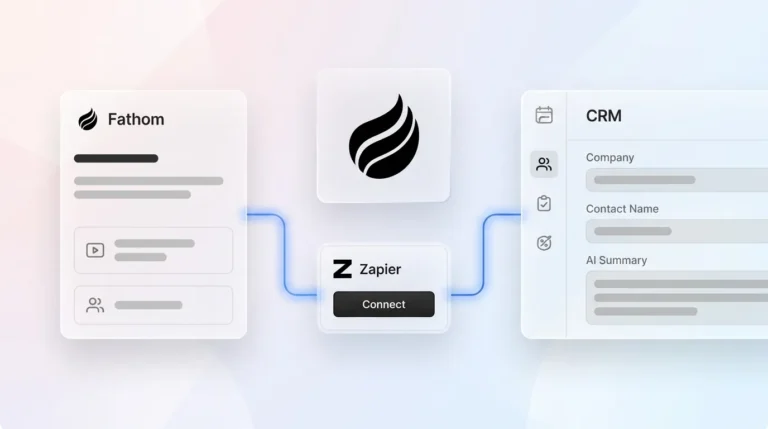
Coffee’s Companion App connects directly to Salesforce and HubSpot via native authentication, which allows the agent to read existing records, enrich them, and write summaries, activities, and contact data back to the primary CRM without intermediary tools. Zapier integration is available for connecting Coffee to other tools in the broader stack, such as outreach platforms, Slack, and project management tools, where a native connector does not yet exist. The roadmap includes deeper direct integrations. For teams whose core workflow lives in Salesforce or HubSpot, the native Companion App connection remains the primary integration path and does not require Zapier configuration.
What data-security certifications does Coffee hold?
Coffee is SOC 2 Type 2 certified and GDPR compliant. SOC 2 Type 2 certification means an independent auditor has verified that Coffee’s security controls operate effectively over a sustained period, not just at a single point in time. GDPR compliance governs how personal data is collected, stored, and processed. Customer data ingested by the Coffee agent is not used to train public AI models. For sales teams handling sensitive pipeline data, competitive intelligence, or customer communications, these certifications address the primary security objections raised during procurement.
How does Coffee’s seat-based pricing differ from usage-based AI metering?
Coffee uses straightforward seat-based pricing, so teams pay per human user and the agent’s labor, including data entry, enrichment, meeting recording, summarization, and pipeline tracking, is included without caps or overage charges. Usage-based AI metering, common among platforms that charge per API call, LLM token, or automation run, creates unpredictable costs that scale with activity volume. For sales teams running high call volumes or large contact databases, metered models can produce billing surprises. Coffee’s seat model keeps cost linear with headcount rather than with how hard the agent works, which simplifies budgeting for RevOps and finance stakeholders.
Conclusion: Choosing the Right CRM Automation Path
The core problem with traditional CRM systems is architectural, because they function as passive databases that require humans to act as data entry clerks. Nucleus Research found that marketing automation drives a 14.5% increase in sales productivity and that CRM delivers an average ROI of $8.71 for every $1 invested. The criteria that matter, including hours reclaimed, data accuracy, adoption, forecasting reliability, and total cost of ownership, all move in favor of agent-first systems for small-to-mid-market teams in 2026. Traditional CRM remains appropriate for large enterprises with deep customization requirements or heavily regulated environments where procurement timelines slow rapid adoption.
For most other teams, the decision comes down to deployment model: Standalone for teams starting fresh, and Companion App for teams protecting their Salesforce or HubSpot investment. Coffee covers both paths with a single agent built on a data warehouse, handling structured and unstructured data alike and delivering the good-data-in, good-data-out outcome that makes forecasts reliable and reps effective.
Put your CRM on autopilot — see Coffee’s pricing and deployment options.