
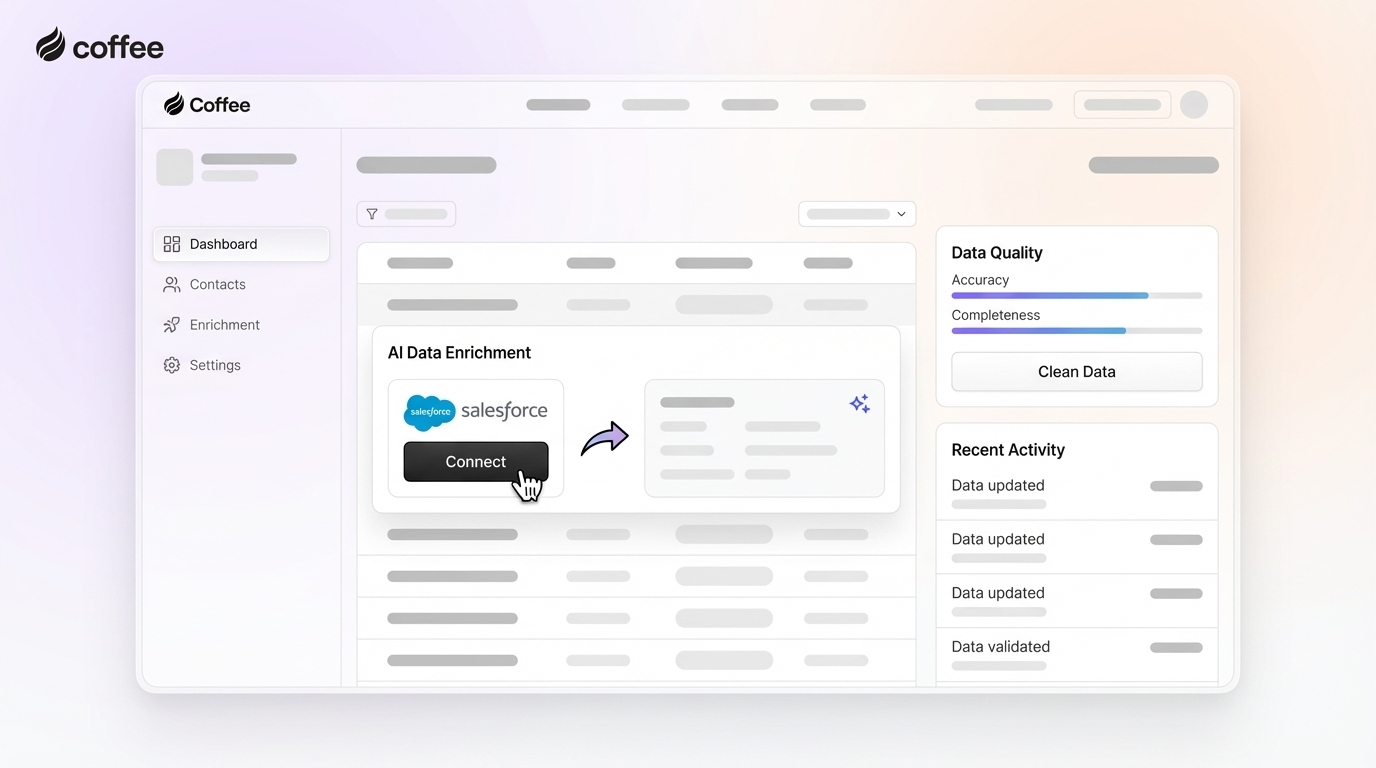
Sales professionals and revenue operations leaders often struggle with fragmented, incomplete data in Salesforce. This directly impacts sales efficiency and limits the potential of AI-driven insights. Let’s explore how to make your Salesforce data reliable and AI-ready, with practical steps and tools like Coffee’s Companion App to boost productivity.
Understanding the Salesforce Data Challenge in Today’s Market
The Customer Relationship Management (CRM) landscape has evolved rapidly over the past decade, with Salesforce at the forefront as a central platform for sales teams. However, as businesses adopt more specialized tools for data enrichment, outreach, and analytics, the promise of a unified system often falls short. Sales stacks now include multiple solutions like ZoomInfo, Gong, and outreach platforms, alongside Salesforce. While these tools offer value, they create data silos, increase costs, and add complexity to workflows.
Manual data entry remains a persistent issue. Sales reps spend hours logging calls, updating records, and transferring email data into Salesforce, cutting into time for actual selling. Poor data quality leads to operational delays and requires significant cleanup efforts. About 71% of reps say data entry consumes too much of their day, leaving only a third of their time for customer engagement. This inefficiency not only affects individual performance but also hinders broader organizational goals like accurate forecasting and AI adoption.
AI holds immense potential to transform sales, from predictive analytics to personalized recommendations. Yet, its effectiveness depends on high-quality data. Incomplete or outdated records in Salesforce can skew AI outputs, erode trust in the system, and reduce adoption rates. As companies invest in AI, addressing data accuracy isn’t just a technical need, it’s a strategic priority to stay competitive in a data-driven market.
Why Salesforce Data Accuracy Matters for Your Team
Data accuracy in Salesforce directly influences sales outcomes. Fragmented data from disconnected tools slows down processes, while manual entry errors create inconsistencies. This results in missed opportunities and longer sales cycles due to incomplete contacts, duplicates, or outdated information.
Beyond daily operations, poor data limits AI and analytics capabilities. Inaccurate or incomplete data undermines the reliability of business insights. If your CRM data isn’t trustworthy, AI-driven forecasts and recommendations lose their value, creating a cycle of distrust and lower usage among teams.
What You Need to Get Started with AI-Enhanced Data Accuracy
Before diving into data improvement, ensure you have the right resources and mindset in place. Here’s what you’ll need:
- Administrative access to Salesforce for managing integrations and settings.
- Integration with email and calendar tools like Google Workspace or Microsoft 365 for automated data capture.
- An AI-powered CRM companion, such as Coffee’s Companion App, to streamline data processes.
- Tools to audit data quality and identify existing gaps in your Salesforce setup.
Equally important is a clear understanding of your current data structure, entry processes, and key sales metrics. Recognize that AI performs best with high-quality input data. AI can quickly spot data discrepancies and validate records. Plan for an initial setup period followed by ongoing adjustments, knowing the effort will pay off with better efficiency and automation.
Step 1: Audit Your Salesforce Data to Identify Gaps
Start by evaluating the health of your Salesforce data. A detailed audit helps uncover inconsistencies, missing information, and quality issues. Focus on key areas like contact details, account accuracy, opportunity records, and activity logs.
Run reports to pinpoint specific problems, such as:
- Records missing essential fields like email, phone, or industry.
- Duplicate contacts or accounts cluttering the system.
- Outdated details, including old job titles or last activity dates.
- Inconsistent formatting across fields.
- Opportunity records lacking critical qualification data.
Prioritize fixing data that impacts sales performance most, such as accurate contact info and opportunity stages. Key data points like firmographics and current contact details drive sales effectiveness. After the audit, expect a clear report on data health, serving as a baseline for tracking progress.
Want to streamline this process? Request access to Coffee’s AI Companion App for automated data insights.
Step 2: Use AI to Enrich and Validate Your Data
Next, integrate an AI solution to automatically enhance your Salesforce data. Connect your email and calendar systems to capture interactions and update records without manual effort. Set up the tool to:
- Create contacts and companies from emails and calendar events.
- Add details like job titles, company size, and location.
- Log activities directly from communications.
- Standardize data formats for consistency.
- Refresh existing records with current information.
As part of this growing trend of AI-driven CRM enhancement, Coffee’s Companion App stands out. It pulls data from your email and calendar to create and enrich records in Salesforce automatically. Information like LinkedIn profiles, funding status, and company details gets added through licensed data sources, keeping your database up to date with minimal effort. AI tools offer real-time updates and syncing for better data management.

After setup, expect more complete records with fewer gaps and richer activity histories. Double-check field mappings during integration to prevent conflicts, and define rules for handling discrepancies between new and existing data.
Step 3: Automate Data Cleaning and Deduplication
Maintaining data quality is an ongoing task. Use Salesforce’s built-in duplicate management features to spot repeats based on defined criteria. Pair this with AI tools to merge records safely. Set routines to:
- Regularly scan for duplicate contacts or accounts.
- Flag outdated records using activity timestamps.
- Uniformly format data fields.
- Archive irrelevant records.
- Verify email and phone numbers for accuracy.
Coffee helps here by matching new entries against existing data to avoid duplicates. Its data warehouse also keeps historical records, so updates don’t erase past information. Automation cuts down on manual deduplication, though some cases still need human review. Over time, you’ll see a tidier database, but plan to manually verify complex duplicates for precision.
Step 4: Set Up Data Governance and AI Monitoring
Long-term accuracy demands clear rules and oversight. Define policies for data entry standards, update schedules, and team responsibilities. Use AI to monitor quality metrics continuously. Key governance steps include:
- Assigning roles for data entry and accountability.
- Setting formatting standards for fields.
- Scheduling regular quality checks.
- Creating processes to address data issues.
- Training staff on consistent practices.
Coffee supports governance with real-time pipeline tracking and automated activity logs. Its “Pipeline Compare” feature shows deal updates, additions, and stalls, helping reps and managers keep data accurate without extra reporting. With these systems, teams are more likely to follow standards, and AI can flag issues early for correction.
Key Benefits of AI-Enhanced Salesforce Data with Coffee
Automating data accuracy with AI offers tangible advantages. Coffee, for instance, saves reps an estimated 8 to 12 hours weekly by handling contact creation and enrichment. This frees up time for customer interactions over administrative tasks.
Pipeline visibility also improves. Coffee’s tracking features highlight deal progress and changes, making reviews more efficient. Additionally, by combining CRM functions, enrichment, and insights into one platform, it reduces reliance on multiple tools, cutting both complexity and expenses.
Perhaps most impactful, reps are more likely to engage with a CRM that feels helpful. When data populates automatically, adoption increases, reinforcing quality over time. Here’s how Coffee compares to traditional Salesforce setups:
| Feature | Traditional Salesforce | Coffee Companion App | Improvement |
|---|---|---|---|
| Data Entry | Mostly manual, eats up time | Automated via email and calendar | Saves 8-12 hours per rep weekly |
| Data Enrichment | Needs separate tools or research | Integrated and automatic | Cuts additional tool costs |
| Pipeline Visibility | Manual reports from varied sources | Real-time Pipeline Compare | Easier insights, less effort |
| User Adoption | Low due to admin burden | High with helpful automation | Improves overall data quality |
Ready to see the difference? Request access to Coffee’s AI Companion App.
Advanced Strategies for Sustained Data Quality
Once basic accuracy is in place, connect Salesforce to other systems for a fuller view. Middleware or native connectors work best for integrations. Coffee offers Zapier support, with deeper integrations on the horizon.
Use improved data for sharper AI insights into pipelines, spotting trends and deal progress. This also enables tailored sales strategies, leveraging accurate data to customize outreach for different customer groups.
Common Questions About Salesforce Data Accuracy
How does Coffee improve data accuracy beyond deduplication?
Coffee pulls data straight from email and calendar interactions to create and enrich records in real time. This cuts down on manual errors and uses a data warehouse to track historical changes, maintaining integrity.
Will Coffee work with my customized Salesforce setup?
Yes, Coffee integrates as a smart layer on top of Salesforce, syncing enriched data while letting you control what updates get applied. Setup is straightforward with basic authentication steps.
What type of data enrichment does Coffee offer compared to standalone tools?
Coffee adds details like job titles, company data, funding info, and LinkedIn profiles using licensed sources. It matches most standalone tools for general sales needs, all within one platform, reducing subscription overlap.
How does Coffee encourage Salesforce use among reps?
By automating data capture from communications, Coffee minimizes entry tasks. This turns Salesforce into a supportive tool with valuable insights, increasing rep engagement.
Final Thoughts on AI-Ready Salesforce Data
Accurate Salesforce data is essential in today’s sales landscape, especially with AI’s growing role. Manual entry and fragmented data drag down efficiency, but a structured approach, auditing, enrichment, cleaning, and governance, can turn things around.
The payoff is less admin work, more selling time, and a CRM that teams trust. AI companion apps enhance Salesforce with automatic record updates. Tools like Coffee’s Companion App exemplify this shift toward automation, helping teams manage data effectively as part of a broader industry trend.
Ready to elevate your Salesforce experience? Request access to Coffee’s AI Companion App now.