Written by: Doug Camplejohn, CEO & Co-Founder, Coffee | Last updated: June 24, 2026
Key Takeaways for Small Sales Teams
- Most traditional CRMs still force manual data entry, so small teams struggle to keep them updated and useful.
- Truly easy CRMs meet three clear criteria: setup under four hours, zero manual logging, and a mobile-first interface.
- Among the seven tools evaluated, only Coffee behaves like an autonomous agent that fully automates contact creation, activity logging, and follow-ups.
- Small teams of 1–20 people gain the most from Coffee’s standalone CRM or Companion App, which reduces adoption friction and hidden integration costs.
- Eliminate manual data entry and reclaim hours each week per rep — see how Coffee’s pricing works for your team size.
How This Guide Evaluates Easy-to-Use CRMs
Small teams need a different lens than enterprise buyers when they evaluate CRMs. The six criteria below focus on speed, automation, and adoption, not on endless feature checklists.
1. Setup hours. How long does it take a non-technical founder to go from sign-up to a populated pipeline? Under four hours qualifies as easy.
2. Data-entry automation depth. The system should automatically log emails, calendar events, call transcripts, and contact records. If it still relies on manual input, reps lose time and stop using it.
3. Pricing reality. What does a five-seat team actually pay per month, including required add-ons? Headline per-seat prices often exclude features that make the tool usable.
4. Adoption friction. How many reps abandon the CRM within 90 days? Low adoption produces bad data, which then produces bad forecasts and wasted pipeline reviews.
5. Pipeline visibility. A sales manager should see deal-stage changes, stalled opportunities, and week-over-week movement without exporting a spreadsheet.
6. Integration tax. Each additional point solution for enrichment, recording, or forecasting adds cost, complexity, and another login. The more tools required, the higher the tax.
The table below applies these six criteria to seven leading CRM tools and highlights automation depth and time savings, which matter most for small teams.
Quick Comparison: Automation Depth and Time Saved
| Tool | Automation Depth | Est. Hours Saved / Rep / Week | Meets All 3 Ease Criteria |
|---|---|---|---|
| Salesforce | Low (manual-first) | 0–1 | No |
| HubSpot CRM (free/starter) | Low–Medium | 1–2 | No |
| Pipedrive | Low–Medium | 1–2 | No |
| Zoho CRM | Medium | 2–3 | No |
| Close | Medium | 2–3 | No |
| Attio | Medium | 2–3 | No |
| Coffee | High (autonomous agent) | 8–12 | Yes |
Hours-saved estimates for Coffee reflect the published time-savings figure and account for automated contact creation, activity logging, meeting briefings, and follow-up drafting. Estimates for other tools come from their documented feature sets and represent manual-logging time avoided, not full workflow automation.
Salesforce Alternatives That Reduce Data Entry
The main complaint about Salesforce is not price. Most reps dislike the manual data entry that earlier criteria already highlighted, which leaves only about one-third of their working hours for actual selling. Every alternative below tries to reduce that burden, but most only solve part of the problem.
Pipedrive automates email sync and some activity reminders, yet reps still move deals through stages and log call outcomes by hand. Zoho CRM offers workflow rules that can trigger field updates, but configuration requires technical effort that exceeds a four-hour setup window for most founders. Close includes built-in calling and email sequences that reduce some logging friction, while contact enrichment and meeting notes remain manual.
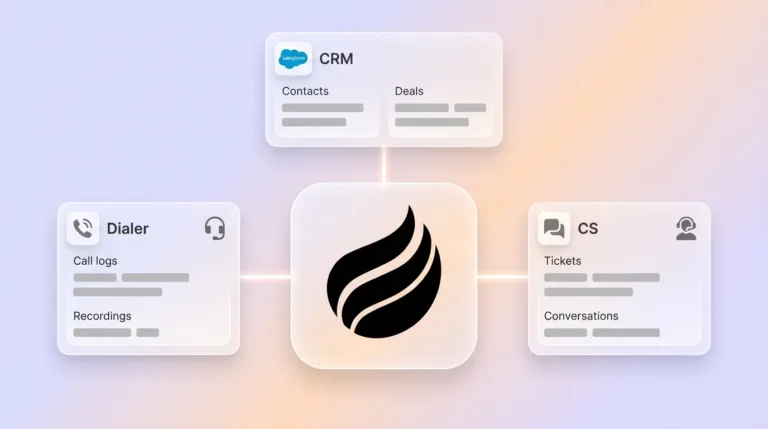
Coffee is the only option in this group where an autonomous agent handles data entry end to end. After connecting Google Workspace or Microsoft 365, the Coffee Agent scans emails and calendars to auto-create contacts, log activities, enrich records with job titles and LinkedIn profiles, and draft post-meeting follow-ups. Reps do not touch a single field to keep the system current.

See Coffee’s autonomous agent in action.
Automation depth matters most when your team is too small to absorb manual overhead. The next section looks at which tools work best for teams of 1–20 people, where every hour of admin work cuts into selling time.
Best CRM Choice for Teams Under 20 People
HubSpot often becomes the first CRM for small teams because its free tier exists. The ceiling arrives quickly, since meaningful automation, sequences, and reporting require paid tiers that climb sharply per seat. Attio offers a modern UI and relational data model that appeals to technical founders, yet its automation remains passive and stores data well without capturing it autonomously.
Both tools share a common weakness: they require reps to feed them data. For teams of 1–20 people that have outgrown spreadsheets, that manual overhead becomes the decisive factor in adoption. A CRM that expects reps to serve it will be abandoned.
Coffee’s standalone CRM is built for this segment. The agent handles the busywork so reps use the system to review briefings, approve follow-ups, and read pipeline intelligence. They do not log data just to keep reports accurate.

HubSpot, Pipedrive, and AI Agent CRM Compared for Startups
HubSpot started as a marketing tool with a CRM added later, so its architecture does not natively support unified intelligence across unstructured data such as call transcripts or long email threads. Pipedrive focuses on visual pipeline management rather than deep data capture. Both products rely on human input to maintain data quality and represent pre-agent designs.
Coffee uses a different model that matters directly in this comparison. Its agent ingests structured data such as contact fields and deal stages alongside unstructured data such as email text and call transcripts, then stores both in a built-in data warehouse that preserves historical context. Legacy CRMs often overwrite prior field values when a record changes, while Coffee’s warehouse keeps the full timeline so teams can compare pipeline movement week over week without exporting spreadsheets.

What Small Teams Actually Complain About in CRMs
Forum threads and community discussions on Reddit’s r/sales and r/startups surface consistent themes that vendor marketing pages rarely address.
Hidden costs. A team that signs up for HubSpot’s $20 per seat per month starter plan often discovers that sequences, custom reporting, and required integrations push the real cost above $100 per seat before the quarter ends.
Setup complexity. Salesforce implementations frequently require a dedicated admin or a consulting engagement. Small teams without a RevOps hire report spending weeks on configuration before they log a single deal.
Adoption collapse. Many reps stop using the CRM within 60–90 days because logging activities feels like a second job. Managers then lose pipeline visibility and fall back to weekly interrogation calls.
Fragmented stack costs. Teams using HubSpot or Pipedrive typically add ZoomInfo or Apollo for enrichment, Gong or Fathom for call recording, and a separate forecasting tool. Each product adds its own contract, login, and data silo, so the integration tax grows every month.
The next section maps these complaints to specific deployment scenarios so teams can see which Coffee setup best addresses each pain.
Best-Fit Coffee Use Cases by Team Type
Early-stage teams (1–10 people). Coffee’s standalone CRM fits directly here. Setup connects to Google Workspace or Microsoft 365, and the agent begins populating the CRM immediately. No admin hire is required.
Growing sales organizations (10–20 people). Coffee’s standalone CRM scales with seat-based pricing. The Pipeline Compare feature replaces manual weekly review decks as deal volume increases and leadership needs clearer visibility.
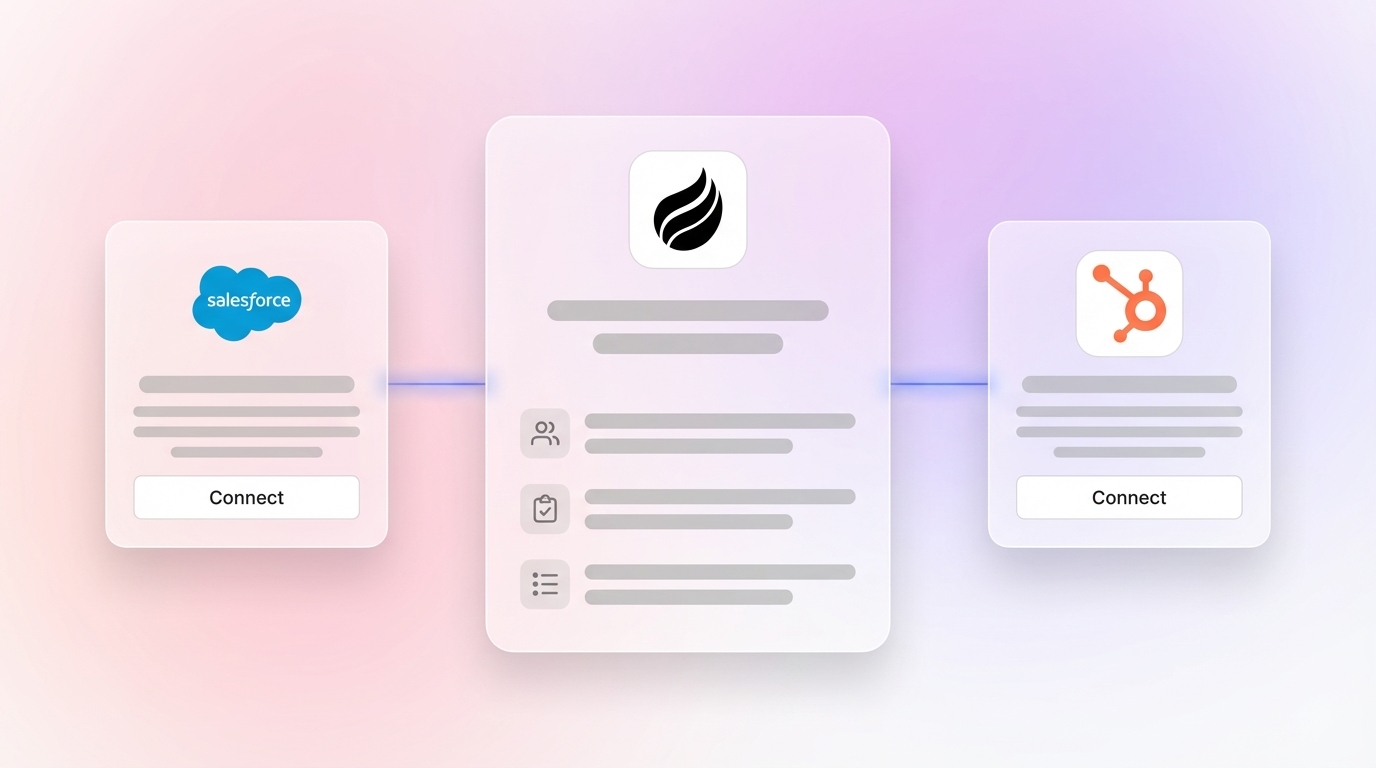
Teams already committed to Salesforce or HubSpot. Coffee’s Companion App deploys the agent as an intelligent layer on top of the existing system of record. A simple authentication lets the agent sync, enrich, and write insights back to Salesforce or HubSpot, which improves data quality without a migration. This model works well for RevOps leaders who have invested in Salesforce customization and cannot abandon it.
Coffee’s dual model as a standalone CRM or companion agent means the choice is not “replace everything” or “do nothing.” Teams can hire the agent regardless of their current stack.
Operational Factors When Rolling Out Coffee
Change management. Teams that switch CRMs need a clear “why” before they hear about features. Framing the transition as “the agent now handles your admin” reduces resistance more effectively than a long feature walkthrough.
Once reps understand why the change helps them, they focus on how hard the new system will be to learn.
Training. Coffee’s agent-first design keeps training simple. Reps do not learn data entry workflows because the agent handles them. Onboarding centers on reviewing briefings and approving follow-ups, which takes minutes instead of hours.
After training, teams need a clean foundation for the agent to work with.
Data hygiene during migration. Migrating from a legacy CRM with years of inconsistent data requires a cleanup pass before import. Coffee’s enrichment agent augments records after import, but teams should deduplicate and correct obvious garbage-in records first.
With clean data in place, leaders then consider how the system will scale.
Scalability. Coffee’s seat-based pricing model does not meter LLM usage or agent processes. As deal volume grows, the agent’s workload scales without usage-based cost spikes, which separates it from platforms that charge per automation run.
Decision Framework Matrix for Choosing Coffee
| Team Profile | Tech Tolerance | Budget Signal | Recommended Solution Type |
|---|---|---|---|
| 1–10 people, no CRM yet | Low–Medium | Lean / startup | Coffee Standalone CRM |
| 10–20 people, outgrown spreadsheets | Medium | Growth-stage | Coffee Standalone CRM |
| Any size, locked into Salesforce/HubSpot | Medium–High | Mid-market | Coffee Companion App |
| Any size, needs visual pipeline only | Low | Minimal | Pipedrive or Close |
View pricing for teams of 1–20 people.
Frequently Asked Questions About Coffee
How long does it take to set up Coffee?
For the standalone CRM, setup involves connecting Google Workspace or Microsoft 365 and installing a tracking pixel if website visitor identification is needed. The process stays simple so founders can move quickly. The Coffee Agent begins auto-creating contacts and logging activities immediately after authentication. Manual data import is optional, and teams can migrate historical CRM data later.
How difficult is migrating from Salesforce or HubSpot to Coffee?
Teams with an existing Salesforce or HubSpot instance have two paths. The first is a full migration to Coffee’s standalone CRM, which means exporting contact and deal records, deduplicating them, and importing into Coffee. The second and lower-friction option is deploying Coffee as a Companion App, which keeps the existing system of record intact and layers the Coffee Agent on top through a simple authentication. The Companion model removes migration risk for teams with significant CRM investment.
Is Coffee secure and compliant?
Coffee is SOC 2 Type 2 certified and GDPR compliant. Customer data is not used to train public AI models. Teams in heavily regulated industries such as healthcare or finance that require multi-year security reviews or HIPAA Business Associate Agreements should confirm that Coffee’s current compliance posture meets their specific requirements before they commit.
How do I evaluate whether Coffee is the right fit before purchasing?
The decision framework matrix above maps team size, tech tolerance, and budget to a recommended solution type. The most reliable evaluation method is connecting Coffee to a live email and calendar environment and watching how the agent populates contacts and logs activities over a one-week period. Teams already on Salesforce or HubSpot can test the Companion App without disrupting their existing workflow. Coffee’s pricing page outlines seat-based plans with no usage metering, which keeps cost projection straightforward.
Does Coffee integrate with other tools in my stack?
Coffee currently supports integrations through Zapier, which covers a broad range of downstream tools. Deeper native integrations are on the product roadmap. For teams using Salesforce or HubSpot as their system of record, the Companion App provides a direct, authenticated sync that writes enriched data and meeting insights back to the primary CRM without Zapier configuration.
Explore Coffee’s plans and see the agent in action.
Conclusion: Why Small Teams Benefit from an AI Agent CRM
The core problem with legacy CRMs is not price or feature lists. Their passive architecture expects humans to serve the database. Every hour a rep spends logging activities, enriching contacts, and exporting pipeline reports is an hour not spent selling, which becomes an existential tax for teams of 1–20 people.
The tools reviewed in this guide range from capable passive databases such as Pipedrive, Close, and Attio to a genuinely autonomous agent in Coffee. Only Coffee meets all three measurable ease-of-use criteria of setup under four hours, zero manual logging, and a mobile-first interface. Only Coffee offers a dual model that serves both teams starting fresh and teams already committed to Salesforce or HubSpot. Coffee also ships an agent that handles data entry, meeting orchestration, and pipeline intelligence as a single, seat-priced product without metering the agent’s work.