Written by: Doug Camplejohn, CEO & Co-Founder, Coffee
Small sales teams face a dynamic and competitive market where efficiency and focus are critical. The CRM landscape has evolved significantly over the past decade, with traditional systems often proving too complex or costly for smaller operations. Many teams struggle with tools that prioritize feature overload over usability, leaving reps bogged down by administrative tasks instead of focusing on closing deals. At the same time, advancements in AI and automation have opened new possibilities, allowing agile teams to access powerful capabilities once reserved for large enterprises. This article explores seven essential sales features that address these challenges, offering practical solutions to enhance productivity, improve data quality, and drive better outcomes for small teams. By understanding these features, you can navigate the crowded CRM market and find tools that align with your specific needs, whether through innovative platforms like Coffee or other emerging alternatives.
Why Traditional CRMs Often Fall Short for Small Teams
Small sales teams frequently find traditional CRMs mismatched to their needs due to complexity and cost. These systems promise all-in-one solutions but can overwhelm users with steep learning curves and features that go unused. Data shows that 71% of sales reps spend excessive time on data entry, with only about 35% of their hours dedicated to actual selling. This inefficiency directly affects revenue potential. Key pain points include fragmented workflows from using multiple unintegrated tools, repetitive manual data tasks, high costs for underutilized features, and poor user adoption due to cumbersome interfaces. Addressing these issues requires a shift toward focused, automation-driven solutions.
Streamlining Sales with Coffee: A Modern Solution
Coffee stands out as an AI-first CRM tailored for small sales teams, offering both a standalone system and a companion app to enhance existing platforms. It tackles common pain points by prioritizing automation and usability, ensuring reps spend more time selling. Notable features include automatic data capture and enrichment from email and calendar, AI-driven meeting briefings and follow-ups, pipeline tracking with a simple ‘Compare’ tool, and a unified platform to reduce reliance on multiple tools. These elements help streamline operations and improve data accuracy.

Want to explore how Coffee can boost your team’s efficiency? Request access to see these features in action.
7 Critical Sales Features for Small Team Success
1. Automatic Data Capture: Stop Wasting Time on Manual Entry
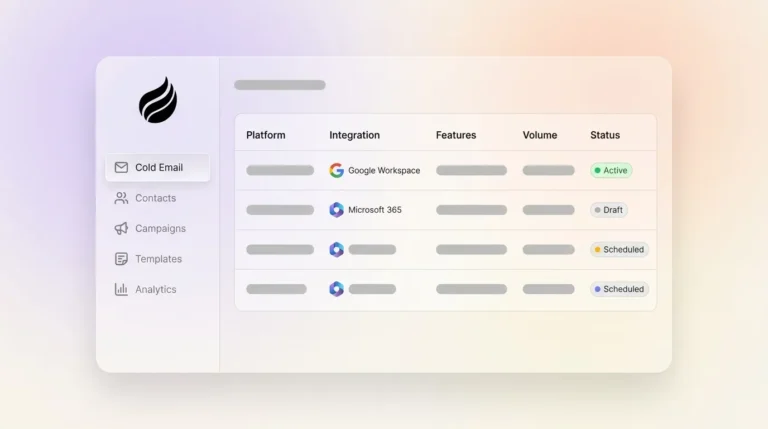
Ending manual data entry saves significant time for sales reps. Every moment spent logging contacts or updating records cuts into selling opportunities. Tools with automatic data capture pull information from emails and calendars, enriching records with details like job titles and company data. Coffee, for instance, syncs with Google Workspace or Microsoft 365 to build contact lists and add relevant insights instantly, freeing up 8 to 12 hours weekly for revenue-focused tasks.
2. AI-Driven Meeting Support: Simplify Prep and Follow-Up
Meetings are vital to sales, but preparation and follow-up can be time-intensive. AI tools now offer automation for booking and logging activities, providing pre-call briefings with attendee context and post-call summaries with action items. Coffee’s system includes a ‘Today’ page for call prep, integrates with meeting platforms for transcription, and drafts personalized follow-ups, cutting email drafting time from 30 minutes to under 5.
3. Clear Pipeline Tracking: Monitor Deals Effortlessly
Visibility into your sales pipeline keeps deals on track for small teams. Effective tools offer visual pipelines and built-in analytics to spot trends without manual effort. Coffee’s ‘Pipeline Compare’ feature shows weekly changes at a glance, identifying progressing deals or bottlenecks, saving hours otherwise spent on manual reporting.
4. Integrated Communication Logging: Maintain Workflow Continuity
Accurate activity tracking shouldn’t require extra steps. Systems with email and communication integrations automatically log interactions, ensuring no data is lost in personal accounts. Coffee captures emails and calendar events, linking them to relevant contacts, so team transitions or absences don’t disrupt access to client history.
5. Simplified Analytics: Gain Insights Without Overload
Small teams need actionable data without complex tools. Modern platforms provide trend analysis and forecasting, enhanced by AI-driven predictive insights. Coffee uses historical data snapshots for straightforward pipeline analysis, helping focus efforts on high-impact areas without requiring advanced technical skills.
6. Flexible Customization: Adapt to Your Growth
CRMs must balance adaptability with ease of use. Small teams value customizability and scalability to fit unique processes. Coffee supports various sales frameworks like BANT or MEDDIC within its intuitive setup, allowing tailored deal qualification without extensive configuration.
7. Intuitive Design: Encourage Team Adoption
A CRM is only effective if reps use it consistently. Platforms with user-friendly interfaces and clear workflows boost engagement. Coffee focuses on rep productivity with quick access to prospect details and automated tasks, positioning itself as a helpful tool rather than a burden.
Ready to see these features work for your team? Request access to Coffee and experience the difference.
Comparing Sales Tools: How Features Stack Up
Evaluating CRM options requires understanding feature trade-offs. Here’s a comparison across traditional systems, budget-friendly options, and AI-first platforms like Coffee:
|
Feature |
Traditional CRMs |
Budget Options |
Coffee (AI-First) |
|
Automatic Data Entry |
Variable by platform |
Often requires add-ons |
Built-in, AI-powered |
|
AI Meeting Support |
Limited, premium tiers |
Partially integrated |
Fully automated |
|
Pipeline Tracking |
Basic to advanced |
Basic, extra cost |
Advanced ‘Compare’ tool |
|
Communication Sync |
Available, varies |
Risk of data silos |
Fully integrated |
Budget options typically cost between $12 and $39 per user monthly, as noted in pricing comparisons. Coffee stands out with straightforward pricing and an AI focus that automates repetitive tasks, contrasting with systems reliant on manual input.
Common Questions About Sales Features for Small Teams
What Makes Budget-Friendly CRMs Valuable for Small Teams?
Budget-friendly CRMs prioritize core features over complexity, offering small teams cost-effective tools with simpler interfaces. They deliver automation and focused functionality, aligning with limited budgets and scaling predictably as teams grow, avoiding the overhead of unnecessary features found in traditional systems.
How Can AI Features Help Small Sales Teams?
AI features provide small teams with automation for tasks like data entry and meeting management, reducing administrative workload. These tools level the playing field, offering insights and efficiency that mimic having larger staff, as long as they address practical needs without adding complexity.
Why Is Data Quality Crucial for Small Teams?
High-quality data prevents wasted effort on inaccurate information for small teams with limited resources. Automation in data capture reduces errors, ensuring reliable insights for targeting leads and making decisions, ultimately maximizing impact with minimal margin for mistakes.
What’s the Difference Between Standalone CRMs and Companion Apps?
Standalone CRMs offer a complete solution for managing customer relationships, ideal for teams starting fresh or replacing outdated systems. Companion apps enhance existing CRMs with added automation, suitable for those not ready to overhaul current setups. The choice depends on your infrastructure and migration readiness.
How Soon Can Small Teams Benefit from These Features?
Benefits from key sales features often appear within weeks. Automation of data entry saves 8 to 12 hours weekly per rep right away. Meeting support and pipeline tools provide value from the first use, assuming quick integration with existing workflows to minimize setup delays.
Conclusion: Elevate Your Sales with Focused Features
Small sales teams don’t need overly intricate CRMs that drain productivity. Success lies in adopting essential features like automated data capture, AI meeting support, and intuitive pipeline tools. These work together to reduce manual tasks and let reps focus on building relationships and closing deals.
Coffee exemplifies this trend toward efficiency with its AI-first design, available as either a standalone CRM or an enhancement to existing systems. It offers small teams accessible automation without the complexity or high costs of enterprise solutions. Choosing between enduring manual workloads or embracing intelligent tools defines the path forward for maximizing sales potential.
Ready to improve your team’s performance with practical sales features? Request access to Coffee and see how AI-driven CRM can make a difference.