Written by: Doug Camplejohn, CEO & Co-Founder, Coffee | Last updated: July 17, 2026
Key Takeaways for Cleaning CRM Data in 2026
- Manual export and import cycles with free tools like OpenRefine and Excel only treat symptoms. Teams must repeat them as CRM data decays by up to 70% each year in high-turnover sectors.
- Poor CRM data quality costs organizations an average of $12.9 million per year and wastes over 27% of sales reps’ time on inaccurate records.
- Free tools cannot block dirty data from entering through forms, API integrations, or rep entry. Databases drift back toward their pre-cleaned state within 6 months.
- Prevention at the point of entry is 10 to 20 times more cost-effective than periodic cleanup and removes the recurring export and import burden from RevOps teams.
- Coffee stops dirty data at the point of entry so the cleanup cycle never starts. See how Coffee works.
The Problem: Why Messy CRM Data Costs Revenue
Poor CRM data creates direct revenue loss and operational drag. Gartner confirms that poor data quality costs organizations an average of $12.9 million per year, and IBM estimates the aggregate cost to U.S. businesses from poor quality data at $3.1 trillion annually.
The daily reality for RevOps teams involves three recurring failure modes:
- Duplicate contacts. An analysis of 12 billion Salesforce records found that 45% were duplicates across organizations, rising to 80% for records created via API integrations.
- Missing and incomplete fields. 76% of CRM users say less than half of their organization’s data is accurate and complete, and only 9% of organizations fully trust their CRM data for reporting.
- Wasted rep time. Sales reps waste over 27% of their time on bad data, and Salesforce measured 34% in 2018 of a sales rep’s time spent on actual selling activity.
Forecasting suffers alongside day-to-day execution. Many sales managers report that poor CRM data hurts forecast accuracy, and just 20% of sales organizations achieve forecasts within 5% of projections. Data decays as soon as it enters the system, and free tools only repair what has already gone wrong.
How to Clean Up CRM Data with Free Tools
Cleaning up CRM data follows five sequential steps, and each step becomes fragile when handled manually.
- Audit the database. Export all records to CSV and profile field completion rates, duplicate counts, and formatting inconsistencies. A thorough cleanup for a mid-market B2B company requires focused work across analysis, transformation, QA, and documentation.
- Deduplicate. Use clustering tools such as OpenRefine, Excel fuzzy match, or a native CRM dedup rule to identify and merge duplicate records. Native Salesforce duplicate rules rely on exact or single-field matching and can be bypassed by bulk imports and API feeds.
- Standardize formatting. Normalize phone numbers, email addresses, company names, and field values. Replace free-text fields with picklists wherever possible so future entries stay consistent.
- Fill missing fields. Enrich incomplete records using a data provider or manual research. A healthy CRM maintains high fill rates on scoring and routing fields.
- Re-import and validate. Load the cleaned file back into the CRM and verify record counts, field mappings, and relationship integrity.
Timing creates the structural limitation. Without ongoing hygiene automation after an initial cleansing project, a CRM database returns to its pre-cleansing state within about 6 months as new records enter without controls and existing records decay.
Using ChatGPT for CRM Data Cleaning Tasks
ChatGPT and similar large language models help with CRM data cleaning tasks as formula generators and transformation advisors. They do not operate as autonomous cleaning agents connected to a live CRM.
A practical 2026 workflow using ChatGPT for CRM data cleaning looks like this:
- Export a 50-row sample of dirty CRM records to CSV.
- Paste the sample into ChatGPT and prompt: “Generate Excel formulas to normalize these phone numbers to E.164 format, lowercase all email addresses, and flag rows where Company Name is blank.”
- Apply the generated formulas to the full dataset in Excel or Google Sheets. For phone normalization, ChatGPT typically produces a formula combining
=SUBSTITUTE()calls to strip non-numeric characters, then prepends the country code. For email lowercasing, use=LOWER(TRIM(A2)). For blank detection, use=IF(C2="","MISSING",C2). - Use ChatGPT to generate OpenRefine GREL expressions for bulk text clustering on company name variants.
- Re-import the cleaned file to the CRM.
These constraints limit impact. ChatGPT has no direct API connection to Salesforce or HubSpot, cannot merge duplicate records inside the CRM, cannot enrich records with fresh contact data, and the cleanup rules it generates must be manually applied to the full dataset on every cleaning cycle. It accelerates formulas but does not prevent bad data from entering.
Using Excel or Google Sheets to Clean CRM Data
Excel supports CRM data cleaning through a repeatable export, clean, and import cycle. The same pattern applies to Google Sheets.
- Export contacts from Salesforce or HubSpot as a CSV file.
- Open the CSV in Excel. Use Data → Remove Duplicates on the email column as the primary key.
- Standardize email addresses. In a helper column, enter
=LOWER(TRIM(A2))and paste as values over the original column. - Normalize phone numbers.
=SUBSTITUTE(SUBSTITUTE(SUBSTITUTE(B2,"(",""),")",""),"-","")strips common formatting characters before you prepend a country code. - Flag missing company names.
=IF(C2="","MISSING",C2)surfaces blank fields for manual review. - Use Power Query in Microsoft 365 to record trim, replace, and split-column steps as a reusable pipeline that you can re-run on future exports.
- Save the cleaned file as CSV and re-import to the CRM, mapping columns to the correct fields.
Excel works well for small datasets. Google Sheets performs reasonably for moderate-sized datasets with complex formulas. Above that level, filters slow, and VLOOKUP across sheets becomes unreliable. Large CRM databases require automated matching algorithms that a spreadsheet cannot provide. After every cycle, data begins decaying again as soon as the import completes.
Free Salesforce Data Cleaning Workflow
The most accessible free workflow for Salesforce data cleaning combines native export tools with OpenRefine or Excel, then re-imports via Data Loader.
- Export. In Salesforce, navigate to Reports → New Report, select the Contacts or Leads object, add all relevant fields, and export to CSV. For large volumes, use Data Loader → Export with a SOQL query.
- Deduplicate. Open the CSV in OpenRefine. Use Facet → Text Facet on the Email field to identify duplicates, then Cluster and Edit on Company Name to merge near-matches such as “Acme Inc” and “ACME, INC.”
- Standardize. Apply GREL expressions in OpenRefine. Use
value.trim().toLowercase()for emails andvalue.replace(/[^0-9]/,"")for phone normalization. - Re-import. Save the cleaned file as CSV and use Data Loader → Upsert with the Salesforce ID as the external ID to update existing records without creating duplicates.
This workflow inherits a key limitation. Native Salesforce duplicate rules can be bypassed by bulk imports and API feeds, so new duplicates re-enter the system through the same integrations that created the original problem. Teams must repeat the export and import cycle on a recurring basis.
Free HubSpot Data Cleaning Workflow
HubSpot provides several free native features for data cleaning, and teams often supplement them with CSV export and import for bulk transformations.
- Use HubSpot’s native deduplication. Navigate to Contacts → Actions → Manage Duplicates. HubSpot surfaces likely duplicate pairs based on email and name similarity. Review and merge each pair manually. The tool merges up to a limited queue at a time on the free tier.
- Export for bulk cleaning. Go to Contacts → Export and download all contact properties as CSV. Open the file in Excel or OpenRefine to standardize formatting, fill missing fields, and remove records that fail validation.
- Use property validation settings. In Settings → Properties, configure required fields and dropdown picklists for properties such as Industry and Lead Source to reduce future inconsistencies at the point of entry.
- Re-import. Use Contacts → Import with the “Update existing contacts” option and map the HubSpot Contact ID column so records update rather than duplicate.
- Suppress invalid emails. Use a HubSpot workflow to set Email Invalid = True on contacts that trigger hard bounces, removing them from active sequences automatically.
HubSpot’s database decay analysis shows that email marketing databases naturally degrade by about 22.5% every year. Free native tools fix what exists today but do not halt tomorrow’s decay.
Now that you have seen individual workflows for Salesforce, HubSpot, Excel, and ChatGPT, the next step is choosing the right approach for your team. That choice depends on database size, technical comfort, and how often you can realistically repeat these cycles.
Comparison of Free CRM Data Cleaning Tools
The table below compares six free tools across strengths and limitations. Each one helps with cleanup but still reacts to dirty data after it enters the CRM instead of preventing it at the source.
| Tool | Best For | Core Limitations | CRM-Specific Notes |
|---|---|---|---|
| OpenRefine | Bulk deduplication and text normalization on exported CSV files; open-source standard for messy tabular data | No CRM connection, no automation, no enrichment, learning curve required | Recommended pre-import step for both Salesforce and HubSpot CSV workflows. Does not prevent re-entry of dirty data. |
| HubSpot Free Dedup | Surfacing likely duplicate contact pairs inside HubSpot without exporting | Manual pair-by-pair review, limited queue on free tier, no detection of formatting errors or missing fields | Native to HubSpot only. The database returns to its pre-cleansing state within 90 days without ongoing controls. |
| Excel / Power Query | Repeatable CSV transformation pipelines using recorded steps; handles trim, replace, split-column, and merge as a re-runnable pipeline | Does not scale beyond about 25,000 contacts, no fuzzy matching, no CRM API connection | Works with any CRM via CSV export and import. Performance degrades above 10,000 rows with complex formulas. |
| Scrubbly | Email list verification and bounce suppression before outbound campaigns | Focuses on email validity only and does not deduplicate, enrich, or standardize other CRM fields | Useful as a pre-send filter for HubSpot or Salesforce email sequences. Does not address structural CRM data quality. |
| CSV Clinic | Browser-based CSV formatting and column standardization for small files | No deduplication logic, no CRM integration, limited to file sizes that fit in-browser memory | Suitable for one-time import preparation. Not a recurring data governance solution. |
| DedupFuzzy | Fuzzy-match deduplication on CSV exports using configurable similarity thresholds | Requires manual threshold tuning and outputs a flagged file for human review rather than auto-merging records | Addresses the bypass gap described earlier for native Salesforce rules. |
Why Free Tools Still Feel Like Constant Work
Every free tool in the table above shares the same structural flaw. Each one operates on data that has already entered the CRM. The export and import cycle creates a recurring tax on RevOps time. Spreadsheet workflows address deduplication, standardization, gap filling, and anomaly detection sequentially, so the first fixes begin degrading by the time later steps are completed.
The decay rate makes this approach mathematically unsustainable. B2B contact data decays at an average of 22.5 to 25% annually, though rates reach 70% in high-turnover sectors like tech and SaaS. A quarterly cleaning cycle means the database operates on data that is already 7 to 17% stale before the next cycle begins. A continuous data decay problem cannot be solved by occasional fixes because the cleanup falls behind the decay the day after it runs.
The absence of prevention creates the defining gap. Free tools remove what is already dirty. They do not stop dirty data from entering through form submissions, API integrations, manual rep entry, or list imports. These four channels are where human error drives up to one-third of CRM inaccuracies.
Prevention vs. Cleanup in Modern RevOps
RevOps teams in 2026 are shifting from reactive cleanup to proactive prevention. Leading RevOps teams now implement enrichment and deduplication at the point of data entry rather than scheduling periodic export and import projects. Research shows that prevention costs 10 to 20 times less than cleanup, so point-of-entry controls deliver the highest return in any data quality program.
Coffee turns this principle into an autonomous agent. Instead of waiting for a rep to export, clean, and re-import, the Coffee Agent captures data directly from emails, calendar events, and call transcripts. These sources contain the ground-truth record of customer interactions. Every contact, company, and activity is auto-created and enriched before it reaches the system of record. Clean, structured, and complete data enters the CRM at the moment of capture, so there is nothing to scrub later.

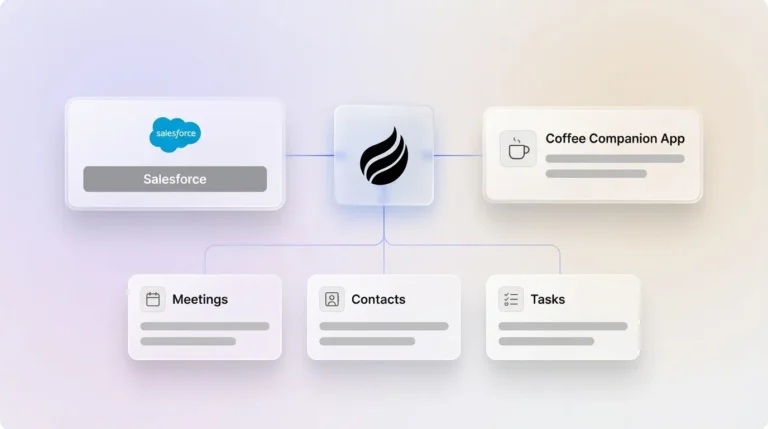
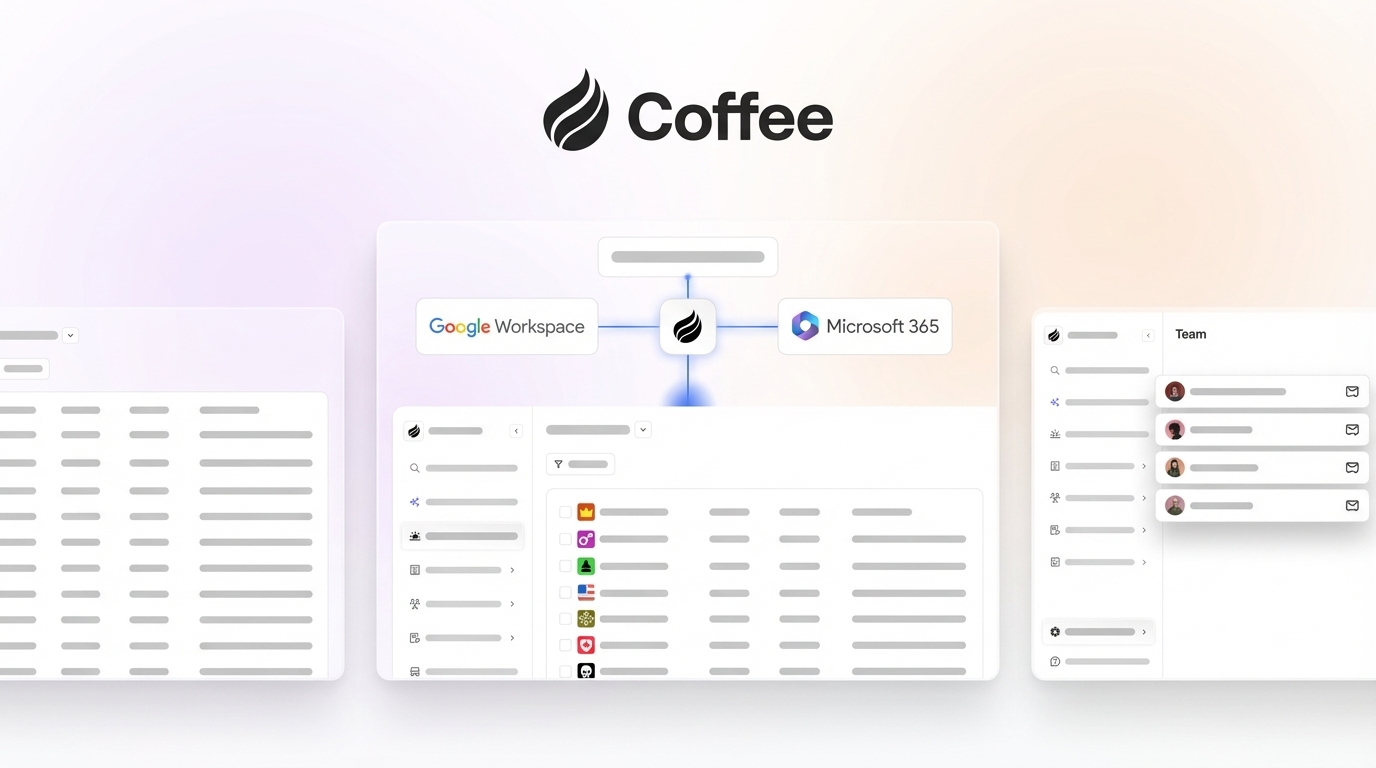
Coffee supports two deployment models that both remove the need for export and import cycles. As a Standalone CRM, it replaces legacy systems for small to mid-sized teams that have outgrown spreadsheets but view HubSpot and Salesforce as expensive maintenance burdens. As a Companion App, it runs as an intelligent layer on top of an existing Salesforce or HubSpot instance, authenticating, syncing, enriching, and writing clean data back to the primary CRM without forcing reps to change their workflow.

Replace your cleanup cycle with an agent that prevents dirty data at the source.

When to Stop Cleaning and Switch to an Agent
Three decision criteria signal that free tool workflows have reached their practical limit.
- Time spent exceeds four hours per week. Workers spend substantial time searching for basic information in the CRM due to poor data quality. When RevOps time allocated to cleaning approaches this threshold, the operational cost of cleanup exceeds the cost of prevention.
- Data re-dirties within a few months of each cleaning cycle. A CRM database returns to its pre-cleansing state within about 6 months without ongoing controls. If the decay cycle is shorter than the cleaning cadence, free tools cannot maintain a stable baseline.
- Forecasting accuracy is below 80%. Many sales organizations miss their targets because forecasts rely on inaccurate CRM data. When pipeline reviews require manual reconciliation just to be trusted, the underlying data infrastructure has failed and periodic cleanup cannot repair that structural gap.
At any of these thresholds, the marginal return on additional cleanup cycles turns negative. The right intervention is an agent that captures clean data at the source rather than a more disciplined export schedule.
Frequently Asked Questions About CRM Data Cleaning
What is the free tool for data cleaning?
OpenRefine is the most capable free tool for CRM data cleaning. It is an open-source desktop application that handles bulk deduplication through text clustering, standardizes field values through GREL transformation expressions, and supports multiple import and export formats including CSV. It runs locally, requires no subscription, and has an active community library of extensions.
The main constraint is scope. OpenRefine operates only on exported files and has no direct connection to Salesforce, HubSpot, or any CRM. Every cleaning session requires a manual export and a manual import, and the cleaned data begins decaying again as soon as you re-import it. For teams with databases under 10,000 contacts and a single CRM instance, OpenRefine is a viable free option. Teams with larger databases, multiple integrations, or faster decay rates benefit more from a prevention-first agent such as Coffee.
Which data cleaning tool is specific to CRM software?
Salesforce and HubSpot both include native data quality features at no additional cost. Salesforce provides duplicate rules, matching rules, and Data Loader for bulk export and import operations. HubSpot offers a Manage Duplicates tool under the Contacts menu that surfaces likely duplicate pairs for manual review, along with property validation settings that enforce required fields and picklist values on new records.
These native tools address existing dirty data through manual review workflows. They do not prevent dirty data from entering through API integrations, form submissions, or rep entry, which remain the primary sources of ongoing data decay. Third-party tools such as Scrubbly for email verification and DedupFuzzy for fuzzy-match deduplication on CSV exports extend native capabilities for specific use cases but still operate within the reactive export and import paradigm. Coffee functions as a CRM-specific data quality layer that operates at the point of capture instead of after the fact.
What steps would you take to clean and update data in a CRM system?
The cleaning process described earlier follows five core steps: audit, deduplicate, standardize, enrich, and re-import. The critical sixth step, often overlooked, involves configuring prevention controls such as required fields, validation rules, and duplicate detection on forms so the next cycle starts from a higher baseline. Without prevention, the database drifts back toward its pre-cleansing state within 90 days.
Which AI tool is best for data cleaning?
For one-time or periodic CRM data cleaning, ChatGPT and Claude work well as formula generators. They can produce Excel functions, OpenRefine GREL expressions, and Python scripts for normalization tasks based on a sample of dirty records. They do not connect to CRMs, cannot merge records, and cannot enrich data with current contact information.
For ongoing, automated CRM data quality, Coffee is the most capable AI tool available to RevOps and sales ops teams. The Coffee Agent ingests unstructured data from emails, calendar events, and call transcripts and writes structured, enriched records directly to the CRM. This approach removes the need for periodic cleanup by ensuring clean data enters the system at the moment of capture. Unlike general-purpose AI tools, Coffee is purpose-built for Salesforce and HubSpot integration, with deep understanding of required fields, forecasting objects, and quota structures.
Conclusion: Turn CRM Cleanup into a Solved Problem
Free tools such as OpenRefine, Excel, HubSpot’s native dedup, and ChatGPT-generated formulas provide real short-term relief for teams with manageable databases and enough RevOps bandwidth to run recurring export and import cycles. Data still decays faster than manual cycles can address it, the export and import tax compounds over time, and the root cause remains unaddressed. Unstructured data continues to enter the CRM through reps, forms, and integrations without reliable validation.
Coffee removes the cleanup burden by deploying an agent that captures and structures clean data at the point of entry. Whether you deploy Coffee as a Standalone CRM for teams that have outgrown spreadsheets or as a Companion App on top of an existing Salesforce or HubSpot instance, Coffee ensures that the data entering the system is complete, enriched, and accurate. The data coming out is then trustworthy enough to run a business on.