Written by: Doug Camplejohn, CEO & Co-Founder, Coffee | Last updated: July 5, 2026
Key Takeaways
- Inconsistent discovery notes create forecasting risk, and a repeatable framework like SPICED in daily tools turns call notes into reliable pipeline intelligence.
- SPICED structures every discovery conversation around five elements: Situation, Pain, Impact, Critical Event, and Decision. Reps capture context that directly supports accurate forecasting.
- Highspot playbooks and custom CRM fields aligned to SPICED enable consistent qualification, stakeholder mapping, and coaching scorecards that improve deal visibility.
- Automated agents such as Coffee remove manual note entry by extracting SPICED data from transcripts and writing structured fields back to Salesforce or Highspot within minutes.
- Teams ready to remove manual SPICED data entry can get started with Coffee and turn every discovery call into reliable pipeline intelligence automatically.
SPICED at a Glance
The table below gives you a quick reference for each SPICED element, its definition, and a sample discovery question you can drop into your Highspot playbook.
| Element | Definition | Highspot-Ready Question |
|---|---|---|
| Situation | The prospect’s current business context: tools, team structure, workflow, and growth stage. | What does your current workflow look like for the problem we solve? |
| Pain | The specific friction, inefficiency, or risk the buyer experiences in their current state. | What’s the most painful part of the current workflow? |
| Impact | The measurable business consequence, in dollars, hours, or risk, of leaving the pain unresolved. | How many hours per week does the team spend on this manual work, and what does that translate to in fully loaded cost? |
| Critical Event | The deadline, milestone, or external trigger that forces a decision by a specific date. | Is there a board meeting, planning cycle, or contract renewal forcing a decision? |
| Decision | How the buying decision will be made: stakeholders, criteria, procurement steps, and timeline. | Who else needs to weigh in, and who has final sign-off? |
SPICED Elements with Highspot-Specific Question Banks
Situation sets the stage for every discovery call, so load these into your Highspot discovery playbook as the opening sequence.
- Walk me through your current sales process from lead to close.
- What tools are your reps using for CRM updates, call recording, and pipeline management?
- How is your sales team structured, including segments, regions, and number of reps?
- What has changed in your org in the last six months, such as new leadership, a reorg, or growth?
- How long have you been on your current setup, and what drove the last switch?
- Are you currently targeting any new markets or customer segments?
Pain uncovers why the status quo is not working, so use these questions to surface root cause instead of surface symptoms.
- What’s the biggest gap between what your CRM shows and what is actually happening?
- How much time do reps spend each week on admin and data entry?
- What breaks when you pull a forecast or pipeline report today?
- Where does deal information go when it does not make it into Salesforce?
- What gets dropped or done badly when the team is overloaded?
- If you could change one thing about the current setup, what would it be?
Impact turns pain into a business case, and reps who uncover Impact effectively often sell more against the same opportunity volume than those who stop at Pain.
- What did this problem cost the business last quarter, in revenue, time, or credibility?
- How does this affect your ability to forecast accurately for the board?
- If nothing changes in the next two quarters, what gets worse?
- How does this problem affect you personally, including your time, your credibility, or your team’s morale?
- What is the business case you would build internally to fix this?
Critical Event defines real urgency, and if nothing meaningful happens when a date is missed, it is not a true critical event.
- Is there a specific date driving the timeline for this decision?
- When does your current tool contract come up for renewal?
- Are there any board meetings, fiscal deadlines, or planning cycles that create urgency?
- Has leadership set a specific date by which this needs to change?
- What is the cost of waiting another six months?
Decision clarifies how the deal will close, so map the full buying committee before the next call.
- Walk me through what happens between “we like this” and “contract signed.”
- Who ultimately signs off on a purchase of this size?
- What are your must-have criteria for evaluating solutions?
- Is there a procurement or security review step we should plan for?
- What other tools are you actively evaluating right now?
Pre-Call Research Checklist for SPICED Discovery
- Pull the account record in Highspot and review all prior activity, notes, and content shared.
- Read the Coffee pre-call briefing for attendee roles, past interactions, and open action items.
- Check LinkedIn for recent role changes, promotions, or org announcements at the account.
- Review the prospect’s tech stack using enrichment data surfaced by Coffee or your data provider. This reveals integration complexity and helps you anticipate technical objections.
- Use what you learned about their current tools to identify the likely Pain category based on industry, company stage, and prior call notes.
- Next, confirm whether a Critical Event exists by checking contract renewal dates or fiscal year timing, because urgency determines whether this deal will close on your forecast.
- Finally, map known stakeholders against the Decision element, including champion, economic buyer, technical evaluator, and potential blocker, so you enter the call knowing who you still need to reach.
- Select two to three Highspot content assets, such as case studies or ROI calculators, that match the prospect’s likely Impact narrative.
During-Call Discovery Flow by Minute
- Minutes 0–5 — Situation: Open with “Walk me through your current workflow for [the problem we solve].” Confirm team size, tools in use, and how long they have been on the current setup. Avoid pitching and take notes in the Highspot call guide.
- Minutes 5–15 — Pain: Transition with “Where does that process break down most often?” Dig into root cause with follow-up questions such as “What is causing that?” and “What happens when this process fails?” Capture the prospect’s exact words.
- Minutes 15–20 — Impact: Quantify with “How many hours per week does the team spend on this?” and “What does that translate to in fully loaded cost?” Tie the number to a business outcome like revenue, forecast accuracy, or rep capacity. Once you have established the cost of inaction, you can test whether urgency is real.
- Minutes 20–24 — Critical Event: Ask “Is there a specific date driving the timeline?” and “What happens if this is not solved by then?” Confirm whether the event is real by testing the consequence.
- Minutes 24–30 — Decision: Close with “Walk me through what happens between ‘we like this’ and ‘contract signed.'” Confirm who has final authority, what the evaluation criteria are, and whether a security or procurement review is required.
Quantifying Impact and Logging Critical Events
Impact needs a number to support a forecast. During the call, capture at least one of the following: hours lost per rep per week, pipeline leakage percentage, forecast miss frequency, or revenue attributed to the problem. Highspot opportunity records support custom fields for each metric. Configure fields for “Estimated Annual Cost of Pain” and “Impact Confidence” (High, Medium, or Low) so every deal carries a quantified business case.
Coffee’s autonomous agent reads call transcripts after the meeting and auto-populates these fields without rep intervention. When a rep says “they’re losing 20% of pipeline to bad CRM data,” Coffee extracts that figure and writes it to the Impact field in Salesforce or Highspot, timestamped and linked to the transcript source.
For Critical Events, log the specific date, the triggering event type such as board meeting, contract renewal, regulatory deadline, or leadership mandate, and the consequence of missing it. If no Critical Event is discussed, flag it as a gap in the opportunity record so the manager can coach to it before the next call.
Decision Mapping and Stakeholder Analysis Template
Use this template inside Highspot opportunity records for every deal above your minimum ACV threshold.
- Champion: Name, title, motivation, and access to the economic buyer.
- Economic Buyer: Name, title, budget authority, and preferred communication channel.
- Technical Evaluator: Name, title, integration concerns, and security requirements.
- Blocker: Name, title, objection type, and mitigation plan.
- Decision Criteria: Must-have requirements ranked by stakeholder.
- Procurement Steps: Security review, legal redline, finance approval, with sequence and estimated duration.
Add a “Stakeholder Coverage” field to the Highspot record scored Red for one contact, Yellow for two contacts, or Green for three or more contacts across functions. Multi-threading across buying committees is a leading indicator of close probability and should appear on every pipeline review.
Manager Coaching Scorecard and Common Mistakes
Use this scorecard during pipeline reviews to assess SPICED execution quality for each opportunity. Green indicates complete discovery, Yellow signals gaps that need follow-up, and Red flags deals that lack the data needed for accurate forecasting.
| SPICED Element | Green | Yellow | Red |
|---|---|---|---|
| Situation | Current tools, team size, and workflow documented with specifics. | Partial context, with team structure or tech stack missing. | No situational data captured beyond company name. |
| Pain | Root cause identified using the prospect’s own words. | Symptom noted but root cause not probed. | Pain assumed or skipped, and the rep moved to demo. |
| Impact | Quantified in dollars or hours with a named business consequence. | Impact mentioned but not quantified. | No impact captured, so the deal lacks a business case. |
| Critical Event | Specific date, trigger type, and consequence of missing it documented. | Date noted but trigger or consequence missing. | No critical event identified, and urgency is assumed. |
| Decision | Full stakeholder map with economic buyer confirmed and procurement steps documented. | Champion identified but economic buyer unknown. | Single contact and no buying process mapped. |
| Overall Note Quality | Structured SPICED fields populated in CRM within 24 hours of the call. | Notes in a personal doc with partial CRM entry. | No structured notes and context lives only in the rep’s memory. |
Five most common pitfalls in mid-market teams:
- Turning discovery into a pitch. Effective discovery requires listening more than talking. Reps who pitch before completing Pain and Impact skip the data that makes forecasts reliable.
- Treating SPICED as a checkbox. Reps view the methodology as administrative overhead when there is no visible connection between adherence and results.
- Coaching the deal, not the rep. Reviewing a lost deal at quarter close is an autopsy, and nothing can be changed. Coach behaviors on call recordings before the deal closes.
- Skipping the Critical Event test. Accepting a vague timeline without asking “what happens if you miss this date?” inflates pipeline with deals that will never close on forecast.
- Ignoring tool integration. If frameworks and scorecards are not embedded in daily CRM workflows, adoption fails. SPICED fields must live in Highspot and Salesforce, not in a separate training document.
SPICED vs MEDDIC Comparison for Revenue Teams
If your team is evaluating SPICED against MEDDIC or considering a switch, this comparison highlights structural differences that affect coaching, automation, and fit for recurring revenue models.
| Dimension | SPICED | MEDDIC |
|---|---|---|
| Discovery Depth | Full situational context plus emotional and financial impact. | Metrics and economic buyer focus with lighter situational context. |
| Urgency Focus | Dedicated Critical Event element with consequence testing. | Urgency implied through metrics with no standalone urgency element. |
| Stakeholder Mapping | Decision element covers full buying committee including blockers. | Champion and economic buyer identified with less structured committee mapping. |
| Recurring Revenue Fit | Designed specifically for SaaS and recurring revenue models covering the full customer journey. | Originated in enterprise hardware and adapted for SaaS but not purpose-built for it. |
| Coaching Ease | Five named elements map directly to scorecard rows and call review criteria. | Six elements with overlapping champion and economic buyer roles can create scoring ambiguity. |
| Automation Compatibility | Element names align cleanly to CRM field labels, and AI agents can extract and tag each element from transcripts. | Metrics field requires numerical extraction, while other elements are compatible with AI tagging. |
Regardless of which methodology you choose, the biggest implementation challenge stays the same. Teams need a reliable way to move discovery data from calls into the CRM without manual entry, and automation solves that last mile.
Highspot and Coffee Agent Automation Workflow
Most SPICED rollouts fail at the last mile, which is getting structured discovery data from the call into the CRM without relying on the rep to do it manually. Manual scoring and note entry is slow, uneven, and biased. Coffee’s autonomous agent closes that gap.
How the workflow operates:

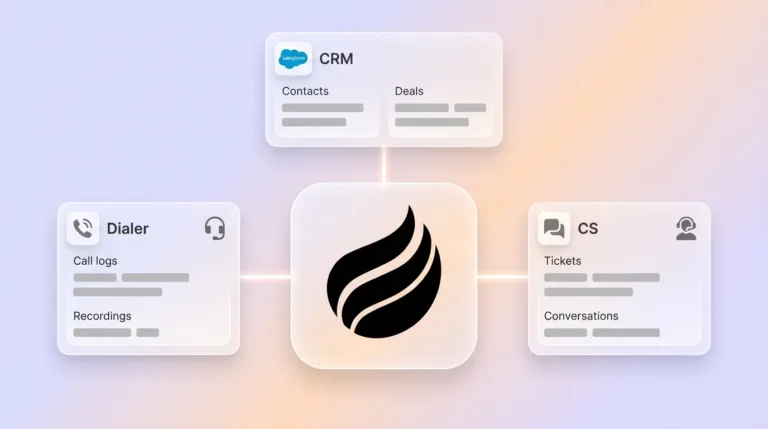
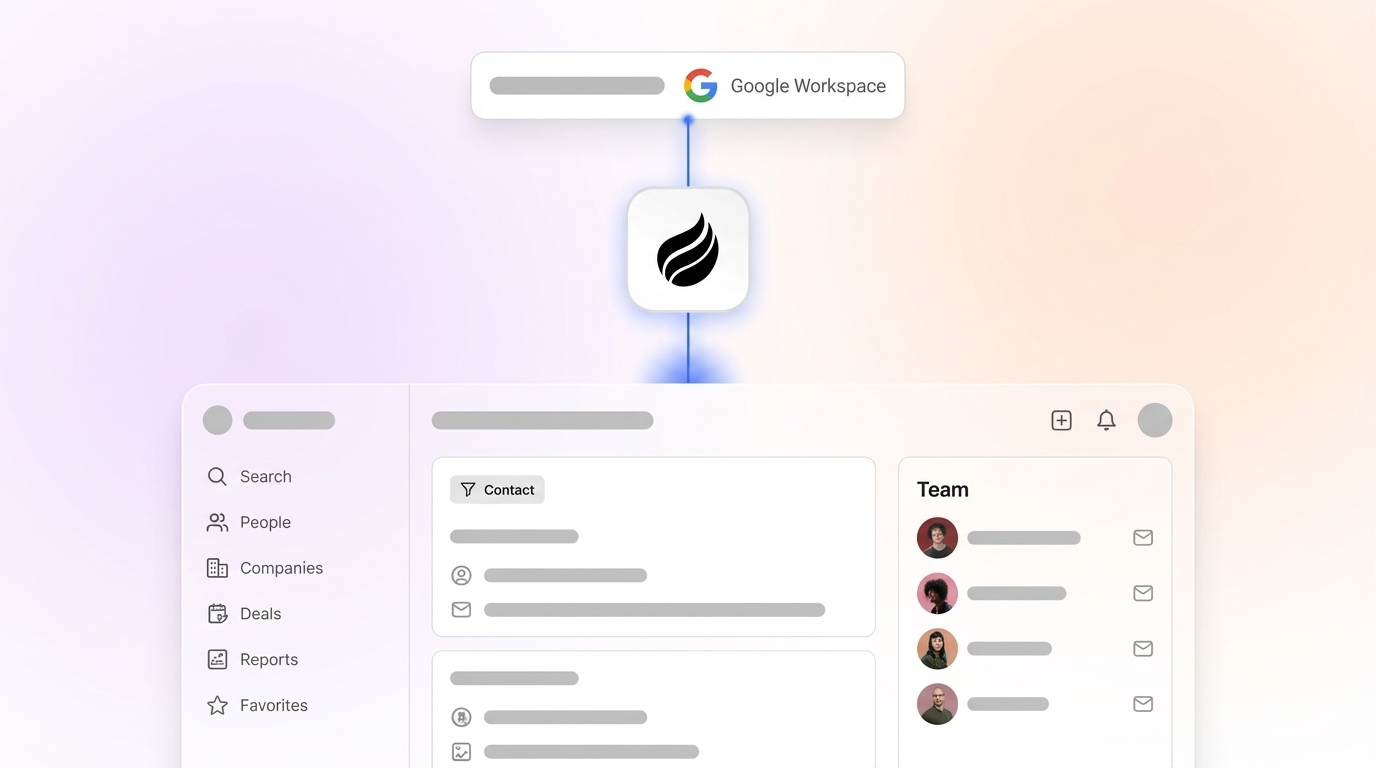
- Ingestion: Coffee connects to Google Workspace or Microsoft 365 and joins the discovery call via its AI meeting bot on Zoom, Teams, or Meet. It also reads the pre-call email thread and calendar invite for context.
- Extraction: After the call, Coffee’s agent reads the full transcript and identifies statements that map to each SPICED element. It extracts quantified Impact figures, named Critical Event dates, and stakeholder names and titles from the conversation.
- Structuring: The agent organizes extracted data into the five SPICED fields configured in Salesforce or Highspot. It applies Red, Yellow, or Green confidence scores based on completeness and flags gaps, such as no Critical Event confirmed, for manager review.
- Writing back: Structured SPICED data is written directly to the opportunity record in Salesforce or Highspot within minutes of the call ending. The rep receives a summary in Gmail for review before it posts, and no manual entry is required.
- Follow-up drafting: Coffee drafts a post-call follow-up email that recaps the confirmed Pain, quantified Impact, and agreed next steps, ready for the rep to send in one click.
The result is that every discovery call produces a complete, structured SPICED record in the CRM with zero rep admin time. Highspot’s conversation intelligence then surfaces those records for manager coaching and pipeline review without requiring a separate export.


See Coffee’s pricing and start your trial to turn every discovery call into reliable pipeline intelligence automatically.
30-Day SPICED and Coffee Implementation Plan
- Week 1, Day 1–2: Audit current Highspot playbooks and Salesforce opportunity fields and identify gaps against the five SPICED elements.
- Week 1, Day 3–5: Configure five SPICED custom fields in Salesforce or Highspot opportunity records with Red, Yellow, and Green picklists and a mandatory evidence text field.
- Week 1, Day 5: Build the SPICED discovery playbook in Highspot with the question bank from this guide, organized by element.
- Week 2, Day 1: Run a two-hour rep enablement session using role-play scenarios instead of slides. Focus on Pain and Impact questions only.
- Week 2, Day 2–3: Authenticate Coffee with Google Workspace or Microsoft 365 and configure SPICED field mapping to Salesforce or Highspot.
- Week 2, Day 4–5: Pilot Coffee on five live discovery calls and review auto-populated SPICED fields against rep recollection for accuracy calibration.
- Week 3, Day 1: Introduce the coaching scorecard in the weekly pipeline review and score one recorded call per rep as a team exercise.
- Week 3, Day 2–5: Implement stage-gate rules so deals cannot advance from Discovery to Proposal without Green or Yellow scores on Situation, Pain, and Impact.
- Week 4, Day 1–3: Run the first structured one-on-one coaching sessions using Coffee-generated call summaries and scorecard data as the evidence base.
- Week 4, Day 4–5: Review leading indicators such as SPICED field completion rate, average Impact quantification rate, and Critical Event identification rate, then set 30, 60, and 90 day targets.
Activate Coffee’s automated SPICED capture from day one of your rollout.
Frequently Asked Questions
Is Coffee secure enough for enterprise sales data?
Coffee is SOC 2 Type 2 certified and GDPR compliant. Call transcripts, email content, and CRM data processed by the Coffee agent are not used to train public AI models. Data is handled in isolated environments, and access controls follow the same authentication standards as your existing Salesforce or HubSpot instance. For mid-market SaaS teams, this meets the security bar for most procurement and InfoSec reviews without requiring a multi-year audit process.
How much integration work is required to connect Coffee with Highspot and Salesforce?
The Coffee agent connects to Salesforce or HubSpot through a simple OAuth authentication, with no custom development required. Once authenticated, Coffee reads your existing opportunity field schema and maps SPICED data to the fields you configure. The Highspot connection works through Highspot’s existing Salesforce integration, so SPICED data written to Salesforce opportunity records surfaces automatically in Highspot deal views. Most teams complete the initial setup in under two hours. Deeper workflow automations such as stage-gate triggers and Slack notifications are available via Zapier while native integrations continue to expand on the roadmap.
Is SPICED the right methodology for every deal size on our team?
SPICED works best for mid-market SaaS deals in the $10–100K ACV range with 2–4 stakeholders and 30–90 day sales cycles. For smaller transactional deals, a simplified two-element version that focuses on Pain and Decision reduces friction without sacrificing qualification quality. For enterprise deals above $100,000 ACV with complex procurement, SPICED pairs well with MEDDPICC’s paper process element to cover legal and security review stages. The coaching scorecard in this guide can be weighted differently by deal tier, requiring full Green scores on all five elements only for deals above your strategic threshold and Yellow or above for standard pipeline.