Written by: Doug Camplejohn, CEO & Co-Founder, Coffee | Last updated: July 2, 2026
Key Takeaways
- Most 20-50 person tech sales teams underuse Gong by skipping structured analysis, so coaching stays anecdotal and win-rate signals stay buried.
- A repeatable 7-step workflow, including exporting data, scoring discovery calls, tagging objections, and comparing top performers, turns raw Gong calls into clear coaching insights.
- AI prompts and agent automation speed up theme extraction, objection clustering, and CRM updates, replacing hours of manual tagging and spreadsheet work.
- Teams that implement this playbook cut coaching operations time from 21 hours to roughly 1.25 hours per month while gaining more consistent, auditable insights.
- Unlock automated Gong-to-CRM workflows and scalable coaching with Coffee.
Step 1: Connect and Export Gong Data for Analysis
Owner: RevOps | Output: Structured call export
Start by pulling a clean dataset from Gong. The Gong Help Center documents both CSV export and API access, which provide call metadata such as duration, participants, deal stage, and disposition. For cohort analysis, capture at least call date, rep name, account name, deal stage at time of call, and call outcome disposition.
With these fields identified, you face a key infrastructure choice. API access produces cleaner, more automatable output than CSV, and manual CSV exports quickly become a bottleneck as call volume grows.
Callout — Inconsistent Dispositioning: If reps do not tag call outcomes consistently in Gong or your CRM, your cohort tables in Step 4 will be unreliable. Audit disposition hygiene and fix gaps before you move forward.
Step 2: Build a Discovery-Call Scorecard Your Team Can Use
Owner: Sales Manager | Output: Tagged rows per call
A discovery scorecard turns subjective call quality into a numeric signal. Score each call across five criteria: problem identification (did the rep surface a specific pain), stakeholder mapping (were economic buyers identified), next-step commitment (was a concrete follow-up agreed upon), qualification depth (BANT, MEDDIC, or SPICED criteria met), and talk-ratio discipline (rep spoke less than 50 percent of the call).
Assign each criterion a 1-3 score, which gives a maximum possible score of 15. This total score provides a quick quality signal: 12-15 indicates high quality, 7-11 is average, and below 7 flags a coaching need. Beyond the total, tag each row in your export with the lowest-scoring criterion, because that specific weakness becomes the coaching priority for that rep.
Callout — Missing Speaker Labels: Gong speaker identification depends on calendar integration and consistent rep profiles. Calls with unlabeled speakers cannot be scored for talk ratio. Fix speaker labeling in Gong settings before you run bulk analysis.
Step 3: Run Sentiment and Objection Tagging on Each Call
Owner: RevOps or Enablement | Output: Tagged spreadsheet
Objection tagging categorizes the friction points that appear across calls. Define a fixed taxonomy before tagging, since consistent categories are required for the cohort comparison in Step 4. Common categories include pricing, competitive displacement, timing or budget cycle, internal champion strength, and technical fit.
With your taxonomy established, tag each call with the primary objection category and a secondary category if needed. This structure lets you compare patterns across deals without reinterpreting labels every time.
Sentiment scoring assigns a simple positive, neutral, or negative label to the prospect’s tone at three points: opening, mid-call, and close. This three-point structure shows whether objections surface early, which suggests a qualification problem, or late, which suggests a closing problem.
Callout — Over-Weighting Talk Time: Talk-time metrics act as a proxy, not a verdict. A rep with 60 percent talk time on a technical deep-dive call is not automatically underperforming. Treat talk ratio as one signal alongside scorecard criteria, not as a standalone judgment.
Step 4: Create Cohort Tables for Closed-Won and Closed-Lost Deals
Owner: RevOps | Output: Win-rate signals by variable
Split your tagged call dataset into two cohorts: deals that closed won and deals that closed lost. For each cohort, calculate the average discovery scorecard score, the most frequent primary objection category, and the average sentiment trajectory, meaning whether sentiment improved or declined from opening to close.
The gap between cohorts provides your signal. If closed-won calls average a scorecard of 13 and closed-lost calls average 8, discovery quality becomes a direct win-rate lever. If pricing objections appear in 70 percent of closed-lost calls but only 20 percent of closed-won calls, that objection deserves a dedicated enablement response.
Step 5: Compare Top-Performer Patterns to Team Averages
Owner: Sales Manager | Output: Coaching priorities
The cohort analysis reveals what separates wins from losses across your entire team. To turn those patterns into coachable behaviors, isolate the top quartile of reps by win rate and run the same cohort analysis on their calls alone.
The patterns that appear consistently in top-performer closed-won calls, such as specific objection handling sequences, deeper stakeholder mapping, or higher next-step commitment rates, become the coaching curriculum for the rest of the team. Document three to five repeatable behaviors that differentiate top-performer calls, and use these behaviors as the basis for call review rubrics and onboarding playbooks.
Step 6: Use AI Prompts for Bulk Theme Extraction
Owner: RevOps or Enablement | Output: Clustered themes and objection frequency data
Structured exports allow AI prompts to accelerate theme extraction across dozens of transcripts. Use the following ready-to-copy templates to keep outputs consistent across reviewers.
Objection Clustering Prompt: “Review the following call transcript. Identify every objection raised by the prospect. Categorize each objection as pricing, timing, competitive, technical fit, or internal champion. Return a JSON object with objection category, verbatim quote, and call timestamp.”
Sentiment Scoring Prompt: “Analyze the following call transcript. Score prospect sentiment at three points, first five minutes, midpoint, and final five minutes, on a scale of 1 (negative) to 5 (positive). Return a table with timestamp, sentiment score, and the key phrase that drove the score.”
Coaching Insight Prompt: “Compare the following two call transcripts, one from a closed-won deal and one from a closed-lost deal. Identify three specific behavioral differences in how the rep handled objections, established next steps, and qualified the opportunity.”
Step 7: Push Structured Insights Back into the CRM via an Agent
Owner: Coffee Agent | Output: Enriched CRM records in Salesforce or HubSpot
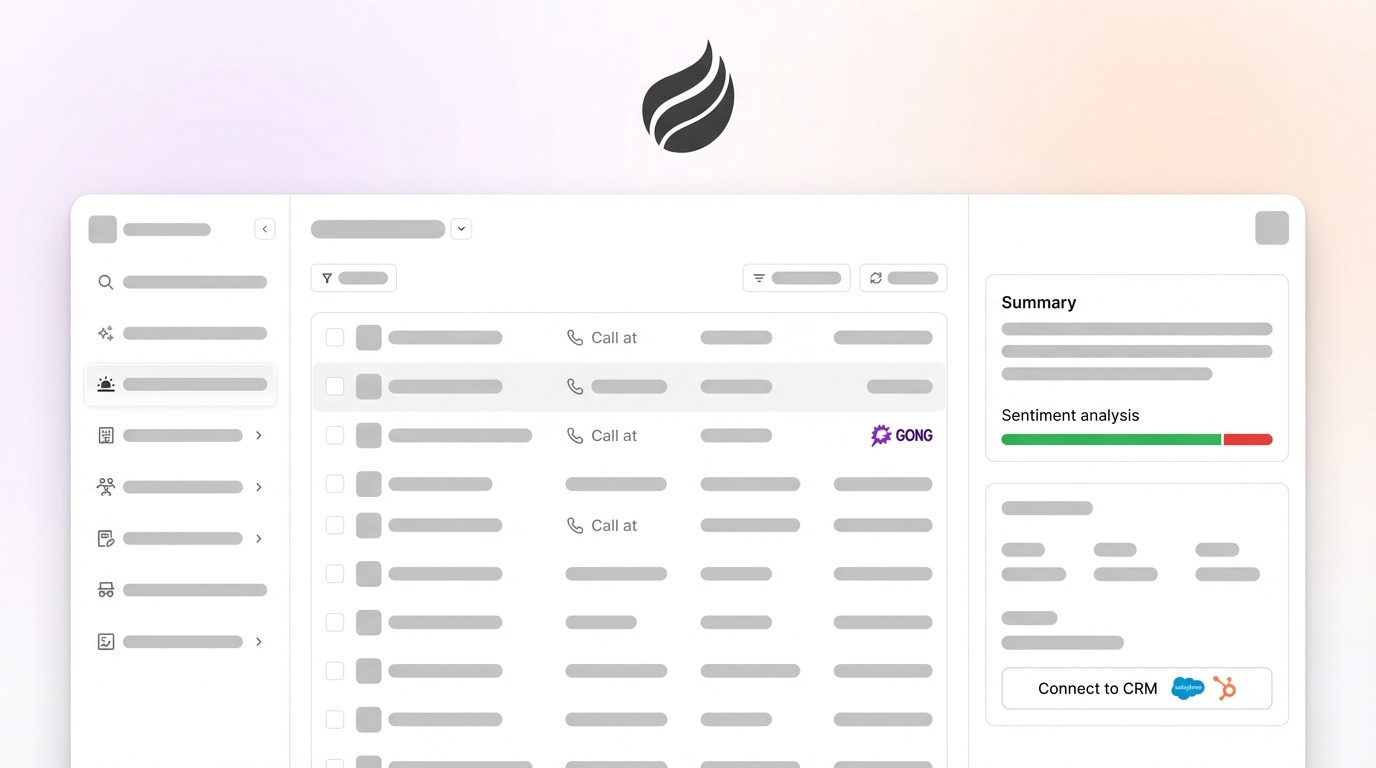
Steps 1 through 6 produce structured intelligence, and Step 7 makes that intelligence operational by writing it back to the CRM automatically. Coffee expanded its call recording integrations in January 2026 via Zapier, connecting directly with Gong, Fathom, and Fireflies, which lets the Coffee Agent ingest Gong transcript data without manual export.
Once connected, the Coffee Agent processes transcripts against your defined scorecard criteria and objection taxonomy. The agent then writes structured fields, including objection category, discovery score, sentiment trajectory, and next steps, directly to the corresponding opportunity record in Salesforce or HubSpot. Coffee’s Intelligence layer, launched in February 2026, allows teams to define ICP, product specifics, and competitor context so the agent’s tagging is calibrated to your specific business, not to a generic model.
Connect your Gong workspace to Coffee and automate Steps 1 and 7 immediately.
Stop Reviewing Calls One at a Time
The manual version of this workflow, which includes exporting CSVs, tagging rows in Sheets, and copying insights into CRM fields, works but does not scale. It consumes RevOps and manager time that compounds poorly as call volume increases. The table below compares the time cost of manual execution against an agent-automated workflow for a team reviewing 40 calls per month, using the task steps described in this playbook.
| Task | Manual Workflow (hrs/month) | Coffee Agent Workflow (hrs/month) |
|---|---|---|
| Gong export and field mapping | 3 | 0.25 (auth setup, one-time) |
| Objection tagging (40 calls) | 6 | 0 |
| Cohort table construction | 4 | 0 |
| CRM field updates | 5 | 0 |
| Coaching insight synthesis | 3 | 1 (review and approve) |
| Total | 21 | 1.25 |
Coffee’s speaker tracking feature, added in December 2025, provides per-participant talk-time breakdowns that feed directly into scorecard scoring without manual calculation. This automation removes one of the most time-consuming tagging steps.
Validation Checklist for Reliable Cohort Insights
Before you act on cohort findings, run three data-quality checks that validate different layers of your analysis. First, verify inter-rater reliability by having two reviewers independently score ten calls using the scorecard and confirming that scores align within one point on average. Divergence above that threshold suggests the scoring criteria need tighter definitions.
With scoring consistency confirmed, check your data completeness. At least 90 percent of calls in the export should have a valid deal-stage tag, because missing dispositions will skew your cohort comparisons. Finally, establish a before and after baseline by recording your current win rate by deal stage before you implement coaching changes, then measuring the change at 60 and 90 days.
Scaling Variations for Different Team Sizes and CRMs
Team size and structure influence how often you should run this workflow and how detailed the scorecard should be. For teams with five or fewer reps, run the cohort analysis quarterly rather than monthly, because a sample size below 30 calls per cohort produces unreliable averages. In that case, focus the scorecard on two criteria instead of five to reduce scoring overhead.
For teams with 30 or more reps, segment cohorts by rep tenure, such as under six months versus over six months, in addition to deal outcome. New-rep patterns often differ from veteran patterns and usually require separate coaching tracks.
System of record also shapes how insights flow back into the business. For Salesforce, Coffee writes insights to custom opportunity fields and can trigger workflow rules or Salesforce Flow automations based on objection tags. For HubSpot, Coffee writes to deal properties and can enroll records into sequences based on discovery score thresholds. Using the Intelligence layer configured in Step 7, Coffee’s Custom Meeting Summaries allow teams to define exact output formats, such as executive summaries for leadership or granular technical breakdowns for enablement, so the same Gong data serves multiple stakeholders without reformatting.
Deploy Coffee’s agent layer across your Salesforce or HubSpot instance today.
Frequently Asked Questions
How long does it take to set up Coffee with Gong?
Initial setup requires authenticating Coffee with your Gong workspace and your CRM, either Salesforce or HubSpot. The Gong connection runs through Zapier and typically takes under 30 minutes to configure. Defining your objection taxonomy, scorecard criteria, and CRM field mapping requires additional time for a first-time setup. After that, the agent runs the ingestion and tagging workflow automatically for every new call without extra configuration.
Is call transcript data secure when processed by Coffee?
Coffee is SOC 2 Type 2 and GDPR compliant. Call transcript data processed by the Coffee Agent is not used to train public AI models. Data handling follows the same standards applied to all CRM data within the platform. Teams in regulated industries should review Coffee’s compliance documentation at coffee.ai before they connect transcript data.
Can Coffee analyze calls from multiple Gong workspaces?
Coffee integrates with Gong via Zapier. Teams that manage multiple Gong workspaces, such as separate workspaces for different business units, should contact Coffee’s team to discuss configuration options. The agent’s Intelligence layer can be scoped to different ICPs or product lines within a single workspace, which allows segmented analysis without separate workspace connections.
What CRM fields should I create before connecting Coffee to Gong?
Create custom fields for at least four items: primary objection category, discovery scorecard total, sentiment trajectory across opening, mid, and close, and last coaching flag date. In Salesforce, these appear as custom opportunity fields. In HubSpot, these appear as custom deal properties. Coffee’s agent writes to these fields automatically once they are mapped during setup, so having them defined before connecting keeps data clean from the first processed call.
Does this workflow require Gong’s premium API tier?
Gong’s API access is available to all partners and customers. Teams on entry-level Gong plans may still need to use CSV export for the initial data pull in Step 1. The Coffee Agent can process both API-sourced and CSV-sourced transcript data. For teams running more than 20 calls per week, API access is strongly recommended to avoid the manual export bottleneck that this playbook is designed to remove.
Conclusion: Turn Every Gong Call into Reliable Intelligence
The seven steps in this playbook, export, score, tag, cohort, compare, prompt, and push, convert Gong transcripts from an archive into an active coaching and pipeline intelligence system. The manual version of this workflow remains possible but expensive in RevOps time. The agent-automated version, with Coffee ingesting Gong data and writing structured insights back to Salesforce or HubSpot, reduces that overhead to approximately 1.25 hours per month while producing more consistent, auditable output than any spreadsheet-based process.
For 20-50 person tech companies where RevOps is one or two people and the sales manager also carries a quota, that time difference often decides whether the team runs the playbook consistently or abandons it after one quarter.
Automate your Gong-to-CRM workflow with Coffee and turn your next call into a CRM-ready coaching record automatically.