Written by: Doug Camplejohn, CEO & Co-Founder, Coffee
In the ever-evolving world of sales, companies face mounting pressure to maximize efficiency and close deals faster. Traditional CRMs like HubSpot, once groundbreaking for their marketing automation, often struggle to keep pace with today’s sales demands. Many sales teams grapple with outdated architectures, manual workloads, and fragmented data that slow down progress. As the market shifts toward smarter solutions, AI-powered CRMs have emerged to tackle these pain points head-on. These tools automate repetitive tasks, provide actionable insights, and create a smoother sales process. This article explores seven AI-driven alternatives to HubSpot, with a focus on how they address real challenges faced by modern sales teams. You’ll find detailed comparisons, trade-offs, and specific benefits to help you make an informed choice.
Why Legacy CRMs Fall Short for Today’s Sales Teams
Legacy CRMs promised a unified view of customer data, but many, including HubSpot and Salesforce, have become cumbersome over time. Beyond their subscription costs, these platforms often create hidden inefficiencies that hurt sales performance.
Manual data entry remains a significant burden. Sales reps spend hours logging calls, updating records, and copying emails, cutting into time for actual selling. Only about 35% of their workday focuses on deal-making, with much of the rest consumed by administrative tasks.
Data fragmentation adds another layer of complexity. Customer information often sits across multiple tools, like HubSpot for CRM, ZoomInfo for enrichment, and SalesLoft for outreach. This disjointed setup leads to silos, making it hard to see the full picture of customer relationships while increasing tech costs.
Older architectures also pose challenges. Salesforce, built over two decades ago, carries legacy constraints despite updates. HubSpot, originally a marketing platform, adapted CRM features later, sometimes leaving sales teams with a less tailored experience.
These issues drive low user adoption. Many reps see CRMs as tools for management reporting rather than personal value, leading to incomplete data and reliance on separate systems like spreadsheets. AI-first CRMs aim to solve these problems by automating workflows, integrating data, and focusing on user-friendly design to support sales reps directly.
Coffee: A Modern AI CRM for Streamlined Sales
As part of the growing trend toward AI-driven sales tools, Coffee stands out with a fresh approach. Built with AI at its core, it prioritizes clean data to fuel intelligent features, offering a contrast to legacy systems that layer AI on top of outdated frameworks.
Coffee caters to different business needs through two models. Its Standalone CRM suits small to mid-sized teams of 1-20 employees seeking a full replacement for traditional CRMs. The Companion App works alongside existing Salesforce or HubSpot setups, letting larger organizations adopt Coffee’s AI benefits without overhauling their current systems.
Key strengths of Coffee include:
- Automatic data capture and enrichment, saving reps 8-12 hours weekly by pulling details from emails and calendars.
- AI-driven meeting support, with pre-meeting briefs, call summaries, and follow-up email drafts tied to Gmail.
- Advanced pipeline analysis, using a built-in data warehouse for instant week-over-week comparisons without extra tools.
- Unified functionality, combining CRM, data enrichment, call recording, and forecasting in one platform.
- User-focused design, acting as a helpful co-pilot for reps rather than a reporting burden.
Want to see how Coffee can fit into your sales process? Request access now to explore its impact.

Top 7 AI CRM Alternatives to HubSpot for Better Sales Outcomes
1. Coffee: AI Designed for Sales Productivity
Coffee leads with a focus on AI as the foundation of CRM innovation. By automatically gathering high-quality data from emails, calendars, and call transcripts, it avoids the pitfalls of manual entry common in older systems.
Once connected to Google Workspace or Microsoft 365, Coffee scans interactions to build and update contact and company profiles. It enriches records with details like job titles and funding status, linking every email and meeting to the right accounts without rep effort.
Meeting management gets a significant upgrade. Coffee offers pre-meeting summaries of attendee backgrounds and past interactions, records calls on popular platforms like Zoom, and creates actionable follow-ups. These drafts open in Gmail for easy editing and sending, saving time after each conversation.
For pipeline oversight, Coffee’s data warehouse captures historical snapshots, letting users track changes with a single click. Sales managers can spot stalled deals or new opportunities instantly, a process that often requires manual exports in traditional systems.
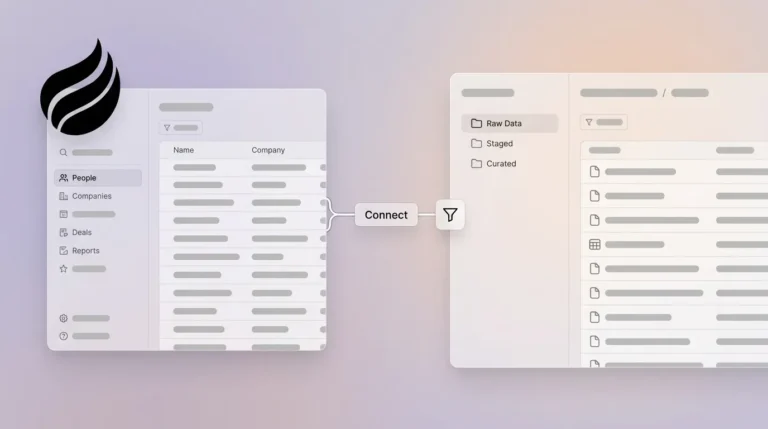
Through its Companion App, Coffee also integrates with Salesforce or HubSpot, syncing enriched data back to existing platforms. This flexibility helps teams adopt AI benefits while keeping their core systems intact.
2. monday CRM: Workflow Automation for Sales Teams
Monday CRM extends beyond standard CRM tasks by focusing on broad automation. It helps sales teams cut down on routine work through practical AI features.
Its tools prioritize leads based on conversion potential, summarize complex interactions for quick insights, and manage resources like sales materials automatically. This allows reps to spend more time on client relationships rather than paperwork.
For teams that value integrated project management, monday CRM offers clear benefits. It streamlines workflows but may require manual oversight for some tasks, unlike more fully automated options.
3. Zoho CRM Plus: Detailed Sales Insights with AI
Zoho CRM Plus uses its AI assistant, Zia, to deliver lead scoring, forecasting, and tailored recommendations. It provides a wide range of tools for sales and customer engagement.
One notable feature is sentiment analysis, which helps reps gauge customer emotions and adjust their approach. Zoho excels in automating complex sales processes, fitting well for teams with structured methodologies.
However, its extensive features can feel overwhelming for smaller teams. It offers depth but may demand more setup time compared to simpler platforms.
4. Salesforce Einstein: Enterprise AI Enhancement
Salesforce Einstein brings AI into the widely used Salesforce ecosystem. It adds predictive analytics and automated reporting to enhance existing setups.
Best suited for large organizations, Einstein supports personalized interactions and sales optimization. Its strength lies in tight integration across sales, marketing, and service functions within Salesforce.
The trade-off is complexity. Leveraging Einstein requires a full Salesforce commitment, which can be costly and intricate for smaller businesses compared to standalone AI CRMs.
5. Freshsales with Freddy AI: User-Friendly Sales Support
Freshsales pairs Freddy AI with an accessible interface to improve sales productivity. It focuses on practical automation for everyday tasks.
Freddy AI handles email scheduling, customer sentiment analysis, and lead prioritization, guiding reps on where to focus. This balance of capability and ease makes it a good fit for small to growing teams.
While effective, it may lack the advanced pipeline analysis or data warehouse features found in other options, positioning it as a simpler starting point for AI adoption.
6. Pipedrive with Smart Docs: Visual Tools for Sales Management
Pipedrive offers a visual pipeline approach, enhanced by Smart Docs for automated document handling. It appeals to teams that prefer intuitive design.
AI features prioritize deals and streamline tasks, while Smart Docs speeds up proposal and contract creation. This reduces admin time and ensures consistent materials.
Pipedrive works well for smaller teams but might not offer the depth of automation or data insights needed for larger, data-heavy operations.
7. Breakcold: Focused Lead Scoring and Outreach
Breakcold targets lead prioritization and personalized communication, using AI to enhance outbound sales efforts.
It automates data entry and provides real-time insights for tailored prospect interactions. This focus helps reps connect with the right leads at optimal times.
Breakcold suits teams heavy on prospecting, though it may not cover broader CRM needs like advanced pipeline tracking as comprehensively as others.
Comparing AI CRMs: Key Features for Your Team
To guide your decision, here’s a breakdown of core features across three leading AI CRMs:
|
Feature |
Coffee |
monday CRM |
Zoho CRM Plus |
|
Automated Data Entry |
Full automation from email/calendar, saves 8-12 hours weekly |
Partial automation, needs some manual input |
Solid automation with Zia AI support |
|
AI Meeting Management |
Complete pre/post automation with briefs and follow-ups |
Basic scheduling and reminders |
Insights via Zia, manual follow-up needed |
|
Pipeline Intelligence |
Data warehouse with instant comparison tools |
Visual tracking, basic reports |
Predictive forecasting, detailed analytics |
|
Data Enrichment |
Built-in, replaces tools like ZoomInfo |
Relies on third-party integrations |
Integrated with data partners |
|
User Adoption |
Built as a rep-friendly co-pilot |
Strong in workflow integration |
Comprehensive, can be complex for small teams |
Coffee stands out for its automation depth and pipeline analysis, directly addressing adoption issues. Other platforms bring valuable features, but their benefits often depend on specific team needs, like workflow focus or enterprise scale.
Common Questions About Switching to AI CRMs
What Gains Come from Moving to an AI CRM?
AI CRMs tackle legacy system flaws by automating data entry, unifying customer views, and delivering actionable insights. Reps can save 8-12 hours weekly on admin tasks, focusing instead on closing deals. These tools handle real-time data better, improving pipeline visibility and team efficiency.
How Do AI CRMs Cut Data Entry Time?
By scanning emails and calendars, AI CRMs automatically update contacts and activities. This eliminates manual logging, keeps records current, and lets reps prioritize client engagement over paperwork, a benefit seen in platforms like Coffee.
Can AI CRMs Work with My Current HubSpot Setup?
Many AI CRMs support integration with existing systems. Coffee’s Companion App connects to HubSpot or Salesforce, adding automation and insights while preserving your main platform, offering a gradual transition to AI benefits.
What Pipeline Insights Do AI CRMs Offer Over Traditional Ones?
AI CRMs provide deeper pipeline visibility through features like historical data snapshots. Coffee’s comparison tool, for instance, shows week-over-week changes instantly, unlike legacy systems that often need manual exports or costly add-ons for similar analysis.
Conclusion: Embracing AI for Sales Success
Legacy CRMs like HubSpot, rooted in older designs, often struggle to meet the dynamic needs of modern sales teams. AI-powered alternatives offer a path forward by reducing manual workloads, connecting scattered data, and providing smart insights.
Among these, Coffee exemplifies the shift to AI-first solutions. Its dual Standalone and Companion models address varied business needs, focusing on automation and user value. As part of a broader movement, it shows how CRMs can evolve into true sales allies.
Exploring AI CRMs can redefine how your team operates. Ready to take the next step? Request access to Coffee and discover a sales-focused approach built for efficiency.