
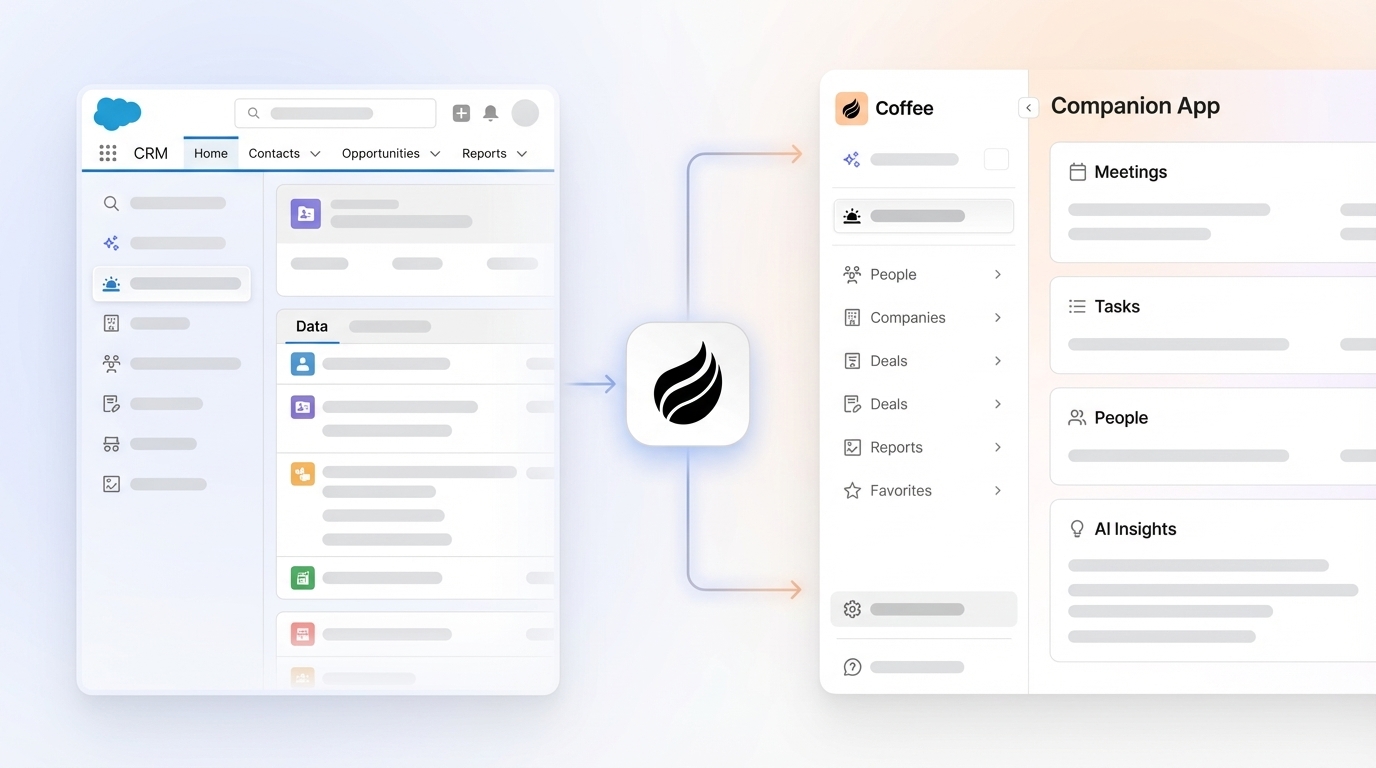
In today’s competitive sales landscape, organizations rely heavily on Customer Relationship Management (CRM) systems like Salesforce to manage customer data and drive revenue. However, as businesses grow and adopt diverse tools, many face integration hurdles that fragment data and slow down sales teams. The market for CRM solutions has evolved rapidly, with over 60% of companies now using multiple platforms alongside their primary CRM, often leading to inefficiencies. Meanwhile, the rise of AI offers a path to unify these systems, automate repetitive tasks, and provide deeper insights. Companies that embrace AI-driven integration can cut down on manual work and improve data accuracy, positioning themselves ahead in a crowded field. This guide explores how sales leaders and RevOps professionals can enhance Salesforce with AI, spotlighting Coffee’s Companion App as a key player in this growing trend.
Why Salesforce Integration Issues Hurt Sales Teams
Integration problems with Salesforce often reduce sales productivity and compromise data quality. When customer information spreads across disconnected systems, reps waste time piecing together details instead of focusing on closing deals. This data fragmentation creates gaps in understanding customer needs.
Manual data entry compounds the issue. Sales reps spend hours logging calls, emails, and updates, cutting into time for active selling. Studies indicate that reps dedicate only about 35% of their week to direct sales efforts, with much of the rest consumed by administrative tasks. This imbalance turns CRMs into a burden rather than a benefit.
Coffee’s Companion App tackles these pain points by layering AI over Salesforce, syncing data from multiple sources, and automating repetitive tasks to keep teams focused on selling.
What You Need to Integrate AI with Salesforce
Before enhancing Salesforce with AI through Coffee, confirm you have an active Salesforce account with admin access to set up integrations. Knowing your current sales tools helps pinpoint where AI can add value.
You’ll also need a subscription to Coffee’s Companion App to unlock its features. The app connects with Google Workspace or Microsoft 365 to pull in communication data, such as emails and meeting notes, that Salesforce often misses.
Set specific goals for integration, like cutting data entry time or sharpening pipeline forecasts. Clear targets make it easier to measure the impact on your sales process.
How to Set Up Coffee’s Companion App for Salesforce Integration
Step 1: Connect Coffee to Salesforce
Begin by linking Coffee’s Companion App to your Salesforce account through its integration menu. The process uses secure OAuth 2.0 protocols, ensuring safe access without exposing sensitive information.
During setup, grant Coffee permission to interact with Salesforce objects like contacts and opportunities. This also allows it to sync enriched data back to your CRM. Most users complete this step in just a few minutes, no technical skills required.
Expected Outcome: A stable connection between Coffee and Salesforce supports smooth data flow and sets the stage for AI-powered features.
Step 2: Sync Fragmented Data for a Full Customer Picture
Coffee pulls together data from emails, calendars, and call transcripts via Google Workspace or Microsoft 365. It matches this information to existing Salesforce records, automatically updating contacts and companies with details like job roles or firm size.
This process minimizes the need for separate tools by centralizing data within Coffee’s interface and pushing updates to Salesforce. Sales reps gain a clearer, more complete view of their customers without extra effort.
Expected Outcome: All customer data integrates into Salesforce, improving accuracy and reducing the hassle of switching between platforms.
Step 3: Automate Data Entry and Tracking
Coffee removes the need for manual updates by logging activities like recent emails or upcoming meetings directly from connected accounts. This keeps Salesforce records current, saving reps an estimated 8 to 12 hours weekly.
With less time spent on admin tasks, sales teams can prioritize building relationships and pursuing leads.
Expected Outcome: Reps spend less time on data input, and Salesforce stays updated with accurate activity records.
Step 4: Enable AI Insights within Salesforce
Coffee feeds AI-generated insights back into Salesforce, including meeting summaries, action items, and follow-up email drafts based on call transcripts. Its pipeline tools track deal progress, flagging shifts or delays with week-over-week comparisons.
These features turn Salesforce into a smarter platform, delivering actionable suggestions right where reps already work.
Expected Outcome: Salesforce becomes a hub for AI insights, supporting better decisions and stronger sales results.
Step 5: Track and Fix Integration Issues
Check Coffee’s sync logs regularly to spot any data mismatches with Salesforce. Verify that field mappings align with your CRM setup to avoid missing key information.
Validate enriched data to ensure it fits your standards before it updates Salesforce. Schedule routine checks of logs and mappings to catch issues early. Also, map any custom Salesforce fields to Coffee to fully capture AI insights.
Expected Outcome: Consistent monitoring keeps integration smooth, maintaining data reliability across platforms.
Comparing Coffee to Standard Salesforce Integration Options
Coffee’s Companion App stands out from traditional Salesforce integration methods. Unlike manual setups or custom coding, which often require IT support and ongoing maintenance, Coffee automates data syncing and activity tracking with minimal setup. It also pulls in external data from emails and calls, something basic integrations rarely handle well.
For small to mid-sized teams, Coffee offers a practical way to upgrade Salesforce without the complexity or cost of extensive development. As part of the broader shift toward AI-enhanced CRMs, Coffee exemplifies how automation can simplify tech stacks while boosting efficiency.
Ready to see the difference? Request access to Coffee’s Companion App for smarter Salesforce integration.

Key Gains from Using Coffee with Salesforce
Pairing Coffee with Salesforce delivers measurable improvements for sales operations. Automation cuts down on manual data entry, freeing reps to focus on engaging prospects. Data accuracy improves with automatic updates and enrichment.
Coffee’s pipeline analysis aids in forecasting and spotting deal risks, while its unified platform reduces the need for multiple tools. Reps are more likely to use the CRM when it feels helpful rather than burdensome, driving better adoption rates.
Want these benefits for your team? Request access to Coffee and elevate your Salesforce experience.
Extra Features to Power Up Salesforce with Coffee
Coffee brings advanced tools to enhance Salesforce. Its List Builder lets users search for prospects using plain language, like requesting a list of sales VPs at mid-sized North American firms with specific funding levels and tech stacks.
The app tailors AI outputs to sales frameworks like BANT or MEDDIC for consistent deal evaluation. Integration with Slack sends updates on pipeline shifts or meeting recaps, keeping teams informed without logging into the CRM constantly.
These additions make Salesforce more responsive and aligned with modern sales needs, leveraging Coffee’s AI capabilities.
Common Questions About Salesforce Integration with Coffee
Will Coffee Replace My Salesforce CRM?
Coffee’s Companion App doesn’t replace Salesforce or HubSpot. Instead, it works as an added layer, bringing AI insights and automation while preserving your existing CRM setup and data. Salesforce stays your core system, enhanced by Coffee’s features.
Does Coffee Handle Data Outside Salesforce?
Coffee connects with external sources like emails, calendars, and call transcripts through Google Workspace or Microsoft 365. It organizes this unstructured data and ties it to relevant Salesforce records, creating a fuller customer profile.
How Secure Is Coffee for Salesforce Integration?
Coffee meets high security standards, including SOC 2 Type 2 certification and GDPR compliance. Data is protected with encryption and strict access controls. Customer information isn’t used for AI training without explicit permission, ensuring safe integration with Salesforce.
Wrap-Up: Strengthen Salesforce with Coffee’s AI Tools
Coffee’s Companion App solves critical Salesforce integration issues, such as scattered data and manual workloads. By linking diverse sources and automating updates, it helps sales teams work smarter within their familiar CRM environment.
Improved integration means lasting gains in efficiency and data quality. Coffee represents the future of CRM enhancement, blending traditional reliability with AI innovation to make Salesforce a more effective sales engine.
Don’t let data challenges hold your team back. Request access to Coffee’s Companion App and improve your Salesforce integration for better sales results.