Written by: Doug Camplejohn, CEO & Co-Founder, Coffee | Last updated: August 24, 2026
Key Takeaways for Sales and RevOps Leaders
- Legacy CRMs like Salesforce and HubSpot force reps to spend 72% of their time on administrative tasks instead of selling, which creates a data-quality crisis that undermines forecasting accuracy.
- An AI-first CRM removes manual data entry by ingesting emails, calls, and calendar events, then running multi-step workflows across integrated tools without human intervention.
- Coffee deploys as either a Standalone CRM for small teams or a Companion App that sits on top of existing Salesforce or HubSpot instances, preserving the system of record while removing the data-entry burden.
- Eight core benefits include zero manual entry, elimination of context switching across 4+ tools, proactive pipeline intelligence, accurate forecasting data, meeting orchestration, visitor identification, built-in prospecting, and lower total cost of ownership through stack consolidation.
- Teams ready to replace manual CRM work with agentic execution can explore Coffee’s pricing and deployment options.
The Problem: Why Legacy CRMs Fail Reps
The numbers confirm what every sales leader already knows: reps spend the majority of their time on administrative work rather than selling. The Coffee platform’s own market data puts the issue in starker terms: 71% of sales reps say they spend too much time on data entry, leaving only 35% of their time for actual selling.
The architectural reason is straightforward. Salesforce carries 25 years of legacy baggage built on relational databases that discard historical context the moment a field is overwritten. HubSpot bolted a CRM onto a marketing tool rather than building a unified intelligence system from the ground up. Neither platform was designed to ingest unstructured data such as email threads, call transcripts, and meeting notes at the record level.
The downstream consequence is a data-quality crisis. The average B2B CRM loses 25–30% of its data accuracy every year as contacts change jobs, companies merge, and email addresses are retired. Fewer than 25% of sales organizations forecast within 10% of actual results, and according to Validity’s 2025 report, 76% of respondents say less than half of their organization’s CRM data is accurate and complete. Bad data in produces bad forecasts out, and low adoption produces shadow CRMs in Notion and spreadsheets that make the problem worse.
The recoverable cost is significant. AI applied across notes, CRM logging, scheduling, research, enrichment, and follow-ups saves 4–7 hours per rep per week, according to Outreach’s 2026 Agent Productivity Impact Report. Coffee’s agent targets the 8–12 hour band of that range as the realistic, conservative benchmark for SMB teams making the transition from manual entry to agentic capture. The philosophy is simple: good data in, good data out. Coffee’s architecture solves this by making the AI agent, not the human rep, responsible for data capture, which keeps information complete and consistent from the first interaction.

The Solution: How Coffee’s AI-First CRM and Agent Work Together
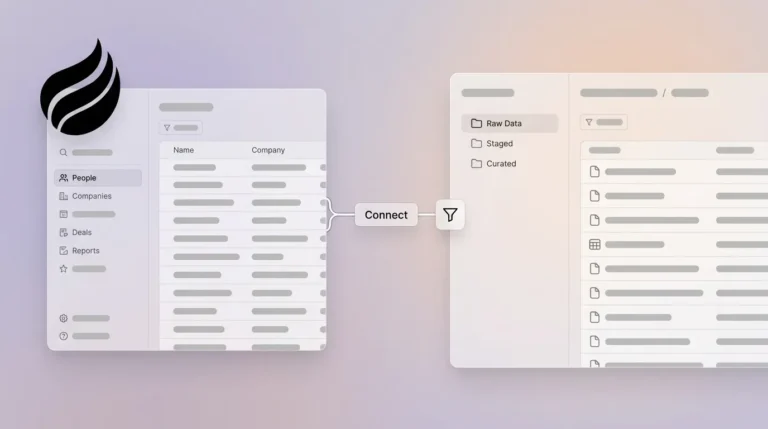
Coffee deploys its agent in two models. As a Standalone CRM, the agent is the system of record, designed for companies with 1–20 employees that have outgrown spreadsheets but find legacy CRMs to be expensive maintenance burdens. As a Companion App, the agent sits as an intelligent layer on top of an existing Salesforce or HubSpot instance, handling the data-in process so the system of record stays accurate without human effort.
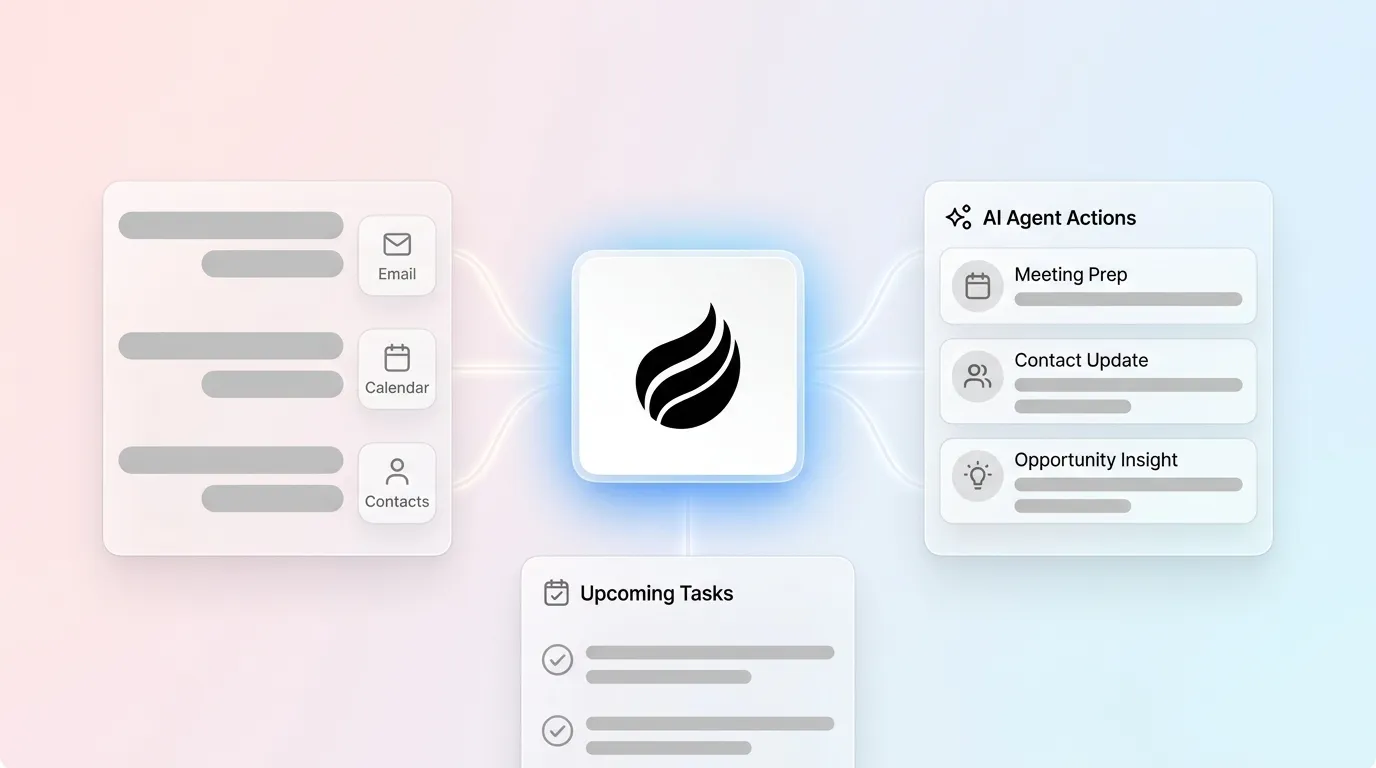
The integration mechanics show how AI embeds into a CRM at the execution layer rather than only the summary layer. After connecting Google Workspace or Microsoft 365, the Coffee Agent scans emails and calendars to auto-create contacts and companies, logs last and next activity autonomously, enriches records with job titles, funding data, and LinkedIn profiles via licensed data partners, and writes structured meeting summaries back to Coffee, HubSpot, or Salesforce. Improved summary templates released in November 2025 are customizable to match specific workflows and writable back to Coffee, HubSpot, or Salesforce. A Stripe integration launched in January 2026 automatically imports customers and companies, enriches them, and adds paid invoices to deals as Closed Won, with no manual intervention.

The agent replaces the human as the data entry layer while the CRM’s structural role as system of record, pipeline visibility hub, and forecasting substrate remains intact. That role finally becomes reliable because the underlying data is captured and updated continuously by the agent.
8 Practical Benefits of Coffee’s AI-First CRM
- Zero manual data entry. Before: a rep finishes a discovery call and spends 20 minutes logging notes, updating deal stage, and creating a follow-up task in Salesforce. After: the Coffee Agent joins the call, transcribes it, extracts BANT or MEDDIC qualification signals, updates the deal record, and drafts the follow-up email before the rep closes the browser tab. AI automation reduces CRM data entry time by up to 50%, and conversational AI-enabled CRM eliminates up to 80% of sales admin work.
- Elimination of context switching across core sales tools. Before: a rep toggles between HubSpot for records, ZoomInfo for firmographic enrichment, Salesloft for sequencing, and Fathom for call recordings, which means four tools, four logins, and four data silos. After: the Coffee Agent consolidates enrichment, recording, sequencing via Campaigns, and CRM logging into one agent, so reps work from a single workspace.
- Proactive pipeline intelligence. Before: a sales manager exports a CSV from Salesforce every Friday to build a pipeline review deck. After: Coffee’s Pipeline Compare feature visualizes week-over-week changes automatically, including progressed deals, stalled opportunities, and new additions, which turns the review from an interrogation into a strategic discussion. AI search on deals, released in January 2026, answers natural-language questions such as “Which deals are stuck in negotiation?” or “What’s closing this month?” without any manual query construction.
- Data quality sufficient for accurate forecasting. Before: a RevOps leader runs a forecast knowing that sales reps log only a fraction of customer interactions when relying on manual CRM entry. After: the Coffee Agent captures every email, meeting, and call automatically, which substantially improves data completeness. That completeness enables AI to improve qualification rates, closing rates, and sales cycle length.
- Meeting orchestration before and after the call. Before: a rep spends 30–60 minutes researching an account before a meeting. After: the Coffee Agent prepares a briefing on the Today page that includes attendees, roles, past interactions, and open action items. Reps enter each call with context ready and leave with summaries and follow-ups already drafted.
- Visitor identification that connects anonymous traffic to named outreach. Before: a marketing team sees 500 website sessions per week with no idea who visited. After: a single Coffee tracking pixel identifies visitors by name, title, email, and company, surfaces real-time Slack notifications for high-fit accounts, and recommends the two or three specific contacts inside each visiting company who match the buyer persona, ready for LinkedIn outreach or auto-enrollment in a Campaign.
- Built-in prospecting that replaces separate enrichment and sequencing tools. Before: a rep builds a target list in ZoomInfo, exports a CSV, imports it into Salesloft, and manually creates records in Salesforce. After: Coffee’s Lead Finder accepts a natural-language command such as “Find me VPs of Sales at SaaS companies with 50–200 employees” and delivers an enriched list that lives in the same system running the outreach sequence. Organizations implementing AI lead scoring in CRM typically see 30–50% improvement in lead-to-opportunity conversion rates by focusing rep effort on genuinely qualified opportunities.
- Lower total cost of ownership through stack consolidation. Before: a 15-person SaaS team pays separately for Salesforce, ZoomInfo, Salesloft, Fathom, and a visitor identification tool. After: Coffee’s agent performs the jobs of CRM, enrichment, prospecting, recording, sequencing, and visitor identification under simple seat-based pricing with no complex LLM usage metering. Modern AI agents reduce integration costs and the complexity of automation projects because they handle ambiguity without custom code for every edge case.
The following table illustrates how Coffee’s agentic execution transforms four critical workflows that consume much of a rep’s administrative time.
Side-by-Side Execution Comparison for Core Sales Workflows
| Workflow | Traditional CRM (Human Rep) | Coffee Agent | Time Impact |
|---|---|---|---|
| Meeting prep | Rep manually researches account across HubSpot, LinkedIn, and email history | Agent delivers a pre-built briefing on the Today page: attendees, roles, past context, open items | Significant time saved per meeting on preparation |
| Activity logging | Rep manually logs call notes, updates deal stage, creates follow-up task after each meeting | Agent joins call, transcribes, extracts qualification signals, updates record, drafts follow-up email | Time saved per day on CRM updates and meeting summaries |
| Pipeline updates | Manager exports CSV weekly, and reps update deal stages manually before each review | Agent tracks all pipeline changes automatically, and Pipeline Compare visualizes week-over-week shifts in real time | Time reclaimed per rep per week from pipeline update and forecasting tasks |
| Visitor identification | No visibility into anonymous website traffic, and the marketing team reviews aggregate session data | Tracking pixel identifies visitors by name, title, and company, and Suggested Leads surfaces the two or three best-fit contacts for immediate outreach | Inbound signal converted to named prospect in real time; AI-augmented teams achieve up to 8× faster lead response times |
2026 Competitive Landscape: Coffee vs. Salesforce Agentforce and HubSpot Breeze
Salesforce announced the rebrand of Sales Cloud to Agentforce Sales at Dreamforce 2025 and formalized it in the Spring ’26 release, adding AI agents for sales tasks such as lead qualification and opportunity management. Salesforce’s Agentforce and Slack delivered 2.4 billion agentic work units, while Salesforce has processed more than 19 trillion AI tokens to date. HubSpot Breeze adds AI summaries and enrichment to its Smart CRM. Both products move passive databases toward more agentic behavior.
The gap sits in orchestration depth and deployment flexibility. Agentforce and Breeze operate within their own ecosystems. They summarize and suggest, but they do not replace the manual stitching between a recording tool like Fathom, an enrichment source like ZoomInfo, and a sequencing platform like Salesloft. A rep using either platform still toggles between tools, and the AI assists within one silo rather than acting across all of them.
Coffee’s differentiation is threefold. First, it operates on both structured and unstructured data simultaneously, using a built-in data warehouse that preserves historical context rather than overwriting fields. Second, it deploys as either the system of record or as the agent feeding Salesforce or HubSpot, which meets teams where they are instead of forcing a rip-and-replace. Third, newer AI-native CRMs such as Day.ai and Clarify lack the integration depth to handle Salesforce and HubSpot’s complexity, including quotas, forecasting hierarchies, required fields, and custom objects. Coffee’s Companion App was built specifically to navigate that complexity. An Intelligence layer introduced in February 2026 allows users to define and store deep context on business model, product specifics, ICP, and competitors for tailored AI suggestions and insights, a capability that surface-level AI summaries in Agentforce and Breeze do not replicate.

Decision Matrix: Choosing Between Standalone and Companion
Your current CRM situation determines which deployment model delivers the fastest time to value.

- 1–20 employees, no CRM or using spreadsheets/Notion: The Coffee Standalone CRM is the direct path because you have no legacy system to migrate. The agent becomes the system of record from day one.
- 10–50 employees, committed to Salesforce or HubSpot: The Coffee Companion App is the better choice because it preserves your existing system of record while eliminating the data-entry burden. A simple authentication allows the agent to sync, enrich, and write insights back to the primary CRM without disrupting existing workflows, quotas, or required fields.
- 50+ employees with complex enterprise workflows: Coffee is not optimized for large organizations with multi-year security review requirements or heavily customized enterprise configurations.
- Teams evaluating point solutions such as ZoomInfo, Salesloft, and Fathom separately: Coffee consolidates enrichment, sequencing, recording, and CRM under one agent and one seat-based price, which removes the integration overhead between standalone tools.
Frequently Asked Questions
Does Coffee integrate with the tools my team already uses?
Coffee connects natively to Google Workspace and Microsoft 365 for email and calendar capture, and integrates with QuickBooks and Stripe for financial data sync. For teams on Salesforce or HubSpot, the Companion App writes enriched data and meeting summaries directly back to those systems. Broader integrations are available via Zapier today, and deeper native integrations sit on the product roadmap. The agent meets teams where their data already lives rather than requiring a wholesale migration.
Is Coffee secure, and how is customer data handled?
Coffee is SOC 2 Type 2 certified and GDPR compliant. Customer data is not used to train public AI models. The agent processes emails, calendar events, and call transcripts to populate CRM records, and that data remains within the customer’s environment under the same security standards that govern the connected Google Workspace or Microsoft 365 tenant.
How does Coffee’s built-in data quality compare to a dedicated tool like ZoomInfo?
Coffee’s enrichment layer, sourced from licensed data partners, provides firmographic and contact data roughly on par with ZoomInfo for the majority of B2B use cases, including job titles, company funding, and LinkedIn profiles. The key difference is that Coffee’s enrichment is embedded in the same agent that captures activity, runs sequences, and manages the pipeline, so there is no CSV export or manual sync between a standalone enrichment database and the CRM. For teams whose primary use case is large-scale prospecting database access at enterprise volume, a dedicated ZoomInfo contract may still be warranted alongside Coffee.
Will adopting Coffee require reps to change how they work?
The agent reduces what reps are required to do instead of adding new steps. Meeting briefings appear automatically on the Today page before each call. Summaries and follow-up drafts are ready for review immediately after the call ends. Pipeline changes are tracked without any rep action. The primary behavioral shift is moving from entering data into a CRM to reviewing and approving what the agent has already captured, which consistently drives higher CRM adoption because reps interact with a system that works for them rather than one they are obligated to maintain.
Can Coffee handle sales methodologies like MEDDIC or BANT?
Yes. The Coffee Agent structures its post-call notes according to BANT, MEDDIC, or SPICED frameworks, which ensures that qualification data enters the system in a consistent, structured format on every deal. This consistency makes pipeline reviews and forecasting reliable because every deal record reflects the same qualification schema rather than free-text notes of varying completeness.
Conclusion: Move from Passive CRM to Agentic Execution
Legacy CRMs are passive databases that require reps to serve the software. An AI-first CRM with deep AI tool integration inverts that relationship, and the Coffee Agent reads, reasons, and acts across tools so that reps spend their time selling rather than logging. The result is zero manual entry, elimination of context switching across core sales tools, proactive pipeline intelligence, data quality that makes forecasting reliable, and a consolidated stack that costs less than the fragmented alternative.
Sales teams are already using AI agents to handle pipeline tasks, and that shift from passive database to agentic execution now defines the competitive baseline. Teams that continue to rely on manual entry will compound their data-quality deficit over time, while competitors operating on clean, agent-maintained records close more deals with the same headcount.
Coffee is available as a Standalone CRM for teams starting fresh and as a Companion App for teams committed to Salesforce or HubSpot. Both models run on simple seat-based pricing with the agent’s labor included.
Start eliminating manual CRM work, see Coffee’s pricing, and sign up today.