Written by: Doug Camplejohn, CEO & Co-Founder, Coffee | Last updated: July 4, 2026
Key Takeaways for HubSpot Adoption
- Native HubSpot integrations capture only structured data, so unstructured content from emails, calls, and Slack stays invisible to the CRM.
- Reps lose 10–13 hours weekly to manual data entry because native tools cannot interpret free-text conversations or write structured summaries automatically.
- An agent companion like Coffee’s Companion App reads both structured and unstructured inputs across Gmail, calendar, calls, and Slack, then writes clean records back to HubSpot in real time.
- Teams using agent-led automation report 8–12 hours saved per rep each week, fewer duplicate records, and measurably higher forecast accuracy.
- Start using Coffee today to remove manual CRM work and boost HubSpot adoption without new tools or training.
Where HubSpot Native Integrations Stop in a Rep’s Day
A typical mid-market B2B rep moves through four recurring workflow moments every day: an inbound email from a prospect, a scheduled discovery call, the call itself, and a follow-up. HubSpot’s native connectors handle the surface layer of each step. Everything beneath that surface remains manual.

The table below maps the five-step automation sequence Coffee’s Companion App runs on top of existing OAuth connections and closes those gaps.
| Step | Workflow Moment | What Native HubSpot Captures | What the Agent Adds |
|---|---|---|---|
| 1 | Inbound email arrives | Email logged as activity, contact matched if it exists | Auto-creates contact/company if missing, extracts intent signals, and writes structured notes to the timeline |
| 2 | Meeting scheduled | Calendar event associated with contact record | Generates pre-meeting briefing with attendee roles, past context, and open action items |
| 3 | Discovery call runs | Call duration logged if using a connected dialer | Joins call, transcribes, extracts BANT/MEDDIC fields, and writes a structured summary to the HubSpot deal record |
| 4 | Slack/Teams follow-up | Not captured | Monitors connected channels for buyer commitments and risk signals, then logs relevant excerpts to the contact timeline |
| 5 | Follow-up email drafted | Sent email logged as activity | Drafts follow-up in Gmail/Outlook based on call summary, rep reviews and sends, and the outcome syncs back to HubSpot |
Why Native Integrations and Point Solutions Fall Short
HubSpot’s native connectors reduce toggling but do not remove manual judgment calls, so adoption stays low even when every recommended integration is enabled. Three structural limitations drive this pattern.
Unstructured data blindness. Unstructured content, such as free-text email bodies, audio recordings, and Slack threads, cannot be queried directly with SQL, so HubSpot’s relational database cannot act on it. Buyers commit, push back, and change requirements outside of scheduled calls in channels such as Slack DMs or email. Single-channel tools miss those commitments and risk signals, and they never reach the CRM.
Loss of historical context. When a rep manually updates a field in HubSpot, the previous value disappears. No warehouse preserves the sequence of changes. CRM-native AI features can only analyze data already present in the system. Real deal intelligence from external conversations still requires manual capture after the fact.
Continued human upkeep. Reps lose 10–13 hours weekly to manual CRM logging. Point solutions, such as a standalone call recorder or a Slack-to-CRM Zap, reduce individual steps but do not remove the coordination burden. The median B2B GTM stack contains 8–9 tools, and most of them do not talk to each other. Teams need a unifying layer that coordinates these tools and removes the manual stitching work.
Agent-Led CRM Companions as the Unifying Layer
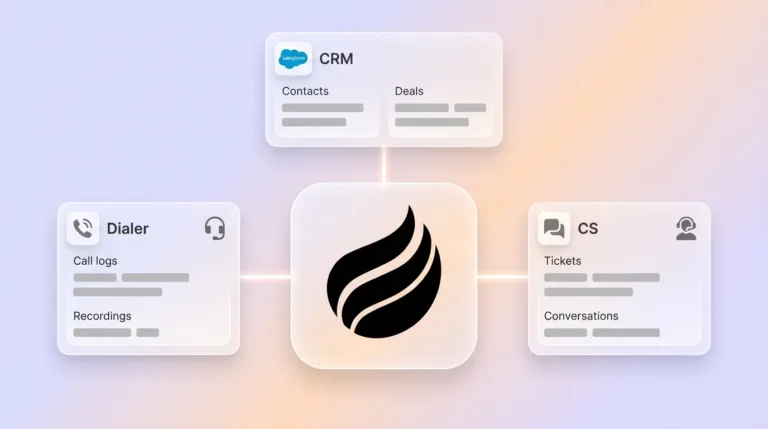
An agent companion sits above the existing HubSpot instance and all connected tools. It ingests structured inputs such as calendar events, email metadata, and call logs, along with unstructured inputs such as email body text, call transcripts, and Slack messages. It then processes those inputs and writes clean, enriched records back to HubSpot without requiring a rep to open the CRM.
Coffee’s Companion App is built for this layer. It connects to HubSpot via OAuth, reads from Gmail or Outlook, joins calls on Zoom, Teams, or Meet, and monitors authorized Slack or Teams channels. Every interaction produces a structured output such as contact enrichment, deal field updates, timeline entries, or follow-up drafts, which the agent writes directly to the HubSpot record. Reps keep using their existing tools. The agent handles capture and data entry.

Measurable Outcomes for RevOps and Sales Leaders
Agent-led adoption delivers value across four measurable dimensions.
Hours saved per rep. Coffee’s Companion App saves reps 8 to 12 hours per week by automating contact creation, activity logging, and post-call documentation. For a ten-person team, that recovers the equivalent of a full-time rep’s selling capacity every week.
Reduction in duplicate records. Many sales professionals do not fully trust their CRM data’s accuracy, with duplicate records causing rep collision, broken sequences, inflated pipeline metrics, and AI model failures. Prevention-first deduplication at the point of data entry, embedded in the agent’s intake logic, stops bad records before they reach HubSpot.
Improved forecast accuracy. Only 45% of sales organizations report that their leaders have high confidence in forecasting accuracy, with poor pipeline data from manual updates cited as a primary cause. Organizations with structured pipeline management can improve forecast accuracy when deal data flows automatically rather than depending on rep memory.
Higher activity-log completion rates. Sellers with high AI agent usage achieve increases in deals closed and revenue per seller compared to low-usage peers. Activity logs that fill themselves create the complete data set that makes those outcomes possible.
How Coffee Connects and Syncs with Existing OAuth
Setup uses your current infrastructure. A RevOps admin authenticates Coffee’s Companion App against the existing HubSpot instance using standard OAuth. The agent then requests read and write scopes for contacts, companies, deals, activities, and the timeline API. Separately, the admin connects Google Workspace or Microsoft 365 using the same OAuth flow already used for HubSpot’s native email integration.
From that point, the agent operates continuously. Inbound and outbound emails are processed for contact matching and intent extraction. Calendar events trigger pre-meeting briefing generation. Calls are joined, transcribed, and summarized against the active deal record. Field updates and timeline entries are written back to HubSpot in real time. No rep action is required between the moment a conversation happens and the moment it appears as a clean record in HubSpot.

Native vs. Agent-Augmented Results in HubSpot
| Capability | HubSpot Native Integrations | HubSpot + Coffee Companion App |
|---|---|---|
| Activity capture scope | Structured metadata (email sent/opened, call duration, meeting created) | Structured metadata plus full unstructured content (email body, call transcript, Slack excerpts) |
| Time-to-update after interaction | 15–30 minutes of manual post-call entry per rep | Real time, with the agent writing records during or immediately after the interaction |
| Unstructured data handling | Not supported natively, requires manual note entry | Automatic extraction from email text, transcripts, and messaging channels |
| Rep action required per interaction | Manual field updates, note entry, and stage advancement | Zero, because the agent handles capture, enrichment, and write-back autonomously |
Neutral Evaluation Checklist for Agent Companions
RevOps leaders evaluating any agent companion should assess four dimensions before committing.
Integration depth. Confirm the agent reads from and writes back to HubSpot’s contact, company, deal, activity, and timeline objects, not just a surface-level webhook. Verify support for Gmail or Outlook, Google Calendar or Outlook Calendar, Zoom, Teams, or Meet, and Slack or Teams.
Data quality controls. The agent should apply deterministic matching, such as exact email address, and probabilistic matching, such as name plus company domain, before creating new records. This approach prevents the duplicate problem it is meant to solve.
Security posture. Require SOC 2 Type 2 certification and GDPR compliance at minimum to ensure baseline security and privacy standards. Beyond compliance checkboxes, confirm that conversation data is not used to train shared public models, which would expose proprietary deal intelligence to competitors. Coffee meets both requirements.
Change-management effort. An agent that requires reps to install browser extensions, learn new interfaces, or change existing workflows will face the same adoption resistance as the CRM it is meant to fix. The evaluation criterion is zero new rep behavior required.
Quarterly Integration-Health Audit for HubSpot and Coffee
OAuth tokens expire, HubSpot field schemas change, and calling tool APIs update on their own release cycles. A quarterly audit prevents sync drift from silently degrading data quality.
The audit covers four checks, and each one addresses a different failure mode. First, verify all OAuth connections are active and scopes have not been downgraded, because expired tokens stop all data flow. Second, confirm HubSpot required fields are still mapped to agent output fields, since schema changes on either side break write-back silently. Third, sample 20 recent deal records and compare agent-written timeline entries against actual interaction volume to detect capture gaps that OAuth health alone will not reveal. Finally, review duplicate scan results from the past 90 days and confirm the agent’s matching rules are catching new intake points added since the last audit.
Scheduling this review in the first week of each quarter, tied to the pipeline review cadence, keeps the integration layer healthy without requiring a dedicated data steward.
Frequently Asked Questions
How much time do sales reps actually lose to manual CRM entry each week?
Reps lose 10–13 hours per week to manual CRM entry, which represents 25 to 28% of a standard workweek. B2B field reps trend toward the higher end of that range because they carry a greater administrative burden than B2C counterparts. For a ten-person team, that aggregate loss equals the full selling capacity of one additional rep every single week. The cost includes time, forecast accuracy, pipeline completeness, and the quality of every AI-driven insight that depends on the data those hours were supposed to produce.
Why can’t HubSpot’s native AI features handle unstructured data from calls and Slack?
HubSpot’s AI operates on data already stored in HubSpot’s relational database. That database holds structured fields and activity metadata, not the raw content of email bodies, call transcripts, or Slack threads. Unstructured content cannot be queried with standard SQL, so it never enters the system unless a human manually types a summary into a note field. HubSpot’s predictive features, such as lead scoring and deal health signals, are therefore bounded by whatever a rep chose to type after the last interaction, not by what was actually said or written.
What adoption improvements should RevOps leaders realistically expect from an agent companion?
RevOps leaders can expect a near-complete elimination of post-interaction manual entry, which translates directly into higher activity-log completion rates and cleaner pipeline data. Teams that move from manual logging to agent-driven capture typically see activity records per rep increase substantially, with documented automation deployments showing significant gains in daily logged activities after removing the manual step. Forecast confidence improves as a downstream effect because the data feeding the forecast is complete and current rather than memory-dependent and delayed. The timeline from deployment to measurable data quality improvement is usually measured in days, because the agent begins writing records immediately upon OAuth connection.
How does automated CRM data entry affect sales forecasting accuracy?
Forecast accuracy depends on pipeline data completeness and recency. When reps update HubSpot manually, updates arrive late, cover only a subset of interactions, and often reflect optimism bias. When an agent writes records in real time from actual interactions, the pipeline reflects ground truth, including what was said, when, by whom, and what the next committed step is. The improvement stems from the structured pipeline management discussed earlier, because automated capture removes the delay and bias inherent in manual updates and makes existing forecasting models more reliable.
Conclusion: Turn Existing Tools into Hands-Off Adoption
The HubSpot adoption problem is not a configuration problem or a training problem. It is a data-entry problem that native integrations were never designed to solve. Those integrations handle structured metadata well but cannot read a call transcript, parse a Slack thread, or write a qualification summary to a deal record. That gap is where reps become data-entry clerks, where pipeline data goes stale, and where forecast confidence collapses.
Coffee’s Companion App closes that gap by operating as an autonomous agent layer on top of the HubSpot instance and tools a team already uses. It connects via existing OAuth, ingests every interaction across email, calendar, calls, and messaging, and writes clean structured records back to HubSpot without any rep action. The result is complete pipeline data, accurate forecasts, and a sales team that spends its time selling rather than typing.
Connect Coffee to your HubSpot instance and let your existing integrations run on autopilot.