Written by: Doug Camplejohn, CEO & Co-Founder, Coffee | Last updated: July 9, 2026
Key Takeaways for Lean US Startup Teams
- Monaco CRM’s waitlist and human-in-the-loop model create deployment delays and manual review overhead that lean US startups cannot absorb.
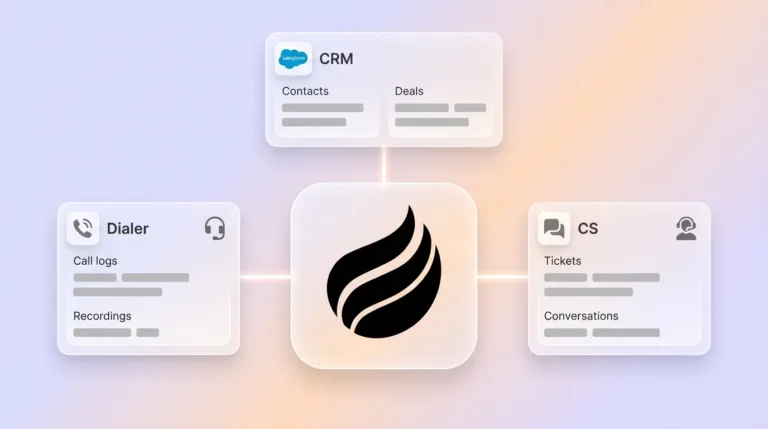
- AI-native agents remove manual data entry by ingesting emails, calendars, and call transcripts, then writing structured records and advancing deals autonomously.
- Traditional databases and composable stacks still depend on manual entry, data engineering maintenance, and multiple point solutions that raise total cost of ownership.
- Coffee delivers zero manual entry, autonomous capture, pipeline intelligence, SOC 2 Type 2 compliance, and transparent seat-based pricing for 5–20 person US startup teams.
- Start eliminating manual CRM entry today with Coffee — view pricing and deployment options.
Evaluation Criteria for Monaco CRM Alternatives
These six criteria reflect how lean US startup sales teams actually operate in 2026.
- Zero manual entry: The platform must write data to records autonomously without requiring rep review or approval. Sales reps spend roughly 25% of their workweek, about 10–11 hours, on manual CRM data entry, and 37% of sales staff admit to fabricating CRM data because the burden of manual entry and required fields conflicts with doing their jobs.
- Autonomous capture: The system must ingest email, calendar, and transcript data without rep action. Manual CRM entry often consumes several hours per week and frequently introduces typos, wrong fields, and inconsistent data quality.
- Pipeline intelligence: The platform must deliver week-over-week deal tracking and forecast accuracy without CSV exports or manual pipeline reviews.
- US pricing and compliance: Pricing must be transparent and seat-based, and the platform must hold SOC 2 Type 2 and GDPR certifications relevant to US startup data handling.
- Integration depth: Native connections to Google Workspace and Microsoft 365 are table stakes. Salesforce and HubSpot companion capability is a differentiator for teams already committed to those platforms.
- Total cost of ownership for 5–20 person teams: TCO must account for subscription fees, implementation time, displaced add-on tools, and ongoing maintenance. Hidden costs that can double a CRM budget in the first year include implementation and data migration fees, training time lost to complex systems, integration add-ons, and per-user price jumps upon scaling beyond the initial seat count.
Monaco CRM Limitations for Lean US Startups
Monaco’s waitlist creates an immediate deployment barrier. Teams that cannot access the platform cannot evaluate it against live data, which forces a speculative buying decision. Beyond access, Monaco’s architecture retains a human-in-the-loop requirement at key data-entry stages, so reps still review and approve AI-suggested updates instead of having the system write autonomously.
This distinction matters because the core difference between insight-only tools and action-based automation is that insight tools inform you while action tools act for you, and tools that write data directly to CRM fields, create follow-up tasks, and generate handoff documents without any manual input represent a categorically different level of automation. A human-in-the-loop model sits closer to the insight-only category than to true autonomous action.
For a five-to-twenty-person team where the founder is often the primary seller, the approval overhead compounds quickly. Salesforce’s 2026 State of Sales survey of 4,050 sales professionals found that Gen Z sales reps lose approximately two full hours each week to manual data entry compared to senior reps who spend that time researching prospects and building relationships. Any platform that preserves manual review steps perpetuates that loss. The following table evaluates Monaco, Attio, and Coffee against the six criteria outlined above to show how each platform addresses these operational realities.
Monaco, Attio, and Coffee: Side-by-Side Comparison
| Criteria | Monaco | Attio | Coffee |
|---|---|---|---|
| Zero manual entry | Partial, human-in-the-loop approval required at key stages, waitlist delays access | Partial, newer UI skins like Attio rely on the same passive database logic as legacy CRMs | Full, agent writes contacts, activities, and deal updates autonomously upon Google Workspace or Microsoft 365 connection |
| Autonomous capture | Limited by waitlist and human review gates | Strong data modeling, limited autonomous capture from unstructured sources such as call transcripts | Captures email, calendar, and call transcripts autonomously, AI extracts structured data such as next steps, decision makers, budget signals, objections, and timelines from conversations and writes directly to correct CRM fields without manual input |
| Pipeline intelligence | Not independently verified, limited public benchmarks available | Reporting available, no native week-over-week pipeline compare without manual export | Pipeline Compare feature visualizes week-over-week changes, highlights stalled deals, and replaces manual CSV exports |
| US pricing and compliance | Pricing not publicly listed, waitlist model limits transparency | Transparent seat-based pricing, SOC 2 certified | Transparent seat-based pricing, SOC 2 Type 2 and GDPR compliant, data not used to train public models |
| Integration depth | Limited public documentation on Salesforce or HubSpot companion capability | Strong API and native integrations, no Salesforce or HubSpot companion mode | Standalone CRM or Companion App for existing Salesforce and HubSpot instances, currently extends to other tools via Zapier |
| TCO for 5–20 person teams | Unknown, waitlist and opaque pricing increase evaluation cost | Subscription cost is competitive, add-on enrichment tools required, increasing stack cost | Seat-based pricing with enrichment, recording, and pipeline intelligence included, displaces multiple point solutions |
Attio Deep-Dive: Flexible Database, Limited Agent Autonomy
Attio’s strengths are genuine. Its data modeling flexibility and clean interface make it a credible alternative to HubSpot for teams that want a modern-looking system of record. Its API is well-documented, and its object customization is deeper than most legacy CRMs at comparable price points.
The limitation is architectural. Alexander Christie, CTO and co-founder of Attio, has stated that retrofitted solutions will always be less effective because the foundations of legacy CRMs were not designed for the scale, autonomy, and extensibility that AI demands. This candid acknowledgment highlights that even Attio’s modern interface sits on a passive database foundation. Autonomous capture from call transcripts, real-time deal advancement, and zero-touch pipeline updates are not native capabilities. Reps using Attio still bear the data-entry burden for unstructured data sources.
For typical sales teams, that gap can translate into 20–30% of selling hours spent on manual CRM data entry and administration instead of selling. Beyond single-platform alternatives like Attio, many technical founders consider composable stacks that combine best-of-breed tools, but these approaches introduce their own trade-offs.
Composable Stack Trade-offs for HubSpot, Clay, and Zapier
Composable stacks, typically a core CRM paired with enrichment tools like Clay, workflow automation via Zapier, and a call-recording layer like Fathom, are popular among technical founders who prefer best-of-breed components. The appeal is modularity. The cost is maintenance.
Achieving agentic AI in composable best-of-breed stacks is exponentially harder than in all-in-one platforms. It requires a dedicated data engineering team to build and maintain warehouse-native ETL architectures for cross-tool analysis, and composable architecture varies more widely, 6–18 months depending on warehouse maturity.
For a Series A team of fifteen, hiring even one data engineer to maintain a composable stack erases the cost savings the modular approach was meant to deliver. True zero manual entry remains out of reach when data must traverse multiple API boundaries before reaching the system of record.
Coffee Standalone and Companion Models for Startup Stacks
Coffee offers two deployment paths that let teams adopt the agent regardless of their current stack.
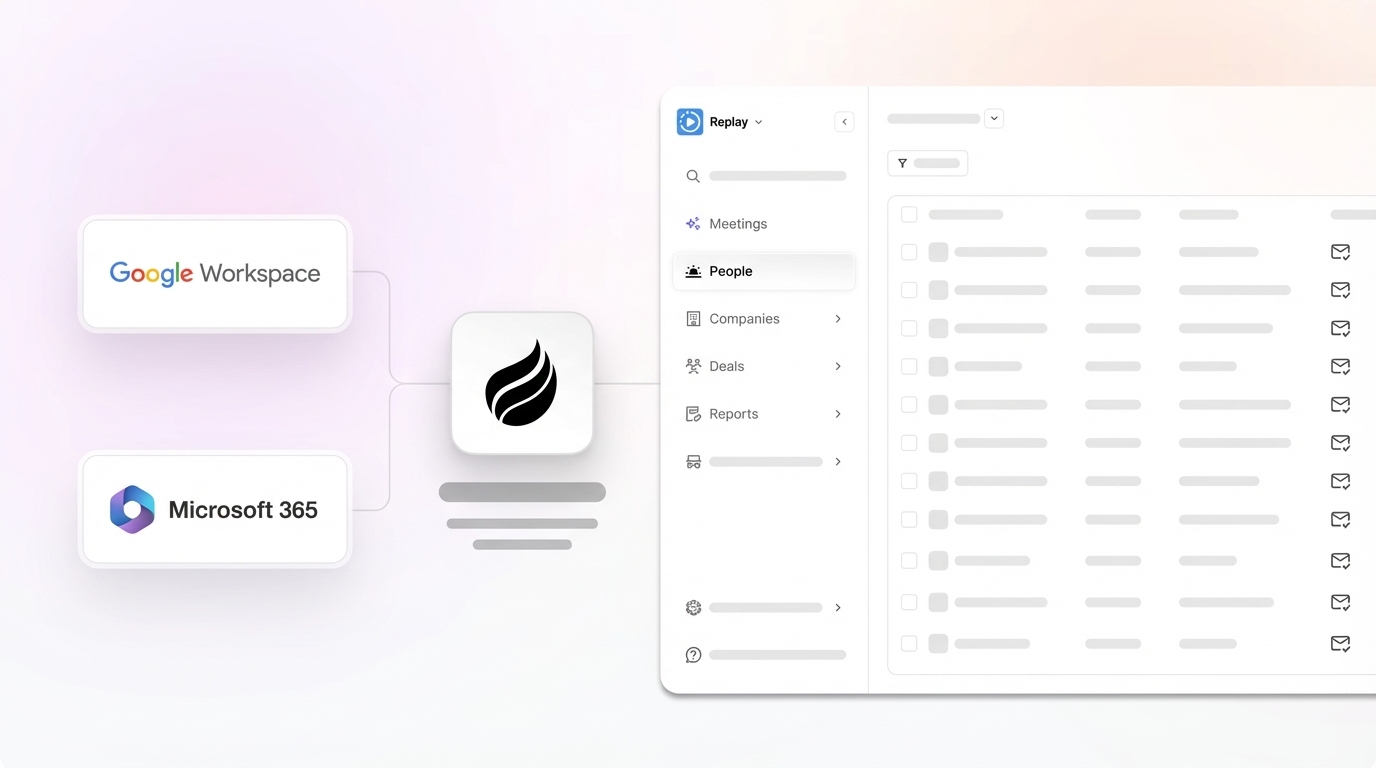
The Standalone CRM suits teams of one to twenty that have outgrown spreadsheets and Notion but find legacy CRMs to be expensive maintenance burdens. After connecting Google Workspace or Microsoft 365, the Coffee Agent immediately begins auto-creating contacts and companies from emails and calendars, logging activity autonomously, enriching records with job titles, funding data, and LinkedIn profiles via licensed data partners, and joining calls on Zoom, Teams, or Meet to record, transcribe, and generate summaries and follow-up drafts.

The Companion App deploys the Coffee Agent as an intelligent layer on top of an existing Salesforce or HubSpot instance. A simple authentication allows the agent to sync data, enrich it, and write insights back to the primary CRM. This approach solves low adoption and data-quality problems that plague established instances without requiring a platform migration.
Both models deliver the Pipeline Compare feature, which visualizes week-over-week deal changes, highlights stalled opportunities, and surfaces new additions without spreadsheets. The agent saves reps 8–12 hours per week by eliminating manual data entry and enrichment research.

2026 US-Startup Stack Recommendation Table
| Team Stage | Core Agent Layer | Optional Add-ons | What Coffee Displaces |
|---|---|---|---|
| Pre-seed (1–5 people) | Coffee Standalone CRM | None required at launch | Notion/spreadsheet CRM, Apollo, Fathom |
| Seed (5–15 people) | Coffee Standalone CRM | Zapier for niche workflow triggers | HubSpot Starter, ZoomInfo, Gong, Clay |
| Series A (15–20+ people) on HubSpot | Coffee Companion App for HubSpot | HubSpot for records and reporting | Gong, ZoomInfo, manual enrichment workflows |
| Series A (15–20+ people) on Salesforce | Coffee Companion App for Salesforce | Salesforce for records and forecasting | Gong, ZoomInfo, manual enrichment workflows |
Scenario-Based Guidance to Choose Your Coffee Setup
Founder-led teams (pre-seed to seed): Coffee Standalone is the direct fit. The agent handles all data entry from day one, the Pipeline Compare feature replaces weekly spreadsheet reviews, and the Visitor Identification feature turns anonymous website traffic into named prospects with suggested outreach targets. These capabilities would otherwise require three separate point solutions.

Growing sales organizations (seed to Series A) building a new stack: Coffee Standalone scales with the team. Seat-based pricing with no per-contact limits or automation-run caps avoids the cost escalation that forces mid-year plan upgrades on platforms like HubSpot. Free CRM plans are typically limited to force upgrades once teams need automation, advanced reporting, or integrations.
Teams already committed to Salesforce or HubSpot: Coffee Companion App is the path of least resistance. It does not require a migration, does not disrupt existing workflows, and immediately improves data quality by writing autonomous updates to existing records. The Companion App eliminates the manual entry burden that leads to fabricated and incorrect data, addressing the data quality problem at its source rather than requiring RevOps teams to spend 30–40% of their week cleaning bad entries.

Operational Considerations and Risks for Coffee Adoption
Change management is the most common implementation risk. Reps accustomed to manual entry workflows may distrust autonomous updates initially. Coffee’s approach, surfacing agent actions transparently in the interface, addresses this by making the agent’s work visible without requiring approval gates.
Data-hygiene ownership shifts from reps to the agent, which means teams no longer spend time cleaning incorrect entries. However, this shift does not remove strategic work. Teams must still define ICP parameters, pipeline stage definitions, and qualification frameworks because the agent executes against those definitions rather than setting strategy itself.
Scaling beyond twenty users is supported, but very large enterprise deployments with complex custom Salesforce configurations, multi-currency requirements, or heavily regulated data environments fall outside Coffee’s current ICP. Teams in healthcare or finance requiring multi-year security reviews should evaluate accordingly.
Integration gaps exist. Coffee currently connects to non-native tools via Zapier, with deeper direct integrations on the product roadmap. Teams with niche vertical software dependencies should verify compatibility before committing.
Overbuying risk remains low given seat-based pricing, but teams should avoid purchasing Companion App seats for users who do not have active email and calendar activity. The agent’s value is proportional to the data streams it can ingest.
Decision Framework and Checklist for Selecting Coffee
Use the following constraints as a simple decision path to map your team to the right deployment option. These scenarios often overlap, so treat them as filters rather than mutually exclusive choices.
- Your team has no existing CRM and is under twenty people → choose Coffee Standalone CRM.
- Your team is on HubSpot with low adoption and poor data quality → choose Coffee Companion App for HubSpot.
- Your team is on Salesforce with missing call and email data → choose Coffee Companion App for Salesforce.
- Your team needs zero manual entry from day one without a migration → choose Coffee Standalone CRM.
- Your team is evaluating Monaco but blocked by the waitlist → choose Coffee Standalone CRM, which is available immediately with transparent seat-based pricing.
- Your team is considering a composable stack (HubSpot + Clay + Zapier) → calculate the engineering maintenance cost against Coffee’s all-in seat price before committing. Composable RevOps architectures are best suited for late Series C to Enterprise teams with robust technical resources and dedicated Salesforce admins, whereas all-in-one platforms suit Seed to Series C startups with limited RevOps resources prioritizing speed.
- Your team needs SOC 2 Type 2 compliance → choose Coffee, and confirm Monaco’s compliance status independently given limited public documentation.
Frequently Asked Questions
How long does it take to implement Coffee and see value?
For the Standalone CRM, value begins immediately after connecting Google Workspace or Microsoft 365. The Coffee Agent starts auto-creating contacts, logging activity, and enriching records from the first sync. Most teams have a populated, accurate CRM within the first week without any manual data migration. The Companion App for Salesforce or HubSpot requires a simple authentication step, and the agent begins writing enriched data back to existing records within the same session. Teams under twenty people avoid multi-month implementation cycles, dedicated admins, and complex data mapping exercises.

How does Coffee handle data security and compliance?
Coffee is SOC 2 Type 2 and GDPR compliant. Data ingested by the agent, including emails, calendar events, and call transcripts, is not used to train public AI models. For US startups handling customer data, this creates a private data boundary for the agent’s work. Teams in heavily regulated industries such as healthcare or finance that require multi-year security reviews or HIPAA Business Associate Agreements should contact Coffee directly to assess fit before committing.
How many hours per week does the Coffee Agent actually save?
Coffee’s agent saves reps 8–12 hours per week by eliminating post-meeting data entry, contact creation, activity logging, and enrichment research. This figure aligns with broader 2026 research: Salesforce’s 2026 State of Sales survey found that AI agents are expected to slash research time by 34% and content creation by 36%, and separate analysis shows that sales reps currently spend roughly 25% of their workweek, approximately 10–11 hours, on manual CRM data entry. The agent recaptures that time for selling, relationship building, and deal progression.
Can Coffee replace tools like Gong, ZoomInfo, and Clay in my current stack?
For most pre-seed to Series A teams, Coffee can replace those tools. Coffee’s agent joins calls to record and transcribe, enriches records with job titles, funding data, and LinkedIn profiles via licensed data partners, and builds targeted prospect lists via natural language commands. These capabilities cover the core use cases of call intelligence, data enrichment, and outbound prospecting in a single seat-based subscription. Teams with advanced Gong analytics use cases or enterprise ZoomInfo contracts should evaluate the specific feature overlap against their actual usage before consolidating, but most lean teams will find Coffee’s built-in capabilities sufficient and the stack simplification significant.
What is the difference between Coffee’s Standalone CRM and the Companion App, and how do I choose?
The Standalone CRM is Coffee’s full system of record, designed for teams that do not have an existing CRM or want to replace a legacy platform. The agent manages all data in, all pipeline intelligence out, and all meeting management within a single product. The Companion App deploys the same agent as an intelligent layer on top of an existing Salesforce or HubSpot instance, writing autonomous updates to existing records without requiring a migration. The choice is straightforward. Teams without a CRM or that want to leave their current one should choose Standalone. Teams committed to Salesforce or HubSpot that need to fix data quality and adoption without a platform change should choose the Companion App. Both options use the same seat-based pricing model.