Written by: Doug Camplejohn, CEO & Co-Founder, Coffee
Key Takeaways for 2026 CRM Companion Buyers
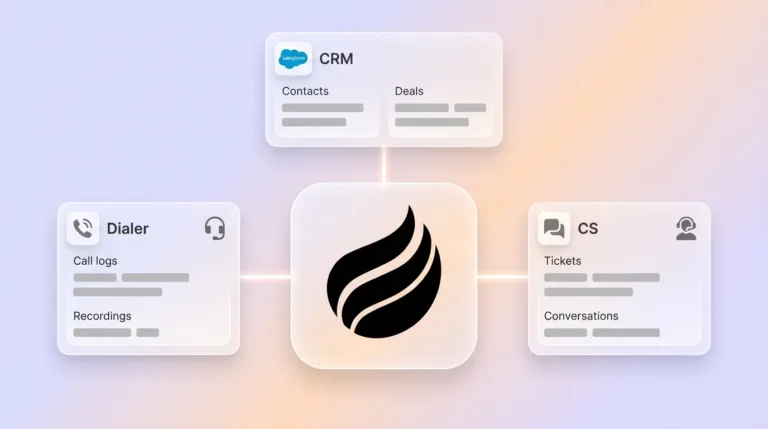
- Mid-market teams now keep Salesforce or HubSpot as the system of record and add companion apps to cut manual data entry and reclaim selling time.
- Key 2026 criteria include deep CRM integration, AI agents that handle structured and unstructured data, mobile pipeline visuals, and transparent seat-based pricing.
- Coffee stands out with autonomous contact creation, enrichment, activity logging, and a mobile-first pipeline canvas that writes back to Salesforce or HubSpot.
- Companion apps reduce stack sprawl by consolidating enrichment, transcription, and pipeline intelligence into a single agent instead of four or more separate tools.
- Teams ready to cut admin work can see Coffee’s pricing and deployment options and roll out the agent on top of their existing CRM in a single day.
Side-by-Side Comparison: Top Companion Options
The table below compares four leading companion apps on the dimensions that matter most for mid-market teams: CRM integration depth, autonomous data entry, mobile pipeline access, and support for unstructured data. Coffee is the only option that delivers full coverage across all four areas while still treating Salesforce or HubSpot as the system of record.
| Option | Works with Salesforce / HubSpot | AI Agent for Data Entry | Mobile Pipeline Visuals | Unstructured Data Support |
|---|---|---|---|---|
| Momentum | Salesforce (auto-syncs call insights), explicitly not a CRM replacement | Partial, surfaces deal risks via Slack, does not automate contact creation | Limited, Slack-based alerts, no dedicated pipeline canvas | Call transcripts via Slack signals |
| Dust | Native connections to Salesforce and HubSpot via MCP, maintains existing CRM as system of record | Yes, aggregates structured CRM data with unstructured inputs including Gong transcripts, Intercom tickets, and Notion docs | Not purpose-built for mobile pipeline management | Strong, Gong transcripts, Zendesk tickets, Notion docs, and six or more systems via orchestration model |
| La Growth Machine | Native sync with Salesforce, HubSpot, and Pipedrive for contact activity and sequence status | Partial, sequence automation with limited CRM field enrichment | No dedicated mobile pipeline canvas | Partial, AI-generated LinkedIn voice messages alongside structured pipeline data |
| Coffee (Companion App) | Deep Salesforce and HubSpot integration including quotas, forecasting, and required fields, summary templates write back to HubSpot or Salesforce | Yes, autonomous contact creation, enrichment, and activity logging from email and calendar | Yes, mobile-first pipeline canvas with week-over-week compare | Yes, emails, call transcripts, and calendar data unified into one agent-managed view |
See Coffee’s transparent seat-based pricing, with unlimited agent labor and no metered actions.
The comparison above highlights which tools simply surface insights and which ones actually write structured data back into Salesforce or HubSpot. The next section breaks down each evaluation category so you can see how those differences affect setup time, daily workflows, and long-term ROI.
Category-by-Category Analysis of Companion Apps
Setup effort and integration complexity. Integrating external platforms with Salesforce requires explicit configuration of lookup objects, phone-number field mapping, package installation at specific versions, remote-site settings, Omni-Channel configuration, and ongoing admin-token management. Newer companion tools like Clarify and Day.ai lack the depth to handle quotas, forecasting, and required fields at the Salesforce enterprise level. Coffee’s integration was built for this complexity and handles those objects without custom development from the customer’s admin team.
Data capture, enrichment, and automation. AI agents, once fully implemented, can reduce time spent on prospect research and email drafting. Coffee’s agent connects to Google Workspace or Microsoft 365 after authentication, then auto-creates contacts and companies, enriches records with job titles, funding data, and LinkedIn profiles, and logs last and next activity autonomously. Coffee’s January 2026 AI search on deals answers natural-language questions such as “Which deals are stuck in negotiation?” or “What’s closing this month?”, which removes the need for manual CSV exports during pipeline reviews.


Frontline usability and mobile pipeline experience. UiPath’s CX Companion, a representative enterprise companion tool, is strictly browser-based with no native mobile support and does not run attended automations on iOS devices. This limitation is common across the category. Coffee is designed mobile-first and gives field reps a pipeline canvas and deal-compare view on any device without a desktop session.
Manager visibility and pipeline intelligence. Dust agents answer natural-language questions across Salesforce, Gong, Intercom, Zendesk, Notion, and HubSpot in a single query, which works well for analyst-style workflows. Coffee’s Pipeline Compare feature focuses on the weekly sales review and visualizes progressed deals, stalled opportunities, and new additions week-over-week. Managers replace interrogation-style pipeline calls with structured, data-driven discussion and avoid paying for a separate analytics license.
Long-term flexibility and stack consolidation. For mid-market teams of 10–50 reps, the recommended approach keeps the existing CRM as the core system of record while layering on signal intelligence, engagement, enrichment, and conversation intelligence, often through four or more separate tools. Coffee consolidates enrichment, meeting recording, transcription, follow-up drafting, and pipeline intelligence into a single agent, which reduces vendor count and per-seat cost.
Best-Fit Use Cases for Coffee as a Pipedrive Alternative
Field sales teams needing mobile-first pipeline visuals. Reps who spend the day in meetings and need to update deal stages, log activities, and review pipeline between calls benefit most from a mobile-native companion. Coffee’s agent handles the logging automatically so the rep reviews and approves updates instead of typing them into the CRM.

Inside sales teams focused on data-entry automation. Companies using AI to augment human SDRs rather than attempting full replacement have seen substantially more pipeline. Coffee’s agent handles contact creation, enrichment, and activity logging from email and calendar, which frees inside reps to focus on conversations instead of CRM hygiene.

Teams locked into Salesforce or HubSpot seeking agent-led unification. AI agents that aggregate structured CRM data with unstructured inputs, such as call transcripts, support tickets, and internal docs, build complete prospect profiles without requiring users to switch tabs. Coffee is the only companion app in this group that handles both data types through a single agent while writing results back to Salesforce or HubSpot as the authoritative system of record.
Operational Considerations for a Successful Rollout
Change management often becomes the most underestimated variable in any companion-app rollout because reps resist tools that add work. That resistance is strongest among reps who have built “shadow CRMs” in spreadsheets or Notion, systems they trust because they control them. These reps will not abandon their workarounds unless the new tool clearly reduces their workload from day one. Coffee’s agent is designed to show that immediate value: contacts appear automatically after the first email sync, and meeting summaries are ready before the rep closes the call window, so the reduction in manual work becomes visible within hours.
Data hygiene also needs attention before an agent starts enriching records. An initial audit of existing Salesforce or HubSpot data helps surface duplicate records and mismatched field mappings that would otherwise appear once an agent begins writing back. Failure to correctly configure multi-record lookup relationships in Salesforce can result in misrouted updates, duplicate records, or incomplete data written back to the authoritative CRM. A pre-deployment data audit forms a standard part of Coffee’s onboarding process.
Risks and Limitations of Companion Apps
No companion app fixes process problems caused by unclear sales methodology or inconsistent qualification criteria. Gartner predicts that by 2028 AI agents will outnumber sellers by 10x, yet fewer than 40% of sellers will report that AI agents improved their productivity, a gap that reflects process and adoption failures rather than technology failures. Software automates existing workflows and does not design better ones.
Integration gaps also present a real risk with newer entrants. Template upgrades for companion tools must often be performed manually because products ship as app templates with no automatic migrations or version upgrades. Teams should evaluate the vendor’s track record on Salesforce and HubSpot integration maintenance, not just the initial connection demo.
Decision Framework and Practical Checklist
Use the following criteria in sequence so you can narrow the field from many vendors to a short list that fits your constraints.
- Team size 10–50 reps on Salesforce or HubSpot: Prioritize integration depth with quotas, forecasting, and required fields. Remove tools that cannot demonstrate bidirectional sync at the object level.
- Mobile-first requirement: Confirm native iOS and Android support, not browser-only access. Test the pipeline canvas on a phone before signing a contract.
- Unstructured data (calls, emails, transcripts): Require a live demo of the agent processing a real call transcript and writing structured output back to the CRM.
- Budget: Choose seat-based pricing with no LLM metering for predictable scaling. Avoid per-action or per-process pricing that compounds as usage grows.
- Security and compliance: Require SOC 2 Type 2 certification and GDPR compliance documentation before any data connection is established.
Frequently Asked Questions
How long does implementation typically take for a companion app?
Most mid-market teams using Salesforce or HubSpot can connect a companion app like Coffee and see value within a single business day. The core setup covers authenticating against the existing CRM instance and connecting Google Workspace or Microsoft 365. The agent then scans emails and calendars and auto-creates contacts and logs activities without manual field mapping by the sales team. More complex configurations, such as custom summary templates aligned to BANT, MEDDIC, or SPICED, or quota and forecasting field mapping in Salesforce, usually take one to three additional days with support from the vendor’s onboarding team. Full adoption across a 10–50 rep team generally stabilizes within two to four weeks as reps experience the reduction in manual work firsthand.
What technical expertise is required to maintain Salesforce or HubSpot integrations?
The required technical expertise depends on integration depth. A surface-level connection that only reads contact data needs minimal admin involvement. A deep companion integration that writes enriched records, meeting summaries, activity logs, and pipeline changes back to Salesforce, including required fields, custom objects, and forecasting categories, needs a Salesforce admin or a RevOps professional familiar with object relationships and permission sets. Coffee handles the complex sync logic on the vendor side, so the customer’s admin does not maintain that layer. Any organization running a companion app on top of Salesforce or HubSpot should still have at least one person who can audit field mappings and troubleshoot permission issues as the CRM configuration evolves.
Does a companion app require data migration away from the existing CRM?
No. A companion app preserves the existing CRM as the system of record, so no data migration occurs. Salesforce or HubSpot continues to hold all pipeline data, contact records, and historical activity. The companion app reads from and writes back to that system, enriching and augmenting the data instead of replacing it. This distinction separates a companion layer from a full CRM replacement. Teams that have invested years in Salesforce configuration, including custom fields, workflow rules, and forecasting hierarchies, retain that investment. The companion agent adds automation and intelligence on top without changing the underlying architecture.
How do these solutions handle security and compliance in 2026?
Security requirements for companion apps have tightened as these tools now access email, calendar, call recordings, and CRM records at the same time. The minimum acceptable standard for a mid-market organization in 2026 is SOC 2 Type 2 certification and GDPR compliance for any organization with European customers or employees. Coffee holds both certifications and does not use customer data to train public AI models. When you evaluate any companion app, request the vendor’s most recent SOC 2 Type 2 audit report, confirm their data residency options, and verify that the AI models processing call transcripts and emails operate on isolated, customer-specific data rather than shared training pipelines.
Conclusion: Selecting the Right Companion for Your Stack
The companion-layer category in 2026 spans narrow automation tools that handle one workflow and full agent platforms that unify structured and unstructured data across the sales cycle. The criteria that separate adequate tools from strong fits include integration depth with Salesforce or HubSpot’s native objects, true AI agent capability for both data types, mobile-first pipeline experience, and pricing that scales predictably with headcount instead of usage.
Coffee is the only companion app that delivers on all five criteria outlined earlier: the deep CRM integration described in the analysis section, an autonomous agent for structured and unstructured data, a mobile-first pipeline canvas with week-over-week compare, enterprise-grade security, and predictable seat-based pricing. The agent does the work, the rep reviews the output, and the CRM stays clean.