Written by: Doug Camplejohn, CEO & Co-Founder, Coffee | Last updated: July 24, 2026
Key Takeaways for Cutting Sales Admin Time
- Reps spend 60% of their time on non-selling tasks, averaging only two hours of active selling per day, which creates a direct revenue leak for SMB teams.
- Manual CRM admin causes forecast inaccuracy, poor CRM adoption, and shadow systems that undermine pipeline visibility and team productivity.
- The seven-step Minimal Admin Workflow removes data entry by deploying an autonomous AI agent that handles logging, enrichment, and follow-up tasks automatically.
- Prerequisites include Google Workspace or Microsoft 365 access, an existing or new CRM, executive buy-in for time-to-sell measurement, and clean pipeline stages before automation begins.
Prerequisites Before You Configure Coffee
Confirm these pieces are in place before you turn on any automation:
- Google Workspace or Microsoft 365 access, because the AI agent connects to email and calendar as its primary data sources. Without this access, automated capture cannot begin.
- An existing Salesforce or HubSpot instance, or a willingness to adopt a standalone CRM, because Coffee operates as a Companion App on top of either platform or as a fully autonomous Standalone CRM for teams that have outgrown spreadsheets.
- Executive buy-in to measure time-to-sell before and after deployment, since teams can expect a 60–70% reduction in manual entry volume in the first week after implementing AI CRM automation, and only leaders who baseline current admin hours will be able to quantify that gain.
- Clean pipeline stages and standardized custom fields, because automating before cleaning existing CRM data is one of the three most common implementation mistakes, and a one-hour field audit before setup prevents weeks of deduplication problems later.
The Minimal Admin Workflow: 7 Practical Steps
- Audit current admin tasks and quantify hours. Before you deploy any agent, document every manual data-entry point your reps touch in a week. Sales reps spend 5.5 hours per week on manual data entry alone, which totals over 280 hours per year per rep. Run a time-on-task survey across your team and record the baseline. Without this pre-deployment number, you cannot quantify the time savings the agent delivers, so this baseline becomes your primary validation metric after deployment. Pitfall: Teams that skip the audit cannot prove ROI and often lose executive support before the workflow stabilizes.
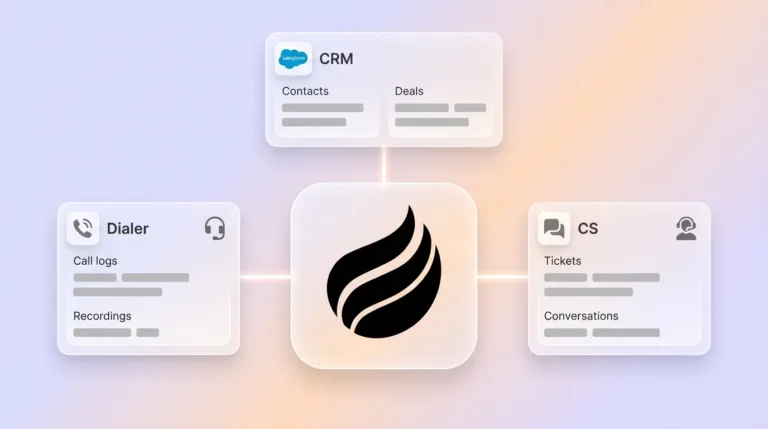
- Connect the AI agent to email and calendar. Authenticate Coffee with Google Workspace or Microsoft 365. From this single connection, the agent scans inbound and outbound emails and calendar events to build a live picture of every deal. AI CRM automation captures activity from email, calendar, dialer, and meeting tools automatically, then uses NLP to extract structured fields such as title, phone, company, and intent from signatures or transcripts before writing to the CRM. Pitfall: Whitelist the Coffee agent in your email security settings before connecting, because blocked domains cause silent capture failures that are difficult to diagnose later.
- Enable automatic contact and company creation with enrichment. After connection, Coffee’s agent scans every email thread and calendar invite to auto-create contact and company records. It then enriches those records with job titles, funding data, and LinkedIn profiles via licensed data partners, which removes the need for separate tools like Apollo or ZoomInfo. CRM records lose accuracy at an average rate of 30% per year even among disciplined teams, so continuous automated enrichment becomes one of the highest-ROI configurations in this workflow. Checkpoint: After 72 hours, verify that your enrichment hit rate exceeds 70%. Hit rate measures the percentage of contacts and companies where enrichment data is successfully added. A threshold of 70% ensures most records stay current without manual research, and a rate below that threshold indicates data source or API configuration requires adjustment.
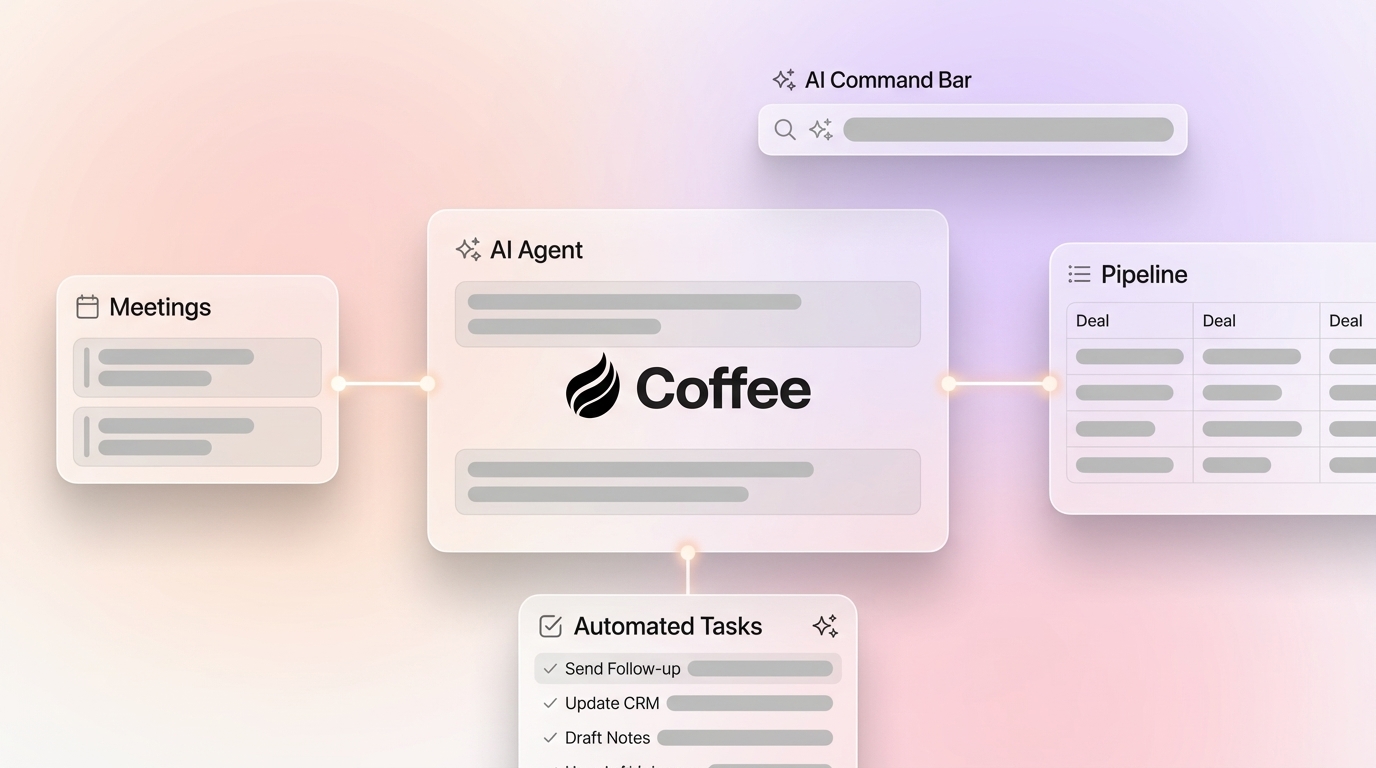
- Activate AI meeting capture and structured note-taking. Coffee’s AI Meeting Bot joins Zoom, Teams, and Google Meet calls to record, transcribe, and structure every conversation. After each call, the agent generates summaries, identifies next steps, and drafts follow-up emails in Gmail for rep review. Notes follow BANT, MEDDIC, or SPICED formats so consistent qualification data enters the system every time. This automated capture removes the manual note-taking burden that typically consumes several hours per rep each week. Pitfall: Configure the agent to classify ambiguous statements as open questions rather than committed action items, because invented commitments in CRM records erode rep trust faster than manual entry ever did.
- Automate post-meeting follow-ups and next-step logging. After each call, Coffee drafts a follow-up email and logs the next activity against the correct deal record without rep intervention. This automation cuts the time required to update the CRM after a call and keeps deals moving without extra clicks. Reps review and send the drafted email from Gmail, and the agent logs the send automatically. Pitfall: Keep reps in the review loop for outbound follow-ups during the first 30 days. Drafting follow-ups from meeting notes and keeping the rep in the loop for review and final send, rather than auto-sending everything, is the recommended implementation path for sales AI agents.
- Turn on pipeline-compare intelligence for weekly reviews. With activity capture and follow-up automation now handling individual deal hygiene, the next step is to surface pipeline-wide trends that usually require manual reporting. Coffee’s Pipeline Compare feature visualizes week-over-week changes across every deal, including progressed opportunities, stalled deals, new additions, and dropped risks, all without a manual CSV export. This automation shortens prep time for weekly pipeline reviews and keeps managers focused on decisions instead of spreadsheets. It converts pipeline reviews from interrogation sessions into strategic discussions. Buyer-persona configuration note: Set your ICP criteria inside Coffee before enabling pipeline intelligence, because the agent uses these parameters to surface deal risks and prioritize follow-up recommendations accurately.
- Route high-fit anonymous website visitors via tracking pixel. Add Coffee’s custom-generated script into the
<head>tag of your site. The agent immediately begins identifying anonymous visitors by name, title, email, and LinkedIn profile, along with the pages they visited and time on site. Real-time Slack notifications surface high-fit visitors, and one click adds the prospect to Coffee with all enrichment pre-filled. Unlike standalone visitor identification tools that surface only company-level data, Coffee’s Suggested Leads feature uses your buyer persona to recommend the specific two or three individuals inside a visiting company worth contacting. This closes the loop from pixel hit to LinkedIn outreach without leaving the agent. Pitfall: Verify pixel installation inside Coffee’s dashboard before your next campaign launch, because unverified pixels produce zero data and create a false sense of coverage.
See pricing and deployment options for your team size
Validate Success With Clear Before-and-After Metrics
Three metrics show whether the Minimal Admin Workflow performs as designed:

- Time-on-task surveys. Re-run the same admin audit from Step 1 at the 30-day mark. Automating CRM logging and notes should cut several hours per rep per week, especially when a single integrated agent replaces multiple point tools. Your survey should show a reduction of at least 50% in self-reported admin hours.
- Meeting summary coverage rate. All calls attended by the Coffee Meeting Bot should produce an AI summary within five minutes of the call ending. Any gap here points to a bot-join configuration issue or a calendar sync failure that requires immediate review.
- Pipeline change detection without manual exports. If managers still pull CSV exports to prepare for pipeline reviews, the Pipeline Compare feature is not fully configured. Zero manual exports per weekly review cycle is the target state. When the agent becomes the primary data source for activity and stage changes, autonomous CRM writes improve pipeline forecast accuracy.
Scaling the Workflow Across Different Team Sizes
For teams of 1–5 reps, Coffee’s Standalone CRM offers the fastest path to the full Minimal Admin Workflow. There is no legacy data to migrate, no Salesforce admin required, and the agent becomes the system of record from day one. This setup works well for founders and early sales hires who have outgrown spreadsheets but do not want the manual maintenance burden of HubSpot or Pipedrive.
For teams of 15–25 reps already committed to Salesforce or HubSpot, Coffee deploys as a Companion App. This model extends the same Minimal Admin Workflow into an existing CRM stack. A simple authentication allows the agent to sync data, enrich records, and write insights back to the primary CRM. Salesforce and HubSpot remain the system of record, while Coffee handles all data-in operations. The time saved on CRM logging, meeting notes, and follow-up automation compounds across every rep on the team.
In both configurations, Coffee’s pricing is seat-based. The agent’s labor is included at no additional metering cost, so scaling from 5 to 25 reps does not introduce unpredictable consumption charges.
Compare Standalone CRM vs. Companion App pricing
Frequently Asked Questions About Coffee
How long does setup take?
Most teams complete the core setup, which includes connecting Google Workspace or Microsoft 365, enabling contact auto-creation, and activating the meeting bot, within a single business day. The tracking pixel for visitor identification usually installs in under 10 minutes. Full stabilization of all major data entry points, including enrichment tuning and pipeline compare configuration, typically requires three to four weeks of staged rollout as the agent learns your deal structure and buyer persona.

Is Coffee SOC 2 Type 2 and GDPR compliant?
Coffee is SOC 2 Type 2 and GDPR compliant. Your data is not used to train public AI models. For teams in regulated-adjacent industries or those handling sensitive prospect data, Coffee’s security posture satisfies the standard requirements for U.S. SMB sales operations without requiring a multi-year security review.
Does the agent require Zapier?
The core Minimal Admin Workflow, which includes email and calendar capture, contact creation, the meeting bot, follow-up drafting, pipeline compare, and visitor identification, runs natively inside Coffee without Zapier. Zapier integrations are available for teams that want to connect Coffee to additional tools in their stack, and deeper native integrations are on the product roadmap.
What happens when reps add new tools?
Coffee is designed to consolidate the stack rather than extend it. By handling the functions of a CRM, enrichment tool, meeting recorder, and visitor identification platform inside a single agent, Coffee reduces the number of point solutions reps need to toggle between. When a new tool enters the stack, Coffee can connect to it via Zapier in the interim while native integrations are developed. The agent continues to operate as the primary data-in layer regardless of what other tools are present.
Conclusion: Give Reps Their Selling Time Back
Legacy CRMs do not have a data quality problem. They have an architecture problem, because they were built to store data that humans enter, and humans reliably do not enter it. The Minimal Admin Workflow replaces that broken assumption with an autonomous agent that captures, enriches, logs, and analyzes every sales interaction automatically. Reps gain 8–12 hours per week for the work that actually closes deals.
The seven steps above map directly to Coffee capabilities that exist today, whether your team runs Salesforce, HubSpot, or nothing at all. The real prerequisite is a decision to stop treating your reps as data clerks.