Written by: Doug Camplejohn, CEO & Co-Founder, Coffee | Last updated: June 21, 2026
Key Takeaways
- Agent-led CRMs like Coffee eliminate manual data entry, giving sales teams back significant time each week compared to passive systems that still rely on human input.
- Integration depth and total cost of ownership are decisive factors. Coffee’s Companion App syncs with Salesforce or HubSpot through single authentication, avoiding the five-figure annual middleware fees common with point-solution stacks.
- Pipeline intelligence quality depends on complete activity capture. Coffee’s agent logs every email, call, and meeting automatically, which supports materially higher forecasting accuracy than traditional methods.
- Early-stage (1–20 employees) and growing (20–100 employees) teams gain the most from Coffee’s zero-implementation, no-admin model. Mid-market organizations can layer Coffee onto existing Salesforce or HubSpot investments without migration risk.
- Ready to cut data-entry time in half and consolidate your stack? See Coffee’s pricing and deployment options.
How This Comparison Evaluates Sales Automation Platforms
The criteria below appear in the order that usually causes failure when teams overlook them.
Data entry automation depth. The average B2B salesperson spends 11.5 hours per week on CRM data entry, and few teams have fully automated this work. The first filter is whether a platform eliminates entry or merely streamlines it.
Salesforce and HubSpot integration realities. Once data entry is automated, the next constraint is whether that automation can write cleanly into your existing CRM. HubSpot’s native Salesforce connector supports syncing custom objects and mapping custom fields between the systems, and poorly designed integrations create duplicate records, sync errors, and data overload that reduce CRM usability. Integration depth is a hard technical constraint, not a marketing claim.
Pipeline intelligence quality. AI-blended forecasting accuracy reaches 79% versus approximately 51% for traditional methods when the AI has complete activity data to analyze. Intelligence quality is only as good as the data feeding it, so platforms that rely on manual entry structurally cannot reach that benchmark.
Visitor identification and outbound closure. Most platforms surface company-level intent data. The real differentiator is whether the platform identifies named individuals and recommends specific outreach targets.
Total cost of ownership. Licensing accounts for only 30–40% of actual CRM spend; implementation, administration, and add-ons make up the rest. Because these hidden costs are not visible in the sticker price, organizations evaluating automation platforms often underestimate total costs by 40–60%, budgeting for the license and discovering the real expense only after signing.
User adoption and change-management burden. 37% of sales staff admit to fabricating CRM data when facing too many required fields. Adoption failure quickly becomes a data quality failure.
Long-term scalability. Salesforce enterprises often accumulate large numbers of custom objects and fields that require dedicated administrators to maintain. Scalability must include administrative overhead, not just feature availability.
Side-by-Side Comparison of Agent-Led and Passive CRMs
| Platform | Category | Data Entry Automation | Estimated Time Saved / Week |
|---|---|---|---|
| Coffee (Standalone) | Agent-led CRM | Full: contacts, activities, enrichment, meeting notes auto-captured from email, calendar, and calls | 8–12 hrs (per Coffee) |
| Coffee (Companion) | Agent layer on SF/HubSpot | Full agent writes enriched data back to existing CRM, with no human entry required | 8–12 hrs (per Coffee) |
| Salesforce Sales Cloud | Passive CRM | Minimal native automation; implementation requires 6–12 months with dedicated technical teams | Near zero without add-ons |
| HubSpot CRM | Passive CRM | Sequences and snippets reduce some entry, while core record updates remain manual | Low without add-ons |
| Pipedrive | Passive CRM | Activity reminders; manual deal and contact updates required | Low |
| Attio | Passive CRM (modern UI) | Auto-enrichment from email; record updates still require human input | Low-to-moderate |
| Day.ai | Modern CRM (unstructured focus) | Strong on unstructured data (calls, notes); limited structured data automation and SF/HubSpot integration depth | Moderate |
| Clarify CRM | Modern CRM | AI-assisted entry; limited integration capabilities for established Salesforce/HubSpot environments | Moderate |
| Gong + SF/HubSpot | Point solution stack | Call intelligence only; requires separate CRM, enrichment, and forecasting tools; tool sprawl and integration complexity represent major hidden costs | Moderate on calls only |
| ZoomInfo + SF/HubSpot | Point solution stack | Enrichment only; does not log activities, capture meetings, or automate pipeline updates | Low (enrichment tasks only) |
The table above shows what each platform automates, but automation depth only matters when your team can actually use it in production. Three operational realities determine whether that automation reaches your reps.
Setup and onboarding. Coffee connects through Google Workspace or Microsoft 365 authentication and begins populating contacts and activities immediately. A certified-partner HubSpot implementation typically costs $6,000–$14,000 for mandatory onboarding plus services and takes 2–4 weeks, and a Salesforce mid-market implementation typically ranges from $75,000–$150,000. Point-solution stacks multiply these costs across each vendor.
Data capture and maintenance. Contact deduplication errors in traditional CRMs can inflate record counts, and agent CRMs correct this through automatic merge suggestions and bulk updates. This same pattern of reactive manual cleanup versus proactive automated maintenance extends across data hygiene tasks, because passive CRMs require scheduled audits while agent-led platforms run continuous hygiene that prevents errors from entering the system.
Manager visibility. Pipeline intelligence in passive CRMs depends on rep entry discipline. Sales reps spend approximately 65-72% of their time on non-selling tasks, which means pipeline data is structurally incomplete before a manager opens a dashboard. Coffee’s Pipeline Compare feature visualizes week-over-week changes automatically because the agent captures every interaction.
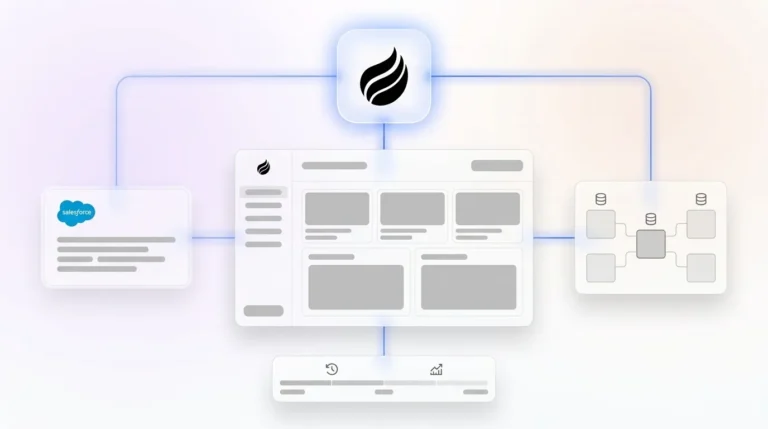
Integration complexity. Middleware or iPaaS fees add $15,000–$50,000+ per year at mid-market scale. Platforms that require custom API development incur significant costs per integration and in ongoing maintenance. Coffee’s Companion App uses a single authentication to sync and write back to Salesforce or HubSpot, bypassing custom API development. Eliminate integration overhead with Coffee’s Companion App.
Best-Fit Use Cases for Coffee and Passive CRMs
Early-stage teams (1–20 employees). Founders and early sales hires who have outgrown spreadsheets but find HubSpot or Pipedrive to be expensive manual chores are the primary fit for Coffee’s Standalone CRM. The agent handles contact creation, enrichment, meeting notes, and follow-ups from day one. There is no implementation project, no dedicated admin, and no per-feature add-on cost.

Growing sales organizations (20–100 employees). Teams at this stage typically carry a fragmented stack that includes a CRM, a separate enrichment tool, a call recorder, and a forecasting layer. Census reported cutting costs in half after consolidating onto a unified GTM platform. Coffee consolidates CRM, enrichment, recording, and pipeline intelligence into one agent, which removes the integration maintenance burden entirely.

Mid-market teams committed to Salesforce or HubSpot. Some organizations have invested heavily in Salesforce or HubSpot customization, including quotas, forecasting, required fields, and custom objects, and cannot migrate without significant cost and risk. Coffee’s Companion App deploys the agent on top of the existing system of record. The agent handles data in, and Salesforce or HubSpot remains the system of record. Many teams switching from Salesforce to HubSpot have reported higher CRM adoption rates, but for teams where migration is not viable, an agent layer offers a practical path to data quality improvement. Compare Coffee’s Standalone and Companion deployment options to see which fits your current stack.
Operational Factors When Running an Agent-Led CRM
Cross-functional ownership. Agent-led platforms shift CRM ownership from a dedicated admin role to the sales team itself, because the agent handles the maintenance work. Passive CRMs require an internal administrator, with HubSpot administrator salaries typically ranging from $54,000 to $100,000 annually based on 2026 job postings and guides, which makes admin overhead the largest ongoing cost category in many deployments.
Training needs. Coffee’s interface is designed so that reps interact with an agent rather than a database. The change-management burden stays lower because reps review what the agent has already captured instead of entering data themselves. Passive CRMs require training on data entry conventions, field definitions, and workflow rules that reps routinely ignore.
Data-hygiene ownership. Scope creep and data quality issues together cause 61% of AI agent project failures before production. Coffee’s agent addresses this upstream by ingesting ground-truth data from emails, calendars, and call transcripts rather than relying on human entry. Teams migrating from passive CRMs should audit existing records before connecting the agent, because unaddressed data issues are multiplied across both systems during integration.
Performance at scale. Coffee’s data warehouse architecture retains historical context permanently. Legacy relational databases lose historical context when fields are updated, which limits the quality of forecasting and trend analysis as deal volume grows.
Risks, Limitations, and Common Misconceptions
Hidden maintenance work in passive CRMs. Failed CRM implementations commonly require recovery costs of 30–50% of a full re-implementation. The visible license fee is not the full cost of a CRM, because the real cost includes implementation, admin overhead, integration middleware, and data remediation.
Incomplete automation of unstructured data. Most passive CRMs and several modern alternatives handle structured data such as form fills and deal stages but cannot process unstructured data such as email text and call transcripts without additional tools. Coffee’s agent ingests both data types natively.
Integration friction for newer CRM alternatives. Day.ai and Clarify offer modern interfaces but lack the depth of Salesforce and HubSpot integration required by mid-market teams with existing quotas, forecasting configurations, and required fields. Teams evaluating these alternatives should test against their specific Salesforce or HubSpot object model before committing.
Overbuying for current needs. Tech silos can delay or limit AI initiatives. Adding more point solutions to an already fragmented stack increases silo risk. Teams under 20 people rarely need the full feature surface of Salesforce Enterprise, and the total cost of ownership is disproportionate to the value delivered at that scale.
Decision Framework for Choosing a Sales Automation Platform
| Scenario | Recommended Path | Key Rationale |
|---|---|---|
| 1–20 employees, no existing CRM | Coffee Standalone CRM | Zero implementation cost; agent handles all data entry from day one; no admin hire required |
| 20–100 employees, fragmented point-solution stack | Coffee Standalone CRM or Companion App | Stack consolidation eliminates integration maintenance; sales automation delivers an average ROI of $5.44 per dollar spent |
| Mid-market, committed to Salesforce | Coffee Companion App on Salesforce | Preserves existing customization; agent handles data in without migration risk |
| Mid-market, committed to HubSpot | Coffee Companion App on HubSpot | Single authentication; agent enriches and writes back; no middleware required |
| Large enterprise with complex custom workflows | Not Coffee’s primary fit | Massive orgs with bespoke Apex triggers and multi-cloud configurations require dedicated Salesforce architecture |
The core decision variable is not feature count, because the real question is whether the platform eliminates the data entry burden or merely reduces it. That return is only achievable when the agent handles data entry end-to-end, not when a human still closes the loop on every call note and contact update. Apply this framework to your stack with Coffee’s pricing calculator.
Frequently Asked Questions
How long does it take to implement Coffee and see results?
Coffee connects to Google Workspace or Microsoft 365 through a standard authentication flow. There is no multi-month implementation project. Once connected, the agent scans emails and calendars to auto-create contacts, log activities, and populate company records immediately. Most teams have a working, populated CRM within the first week. For the Companion App on Salesforce or HubSpot, a simple authentication allows the agent to sync data and write enriched insights back to the existing system of record without custom API development or middleware configuration.

What happens to existing data when migrating to Coffee?
For teams adopting Coffee’s Standalone CRM, existing contact and deal data can be imported. Coffee recommends auditing records for duplicates and incomplete fields before migration, because data quality issues in the source system will carry over. The agent’s enrichment capabilities augment imported records with job titles, funding data, and LinkedIn profiles via licensed data partners, which partially compensates for gaps in legacy data. For the Companion App deployment, there is no migration, since Coffee operates on top of the existing Salesforce or HubSpot instance, and the system of record and its historical data remain intact.
Is Coffee secure, and how is data handled?
Coffee is SOC 2 Type 2 certified and GDPR compliant. Data processed by the Coffee Agent is not used to train public models. For teams in heavily regulated industries such as healthcare or finance that require multi-year security reviews or custom data residency configurations, Coffee is not the recommended fit at this stage. For the majority of small-to-mid-market B2B sales teams, the compliance posture is sufficient for standard enterprise procurement reviews.
How does Coffee’s data quality compare to dedicated enrichment tools like ZoomInfo or Apollo?
Coffee’s built-in enrichment, powered by licensed data partners, covers job titles, company funding, and LinkedIn profiles at a quality level sufficient for most small-to-mid-market use cases. It is not positioned as a replacement for enterprise-grade data providers in environments where coverage depth across millions of niche contacts is a hard requirement. The more significant data quality advantage Coffee delivers appears in activity data such as emails, call transcripts, and meeting notes, which ZoomInfo and Apollo do not capture at all. Legacy CRMs leave this unstructured data outside the system entirely, while Coffee’s agent ingests and structures it automatically, producing a more complete and accurate picture of each deal than enrichment-only tools can provide.
What internal expertise is required to manage Coffee on an ongoing basis?
Coffee’s agent-led model is designed to eliminate the need for a dedicated CRM administrator. There are no workflow rules to maintain, no field mapping to audit, and no manual data hygiene sprints to schedule. The agent handles these tasks continuously. A Head of Sales or RevOps leader can configure and manage Coffee without engineering support. For teams using the Companion App on Salesforce, the existing Salesforce admin retains ownership of the system of record, and Coffee’s agent operates as an autonomous layer that feeds clean data into that system without requiring changes to the underlying Salesforce configuration.