Written by: Doug Camplejohn, CEO & Co-Founder, Coffee
Key Takeaways
- Standalone CRMs with visual pipelines remove most manual data entry, so sales reps spend more time selling with AI automation and real-time tracking.
- Coffee leads the agent-powered CRM category, with dynamic visuals, Pipeline Compare, and a built-in data warehouse for historical analysis.
- Pipedrive fits activity-driven teams that want drag-and-drop Kanban, while monday sales CRM supports sales pipelines tied to project work.
- Key features across these tools include Google and Microsoft integrations, SOC2 compliance, and SMB-friendly pricing from free tiers to $29 per user each month.
- Coffee transforms your sales process with autonomous pipeline management, so you can Get started with Coffee today.
Core Requirements for a Standalone CRM with Visual Pipelines
A strong standalone CRM with visual sales pipelines focuses on clear deal visibility and accurate, up-to-date data. It must deliver capabilities that go beyond a static database.
- Visual pipeline interface with clear deal stages and status indicators
- Real-time activity logging that tracks interactions automatically without manual entry
- AI-powered data entry and enrichment to keep contact and company records accurate
- Data warehouse integration for historical pipeline comparison and trend analysis
- Native Google Workspace and Microsoft 365 connections for smooth workflow automation
- SMB-focused ease of use with quick setup and SOC2 security compliance
Standalone CRMs focus on sales pipeline management instead of broad suites that demand heavy customization. AI agents in 2026 autonomously engage with CRMs for read and write operations, automating data entry and database updates so pipeline accuracy improves without extra work from your team.
Top 9 Standalone CRMs with Visual Sales Pipelines in 2026
1. Coffee: AI Agent Pipeline Management with Compare View
Coffee acts as an autonomous CRM agent that removes manual data entry and delivers dynamic visual pipeline management. The platform creates contacts, enriches company data, and logs activities by connecting to Google Workspace or Microsoft 365.

Strengths:
- Agent-powered automation handles data entry and pipeline updates
- Pipeline Compare view shows week-over-week deal progression
- Built-in data warehouse preserves historical context and trends
- AI meeting bot generates briefings and automated follow-ups

Limitations:
- Newer platform with a growing integration ecosystem
- Requires Google or Microsoft authentication for full functionality
Ideal for: Small teams with 1 to 20 reps that want automated pipeline management without manual upkeep.
Pricing: Seat-based pricing with unlimited agent labor included.
2. Pipedrive: Drag-and-Drop Pipeline for Activity-Based Selling
Strengths:
- Highly visual Kanban-style interface with deal prioritization
- More than 500 integrations and strong mobile functionality
- AI-powered deal scoring and win probability calculations
- Activity reminders and rotting deal indicators
Limitations:
- Manual data entry needed for contacts and activity logging
- Limited data warehouse features for deep historical analysis
Ideal for: Sales teams with 5 to 50 reps that focus on activity-driven selling.
Pricing: Starts at $15 per user each month with a 14-day free trial.
3. Monday Sales CRM: Visual Boards with Timelines
monday sales CRM offers visual pipeline management with drag-and-drop deal stages, color-coded status indicators, no-code customization, and AI-powered automation for timeline summaries and autofill.
Strengths:
- Flexible board customization with project management integration
- No-code automation recipes for lead routing and reminders
- Visual timeline tracking with collaboration tools
- Dashboard creation with custom reporting
Limitations:
- Manual forecasting setup and configuration
- Learning curve for teams new to monday.com
Ideal for: Teams that need flexibility across sales and project workflows.
Pricing: Tiered pricing that starts at basic plan levels.
4. Close: Pipeline Management Built Around Communication
Close combines visual pipeline management with built-in calling, SMS, and email tools for high-velocity sales teams.
Strengths:
- Integrated communication tools inside the pipeline view
- Power dialer and call recording
- Email sequences triggered by pipeline stages
- Mobile-optimized interface for field sales
Limitations:
- Communication features bundled across plans, which can raise costs
- Less customization than pure CRM platforms
Ideal for: Inside sales teams that rely on integrated calling and messaging.
Pricing: Starts at $29 per user each month.
5. Attio: Modern CRM with Relationship Mapping
Attio delivers a modern CRM experience with visual relationship mapping and flexible data modeling for growing teams.
Strengths:
- Modern, intuitive interface with relationship visualization
- Flexible data structure and custom fields
- Email sync with Gmail and Outlook
- Collaboration features for internal teams
Limitations:
- Less automation than AI-heavy alternatives
- Newer platform with a developing feature set
Ideal for: Startups and scale-ups that prioritize user experience.
Pricing: Freemium model with paid tiers.
6. Pipeline CRM: Simple Visual Deal Tracking
Pipeline CRM focuses on visual deal management with straightforward Kanban-style pipeline views.
Strengths:
- Simple, focused pipeline visualization
- Fast setup with a short learning curve
- Basic automation for deal progression
- Affordable pricing for small teams
Limitations:
- Sales-specific features without broader departmental tools
- Reporting centered on core sales metrics only
Ideal for: Very small teams that need basic pipeline tracking.
Pricing: Budget-friendly monthly subscriptions.
7. Flowlu: Project-Focused Pipeline Management
Flowlu blends CRM pipeline management with project management for service-based businesses.
Strengths:
- Combined project and pipeline management
- Visual Kanban boards with task integration
- Time tracking and invoicing tools
- Team collaboration features
Limitations:
- Complex interface because of many feature sets
- Less focus on pure sales pipeline performance
Ideal for: Service businesses that manage projects and sales in one place.
Pricing: Multi-tier pricing with project management included.
8. Zoho CRM: AI-Driven Pipeline in a Large Ecosystem
Strengths:
- Zia AI for predictive sales scoring and recommendations
- Deep integration across the Zoho ecosystem
- Blueprint workflow automation
- Gamification features that support team motivation
Limitations:
- Complex interface with a steep learning curve
- Strongest value when you adopt multiple Zoho products
Ideal for: Teams already using Zoho or those that need a broad feature set.
Pricing: Starts at $14 per user each month.
9. HubSpot Free CRM: Entry-Level Visual Pipeline
HubSpot CRM offers drag-and-drop pipelines across free and paid tiers, email tracking, and customizable stages for startups and scaling teams on a budget.
Strengths:
- Free tier with basic pipeline visualization
- Email tracking and sequence tools
- Marketing integration for lead nurturing
- Extensive educational resources
Limitations:
- Feature limits in the free version
- Advanced pipeline features locked behind paid tiers
- Marketing-first architecture that can dilute sales focus
Ideal for: Very early-stage startups with tight budgets.
Pricing: Free tier available, with paid plans starting at $45 each month.
Side-by-Side Comparison of Visual Pipeline CRMs
| CRM | Visual Pipeline Type | AI Automation | Starting Price | Best For |
|---|---|---|---|---|
| Coffee | Agent-Powered Kanban | Full Automation | Seat-based | 1-20 reps |
| Pipedrive | Drag-Drop Kanban | AI Assistant | $15/user/month | 5-50 reps |
| Monday CRM | Visual Boards | No-Code Automation | Tiered pricing | Project teams |
| HubSpot Free | Basic Kanban | Limited | Free/$45/month | Startups |
Coffee stands out as the only platform in this list that offers complete automation through AI agents, which removes the manual data entry that slows traditional visual pipeline systems. Get started with Coffee to see autonomous pipeline management in action.

Why Coffee Leads Standalone CRMs for Visual Pipelines
Legacy CRMs often rely on flawed architectures that produce unreliable pipeline data. 2026 trends highlight proactive multi-agent systems where orchestrator agents direct specialists to own outcomes like growing pipeline, embedded in CRM workflows.
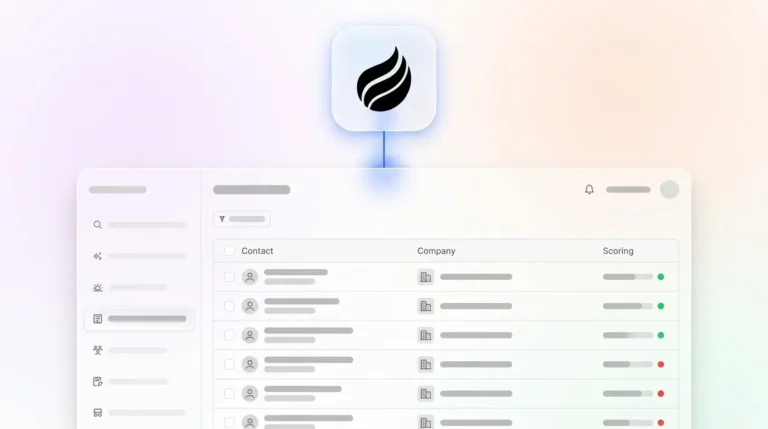
Coffee’s agent unifies structured and unstructured data from emails, calendars, and call transcripts into one coherent pipeline view. The Pipeline Compare feature delivers week-over-week analysis that turns pipeline reviews into strategic conversations instead of status interrogations. Coffee’s agent keeps good data flowing into the system automatically, while passive tools depend on constant human updates.

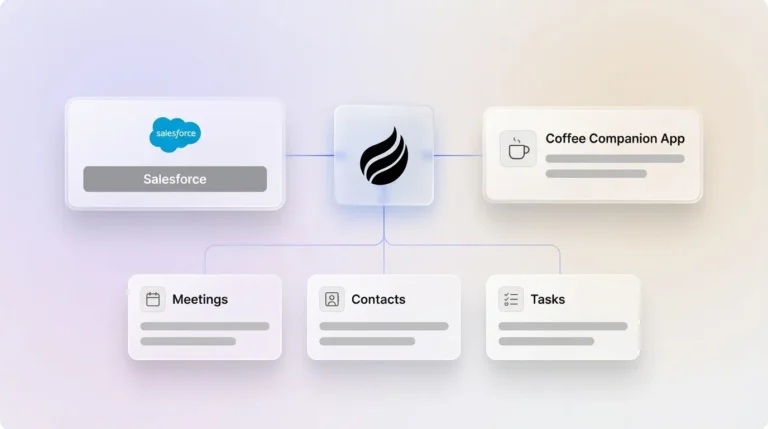
Coffee works as a standalone CRM for small teams and as a companion app for existing Salesforce or HubSpot setups. This flexibility makes it a unique option that meets teams where they are while still delivering agent-powered automation. Get started with Coffee to remove manual pipeline management from your workflow.
2026 CRM Trends, Setup Tips, and Common Pitfalls
In 2026, AI agents form digital assembly lines for workflows, connecting to CRM data sources via Model Context Protocol for real-time actions and accurate tracking. This move from passive databases to proactive agents marks the biggest shift in CRM architecture since cloud adoption.
Setup Tips:
- Connect Google Workspace or Microsoft 365 first so Coffee’s agent can start automatic data population.
- Define clear pipeline stages before migration to preserve historical context.
- Launch with a pilot group to validate automation before a full rollout.
Common Pitfalls:
- Poor initial data quality harms visual pipeline accuracy, while agents like Coffee’s help correct this automatically.
- Rushed implementation without training lowers adoption and trust in the system.
- Choosing feature-heavy platforms over focused pipeline tools increases complexity and slows teams.
Frequently Asked Questions
What is the best standalone CRM with visual sales pipeline views?
Coffee ranks as the leading standalone CRM with visual sales pipeline views because its AI agent maintains pipeline accuracy without manual data entry. The platform offers Pipeline Compare analytics and smooth Google and Microsoft integration while cutting the 71 percent of time that teams usually spend on data entry tasks.
Are there free standalone CRMs with visual pipeline management?
HubSpot provides a free CRM with basic visual pipeline features, although advanced options require paid plans that start at $45 each month. Most robust standalone CRMs with full visual pipeline views use paid subscriptions, and Coffee delivers strong value through agent-powered automation that removes ongoing manual maintenance costs.
How do AI-powered CRMs compare to traditional visual pipeline tools?
AI-powered CRMs such as Coffee improve data quality and pipeline accuracy by automating data entry, enrichment, and activity logging. Traditional visual pipeline tools depend on human updates, which often creates incomplete data and weak forecasting. AI agents keep accurate data flowing into the system, so teams gain reliable pipeline insights without extra manual effort.
What makes Coffee different from Pipedrive for visual pipeline management?
Coffee works as an autonomous agent that manages data entry and pipeline maintenance automatically, while Pipedrive still needs manual input for contacts, activities, and deal updates. Coffee’s built-in data warehouse supports Pipeline Compare analytics for week-over-week trend analysis, and Pipedrive does not preserve historical data in the same way. Coffee removes the manual work that turns traditional CRMs into productivity drains.
How can I maintain pipeline accuracy without manual data entry?
Coffee’s AI agent maintains pipeline accuracy by capturing data from emails, calendars, and call transcripts, then enriching and organizing it in the visual pipeline. The agent creates contacts, logs activities, updates deal stages, and surfaces insights without human intervention, so your pipeline reflects real activity instead of outdated entries.

Conclusion: Choosing a Visual Pipeline CRM for 2026
The nine standalone CRMs with visual sales pipeline views in 2026 cover a range of approaches, from basic Kanban boards to advanced AI automation. Coffee stands out by solving the core problem of manual data entry that affects most visual pipeline systems.
Platforms such as Pipedrive and monday CRM deliver strong visual interfaces but still rely on human maintenance that consumes selling time. Coffee’s agent-powered model offers autonomous pipeline management with dynamic visuals and a comprehensive data warehouse behind the scenes.
SMB teams that want reliable pipeline accuracy without manual upkeep can Get started with Coffee and experience a standalone CRM with visual sales pipeline views powered by AI agents.