Written by: Doug Camplejohn, CEO & Co-Founder, Coffee | Last updated: July 15, 2026
Key Takeaways for Salesforce Automation in 2026
- Salesforce automation in 2026 falls into four categories: native tools, integration platforms, testing and DevOps, and agentic companion apps. This article evaluates each category across nine criteria so you can match tools to your real constraints.
- Native Flow and Agentforce handle process logic and AI reasoning but do not autonomously capture unstructured interaction data like emails, calls, and meetings into Salesforce objects.
- Integration platforms and DevOps tools handle cross-system sync and release governance. They still leave a manual data-entry gap and introduce ongoing maintenance overhead.
- Agentic companion apps fill the activity-capture layer by autonomously logging interactions and writing structured records back to Salesforce without asking reps to change behavior.
- Start automating your Salesforce data entry with Coffee to keep your CRM clean without adding admin work.
Choosing the Right Salesforce Automation Tool for Your Team
Your data-quality problem determines which automation layer you should address first. Salesforce automation in 2026 consists of three distinct layers: process automation (Flow and Apex for logic and routing), activity automation (automatic capture of emails, meetings, and calls directly into Salesforce records), and intelligence automation (Agentforce for autonomous AI decision-making). Most teams skip the activity layer and then discover that their process and intelligence layers produce unreliable outputs.
According to Salesforce’s State of Sales report, the average rep spends 5.5 hours per week, roughly 14%, on CRM administration. Native Flow covers routing and field updates. Agentforce handles reasoning over structured records. Neither autonomously captures unstructured interaction data such as emails, call transcripts, and meeting notes and writes it back to Salesforce objects without human input. That gap is where agentic companion apps operate.
Current Categories of Salesforce Automation Tools
Salesforce ended support for Workflow Rules and Process Builder on December 31, 2025, making Flow Builder the only supported declarative automation tool. The current automation landscape includes the following categories:
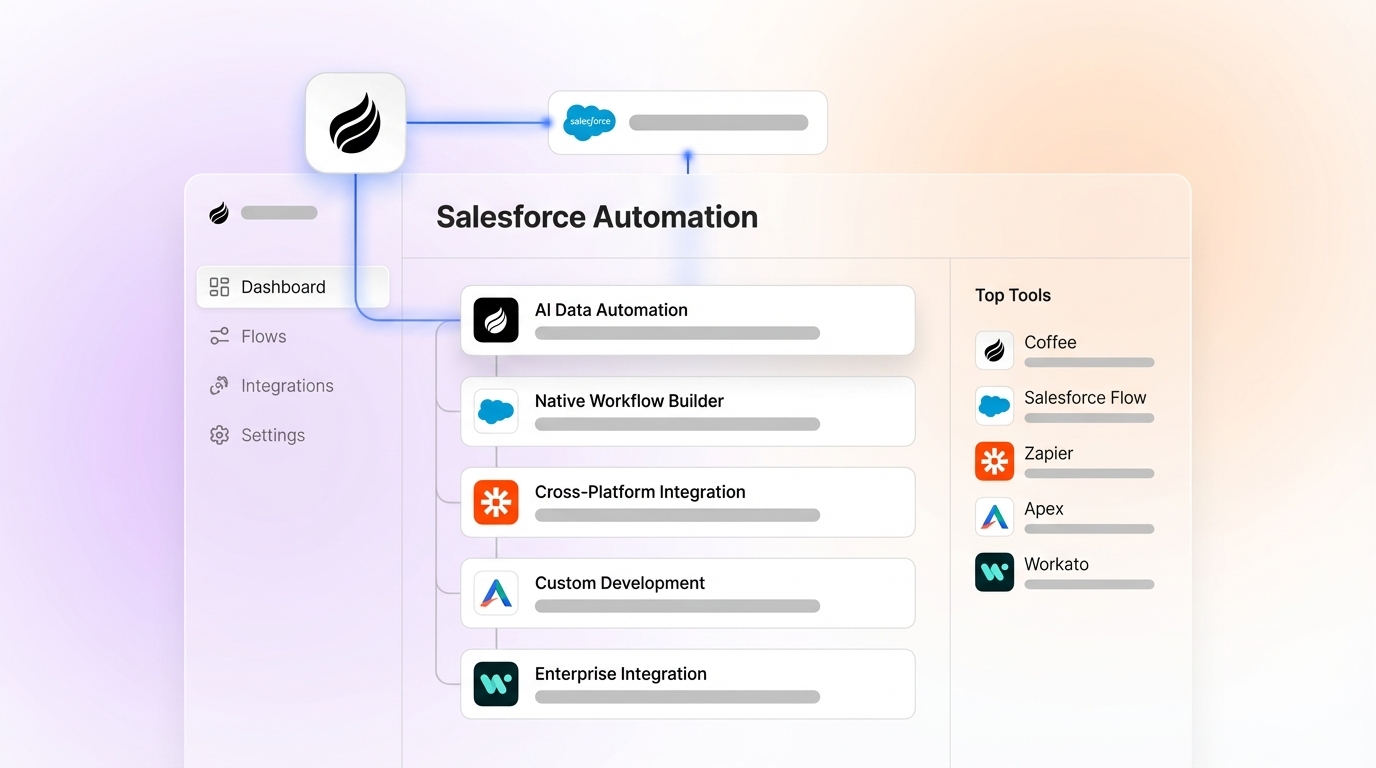
- Native Salesforce tools: Flow Builder, Apex triggers, and Agentforce for in-platform process logic and AI reasoning.
- Integration platforms: Tray.io, Celigo, and Make for cross-system data synchronization and webhook-driven workflows.
- Testing and DevOps tools: Copado and Provar for release management, regression testing, and org governance.
- Agentic companion apps: Proactive agents that sit above Salesforce, autonomously capturing interaction data and writing structured records back to the CRM.
The table below compares these four categories across nine criteria that affect implementation speed, maintenance burden, and data quality. Focus on the rows for autonomous data capture and maintenance burden, because those rows reveal which tools actually remove manual entry work and which tools shift that work into ongoing upkeep.
| Criterion | Native Salesforce (Flow + Agentforce) | Integration Platforms (Tray.io, Make) | Testing/DevOps (Copado, Provar) | Agentic Companion Apps (Coffee) |
|---|---|---|---|---|
| Setup complexity | Low for Flow, while Agentforce requires mature CRM objects and Data Cloud | Medium, with connector configuration plus ongoing maintenance | High, because these tools require DevOps expertise and pipeline configuration | Low, since simple authentication connects the agent to Salesforce |
| Autonomous data capture | Einstein Activity Capture stores data on AWS, not Salesforce objects, and caps retention at 24 months | Requires manual field mapping and offers no native call or email parsing | Not applicable | Autonomously captures emails, calls, and meetings and writes structured data to Salesforce objects |
| Non-technical usability | Flow Builder improved with natural-language AI drafting in Spring ’26 | MuleSoft requires certified developers, while Make is more accessible | Requires QA or DevOps specialists | Reps interact via email and calendar, with no admin configuration required |
| Manager visibility | Native dashboards provide real-time visibility when data enters Salesforce objects | Sync limitations and field-mapping constraints reduce reporting visibility | Release and test dashboards only, with no pipeline visibility | Pipeline intelligence derived from agent-captured data, with week-over-week comparison built in |
| Customization depth | High, because Apex provides full platform access | Medium, limited by connector capabilities and API rate limits | High within the DevOps scope, with no sales process customization | Medium, with BANT, MEDDIC, and SPICED methodology support and API access available |
| Long-term flexibility | High within Salesforce, while cross-system flexibility requires MuleSoft or custom agents | Third-party APIs deprecate endpoints without warning, so ongoing maintenance accounts for 80% of total integration effort | Scoped to release cycles and not a sales automation layer | Grows with the Salesforce instance, because the agent layer is additive rather than a replacement |
| Total cost of ownership | Lower long-term admin overhead with higher upfront configuration cost | Workato starts around $10,000 per year, and operations-based pricing scales with usage | Licensing plus specialist labor, with no direct revenue impact | Seat-based pricing with agent labor included that replaces multiple point solutions |
| Maintenance burden | Without governance, orgs accumulate hundreds of unused fields and conflicting automation rules | High, with maintenance accounting for 80% of total integration effort as operations scale | Medium, tied to release cadence | Low, because the agent updates automatically and requires no field-mapping maintenance |
| Data quality impact | Stage-gate enforcement eliminated 68% of pipeline data gaps in one documented implementation | More than 80% reduction in manual entry when properly configured, while field-mapping errors introduce new quality risks | Validates automation logic but does not improve source data quality | Eliminates manual entry at the source and captures ground-truth data from emails, calls, and calendars |
Native Salesforce Tools: Flow and Agentforce in Practice
Agentforce for Flow became generally available in Spring ’26, enabling admins to describe business processes in natural language so AI drafts record-triggered, scheduled, or screen flows without consuming generative AI credits. Flow remains the correct starting point for any Salesforce automation project. Salesforce Flow is the right tool for roughly 70% of automation needs.
Agentforce’s Summer ’26 capabilities extend further. Salesforce Momentum in the Summer ’26 Release captures and structures every customer interaction, including calls, emails, and meetings, and writes the data back to Salesforce in real time, addressing the problem that most conversation data never enters the CRM. Deploying Agentforce requires a mature Salesforce foundation with well-configured CRM objects, documented automations, and a consolidated Data Cloud. Teams without this foundation face a substantial investment to standardize data and integrate systems.
Agentforce is unsuitable for high-volume, synchronous record processing where latency is a primary constraint, so traditional Flows and Apex are recommended for real-time, high-volume synchronous operations. For teams that are not yet data-mature, Agentforce’s per-execution billing model creates cost exposure without guaranteed data-quality returns.
Integration Platforms: Tray.io, Celigo, and Make
Flow and Agentforce handle logic and reasoning inside Salesforce but cannot orchestrate workflows that span multiple external systems. Integration platforms step in when you need cross-system orchestration that native Flow cannot provide. Integration platforms solve cross-system orchestration problems that native Flow cannot address.
For multi-step workflows with parallel paths, error handling branches, and loops, Make is more capable and lower-cost than Zapier at scale, while Zapier remains preferable for linear trigger-action automations. These tools shine when you need to move data between several apps and keep them loosely aligned.
The tradeoffs become significant at scale. Workflow automation tools such as Make.com are fundamentally inadequate for deep bi-directional state synchronization involving conflict resolution, custom field mapping, and pagination across tens of thousands of records. Third-party APIs deprecate endpoints, change rate limits, and alter data structures without warning, making ongoing maintenance account for 80% of total integration effort.
Integration platforms are appropriate when cross-system logic is genuinely required. They are not a substitute for the activity capture layer, and they do not eliminate the need for reps to manually log calls and meetings.
Testing and DevOps Automation: Copado and Provar
The tools covered so far, including Flow, Agentforce, and integration platforms, automate execution of business logic. None of them validate that the logic works correctly before it reaches production. Testing and DevOps tools fill that governance gap.
Copado and Provar address release quality and org governance. These tools validate that automations work correctly before deployment, manage metadata migrations between sandboxes and production, and provide regression testing for complex Salesforce orgs.
Testing tools belong in the DevOps layer, not the sales automation layer. They do not capture activity data, improve CRM adoption, or reduce the time reps spend on manual entry. Testing and QA tools such as Salesforce sandboxes and integration monitoring validate that automations work correctly before going live during RevOps implementations. For mid-market RevOps teams evaluating automation to solve data-quality problems, testing tools act as a governance prerequisite rather than a primary solution.
Agentic Companion Apps: Proactive Activity Capture on Top of Salesforce
Agentic companion apps directly address the manual data-entry problem. Flow automates logic between existing data points. Agentforce reasons over structured CRM records. A companion agent autonomously captures unstructured interaction data such as emails, call transcripts, and calendar events and writes structured records back to Salesforce objects without human input.
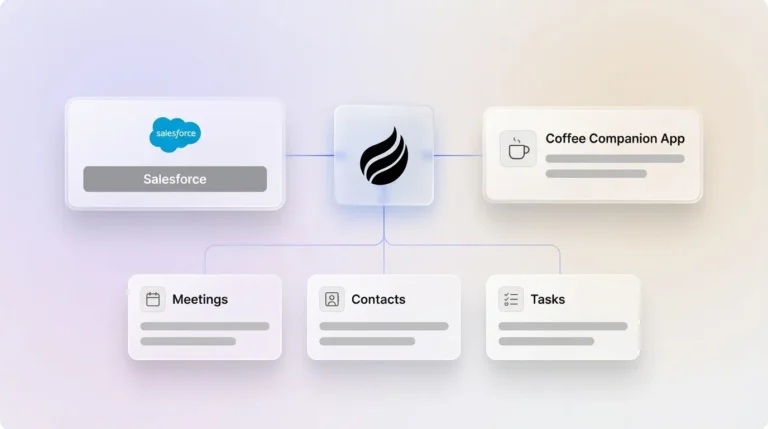
Coffee’s Companion App for Salesforce applies this model. After connecting to Google Workspace or Microsoft 365, the Coffee Agent scans emails and calendars to auto-create contacts and companies, logs activity autonomously, joins calls via an AI meeting bot, and generates post-call summaries structured to BANT, MEDDIC, or SPICED frameworks. All of this data flows back into the existing Salesforce instance. The system of record stays intact, and the agent handles the labor.

Activating email and calendar sync plus automatic meeting logging can improve an organization’s RDRI score by 10 to 15 points within a few weeks. Organizations maintaining an RDRI above 80% achieve average forecast accuracy of 85–95%. The companion agent layer provides the fastest path to crossing that threshold.
Best-Fit Automation Scenarios by Team Stage
Different team profiles require different automation priorities.
Early-stage teams (1–20 people): Flow is sufficient for basic routing. The primary problem is that no one owns CRM hygiene. A companion agent that auto-creates contacts and logs activity from day one prevents the data-debt accumulation that makes Salesforce unusable at scale.

Growing teams (20–200 people): This segment faces the highest risk. Businesses with dirty CRM data often close deals at lower rates than those with clean, automatically maintained databases. Teams in this range have enough deal volume for data quality to materially affect forecast accuracy but lack the admin resources to enforce manual hygiene. A companion agent combined with Flow automation covers the activity and process layers at the same time.

Established mid-market companies: These organizations have existing Flow configurations, possibly Agentforce pilots, and integration platforms already in place. The gap is almost always the activity capture layer. The recommended investment order for Salesforce automation is automated activity capture writing directly to Salesforce objects, then process automation with Flow, and finally intelligence automation with Agentforce. Most mid-market teams have inverted this order.
Operational Considerations for Scaling Salesforce Automation
Change management is the most commonly underestimated factor. Without a designated owner, CRM automation projects accumulate undocumented logic that no one understands. When logic remains undocumented, the system drifts as team members make ad-hoc changes, breaks silently because no one knows what dependencies exist, and cannot be handed over or improved because the original reasoning is lost.
Data hygiene governance requires ongoing attention. CRM databases degrade at a rate of about 30% per year. Automation that captures data at the source, rather than relying on rep input, provides the only structural solution to this degradation rate.
Risks and Limitations Across Automation Categories
Each automation category carries distinct risks that RevOps leaders must evaluate before committing budget.
Hidden maintenance: Third-party automation functions as a hidden tax on B2B SaaS products by requiring separate subscriptions with operations-based pricing. Integration platforms that appear affordable at initial deployment become expensive as workflow complexity and record volume grow. As noted earlier, this maintenance burden consumes the majority of integration effort as operations scale.
Incomplete automation: Einstein Activity Capture stores data on AWS rather than inside Salesforce objects, makes activities unavailable via the Salesforce API, caps retention at 24 months, and does not support custom objects or standard reports. Native activity capture tools leave structural gaps that corrupt downstream reporting.
Overbuying Agentforce: Agentforce is best targeted at high-value use cases due to its per-execution billing model and is not designed for low-value, high-frequency tasks that would drive up operational costs. Teams that deploy Agentforce before establishing data quality foundations pay for reasoning over unreliable inputs.
| Constraint | Recommended Category | Rationale |
|---|---|---|
| Need to automate routing and field updates inside Salesforce | Native Flow | Flow covers most RevOps automation needs inside Salesforce, as established earlier |
| Need to sync data across three or more external systems | Integration Platform | External platforms handle cross-system logic the native CRM cannot |
| Need to govern Salesforce releases and prevent regression | Testing/DevOps | Copado and Provar validate automation logic before production deployment |
| Need AI reasoning over structured CRM records at scale | Agentforce | Agentforce Grid efficiently processes bulk AI tasks across large data volumes |
| Need to eliminate manual data entry from emails, calls, and meetings without replacing Salesforce | Agentic Companion App (Coffee) | Autonomously captures unstructured interaction data and writes structured records to Salesforce objects, with seat-based pricing and no per-execution billing |
Decision Framework: Aligning Automation Layers with Constraints
The decision framework follows the investment order established by Salesforce practitioners: activity capture first, process automation second, and intelligence automation third. Teams that skip the first layer and invest in the second or third will continue to experience the manual data-entry problem regardless of how sophisticated their Flow configurations or Agentforce deployments become.
Automated validation can reduce CRM error rates and manual data entry hours. Those results require automation at the data-capture layer, not just the process layer.
For mid-market RevOps and sales leaders on 20–200-person teams who are already committed to Salesforce, Coffee’s Companion App is the only solution in this comparison that autonomously captures emails, calls, and meetings and writes structured data back to Salesforce objects. It does this without replacing the existing instance, without per-execution billing, and without requiring reps to change their behavior. The agent does the work, and the system of record stays clean.
Try Coffee’s Companion App and eliminate manual Salesforce data entry for your team.
Frequently Asked Questions
How long does it take to implement Coffee’s Salesforce Companion App?
Implementation uses a simple authentication that connects the Coffee Agent to your existing Salesforce instance via Google Workspace or Microsoft 365. There is no complex field mapping, no Flow configuration, and no admin training required. The agent begins scanning emails and calendars to auto-create contacts, companies, and activity logs immediately after connection. Most teams see the agent actively logging data within the same business day as setup.
What level of Salesforce expertise is required to run Coffee alongside an existing instance?
No additional Salesforce expertise is required beyond the initial authentication. Coffee operates as an additive layer above Salesforce rather than inside it. Salesforce admins do not need to build or maintain any flows, triggers, or custom objects to support the agent. The agent writes structured data back to standard Salesforce objects using the existing data model, which means it respects the configurations already in place without requiring modification.
Will Coffee’s Companion App affect the data already in our Salesforce instance?
Coffee enriches and adds to existing records rather than overwriting them. The agent auto-creates contacts and companies from email and calendar signals, logs activity against the correct records, and writes call summaries and next steps to opportunity and contact records. Existing data is preserved. The agent’s role is to fill the gaps created by manual entry failures, such as missing contacts, unlogged calls, and absent next steps, not to replace or alter records that already exist.
How does Coffee handle data security and compliance?
Coffee is SOC 2 Type 2 and GDPR compliant. Data processed by the Coffee Agent is not used to train public models. The agent connects to Google Workspace or Microsoft 365 via standard OAuth authentication and writes to Salesforce via the standard API, meaning data flows through the same credential and permission framework already governing the Salesforce instance. No data is stored in a separate external warehouse that bypasses Salesforce’s security model.
Can Coffee replace other point solutions in the sales tech stack?
Coffee consolidates the functions of several common point solutions. The agent handles contact and company enrichment, replacing tools like Apollo or ZoomInfo for most use cases. It manages call recording and transcription, replacing standalone recorders. It generates post-call summaries and follow-up drafts, replacing manual note-taking workflows. It tracks pipeline changes, replacing manual CSV exports and spreadsheet reviews.
Teams that currently pay for separate enrichment, recording, and forecasting tools can reduce stack complexity and cost by consolidating those functions into the Coffee Agent. Seat-based pricing means the agent’s labor is included without per-execution or per-enrichment fees.
Start with Coffee and stop spending your time as a data entry clerk.