
Last updated: February 1, 2026
Key Takeaways
- HubSpot’s $500+/month pricing and complexity cost small teams 8-12 hours each week on manual admin work.
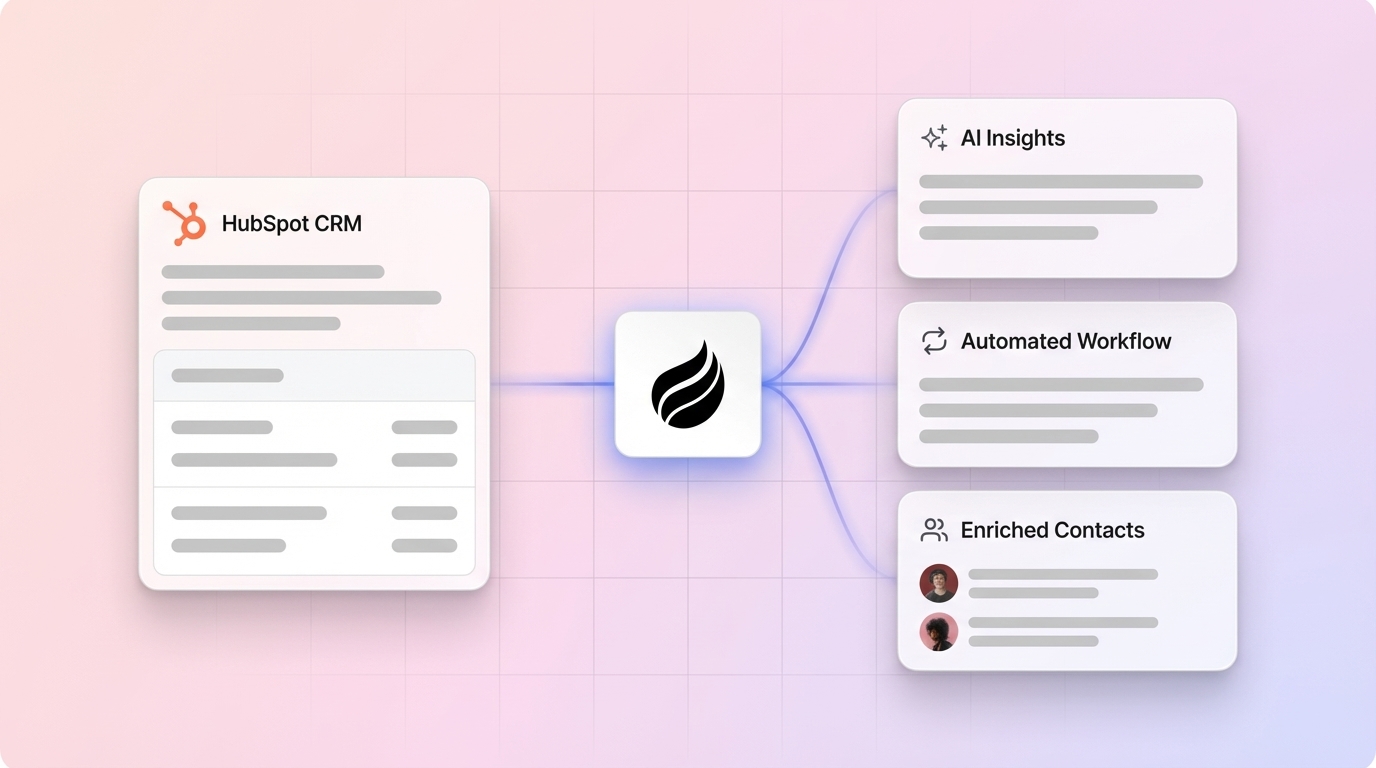
- Coffee’s AI agent removes manual CRM tasks by auto-creating contacts, enriching data, and logging every interaction.
- Pipedrive, Zoho CRM, and similar tools stay under $20/user/month and offer visual pipelines with built-in automation.
- Salesflare and Freshsales cut data entry through automatic record population and AI-powered lead scoring.
- Switch to Coffee today for an autonomous CRM that saves time and increases sales productivity.
Why Small Teams Walk Away from HubSpot Costs
HubSpot’s real cost includes both subscription fees and hidden labor. Professional plans cost $500/month for 5 users, $1,000 for 10 users, and $2,000 for 20, while Pipedrive costs $245 for 5 users. The hidden labor cost is even higher. Teams often spend 8-12 hours each week on data entry at $50/hour, which equals more than $20,000 per year in lost productivity.
HubSpot Professional plans start at $800/month for 3 core seats with additional seats at $45, so costs climb quickly as teams grow. Reddit users in r/CRMSoftware frequently describe HubSpot as “too complex for 5-person teams” because its feature set targets enterprise customers, not lean sales teams.
1. Coffee: Automated CRM That Handles Data Entry
Coffee works as an autonomous AI agent that removes manual CRM work. The agent automatically creates contacts and companies by scanning Google Workspace or Microsoft 365, enriches records with job titles and LinkedIn profiles, and logs every interaction without human effort.

The agent acts like a pre- and post-meeting assistant. It joins Zoom calls to capture transcripts, generates summaries with clear action items, and drafts follow-up emails in Gmail. Coffee’s Pipeline Compare feature shows week-over-week deal changes, so teams stop exporting spreadsheets and instead review instant pipeline insights.

Coffee supports two deployment models. The Standalone CRM fits small teams with 1-20 employees that want a modern replacement for legacy tools. The Companion App adds intelligent automation on top of existing Salesforce or HubSpot setups. The platform is SOC 2 Type 2 compliant and uses straightforward seat-based pricing.

One company generating tens of millions in revenue rejected Salesforce and HubSpot because of heavy manual work. The team chose Coffee for automated contact creation, actionable pipeline intelligence, and flexible APIs that power custom briefings.
Pros: Zero manual data entry, AI meeting bot, automated enrichment, pipeline intelligence
Cons: Newer platform, integrations currently run through Zapier
Setup: About 5 minutes with Google or Microsoft authentication
vs HubSpot: AI agent handles busywork automatically instead of relying on reps

Get started with Coffee and bring an AI sales agent into your team.
2. Pipedrive: Clear Visual Pipelines for Small Teams
Pipedrive pricing starts at $14 per user per month and includes drag-and-drop pipeline boards that make deal tracking simple. The platform focuses on sales workflows and offers automated activity reminders plus email integration that reduces manual logging.
Pipedrive’s main strength is its visual pipeline view, which lets teams see deal progress at a glance. The platform includes an AI sales assistant and workflow automation that manages routine tasks such as follow-up scheduling and lead assignment.
Pros: Visual pipelines, sales-focused design, affordable pricing
Cons: Limited marketing tools, basic reporting options
Setup: Under 1 hour with CSV import
vs HubSpot: Simpler interface, lower cost, built specifically for sales teams
3. Zoho CRM: Unified Sales, Marketing, and Support
Zoho CRM pricing starts at $14 per user per month for Standard plans and covers sales, marketing, and customer service in one system. The platform includes workflow automation, email marketing, and social media integration.
Zoho’s Blueprint feature guides sales processes with automated stage progression and required fields. The platform connects with more than 40 Zoho applications, which creates a unified business stack without HubSpot’s complex hub-based pricing.
Pros: Broad feature set, affordable plans, deep integration with Zoho apps
Cons: Noticeable learning curve, interface can feel crowded
Setup: Around 2-3 hours for full configuration
vs HubSpot: Lower cost and simpler, unified pricing across features
4. Salesflare: CRM That Fills in the Details for You
Salesflare holds a 9.7/10 rating as a top HubSpot alternative and earns praise for its user-friendly experience. It collects data automatically from email signatures, social profiles, and company databases, so reps enter very little manually.
Salesflare tracks email opens, clicks, and replies while building contact timelines from email threads. The system connects with popular email and calendar tools to capture every customer touchpoint without extra logging.
Pros: Automatic data capture, strong email integration, quick setup
Cons: Limited customization, fewer advanced features
Setup: About 30 minutes with email connection
vs HubSpot: Automatic data population sharply reduces manual entry
5. Freshsales: AI Lead Scoring for Growing Pipelines
Freshsales is known as user-friendly and affordable, with automated workflows, customizable dashboards, and structured lead management. Freddy AI handles lead scoring, deal insights, and contact intelligence, which helps teams focus on high-value prospects.
Freshsales includes built-in phone and email tools with automatic call logging and email tracking. Workflow automation manages lead assignment, follow-up schedules, and deal progression alerts without extra admin work.
Pros: AI lead scoring, built-in communication tools, strong workflow automation
Cons: Limited third-party integrations, reporting could be deeper
Setup: About 1 hour with data import and configuration
vs HubSpot: More intuitive interface and stronger AI at a lower price
6. Close: CRM Focused on Calling and Outreach
Close pricing starts at $9/month and includes built-in calling, SMS, and email tools for high-velocity sales teams. The platform logs all communication automatically and provides detailed call analytics.
Close excels at outbound communication with a predictive dialer, call recording, and voicemail drop. The system tracks every prospect interaction and offers real-time coaching and performance metrics for managers.
Pros: Built-in calling, communication-first design, low entry price
Cons: Limited marketing tools, basic customization
Setup: About 45 minutes with phone system integration
vs HubSpot: Stronger calling features, simpler interface, lower cost
7. EngageBay: Strong Free Plan for Small Teams
EngageBay delivers an affordable all-in-one CRM with sales and marketing features organized in intuitive “Bays.” The platform offers a generous free tier for up to 15 users that covers basic CRM, email marketing, and helpdesk tools.
EngageBay’s automation builder creates workflows for lead nurturing, deal movement, and customer onboarding. The platform also includes a landing page builder, email templates, and social scheduling that rival HubSpot’s marketing tools at a much lower price.
Pros: Generous free tier, all-in-one platform, solid marketing automation
Cons: Interface feels basic, limited advanced capabilities
Setup: Around 2 hours for full configuration
vs HubSpot: Free option, simpler pricing, easier initial setup
8. Less Annoying CRM: Straightforward CRM for First-Time Users
Less Annoying CRM keeps things simple at $15/user/month. The platform removes complex features that confuse small teams and focuses on contact management, calendar integration, and basic pipeline tracking.
The system supports unlimited users, contacts, and storage with easy contact import and Google Calendar sync. Less Annoying CRM offers light automation for task creation and follow-up reminders, which keeps beginners productive without overwhelming them.
Pros: Simple interface, unlimited storage, minimal complexity
Cons: Very basic features, limited automation, no advanced reporting
Setup: About 15 minutes with contact import
vs HubSpot: Far simpler, no real learning curve, transparent pricing
|
CRM Platform |
Starting Price/User/Month |
Setup Time |
Manual Entry Required |
|
Coffee |
Super simple seat-based pricing |
5 minutes |
No, the AI agent handles all |
|
Pipedrive |
$14 |
1 hour |
Minimal, some automation |
|
Zoho CRM |
$14 |
2-3 hours |
Some workflow automation |
|
HubSpot Professional |
$100 (5-user minimum) |
1-2 weeks |
Yes, significant manual work |
Simple CRM for Beginners Without Data Entry
Coffee’s AI agent gives beginners the simplest path to a working CRM with no data entry. The agent handles contact creation, meeting notes, and pipeline updates automatically, so users avoid complex workflows and forgetful logging. Traditional CRMs need constant manual updates, while Coffee runs quietly in the background.

Best CRM Choice for a 2-Person Company
Two-person teams gain the most from Coffee’s Standalone model, which delivers enterprise-level intelligence without extra complexity. The AI agent scales from early-stage startup to growth phase without a painful migration. Coffee’s seat-based pricing keeps costs predictable regardless of data volume or feature usage.
FAQs
Is Coffee cheaper than HubSpot for small teams?
Coffee uses simple seat-based pricing instead of HubSpot’s $100/user/month minimum on the 5-user Professional plan. Coffee also removes 8-12 hours of weekly admin work that can cost more than $20,000 per year. The AI agent handles data entry automatically, while HubSpot still depends on manual updates from sales reps.
How does Coffee automate data entry?
Coffee’s AI agent connects to Google Workspace or Microsoft 365 and scans emails and calendars to create contacts and companies. The agent enriches records with job titles, funding data, and LinkedIn profiles while logging every interaction. Coffee also joins meetings to record transcripts, generate summaries, and draft follow-up emails, which removes manual CRM work.
What is the difference between HubSpot and Coffee for sales automation?
HubSpot offers workflow tools that still rely on manual data input and configuration. Coffee operates as an autonomous agent that works without human intervention. HubSpot automates some steps after setup, while Coffee’s agent supports the full sales cycle from contact creation through deal closure with no ongoing maintenance from reps.
Is there a free CRM for small businesses?
EngageBay provides a strong free tier for up to 15 users with basic CRM, email marketing, and helpdesk tools. HubSpot also offers a free CRM with limited features. Most free plans still require heavy manual data entry and lack advanced automation. Coffee’s paid plan removes this manual work and often delivers better long-term ROI than free options.
What is the most affordable CRM with automation?
Close starts at $9/month and includes built-in calling plus communication automation. Pipedrive and Zoho CRM both start at $14/month and include workflow automation. Coffee, priced under $20/month, delivers broader automation through its AI agent, which removes nearly all manual CRM tasks and increases value per dollar.
Which CRM works best for beginners?
Coffee fits beginners because the AI agent requires no CRM experience or training. Users connect their email and calendar, and the agent manages the rest. Less Annoying CRM offers the simplest traditional interface at $15/month, and EngageBay’s free tier supports new users as well. Coffee, however, removes the learning curve by operating autonomously.
Why should small teams switch from HubSpot?
Small teams switch from HubSpot to remove manual data entry that consumes most sales time and to cut software costs from $500+/month to under $100/month with many alternatives. Simpler tools also improve user adoption. Coffee turns the CRM into an intelligent co-pilot that works on its own, so sales reps can focus on selling instead of data management.
Conclusion: Replace Admin Work with Selling Time
Traditional HubSpot alternatives lower costs and reduce complexity, but Coffee’s AI agent goes further by removing manual work entirely. Small sales teams can reclaim 8-12 hours each week by choosing tools that handle admin tasks for them.
Coffee stands out as a CRM agent that shifts sales operations from reactive data entry to proactive revenue work. The agent manages administrative tasks automatically and delivers pipeline intelligence that supports better decisions.
Get started with Coffee and experience autonomous CRM management in your team.