Written by: Doug Camplejohn, CEO & Co-Founder, Coffee | Last updated: July 12, 2026
Key Takeaways for Salesforce Sales Teams
- Sales reps spend only 40% of their time selling because of manual data entry and CRM admin work, so automation that connects to Salesforce now feels mandatory.
- The 2026 market clusters into four capability zones: data capture and enrichment, meeting automation, pipeline intelligence, and signal-based prospecting.
- Agent-style companions like Coffee sit above Salesforce, handle data capture, enrichment, and pipeline insights, and keep Salesforce as the system of record.
- Traditional point solutions usually need separate field mapping, sync configuration, and change management, while agent companions reduce stack sprawl and improve data quality.
- Teams ready to consolidate their Salesforce stack can get started with Coffee and replace several tools with one agent layer.
Comparison Table: Top Salesforce-Integrated Sales Apps at a Glance
| App | G2 Score | Capterra Score | Best Company-Size Fit |
|---|---|---|---|
| Coffee | N/A – emerging | N/A – emerging | SMB to mid-market (10–200 seats) on Salesforce or HubSpot |
| Salesforce Agentforce | 4.4 / 5 | 4.4 / 5 | Mid-market to enterprise already on Salesforce |
| Outreach | 4.3 / 5 | 4.4 / 5 | Mid-market to enterprise (50+ seats) |
| Salesloft | 4.5 / 5 | 4.3 / 5 | Mid-market to enterprise |
| Gong | 4.7 / 5 | 4.8 / 5 | Mid-market to enterprise (30+ seats) |
| Clari | 4.6 / 5 | 4.5 / 5 | Mid-market to enterprise |
| Clay | 4.7 / 5 | 4.7 / 5 | SMB to mid-market growth teams |
| Momentum | 4.6 / 5 | 4.6 / 5 | Mid-market (20–200 seats) |
| LinkedIn Sales Navigator Advanced Plus | 4.3 / 5 | 4.2 / 5 | Mid-market to enterprise with high prospecting volume |
| Attention | 4.6 / 5 | 4.5 / 5 | SMB to mid-market |
The table above shows how most tools focus on a narrow slice of the sales workflow, which often creates a fragmented stack. For teams that want one layer to handle data capture, enrichment, meetings, and pipeline visibility, Coffee offers an agent layer that can replace several point solutions while sitting on top of your existing Salesforce instance.
Detailed App Comparisons and Real-World Feedback
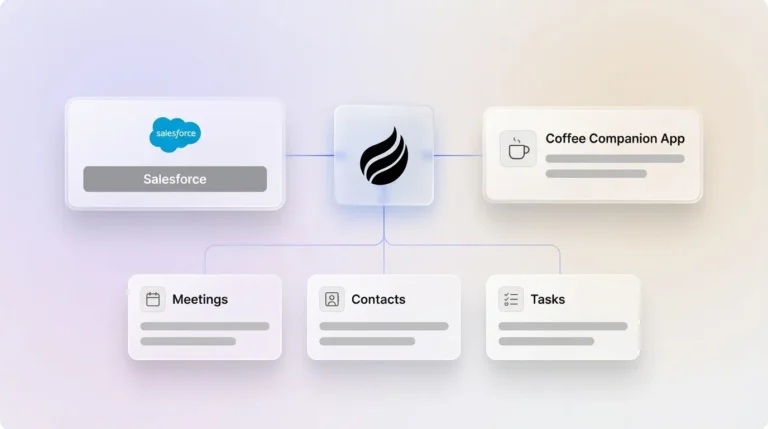
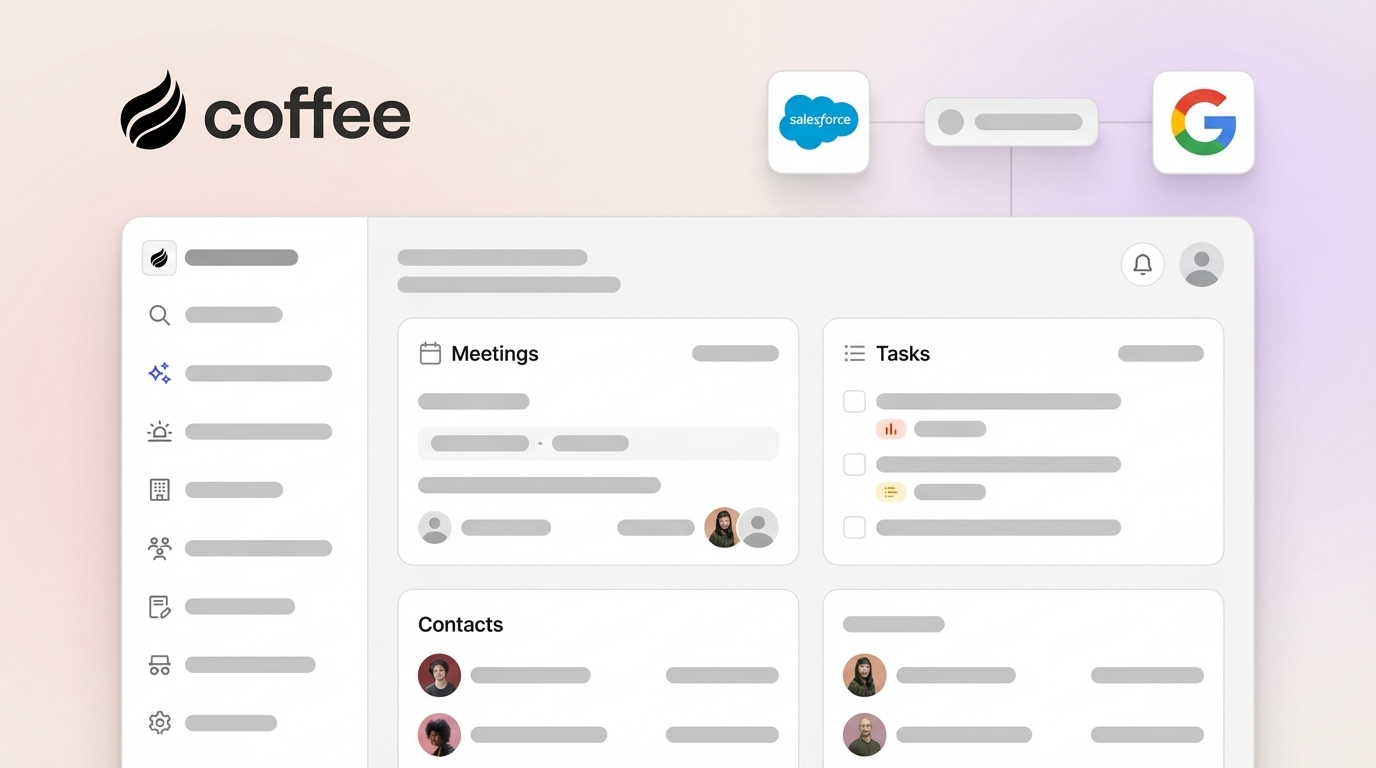
- Coffee deploys as a Companion App on top of existing Salesforce instances and authenticates through a simple OAuth flow. It syncs, enriches, and writes insights back to the CRM without replacing it. G2 and Capterra scores are not yet aggregated at scale because of its emerging position, but the product is SOC 2 Type II and GDPR compliant. Users highlight automatic contact and company creation from Google Workspace and Microsoft 365, the pre-meeting briefing page, and the Pipeline Compare view that shows week-over-week deal changes without spreadsheets. Early adopters most often ask for less reliance on Zapier for non-native tools and deeper enterprise workflow customization, both of which sit on the active roadmap.
- Salesforce Agentforce uses Sales Agents to generate prioritized prospect lists, engage website visitors in real time, book meetings, and keep pipeline data accurate with automatic opportunity updates inside Salesforce or Slack. These agents work directly within Salesforce surfaces. G2 rates it 4.4/5 and Capterra also rates it 4.4/5. Users praise the native Data Cloud integration and the removal of manual lead-nurturing tasks, with one G2 reviewer noting the agents “significantly reduce the manual tasks we used to do.” The most common 2026 complaints involve Flex Credit costs at scale, Atlas Reasoning Engine configuration complexity for non-technical admins, and the need for a mature Salesforce data foundation before agents perform well.
- Outreach delivers strong bidirectional Salesforce integration among sales engagement platforms, with reliable field mapping, custom objects, and real-time updates. Its sync is a key reason mid-market teams choose it. G2 rates it 4.3/5 and Capterra rates it 4.4/5. Users like the sequence automation and the reliability of Salesforce sync for custom objects. Recurring 2026 complaints include a steep onboarding curve for RevOps teams, pricing that climbs quickly past 50 seats, and occasional sync delays during heavy bulk imports.
- Salesloft offers deep Salesforce and Dynamics CRM integration with field mapping and custom object support. Its cadence automation is a core draw. G2 rates it 4.5/5 and Capterra rates it 4.3/5. Users praise the cadence builder and the quality of Salesforce activity logging. Common 2026 complaints mention that analytics dashboards need significant configuration before they surface useful insights, and that the mobile experience lags behind the desktop product.
- Gong connects to Salesforce and populates CRM fields from call and email data, which cuts down post-meeting manual entry. G2 and Capterra both rate it 4.8/5. Users consistently value deal risk alerts and coaching features built on conversation data. The most cited 2026 complaints are high per-seat pricing at enterprise tiers, notification volume that can overwhelm smaller teams, and the need for separate enrichment and prospecting tools because Gong does not cover those jobs.
- Clari pulls live pipeline data from Salesforce to power revenue forecasting and deal inspection without manual CSV exports. G2 rates it 4.6/5. Users praise forecast accuracy and AI-generated deal summaries. Recurring 2026 complaints focus on six- to ten-week implementation timelines for mid-market teams and the requirement for clean Salesforce data. Teams with poor data hygiene report forecasts that feel no more accurate than spreadsheets.
- Clay automates prospect research through a waterfall enrichment process that pulls data from more than 100 providers to build accurate lead lists. This depth of enrichment is its main appeal. G2 and Capterra both rate it 4.7/5. Users like the enrichment depth and flexible table-based workflow builder. The most common 2026 complaints mention a steep learning curve for non-technical users and outbound-only Salesforce sync without native bidirectional write-back, which forces teams to add middleware for full CRM integration.
- Momentum operates as an AI revenue orchestration platform that auto-syncs call insights to Salesforce so reps avoid manual record updates. It also surfaces deal risks and churn signals in Slack. Its Slack-native alerts are a core feature. Momentum’s G2 rating is 4.6/5 as of May 2026. Users praise the breadth of CRM field coverage. Common 2026 complaints center on a pricing model that feels hard to predict at scale and a Slack dependency that creates noise for teams that prefer email-based workflows.
- LinkedIn Sales Navigator Advanced Plus delivers deep native two-way CRM sync with Salesforce, syncing contact enrichment fields, InMail activity logs, lead scores, and saved account lists into Salesforce. This integration is the strongest LinkedIn-to-Salesforce bridge. G2 rates it 4.3/5 and Capterra rates it 4.2/5. Users praise intent signals and contact data quality. The most cited 2026 complaints are enterprise pricing at $1,600+/year per seat and the lack of sync for connection lists, post engagement data, and message thread content.
- Attention records sales calls across Zoom, Google Meet, and Microsoft Teams, then populates CRM fields and drafts personalized follow-up emails in under 60 seconds. Its speed after calls is the main selling point. G2 rates it 4.6/5 and Capterra rates it 4.5/5. Users praise fast post-call CRM updates and strong AI-drafted follow-ups. Common 2026 complaints involve limited pipeline analytics beyond the call layer and the need for a separate enrichment tool for full-cycle coverage.
What Users Actually Complain About in 2026
Four complaint themes dominate mid-2026 discussions of Salesforce-integrated sales apps across G2, Capterra, and RevOps forums.
Sync delays and field-mapping conflicts remain the top operational pain point. Field mapping mismatches appear when external systems use different field names, data types, or picklist values that do not map cleanly to Salesforce objects, which often causes silent data corruption. Businesses report 10% to 30% duplicate records in their CRM databases, and API rate limits delay lead routing and lifecycle updates when bulk imports consume available request capacity.
Steep learning curves and change management gaps form the second major theme. Change management matters because technology changes always alter workflows, and employees adopt new processes at different speeds, which can undermine integration value even when the technical setup works.
Incomplete automation that forces extra point solutions frustrates mid-market teams most. Tools like Gong handle conversation intelligence but not enrichment. Clay handles enrichment but not meeting automation. This fragmentation forces teams to maintain several integrations, each with its own sync logic and failure modes, and fragmented customer data then hurts revenue when reps enter key conversations without full context.
API limits and trigger conflicts show up repeatedly in technical forums. Trigger and automation conflicts in Salesforce arise when validation rules, Process Builder flows, Apex triggers, and duplicate rules block incoming records from external systems. Missing retry logic means failures accumulate silently without users noticing. These operational pain points, from sync conflicts to learning curves and API limits, usually trace back to one architectural pattern: a stack made of many disconnected point solutions.
Agent-Style Companions vs. Traditional Point Solutions
The most important distinction for a 50-person SaaS team is not feature count but whether a tool acts as an intelligent layer on top of Salesforce or adds another silo. Traditional point solutions, such as separate enrichment tools, recorders, and forecasting add-ons, each demand their own field mapping, sync configuration, and change management effort. Salesforce’s 2026 State of Sales report notes that 51% of sales leaders using AI say disconnected systems slow down their AI initiatives.
Agent-style companions take a different architectural position. They sit above the CRM, ingest unstructured data such as emails, call transcripts, and calendar events, then write structured, enriched records back to Salesforce automatically. Coffee is the clearest example of this model. The Coffee Agent authenticates to the existing Salesforce instance and handles data capture, contact enrichment, meeting briefings, post-call summaries, and pipeline visualization. This approach consolidates the work of four to six point solutions into one agent layer. Get started with Coffee and reduce point-solution sprawl.

Best-Fit Guidance by Company Size and Salesforce Maturity
Early-stage teams (1–20 seats) benefit most from a simple system of record that does not require a full Salesforce rollout. Teams that have outgrown spreadsheets but view Salesforce implementation as too complex often choose Coffee’s Standalone CRM, where the agent manages the system of record. About 70% of Salesforce customer implementations are led by consulting partners, which adds consulting fees and admin costs on top of licenses, a structure that rarely fits teams below 20 seats.

Established mid-market teams (20–200 seats) with Salesforce sit in the primary fit zone for Coffee’s Companion App, Outreach, Salesloft, Momentum, and Attention. Mid-market organizations usually start by naming their main bottleneck, such as admin work, deal visibility, or forecast accuracy, then shortlist a few tools and test them on a real deal to verify CRM updates and two-way sync depth. Teams with poor data hygiene should clean their CRM before deploying forecasting tools like Clari, because Gartner estimates poor data quality costs organizations an average of $12.9 million per year.

Operationally, change management and training needs often become the most underestimated costs. Platforms that need three or more weeks of configuration before delivering value are warning signs for mid-market teams that do not have a large RevOps staff. Coffee’s agent-led onboarding, which connects to Google Workspace or Microsoft 365 and begins automatic contact creation immediately, aims to shorten time-to-value for lean teams.

Decision Framework and Practical Checklist
Teams can use the following criteria to match tools to their constraints before they commit to a pilot.
- Bidirectional sync reliability: Push 100 real records through the integration and audit field mapping, sync frequency, error handling, and conflict resolution. Avoid tools that cannot show exact data flows into and out of Salesforce.
- 90-day ROI proof: Ask vendors for a specific productivity metric, such as hours saved per rep per week, reduction in manual CRM updates, or pipeline coverage improvement, that they can achieve within 90 days at your seat count.
- Adoption ease: Track onboarding time and first-week usage. Tools that demand rep behavior change before they deliver value usually face resistance, while agent-style tools that work in the background enjoy a built-in adoption advantage.
- Pricing transparency: Confirm whether pricing scales by seat, usage, or data volume. Seat-based pricing usually gives mid-market teams the most predictable budget.
- Security and compliance: Confirm SOC 2 Type II and GDPR certifications before any data flows through the integration. Ask directly whether your data trains shared models.
- Stack consolidation potential: Count how many existing point solutions the new tool replaces. A tool that adds a seventh dashboard without retiring any of the existing six usually hurts adoption and data hygiene.
Frequently Asked Questions
How long does implementation usually take for these Salesforce-integrated apps?
Implementation timelines vary by tool architecture and team readiness. Agent-style companions like Coffee authenticate through OAuth and start capturing data from existing email and calendar connections within the first week, because they do not need custom field mapping or workflow configuration on day one. Traditional sales engagement platforms like Outreach and Salesloft often require two to four weeks of Salesforce field mapping, sequence configuration, and rep training before the integration feels production-ready. Forecasting tools like Clari commonly run six to ten weeks for mid-market teams, and that estimate assumes clean Salesforce data. Data quality usually predicts implementation speed better than any other factor. Before any rollout, teams should audit Salesforce for duplicate records, missing required fields, and outdated picklist values, because these issues cause most sync failures in the first 30 days.

What migration effort does a new companion layer require?
Adding a companion layer on top of an existing Salesforce instance, as Coffee’s Companion App does, avoids traditional data migration. The agent reads from and writes to existing Salesforce objects, so historical records stay in place and Salesforce remains the system of record. The work focuses on authentication, permission scopes, and deciding which Salesforce objects the agent should write to. Switching from one sales engagement platform to another, such as moving from Salesloft to Outreach, requires more effort. Teams must rebuild sequence templates, reconfigure field mappings, and decide whether to migrate or archive historical activity data. A practical path for mid-market teams is to add a companion agent first, measure the reduction in manual entry and improvement in data quality over 60 days, then decide which point solutions can be retired instead of replaced one-for-one.
Which tools meet SOC 2 Type II and GDPR requirements for mid-market teams?
Coffee is SOC 2 Type II and GDPR compliant, and customer data does not train public models, which matters for teams handling prospect and customer communications. Salesforce Agentforce, Outreach, Salesloft, Gong, and Clari all maintain SOC 2 Type II certifications and publish GDPR data processing agreements. Clay and LinkedIn Sales Navigator Advanced Plus also hold SOC 2 Type II certifications. Attention and Momentum publish SOC 2 Type II reports, and teams that handle EU personal data should confirm GDPR data processing addendum availability directly with each vendor. For any tool that joins calls or ingests email content, teams should confirm that the vendor does not use conversation data for model training and should review data retention and deletion policies before signing. Mid-market teams in regulated-adjacent industries such as fintech, legal tech, and healthtech should also ask vendors about HIPAA readiness, even when it is not yet a formal requirement.
How can I evaluate fit before committing to a 90-day pilot?
A structured two-week bake-off using messy real records usually gives the clearest signal. Teams can connect the tool to a sandbox Salesforce instance, push 100 real contacts through the sync, and audit output for field accuracy, duplicate handling, and error logging. For agent-style tools, teams can run the agent through three to five real sales cycles, including at least one multi-stakeholder deal with email threads and recorded calls, then measure how many CRM fields were populated automatically versus corrected manually. Success metrics should be defined before the bake-off starts, such as hours of manual entry eliminated per rep per week, percentage of deals with complete activity logs, and number of missed follow-ups. Vendors should provide a reference customer of similar size and Salesforce maturity who can speak to 90-day outcomes. For Coffee, the pricing page lists transparent seat-based options so teams can model total cost of ownership against current point-solution spend before the pilot.
Conclusion: Choosing the Right Companion for Your Salesforce Stack
Sales reps still spend most of their working hours on tasks that are not selling, and CRM architectures that rely on human data entry keep that pattern in place. As discussed, agent-style companions that sit above Salesforce can consolidate the work of several point solutions and return accurate pipeline intelligence without turning reps into data-entry clerks. The real decision for a 50-person SaaS team is whether to assemble six separate tools or deploy one agent layer that handles data capture, meeting automation, enrichment, and pipeline visibility on top of the Salesforce instance you already own. Coffee is built for that second path, keeping Salesforce as the system of record while the agent takes over the work that used to require manual effort. Get started with Coffee and put your Salesforce data to work without the manual grind.